
Community Forums › Forums › 21 Day Program › 21 Day Program: Errors and Solutions
Tagged: educatuion
- This topic has 80 replies, 41 voices, and was last updated 7 months, 3 weeks ago by
epien.
-
AuthorPosts
-
Algotrader
ParticipantWhen I attempt to joint the 21 day program I receive an internal server error message
Ahmad Ainy
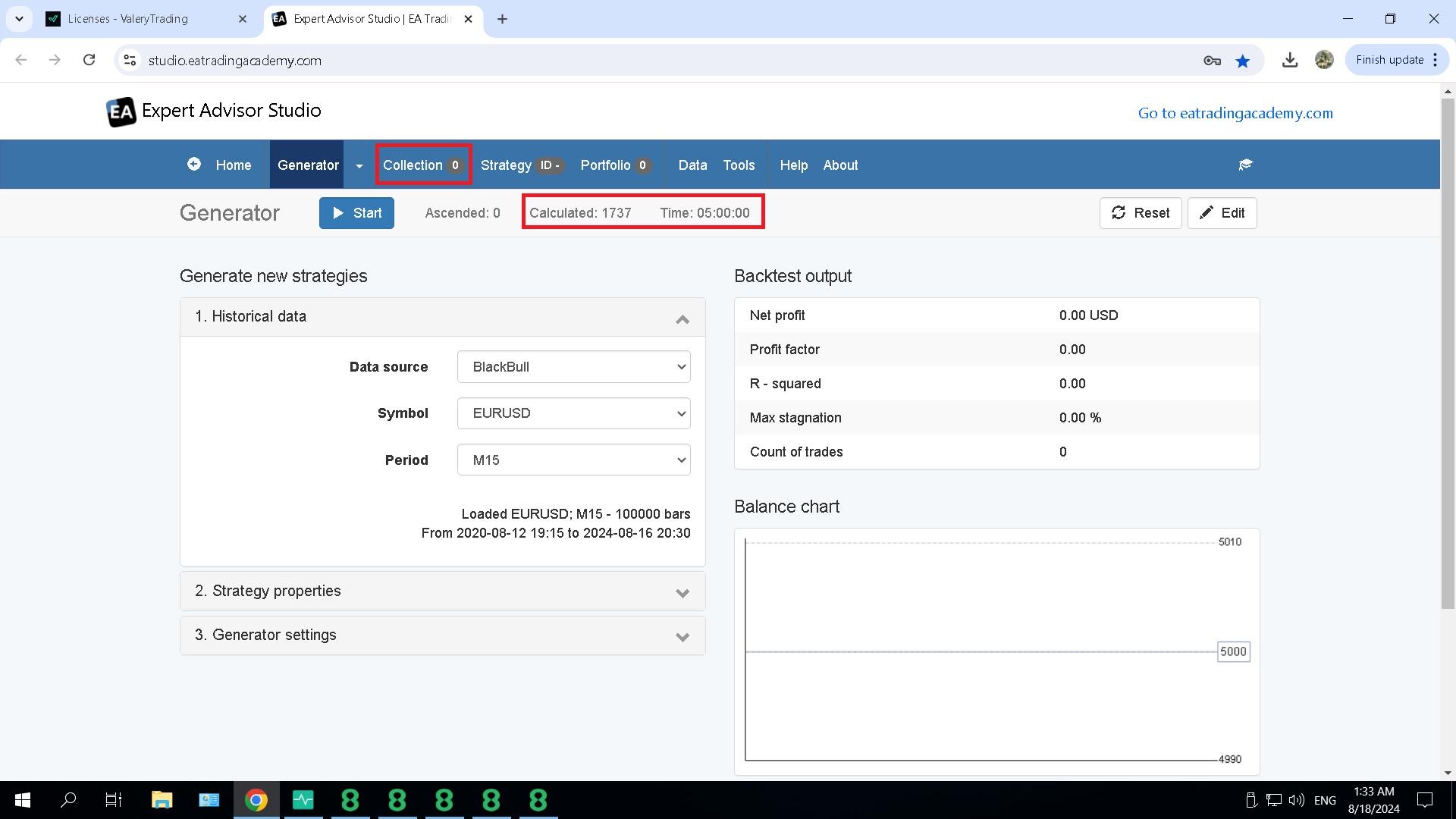
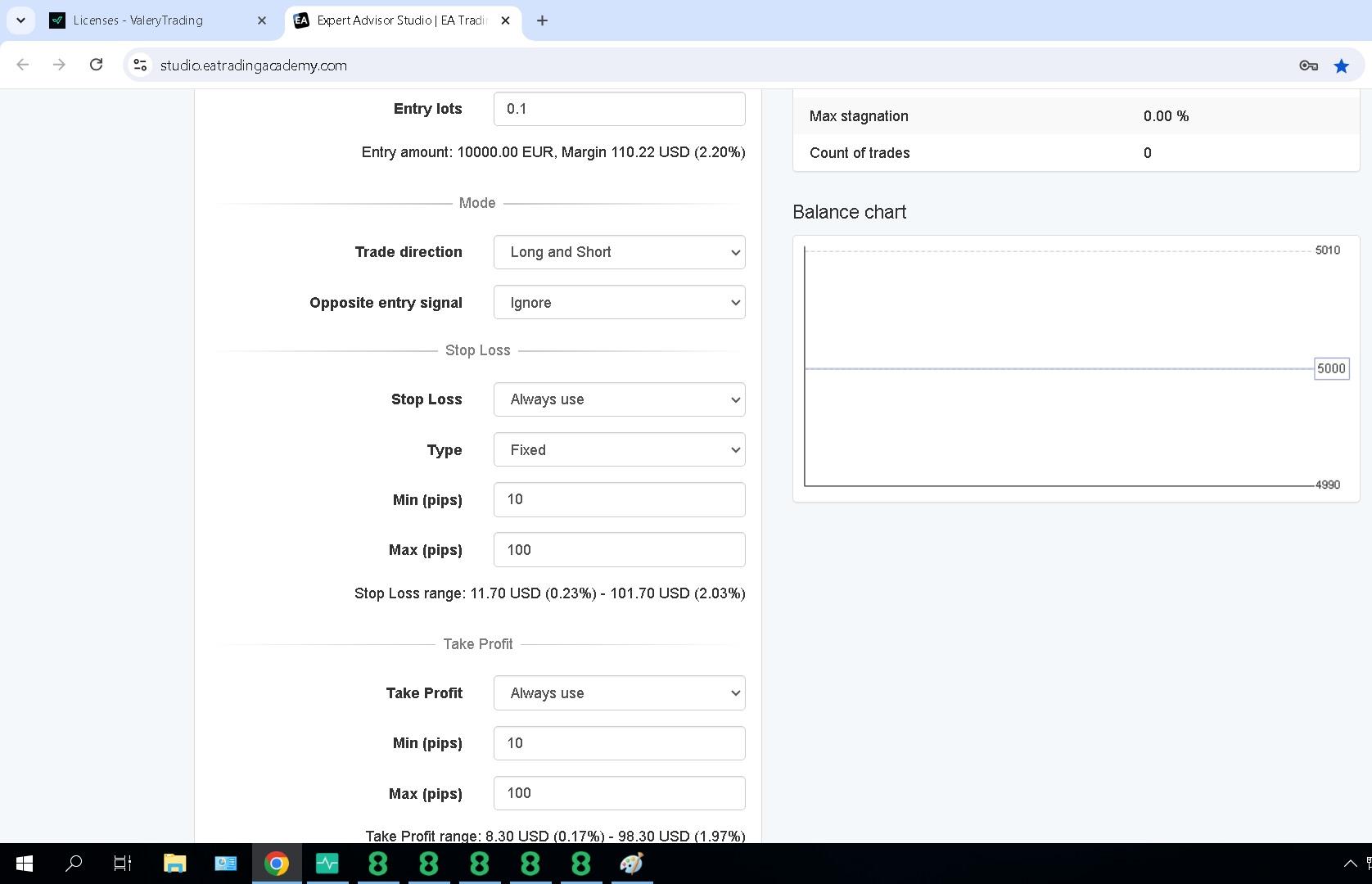
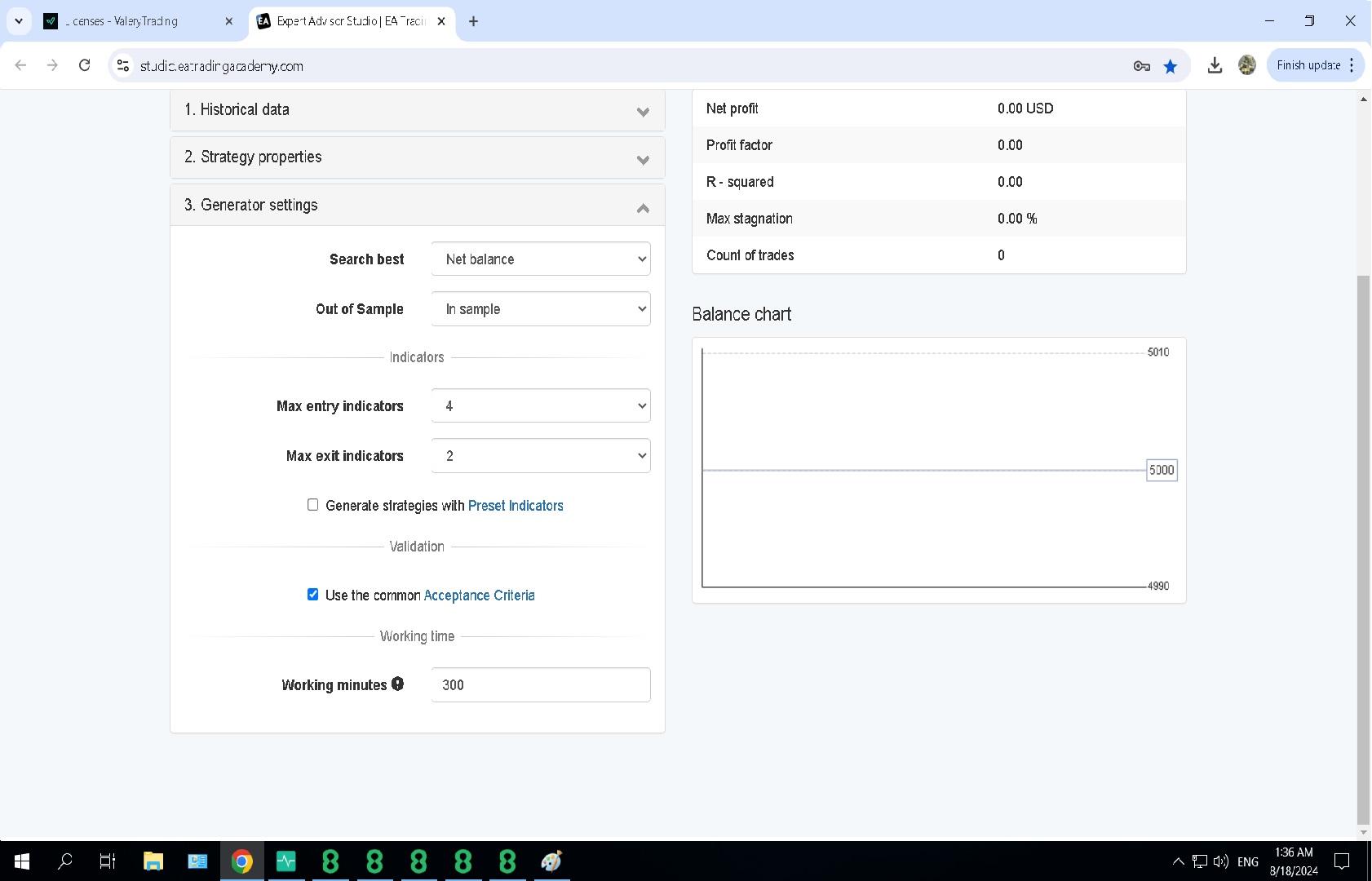
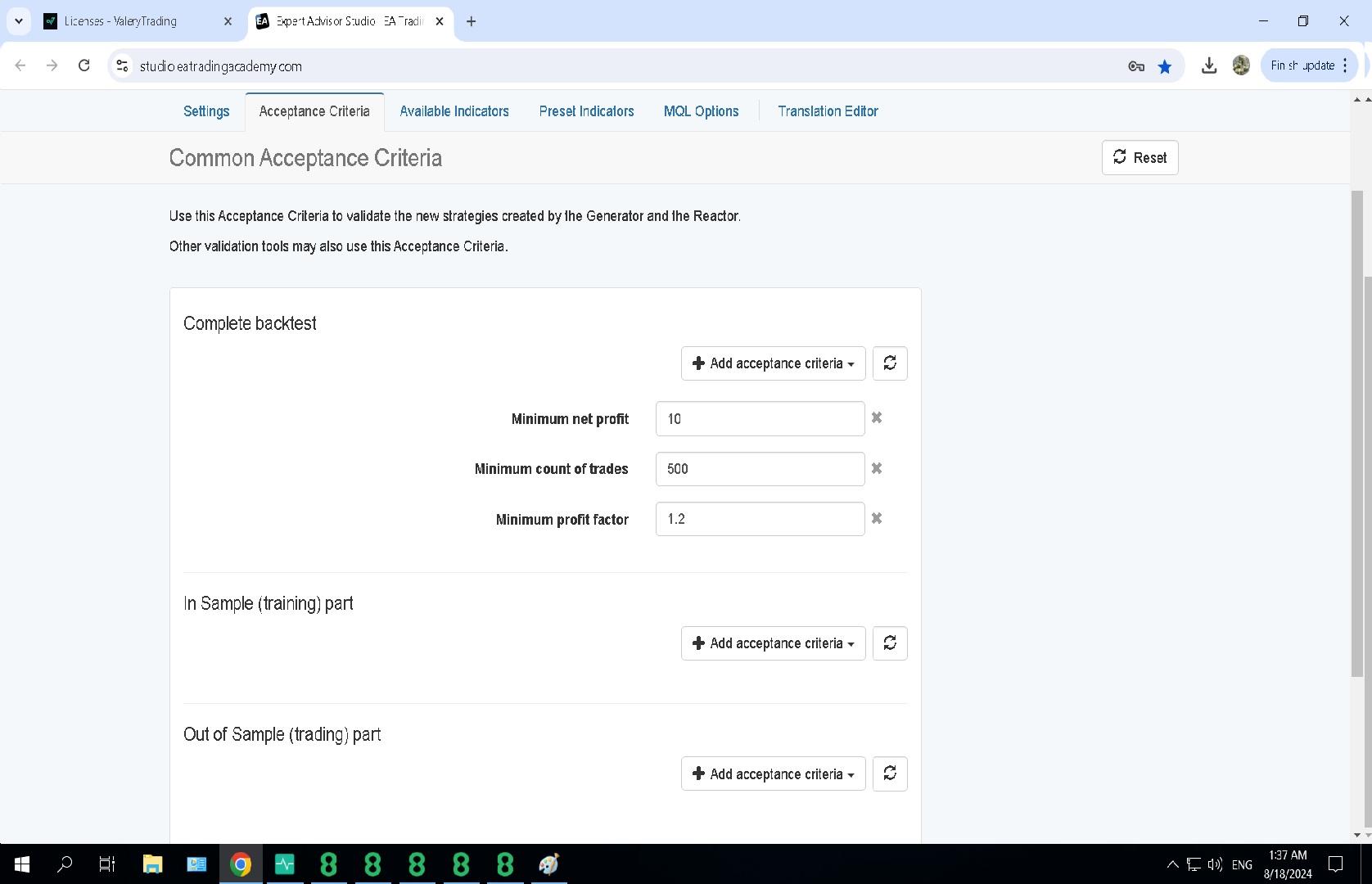
ParticipantHello, I am in the process of 21 day algo program, I am currently working on Ea Studio with 14 days trail. I just finish Petko Expert Advisor Studio Free Course and I exactly followed Petko when generating Ea but unfortunately I did not get any result on the generator. First i let the generator work for 600 min 10 hours yet no result then I tried again for 300 min 5 hours and yet no result as well. I attached my screen shot and pls let me know if i did anything wrong.
Thank you,
Marin Stoyanov
KeymasterHey Ahmad, looking at your setup I’d suggest to try lowering some of the Acceptance Criteria values. You may start with “Minimum count of trades” of 200-300 and then in the Collection, in the Filter records, you can set the “Minimum count of trades” to your desired value.
KeymasterHello, we were moving our server infrastructure. Everything should be working as expected now.
Denzeljefthas
MemberWhy dont my ea bot not execute trades
NIKOS KYRIAKOU
MemberHey Denzeljefthas,
Please know that it is based on the acceptance criteria on when a robot can take a trade. If it meets the acceptance criteria, there will be trades executed.
Try checking your acceptance criteria in EA Studio and see if you need to change something there.
Hope this helps!
If you have any other questions, let me know!
Kind Regards,
NikosIlan Vardy
ParticipantHey Denzeljefthas,
There could be many reasons why your EAs are not opening trades.
First, make sure when you place the EA on to your chart, you have enabled auto trading beforehand. You must see a smiley face or blue hat in the top right corner.
Other reasons could include your entry lots being too high, not enough capital or margin in your account, an issue with the broker. Check the journal to see if there are any errors. If you’re still stuck, please send some screenshots so I can take a closer look.
Thanks,
IlanPatrycja Duran Bystry
ParticipantI received a message asking me to download EA EURUSD (day 2) and when I clicked on the links I was told that I did not have a plan and that I had to purchase it to have access. Please help me how should I do it
Jag1475
ParticipantHI I’ve tried to sign up for the 21-Day Free Algo Trading Course
but I keep getting an error “hello.eatradingacademy.com refused to connect”
are you still offering the course ???
thanks
JOhn
CyberWolfdogTrading
ParticipantI m also getting this erro.
Can this be fixed so we can start 🙂
ParticipantHey Cyberwolfdog .
the link is working again
Gus
ParticipantHello World!
I started making my way through the lessons and when I got to “9. GBPUSD Strategy Set Up” and I setup my charts with the original settings as found in the video, everything works well, but I noticed the settings have been updated and when I try to enter the new settings for the M30, MACD(17; 12; 9), when I click “OK”, the MACD disappears from the chart. I tried adding it again and if I leave the default values the indicator gets added, but if I change them to MACD(17;12;9), poof! It’s gone once again.
I did some web searching and it seems the MACD indicator has a requirement that the fast EMA period should be a smaller value than the slow EMA period value, which makes sense. Is there a typo in the updated slide where it should be MACD(12;17,9) instead? Anything else?
Thanks in advance!
– Gus
Samuel Jackson
MemberHi Gus, I haven’t done this course and so I haven’t seen but I am am sure that the settings will be 12;17,9 and not 17;12;9 as you say.
Default values for MACD are 12 ; 26 and 9 and its best to not stray too far from the default in this case. And so in this case the 26 has been reduced slightly but that is all. Also yes the fast EMA should be smaller than the slow. Its just a typo.
QueenTrader
ParticipantAlright, I have downloaded and installed the robots on two Demo accounts one Mt4 and 1 MT5
It seems that more trades are taking place on MT4 started with 1000$ and now a couple of days later not one green trade down to 700$ on the MT4
I didn’t figure out how to back test on MT5, on MT4 it took data only from June and everything appears to be in loss.
Not looking good. Any idea maybe I installed the robots the opposite way?
MemberHi QueenTrader, Do you have access to EA Studio or just the robots? I would suggest compering EA Studio back test results with Mt4 backtest initially (Can just import the mt4 robot back into EA Studio).
Make sure you backtest over a sufficient period of time (At least a couple of years and at least 100 trades). A couple of days results is completely meaningless for trading. You need sufficient time and number of trades made to assess if a robot is behaving as expected, and also a comparison with a properly done an accurate backtest.
-
AuthorPosts