

Forum Replies Created
-
AuthorPosts
-
Marin Stoyanov
ParticipantI understand romolusne. Another way to solve this is just by settings as I mentioned the maximum and minimum equity to 0 and then if you want, you can set a percentage.
See the image below:
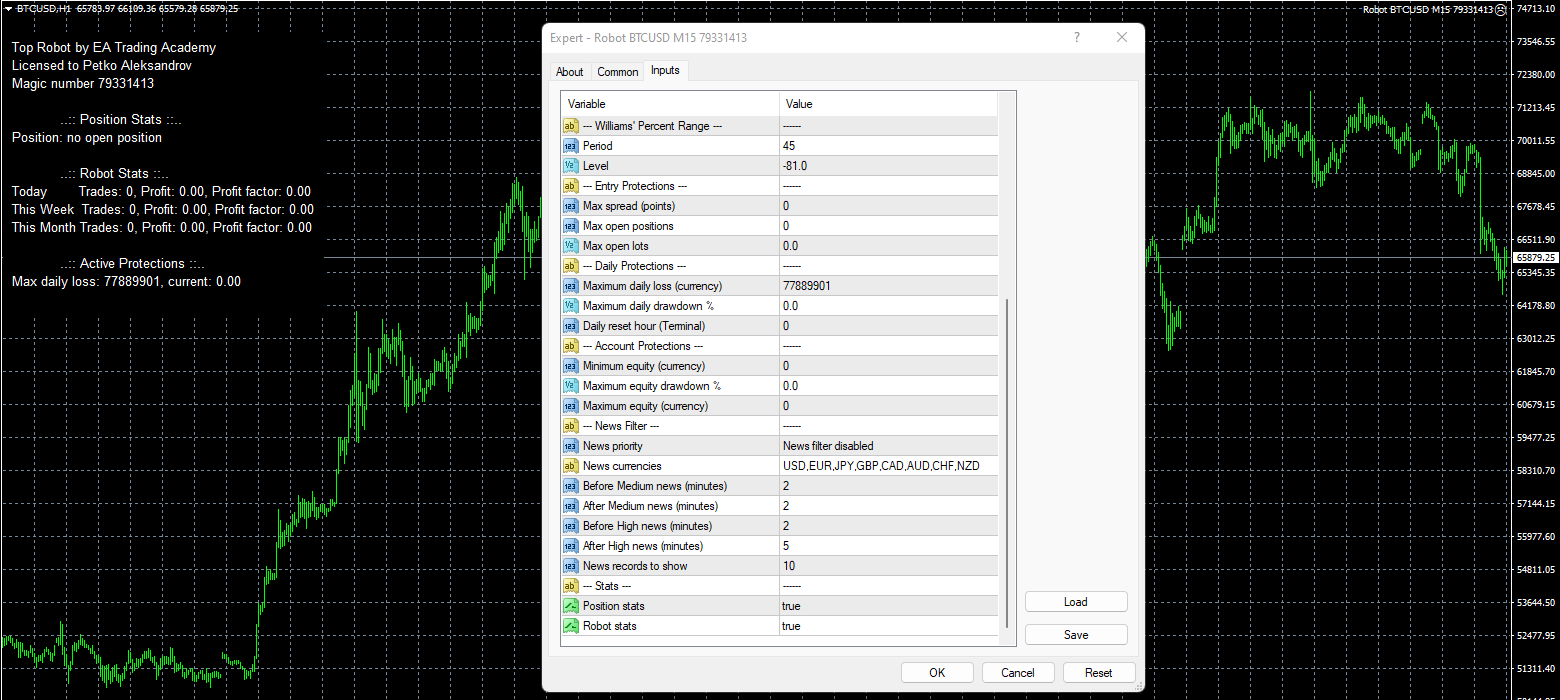
Hope this helps!
Kind Regards,
NikosParticipantTry to raise it and also try to change the numbers that you see in the minimum and maximum equity!
Let me know if you have any more questions!
Kind Regards,
NikosParticipantNo worries,
Check the screenshot below:
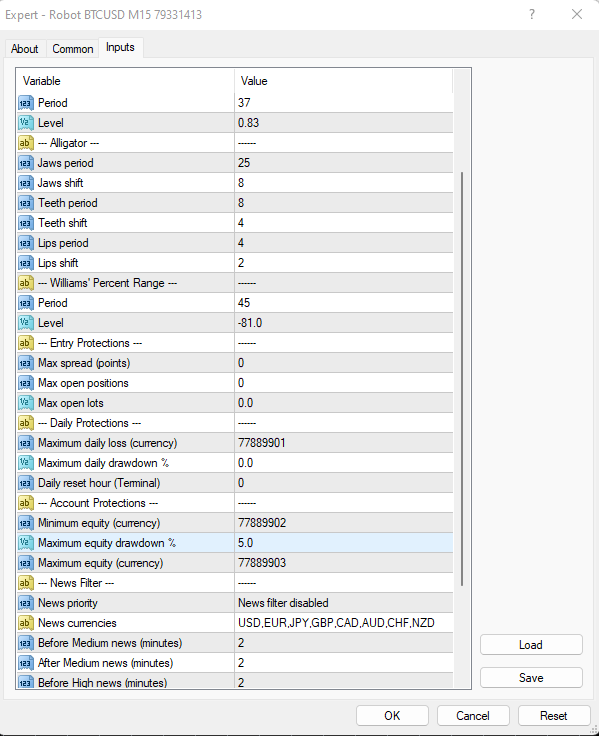
Where you see the equity settings, you can just set it in any percentage you would like to risk. Keep in mind that equity means that the open position when for example it 5% loss, it will stop trading to protect the account from getting blown.
Hope this helps!
Let me know if you need more assistance!
Kind Regards,
NikosParticipantAlright, I see what is wrong.
So, it seems that the minimum equity has been activated. In this case, you need to decrease the equity in order for the the robot to work.
Just try to decrease the equity settings and see if that works. You will need to drag the robot to the chart again!
Thank you!
Kind Regards,
NikosParticipantI see romolusne, from the screenshot that you provided, I can see that the settings are fine.
So, in this case, I would suggest to try and install the robots again on the charts, I mean the ones that disappeared from the charts and see if that works!
If it still does not work, let me know!
Kind Regards,
NikosParticipantHey romolusne,
So, you said that the bitcoin robots disappeared from the chart correct? If so, have you set them up correctly?
Also, regarding the results, I believe it should go positive but just to make sure that everything is correct, can you provide a screenshot of the settings so that I can see further?
About the commission, that is set by the broker, so it is not possible to reduce the commission.
Thank you!
Kind Regards,
NikosParticipantHello traders,
I’ve got really good news to share!
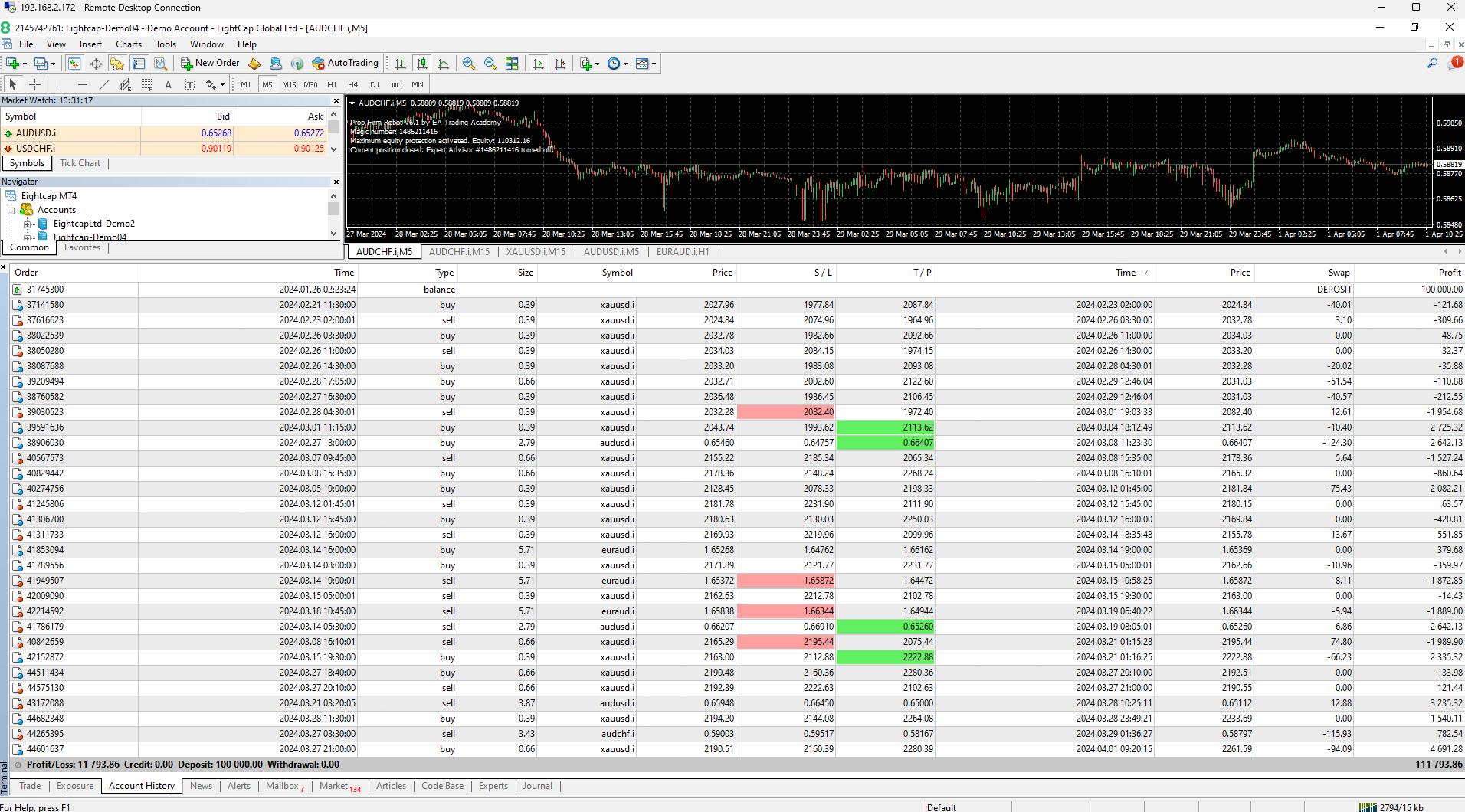
The Prop Firm Robots (or FTMO ROBOT) have successfully passed yet another challenge! This time, it was on a $100k challenge account with Infinity Forex Funds. I relied on the Top 5 EAs from the Prop Firms App on the weekly timeframe. I took a bit of a risk by doubling the lots once the account hit 5%. It took the Prop EAs a solid 40 days to pass the challenge, and what’s even more impressive is that they managed to gain a whopping 15% in just the last 30 days, which is awesome to see!
Here is an image of some of the stats:
Kind Regards,
NikosParticipantHey traders,
I’ve got some amazing news to share!
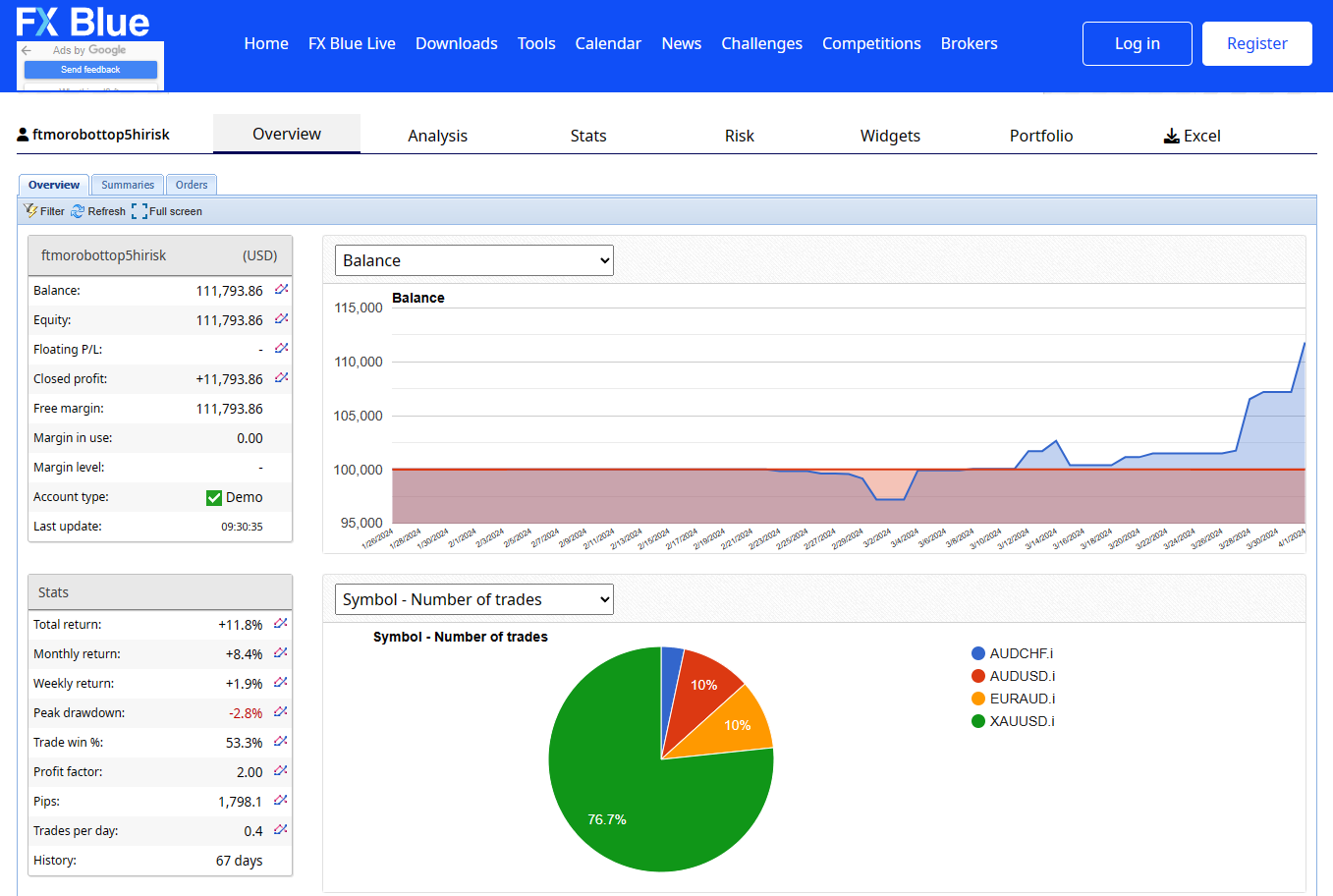
The Prop Firm Robots (or FTMO ROBOT) have successfully passed yet another challenge! This time, it was on a $100k challenge account with Infinity Forex Funds. What I did is that I relied on the Top 5 EAs from the Prop Firms App on the weekly timeframe. I took a bit of a risk by doubling the lots once the account hit 5%. It took the Prop EAs a solid 40 days to pass the challenge, and what’s even more impressive is that they managed to gain a whopping 15% in just the last 30 days, which is awesome to see!
Also, we will show in a video how we used the Prop Firm Robots so that you can see how we passed the challenge!
Here is an image of some of the stats as well:
Kind Regards,
NikosParticipantHey traders,
I’ve got some amazing news to share!
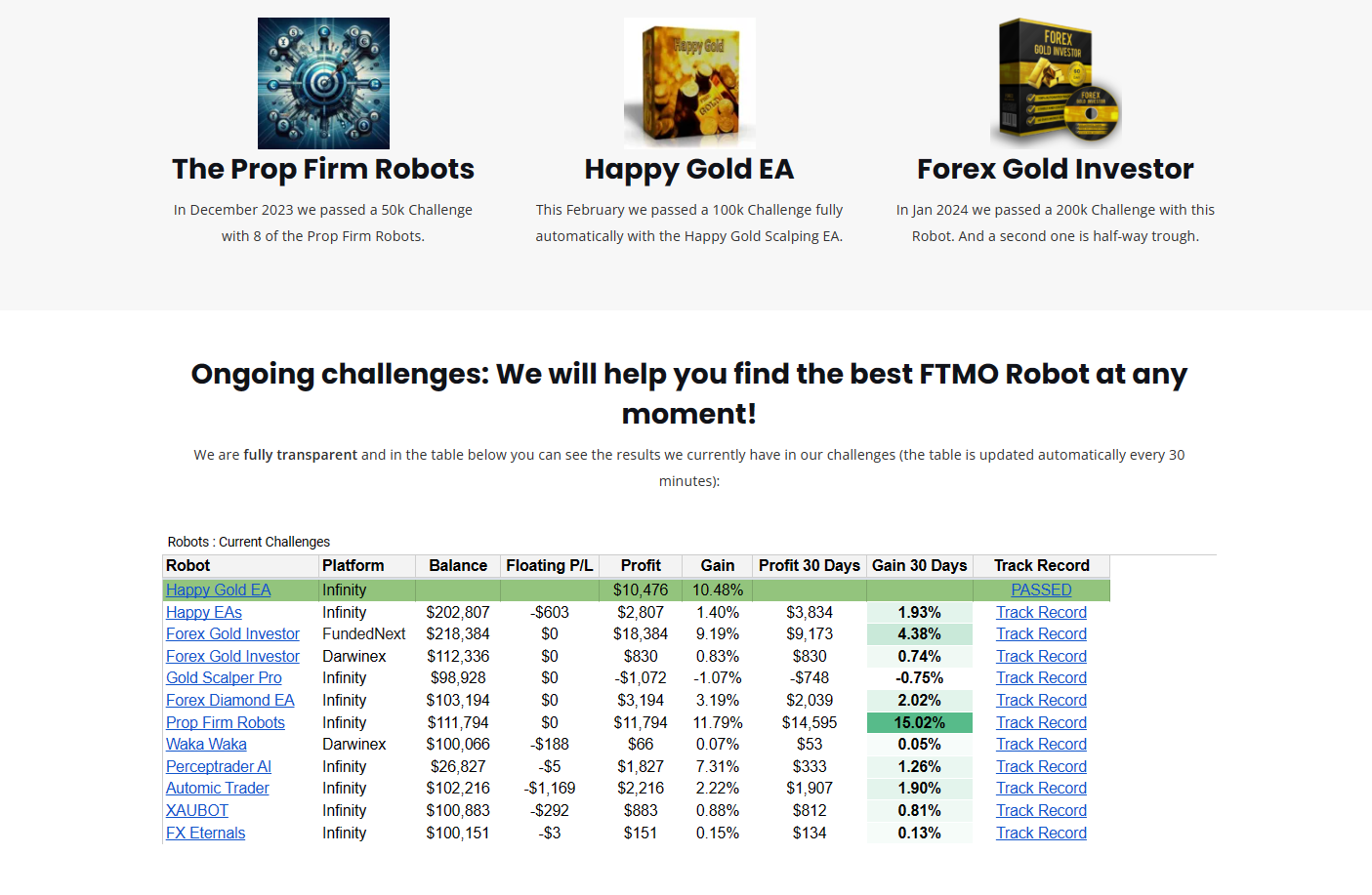
The Prop Firm Robots (or FTMO ROBOT) have successfully passed yet another challenge! This time, it was on a $100k challenge account with Infinity Forex Funds. I relied on the Top 5 EAs from the Prop Firms App on the weekly timeframe. I took a bit of a risk by doubling the lots once the account hit 5%. It took the Prop EAs a solid 40 days to pass the challenge, and what’s even more impressive is that they managed to gain a whopping 15% in just the last 30 days, which is awesome to see!
Here is an image of some of the stats:
Kind Regards,
NikosParticipantHello Gent,
Yes, this did happen to Petko, and he has also uploaded a video about it. You can watch it here:
Kind Regards,
NikosParticipantHello Dear traders,
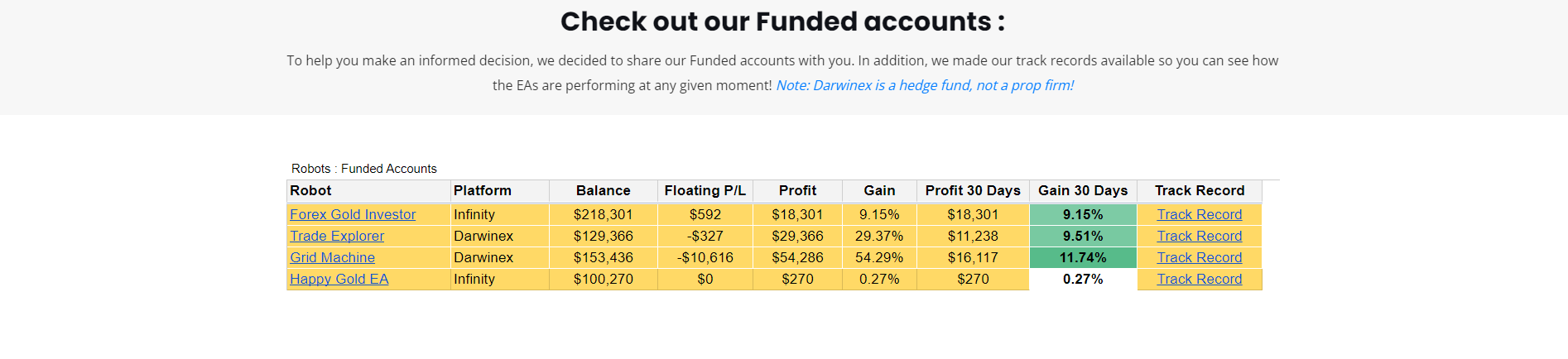
I would like to inform you about an update we have on the Funded Accounts result table. We have added some new columns displaying the floating profit/loss, what is the balance of the account after the profit has been updated, what is the profit in the last 30 days and what is the gain in the last 30 days in percentage. Also, the results are getting updated every hour!
Here is how it looks:
You can access this table via this link:https://platform.algotradingspace.com/funded-accounts/
Kind Regards,
NikosParticipantHello Dear traders,
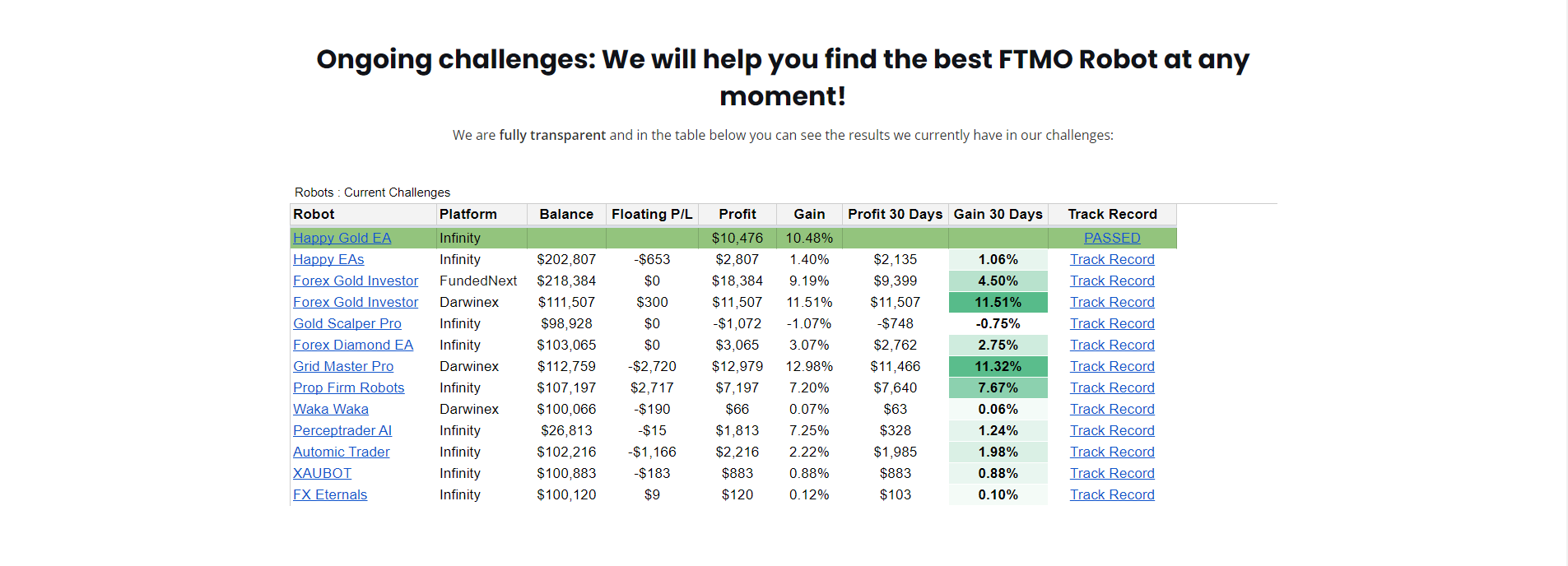
I would like to inform you about an update we have on the Challenge Accounts result table. We have added some new columns displaying the floating profit/loss, what is the balance of the account after the profit has been updated, what is the profit in the last 30 days and what is the gain in the last 30 days in percentage. Also, the results are getting updated every hour!
Here is how it looks:
You can access this table via this link:
Kind Regards,
NikosParticipantHello Dear traders,
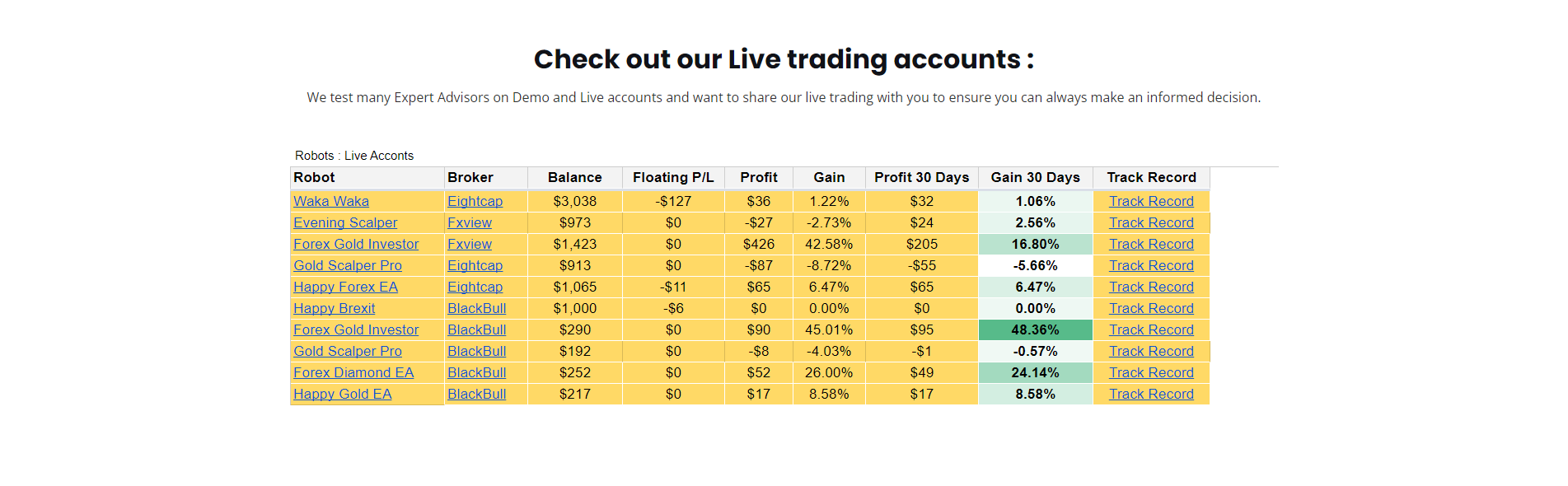
I would like to inform you about an update we have on the Live Trading Accounts table. We have added some new columns displaying the floating profit/loss, what is the balance of the account after the profit has been updated, what is the profit in the last 30 days and what is the gain in the last 30 days in percentage. Also, the results are getting updated every hour!
Here is how it looks:
You can access this table via this link:
https://platform.algotradingspace.com/live-trading/
Kind Regards,
NikosParticipantHello traders,
I would like to inform you that the historical data from each broker that we are using has been added to EA Studio and with that you will not need to to upload historical data if you use one of these brokers.
To find what brokers to use, you can either see them on the landing page of EA Studio which looks like that:
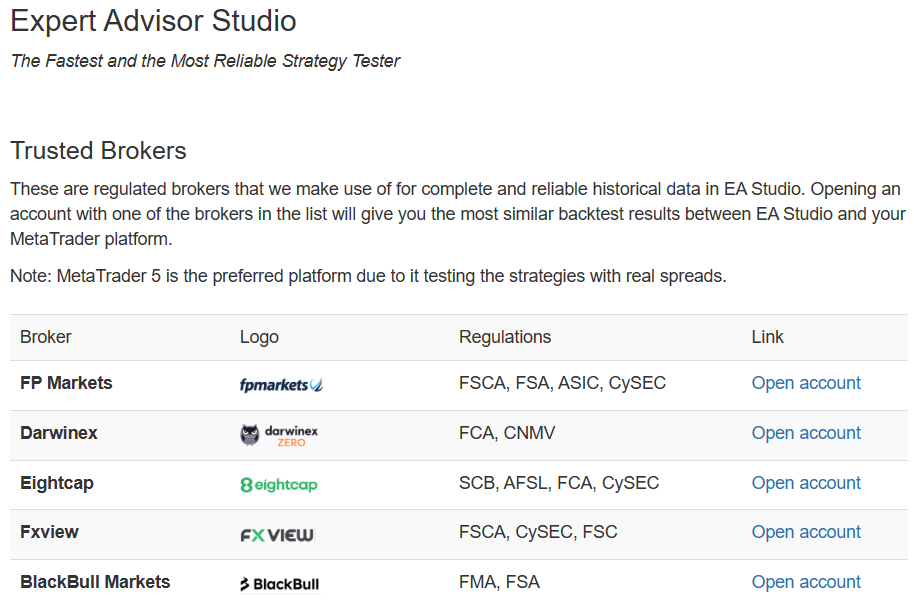
Or you can just click the link below to view them in the brokers page:
https://platform.algotradingspace.com/trusted-brokers/
Kind Regards,
NikosParticipantHello dear traders,
We are glad to tell you that there is a new update in EA Studio which can be helpful. This is what changed:
1. The Last Open Position stats from the Collection page and from the Balance chart is now removed.
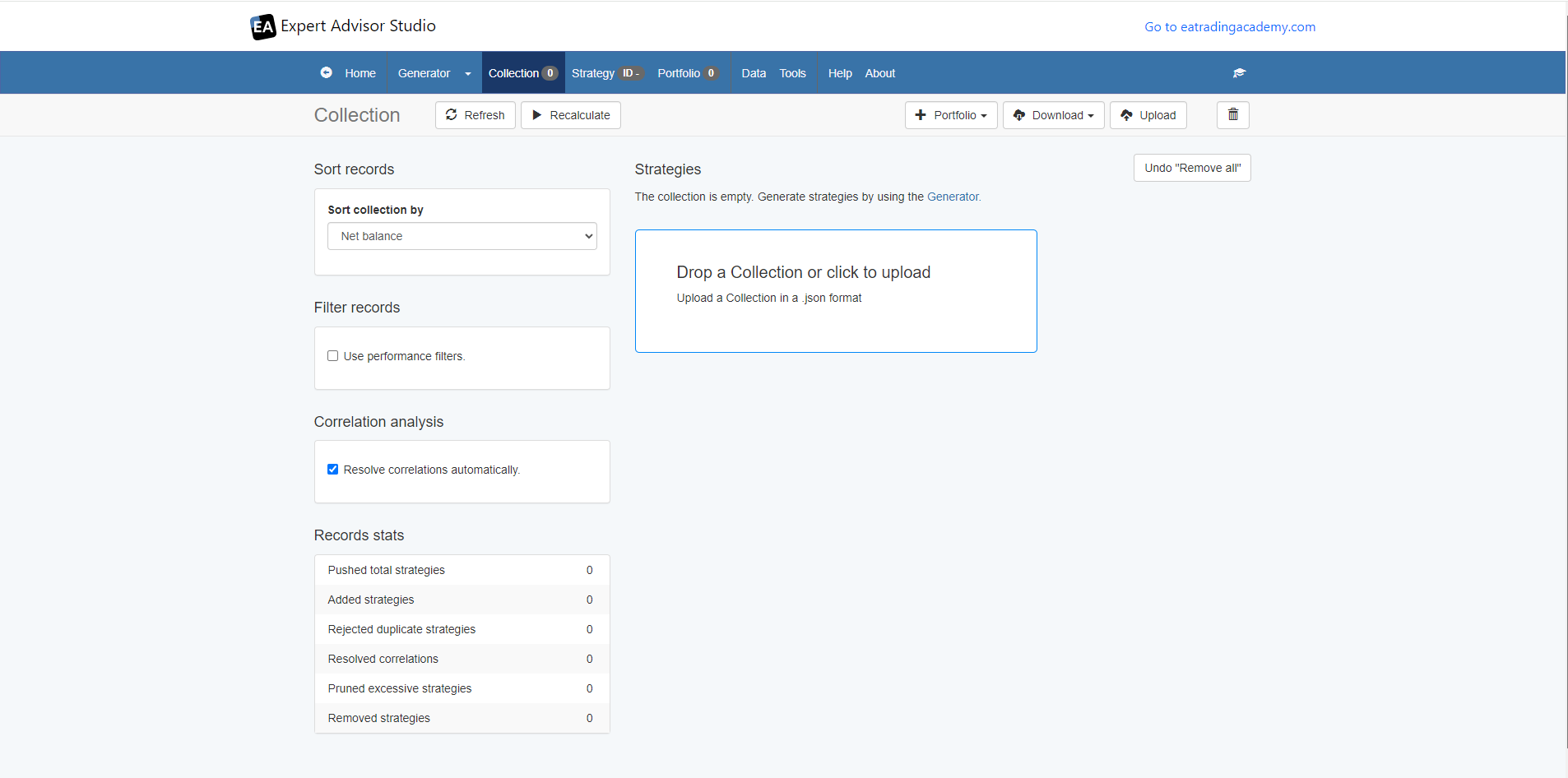
2. You can now drag and drop your collections in the collections page if they you have a .json file of the collections.You can see in the image below how it looks:
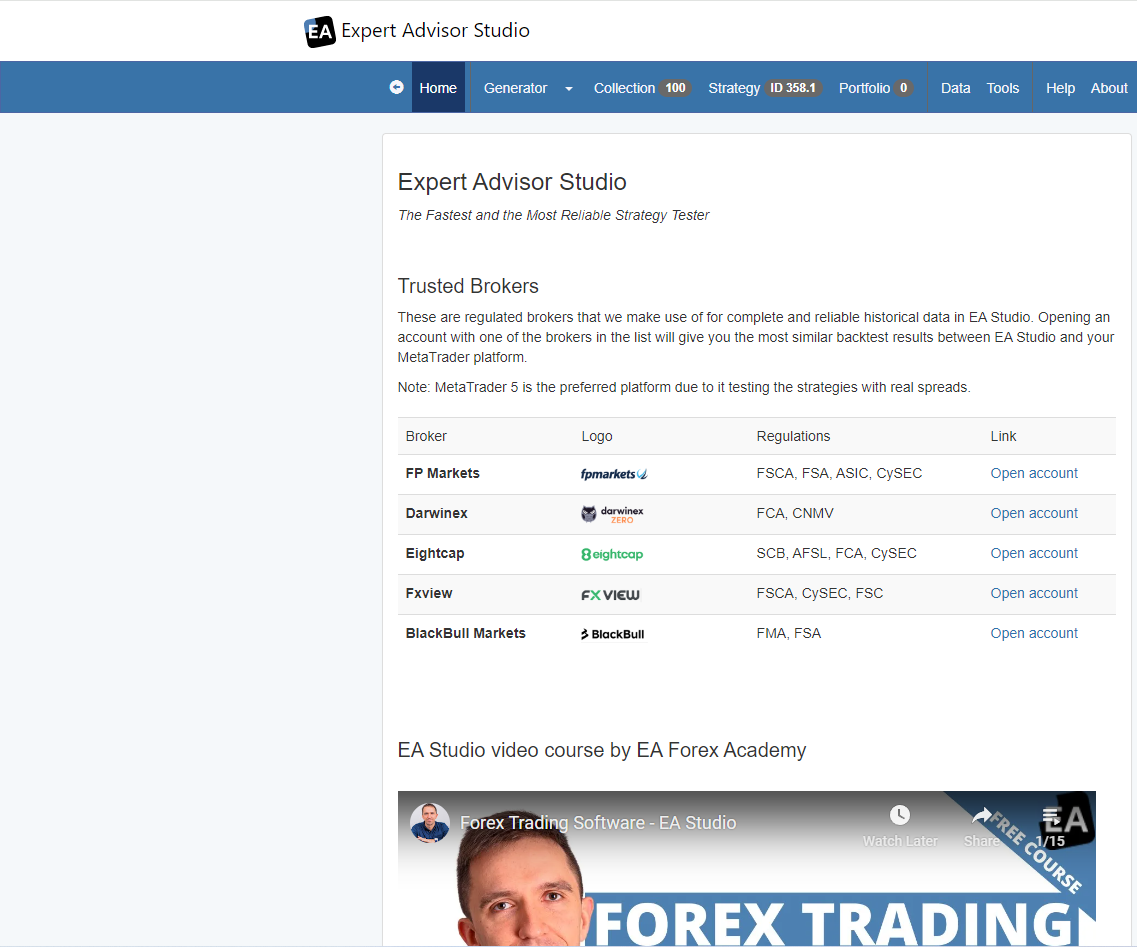
Also, another thing that changed is that now you can see all the trusted brokers that we have tested and the ones that work best with EA Studio in the landing page of EA Studio.
Let me know if you have any questions!
Kind Regards,
Nikos -
AuthorPosts