
Community Forums › Forums › Ready-to-use Robots › Top 10 EAs › Top 10 EAs: Properties & Settings
Tagged: 4 major pairs, EUR/USD top 10, lot size, Missing Portfolio Code, negative take profit, spread protection, Top 10 Gold EAs, Top 3, W1, weekly
- This topic has 58 replies, 20 voices, and was last updated 1 year, 6 months ago by
Scoot.
-
AuthorPosts
-
Marin Stoyanov
KeymasterThis topic focuses on in-depth conversations about the properties and settings of the Top 10 EAs. Discuss topics like take-profit levels, maximum spread protection, and any other configuration aspects. This topic is your go-to resource for configuring your EAs effectively.
P.S. Please use the Reply button if you want to reply to a specific comment. This would make the topic organized and easier to navigate through and will reduce number of duplicate questions.
Janek
ParticipantHi,
Do you use a fix spread protection for all pairs the same e.g. 30 points?
Or individually for every pair? If individually how to calculate it?Thanks,
JanekMichael
ParticipantHi,
I prefer to backtest on MT5. But to trade with MT4. Are the strategies in MT5 and MT4 folders matches each other?
So, for Nov set, is 3339890equal to 3341450, 3339891 to 3341451, etc?
Ilan Vardy
ParticipantHey Michael,
The EAs are identical for MT4 and MT5. When downloading them from EA Studio, we download an MT4 and MT5 version of the same strategy.
Cheers,
Ilan
Oly
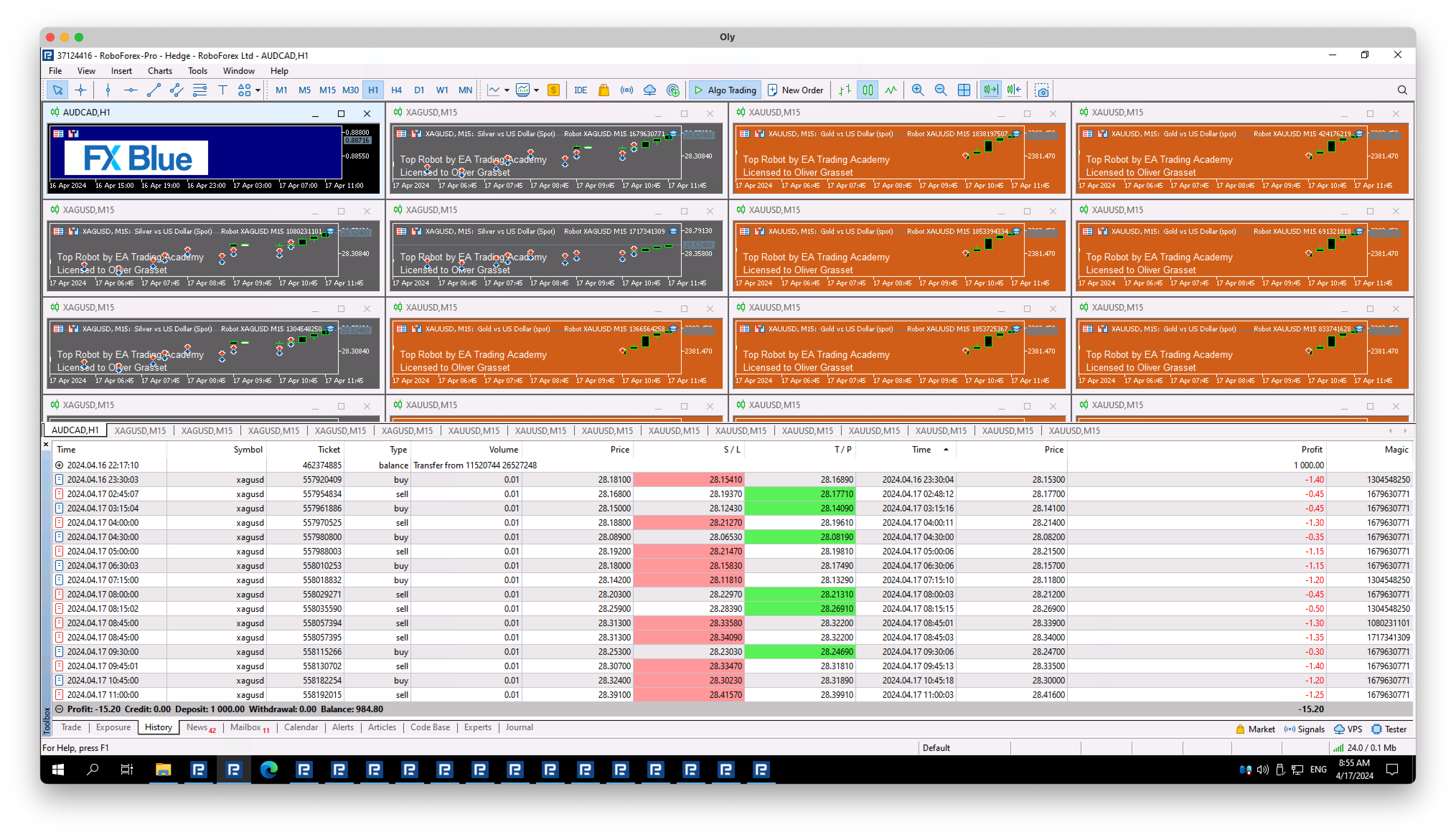
ParticipantWhy is the take-profit useless in this screenshot?? What’s the point of that?
 Keymaster
Hello Oliver,
So, from what I can understand, the take profit was placed below the opening price of the position.
There is a reason for that and probably it’s because the trend changed the robot just placed the take profit a little below the opening price.
Another reason could be the spreads, you need to check what are the spreads of the account and what does the broker offers in spreads.
Hope that helps!
If you have any more questions, let me know!
Kind Regards,
Nikosdani schmitz
ParticipantSo recently I got the xauusd trading ea’s and I saw that in properties at tp there is no tp set, my question is: do I need to put in a tp and so what is a good tp point or do they exit the trade themselves bc the eurusd bot has a tp and the gold bot did a trade, went in a good profit but it didn’t close it and a few hours later it hit the sl.
stewart
ParticipantI already had the same problem. Why sometimes XAUUSD has TP, Sometimes TP shows 0 ?
KeymasterHello Dani,
The robots should have a tp point set already but in case there is not one set as you mentioned, you just need to set it manually. In my opinion, a good tp point is about 2% but this is not a recommendation. You can set your own tp point with which you are happy!
Hope this helps!
Kind Regards,
NikosParticipantin the properties, these is no TP parameter to adjust ,
please check and solve it.
I use the top 3 XAUUSD.
ParticipantOK, well, I think it’s a failure for me. How do I get my money back?
ParticipantAs i use Portfolio. there is no parameter to adjust the TP.
Also What is the actual TP it set for the performance to get the top 3 EA or top 10 EA.
Not to tell us to set TP by ourselves.
KeymasterHello Stewart,
In the portfolio EA, you cannot change the tp but mostly the lot size but in the EAs the take profit parameter is set already!
If you use them individually, you can set the take profit and stop loss in the inputs as well as other inputs!
Hope this helps!
Kind Regards,
NikosParticipantThe EA should have TP set.
How can it get the top 3 XAUUSD EA if there is no TP parameters set.
So please you should check the TP parameters, not me to set by myself.
ParticipantPlease you download the top 3 EA XAUUSD (monthly and weekly) by yourself and to see which one has no TP set.
-
AuthorPosts