
Community Forums › Forums › Ready-to-use Robots › Prop Firm Robots › Prop Firm Robots: Errors and Solutions
- This topic has 782 replies, 1 voice, and was last updated 1 week, 1 day ago by
jordan6566.
-
AuthorPosts
-
August 31, 2023 at 4:43 am #194984
Marisa Morabito
Participant25k no errors in experts tab on my end. This has been running now non stop and still not 1 trade placed?
August 31, 2023 at 11:33 am #195047Alan Northam
ParticipantCan you show a screenshot of your settings? You should be seeing at least on average one trade every other day!
September 3, 2023 at 2:06 pm #195680Janek
ParticipantHi,
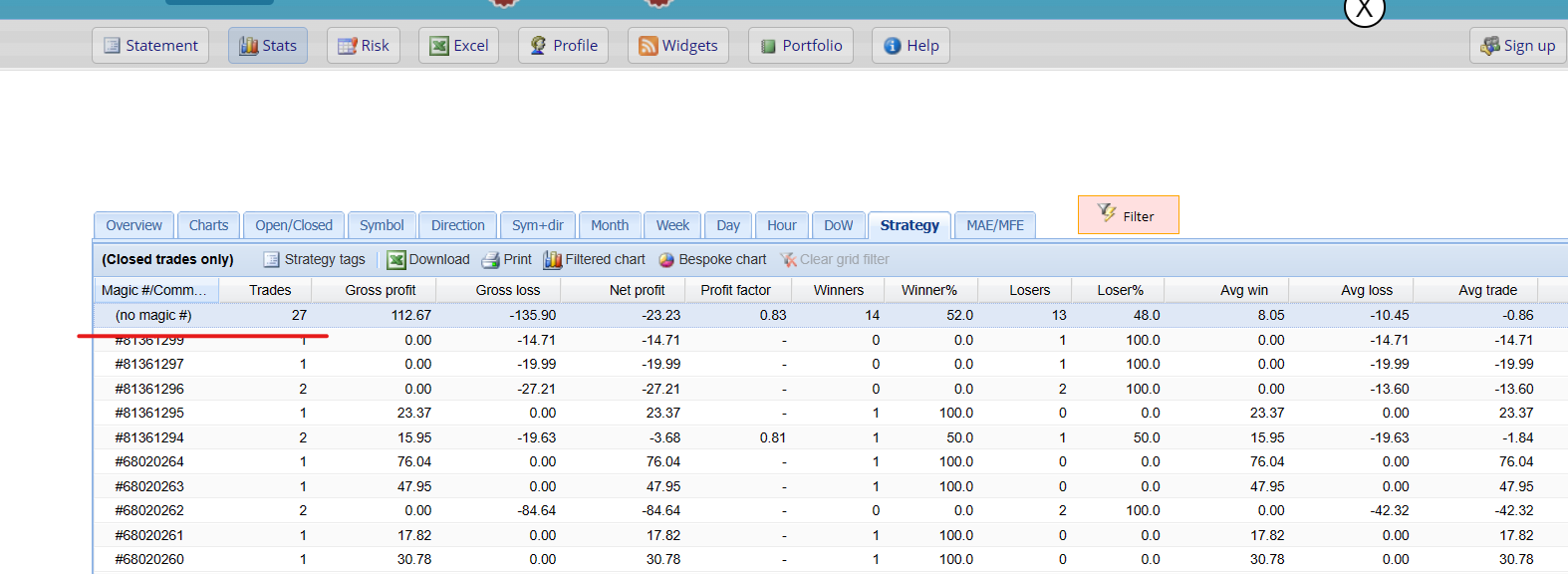
I don’t know why I am not getting Magic number. I needed to add custom order comment. Is there any solution for this?
I know that magic number should disappear when using a comment but without comment I still cannot get MN.Thanks,
Janek
 September 3, 2023 at 2:25 pm #195732Participant
This occurs when commissions or swap fees are applied.
September 3, 2023 at 3:39 pm #195749ParticipantSo myfxbook and separate account for this 7 pairs would be the best way to track the performance?
September 4, 2023 at 12:00 am #195806smartkary
Participant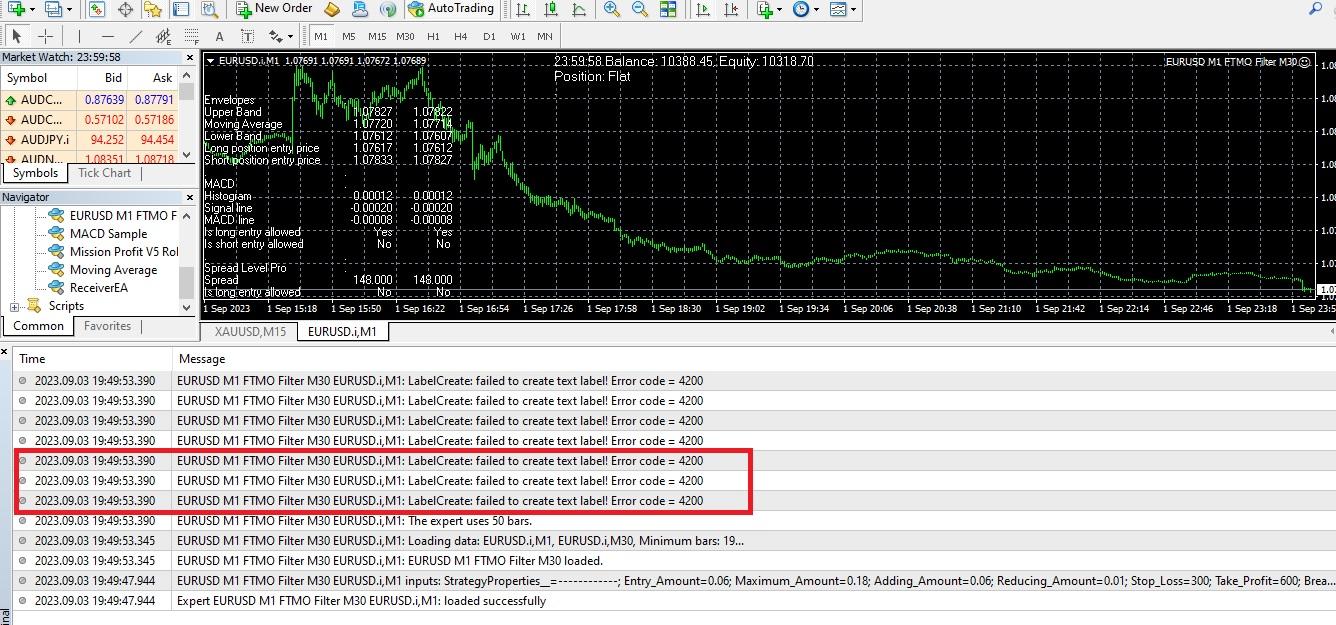 September 4, 2023 at 12:04 am #195822Participant
Add M30 to your chart and see if the error goes away.
September 5, 2023 at 1:53 pm #196161ParticipantI have placed all 07 FTMO bots … except EURUSD, all other bots are placing trades.
But not a single EURUSD trade in last 03 trading days. Not sure if the Error code 4200 is blocking anything in EURUSD botSeptember 15, 2023 at 3:15 am #198345Justin Wood
ParticipantMy ftmo bot is not placing trades either and have no error codes I’ve done everything in the guide all pairs are within the spread limit I’ve even put it m30 with home key and back to m1 again and the market spiked not long ago surly it should have placed a trade
September 15, 2023 at 3:30 am #198361ParticipantMake sure you have installed the EA properly and that the icon in the upper right corner of the trading window shows a smiley face for MT4 or a colored icon for MT5. If so then it should be ready to make trades. I monitor the FTMO EURUSD robot and the last time it placed a trade was on 09/14/2023 at 15;30. What size account do you have and what are your lot size settings.
Here are recommended lot sizes for each account size:
200K Account: Amount for new position = 6.0 / Maximum position amount = 6.0
100K Account: Amount for new position = 3.0 / Maximum position amount = 3.0
50K Account: Amount for new position = 1.5 / Maximum position amount = 1.5
25K Account: Amount for new position = 0.75 / Maximum position amount = 0.75
10K Account: Amount for new position = 0.30 / Maximum position amount = 0.30September 16, 2023 at 11:04 am #198884Petko Aleksandrov
ParticipantHey Janek,
Make sure to have the Magic number in the inputs when you drag it over the chart.
September 26, 2023 at 5:45 pm #201351The Investor
ParticipantHi guys,
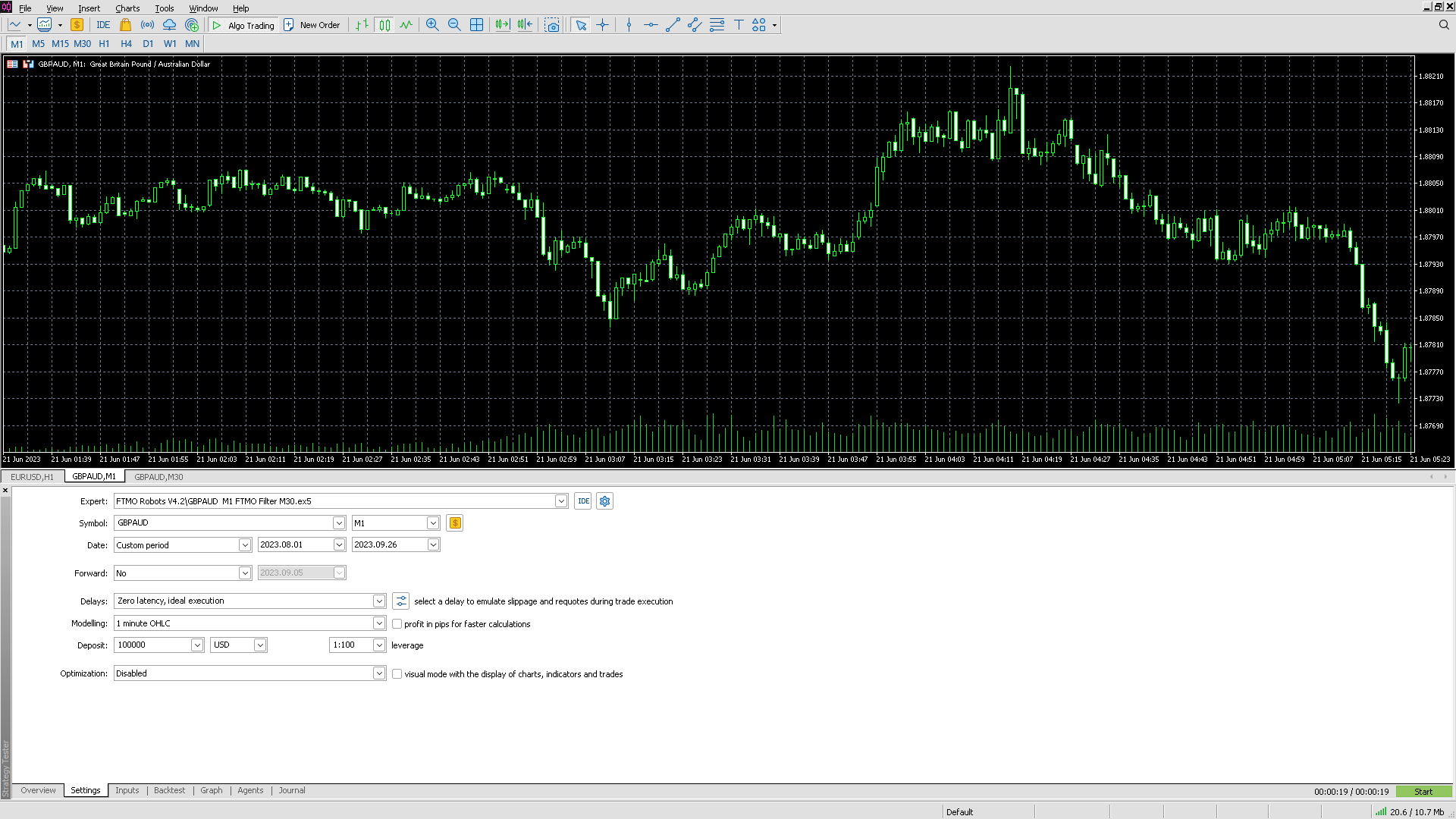
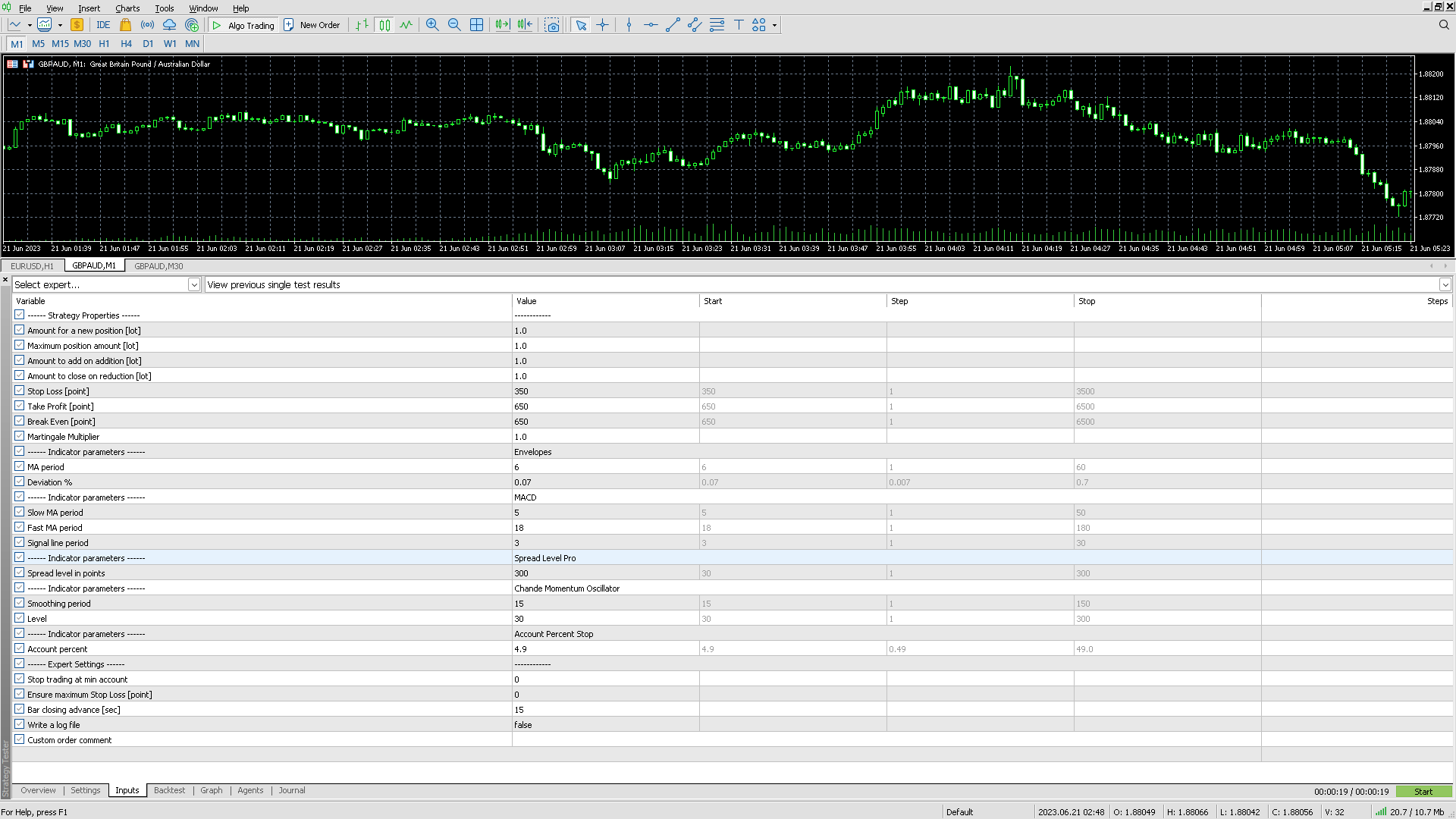
I can’t seem to do backtests with the robots.
– I believe to have loaded enough data on my charts (using the home key)
– All settings should allow me to do a backtestI’ll include screenshots, can anyone spot a mistake in my setup?
Thanks in advance
September 26, 2023 at 5:46 pm #201372ParticipantDoes M1 historical data go back to Oct 1, 2023?
Also start with smaller lot size such as 0.3, and 0.3.
Also I must advise that MetaTrader does not do a good job with backtesting! The creator of FSBpro recognized this years ago and decided to develop a much better backtester. FSBpro and EA Studio are the best backtesters available!
September 28, 2023 at 1:05 pm #201887nadir0911
ParticipantHello,
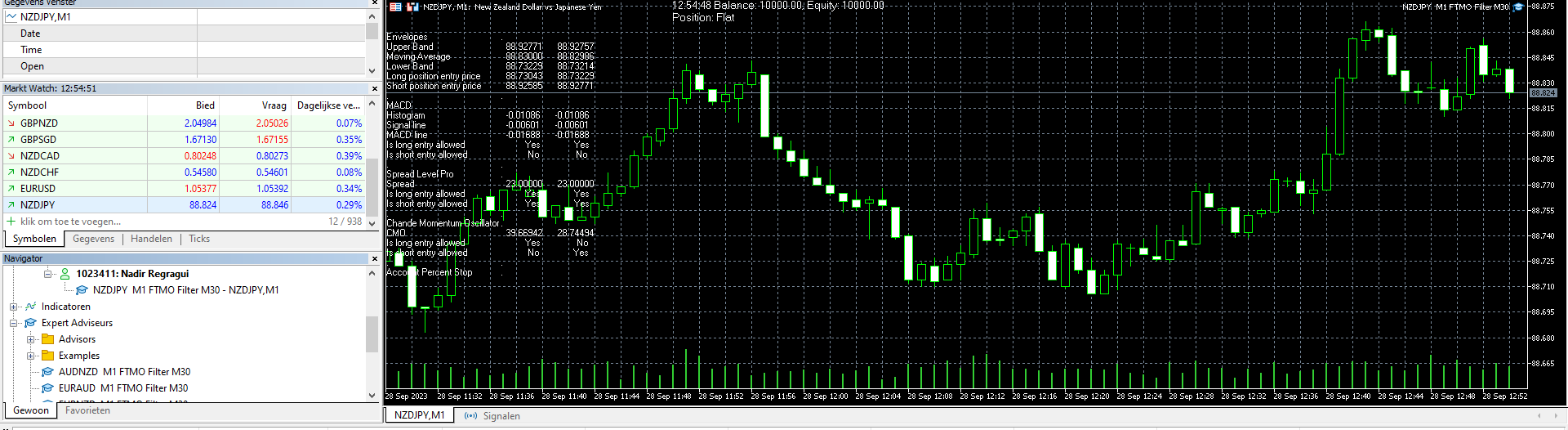
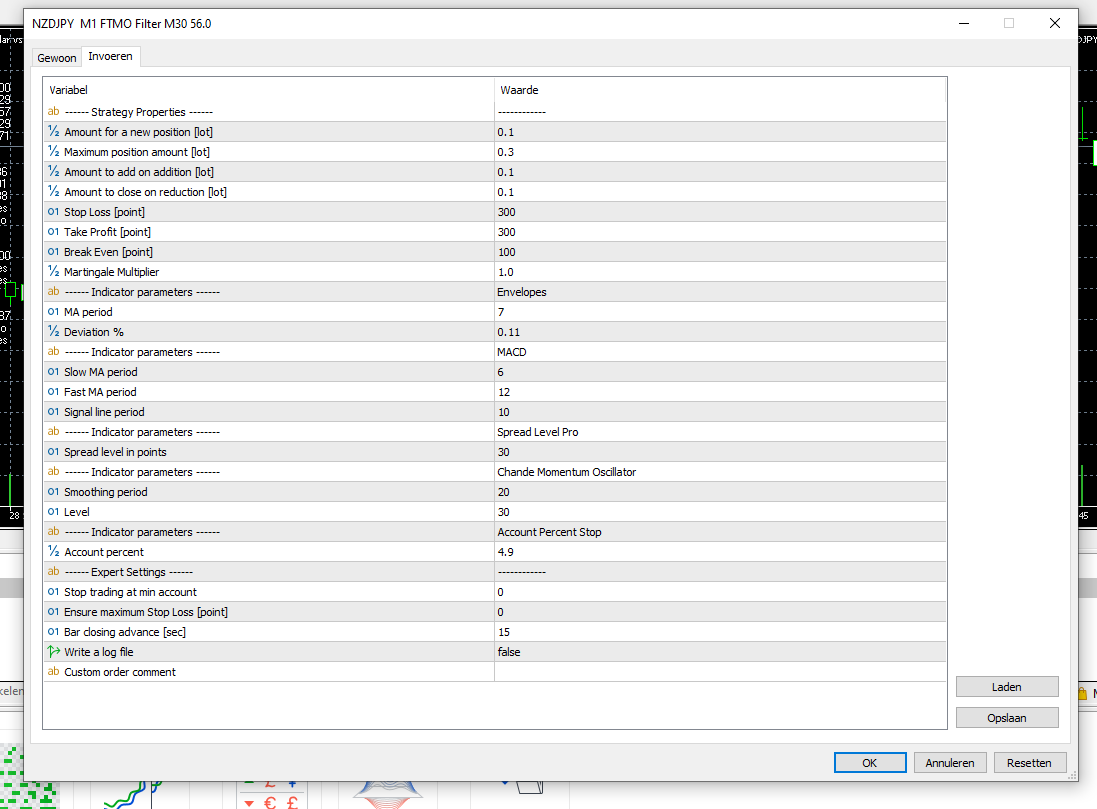
The problem I am facing is that the robot does not seem to be functioning as expected. Despite setting it up according to the provided instructions, it has not executed any trades or shown any signs of activity.

 September 28, 2023 at 1:10 pm #201890Participant
While the EA is loaded on the M1 time frame it also does some filtering in the M30 space. Because of the filtering done in the M30 space trades are not taken often. Sometimes it may take more than 24 to 48 hours before the first trade is taken. This then allows for higher quality of trades.
-
AuthorPosts
- You must be logged in to reply to this topic.