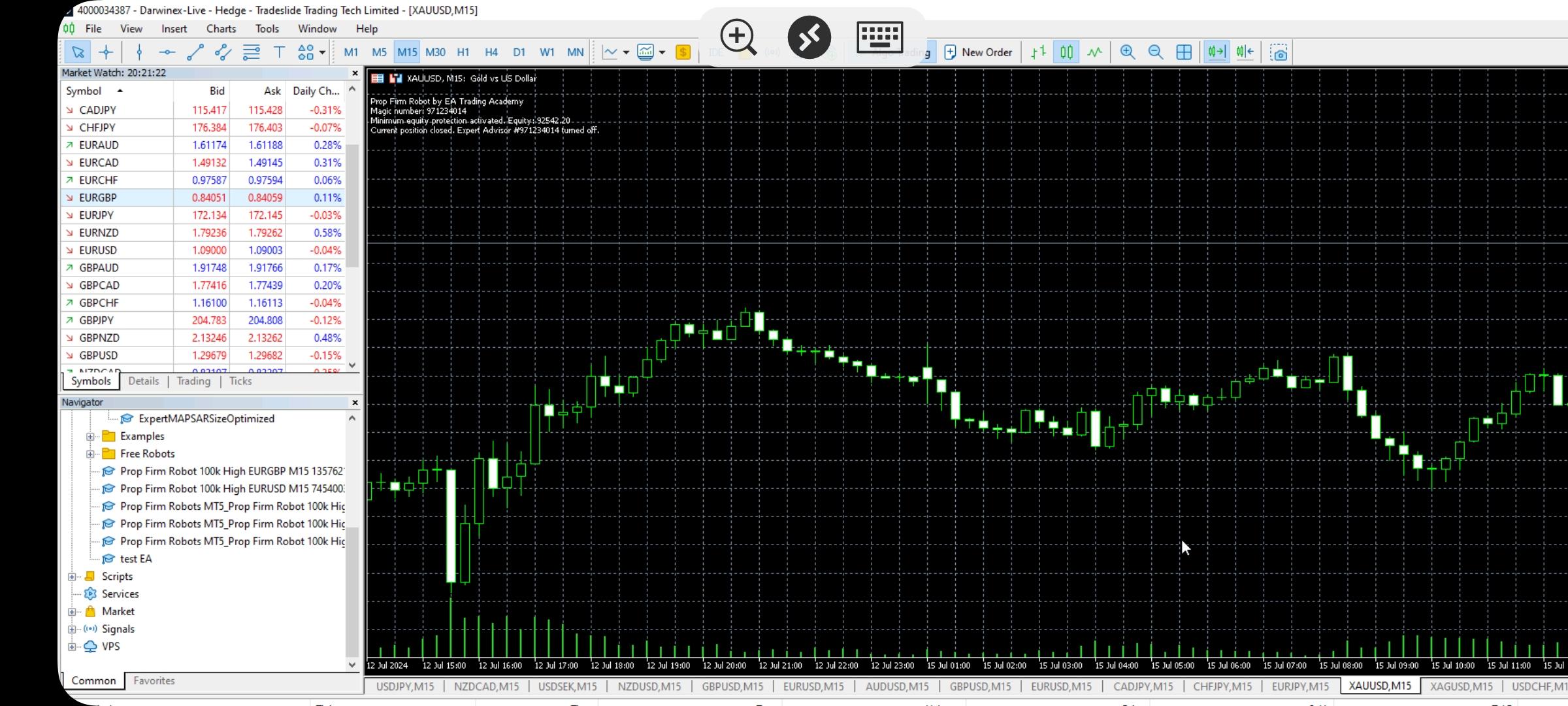
<p style=”text-align: left;”>Hi, the EAs only work with FTMO accounts?</p>
<p style=”text-align: left;”>I tried installing them on another broker, following the instructions in the YouTube video linked during checkout, but I still don’t see them in the list of EAs, and additionally, every chart shows a message that it’s turned off.</p>
<p style=”text-align: left;”>How can I fix this?</p>
Marin StoyanovAlgo Trading Space team
Hi,
Does anyone know how to set the news filter for Alpha Capital. After you pass the Assessment and are a Qualified Trader you should be careful when trading during news releases there. because Qualified Analyst are NOT allowed to execute any new trade or close an existing trade on the targeted (as per the table in link) instrument in the window of 2 minutes before until 2 minutes after the release of the below News announcements.
Is the filter on high news enough? or should i choose high and medium? and does it tick all the boxes like in the table in the link?
Thank You Marin i know the filter settings but i am wondering if it covers all the news alpha is listing to avoid mandatory
Marin StoyanovAlgo Trading Space team
For now I play it safe and set high and medium enabled
Craig
The issue you will have that the EA’s don’t cater for is you also cannot hit TP or SL during those 2 Minutes before and after.
The Experts wont place trades 2 minutes before or after but if you have a trade running and hits TP during a news spike if will be a breach.
There is an EA I use on the MQL5 store
This will remove the EA a set time before the news and re-apply it after. But what’s more it will remove the SL and TP during that news period and pop them back after. If the price has shot passed TP then it will bank the extra, but the downside is if it flies past your SL you have a bigger loss.
So it does have another option to just close all trades before the news whether in Profit or Loss.
Some props have no news trading rule but still allow set TP and SL to activate (CK Capital are one – New Firm)
Hey there,
I have a question about the inputs in the Prop Firm Robot. I think the [Entry lots] will be set automatically by Prop Firm Robot App, However, the account size I want to challenge is not included in the options, so I would like to know how the lot size is calculated.
NIKOS KYRIAKOU
Hey Y X,
If the amount that you have for your account is not included in the app, you can calculate the lot size manually by using this website:
Hope this helps!
Kind Regards,
Nikos
Marin StoyanovAlgo Trading Space team
Hello,
I recently passed a challenge on a prop firm using the FTMO robots (thank you Petko & Team!). Over the last 2 weeks, I have been using these robots on the funded account. Unfortunately, I have experienced a loss of 5%. I understand the market can be volatile and the market conditions are not always good producing successful trades, but I am a little worried I will lose my funded account if I continue to lose trades.
What is the best low risk strategy for recovering my losses in your opinion? Or does anyone else have experience with a situation like this?
I plan to use the Top 10 Robots. Do some of the robots in the Top 10 have a less risky strategy to recover losses? Perhaps looking at low drawdowns? I’ve been using the top 3 FTMO robots from the weekly as my strategy thus far.
Thanks for the help
Marin StoyanovAlgo Trading Space team
Hey Michael, glad to hear about your success with the challenge.
For your funded account, sadly when the market is against us there is not much we can do. We have other users who also reported that the last few days are not good for them after a great start. This is just another market cycle that eventually will end.
What I would do in such a situation is just to pause trading for a while until the market goes in my favor again. I still trade on my demo accounts with the best performing EAs from the Prop Firm Robots app and/or the Top 10 Robots app to keep an eye on the market and when I notice that it’s being stable I start trading again.
P.S. By the way, this is a great topic and it would be great to hear how other traders approach this situation, so moved it into the main Prop Firm Robots app forum as a separate topic. This will give it more exposure and hopefully others will share their thoughts.
Kevin5716
In your video in reference to setting up EA’s it shows a property for the time in which the EA will run, but I do not see that on mine?
Marin StoyanovAlgo Trading Space team
Hello, what was the name of this property from the video?
Ryan Sloan
Honestly the responsiveness of the customer service has really gone down the drain. 3 emails and no response. Anyway, WILL THE PARAMETERS OF THE ROBOTS BE CHANGED SO IT CAN BE A CASE OF SIMPLY INPUTTING THE CHALLENEGE/PROP ACCOUNT SIZE RATHER THEN BEING PIGEON HOLED INTO PICKING 10K, 25K, ETC ETC AND THIS ALSO GOES FOR THE DD AND OTHER ONES TOO.
Marin StoyanovAlgo Trading Space team
Hello Ryan, who did you write to by email? The last emails we exchanged with you at our support @ eatradingacademy.com inbox were from the 21st of July.
The account sizes are aligned to the most common sizes challenges from starting from $10k to $200k.
The addition of a custom account size is already part of our product roadmap. There is a lot of computation happening behind the scenes at the moment in order for the backtests to be re-calculated every 30 minutes for every EA and every account size. That’s why it’s not that simple like just adding a simple field where you can put your custom size.
Still even with the current settings there are plenty of ways you can use the EAs on different challenges. I have my own $5k challenge where I’m using the $10k EAs and just divide the lots by half to make the EAs suitable for the $5k challenge. For the protections, I could also divide them by half and have relevant protections for the lower account size but I prefer to have more freedom so I manually set the protections every time.
At the moment this is the only solution if you want to use the EAs on custom account sizes but as I mentioned, we planned to add the option for custom account sizes and once it’s live we will email the users.