
Community Forums › Forums › Ready-to-use Robots › Prop Firm Robots › Prop Firm Robots: Settings and Inputs
Tagged: #PARAMETERS, copy trading, EA Settings, Envelopes, FTMO, FTMO payments, FTMO Robot Parameters, FTMO Robot settings, High Impact News Settings, Marin Stoyanov, news filter prop firm Alpha Capital., Petko, Pip value for XAUUSD, Prop EA App, Prop Firm Robots, Proprobots stop trading, protection, RSquared PropEA, trailing stop
- This topic has 195 replies, 73 voices, and was last updated 1 month ago by
Xavier Whitfield.
-
AuthorPosts
-
December 3, 2024 at 9:25 pm #382144
Louie Moore
MemberHi Ilan, what is the News Filter website link to use?
Thanks, Lou
February 13, 2025 at 2:34 pm #431917Greg McKenzie
ParticipantWhat timeframe are the robots supposed to be on?
February 15, 2025 at 7:24 pm #432270Rvdveer
ParticipantM5, you can also see that in the name EURUSD M5
July 22, 2025 at 11:29 am #462440Abdul Thotad
ParticipantHello Team,
I have a quick question, If I purchase Profirm plan for life time, how many prop EAs I can download and install on how many accounts?
Also, can i use it on live accounts post passing the challenge?
Regards
Abdul Mateen
August 7, 2025 at 11:45 am #464896Maria Docheva
ParticipantHello Abdul Mateen,
Thank you for your questions and for considering the Prop Firm plan.
1. Lifetime Plan – How many EAs and accounts?
With the Lifetime license for the Prop Firm Robots App, you receive unlimited access to all available robots, including future updates, with no recurring fees. You can download and install them on as many demo or challenge accounts as you need—the license doesn’t limit the number of accounts.2. Can I use them on live accounts after passing the challenge?
While the robots are fully compatible with MetaTrader 4 and MetaTrader 5 and technically can be used on live accounts, it’s important to note that most prop firms restrict the use of third-party EAs on funded/live accounts. These robots are specifically designed and integrated with the protections and parameters used during the challenge phase and are advertised primarily for use in passing prop firm challenges, not for funded/live tradingLet me know if you’d like help selecting the right settings for your account size or assistance navigating the transition to a live environment.
October 5, 2025 at 7:55 pm #473663BGRBots
ParticipantHi everyone,
I’ve been using the Prop Firm Robots app for a few months now and want to make sure my settings and inputs are fully optimized before starting my next 50K/100K challenge.My main goal is to keep my robots consistently profitable across both demo and funded environments. Could anyone (or the support team) please share the recommended settings for:
Risk per trade / lot size configuration to stay within prop firm daily limits
Magic Number or EA parameters that help identify and track the best-performing bots
Whether it’s better to run 3–4 top bots or more when trading on 1% risk setups
I’d also love to know if there are any weekly routines or optimization tricks (like refreshing bots from the app, or using certain filters in EA Studio / FXBlue) that have helped others achieve stable performance.Thanks a lot — any insights from the team or other funded traders would mean a lot before I go live again.
October 9, 2025 at 9:56 am #473747Samuel Jackson
MemberHi, What happened to your first challenge? Have you proved any kind of demo or small live results consistency before you are buying a 100k prop?
Also how long have you been trading.
My recommended approach is to select EAs according to equity curves and number of OOS trades and then monitor their performance regularly (1x a week should be plenty) and only remove an EA from trading if it exceeds it worst drawdown in the backtest. FXblue makes this easy. If you need more guidance let me know 🙂
November 9, 2025 at 12:28 pm #474897Gfx2025
MemberShould i use random magic number when running the EA’s on FTMO?
November 14, 2025 at 12:18 am #475031MemberNo real need but its not a bad idea to change it, so yes good idea why not
December 17, 2025 at 1:28 pm #475925Xavier Whitfield
ParticipantHello, I have been trading with the EA’s for about 2 months now and I have seen extreme bias to always trade against market conditions and often choose positions where it should clearly be the opposite… meaning these could be “sniper” trades but the EA seems to be using the scope backwards… trading INTO chop. I signed up for the YEARLY prop robots – I was wondering how to I get that meeting with a coach you have in the description… can these EA’s be coded again with modifications… how do these bots really communicate with each other when using multiple on the same account. and how can we modify the parameters for entry…. The EA’s are clearly early EVERYTIME – leading into instantaneous drawdown…. Im trying to understand the type of trading we are doing here…. some positions seem scalp worthy, while others appear to be swings. Tried leaving a pair open for a swing and was slapped with a SL in my sleep…. These bots are meant to be “babysat and nurtured” or what? This forum is not the best for communication either- very hard to find…. help me understand these EA’s …
December 23, 2025 at 3:41 am #476093MemberHi Xavier, yes it sound like you have a lot of questions and a coaching session would be useful. Please email [email protected] to ask how to set that up. These EAs can be used in many different way to trade really, but the way the app is designed the most common way is to trade them for a short time and select new ones to replace the old ones regularly. Also they don’t communicate with each other, so when compiling a portfolio a simple way is to sum the drawdowns of each and make sure that this isnt greater than the available drawdown on your account (wiht a bit of a buffer of course)
January 3, 2026 at 6:00 am #476393ParticipantHey Samuel, I sent a email to support the day you responded and thought I gave them ample time to respond but I have yet to hear anything from support. I put my trading on hold with the bots until I got that meeting with someone and actually spoke to someone who personally has knowledge on these expert advisors and better advice on how to use them. Im sure there are some knowledgable things I can take away, instead of running backtests and OOS testing. I do not want to blow an account because I was relying on the youtube channel and vague tips.
I want to understand the “portfolio” aspect of these EA’s in combination and how to understand these settings completely instead of choosing a setting and guessing that its doing what I believe it to do.
January 13, 2026 at 11:29 am #476725ParticipantHey Xavier, please click here to proceed. Once you complete the payment, you will receive access to Sam’s calendar, where you can book a time for your session.
January 13, 2026 at 11:32 am #476726ParticipantHey Xavier, please click here to proceed. Once you complete the payment, you will receive access to Sam’s calendar, where you can book a time for your session.
February 3, 2026 at 5:10 am #477167Participant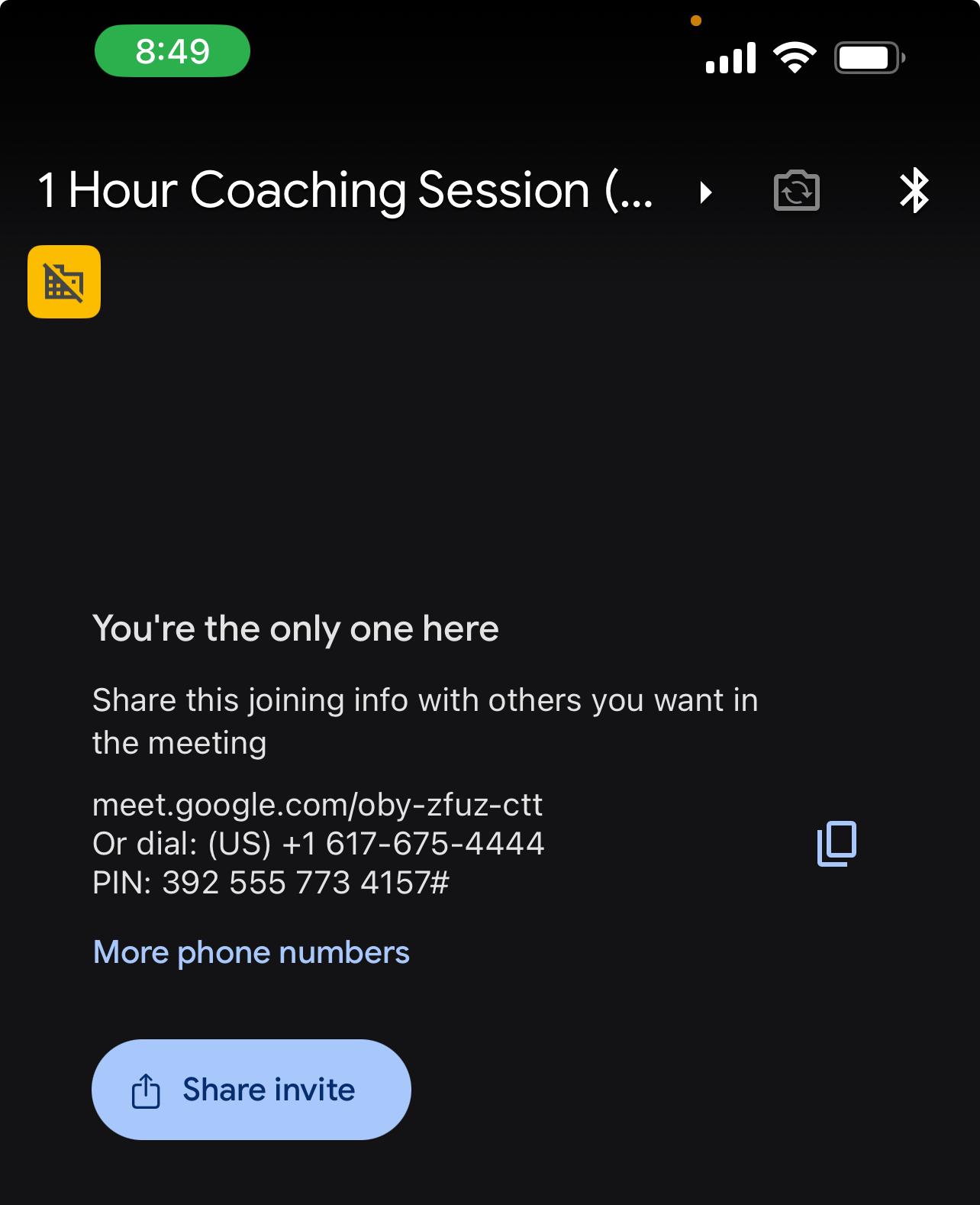 Someone help me to not be frustrated. The meeting started at 8:00pm – “You’re the only one here”
 -
AuthorPosts
- You must be logged in to reply to this topic.