
Community Forums › Forums › Ready-to-use Robots › Prop Firm Robots › Prop Firm Robots: Settings and Inputs
Tagged: #PARAMETERS, copy trading, EA Settings, Envelopes, FTMO, FTMO payments, FTMO Robot Parameters, FTMO Robot settings, High Impact News Settings, Marin Stoyanov, news filter prop firm Alpha Capital., Petko, Pip value for XAUUSD, Prop EA App, Prop Firm Robots, Proprobots stop trading, protection, RSquared PropEA, trailing stop
- This topic has 195 replies, 73 voices, and was last updated 1 month ago by
Xavier Whitfield.
-
AuthorPosts
-
October 1, 2024 at 9:44 am #313116
Riduwaan Felix
ParticipantSometimes you must close out manually especially if you getting close to profit target and close to minimum days
This happens fast if you up the risk after getting some profit.
October 3, 2024 at 5:30 pm #313569eduardo caballero
ParticipantHello admin does the EA automatically adjust lot sizes base on balance lets say I started with 100k, and my account is increasing since the EA choose the lot sizes base on my preferred risk does it also adjust lot sizes if the account goes up or down?
October 4, 2024 at 3:24 pm #313751Ilan Vardy
ParticipantHey Eduardo,
You can close trades manually and it won’t affect the EA at all. As soon as market conditions trigger the rules of the strategy to open a trade, it will open another trade. You can absolutely close trades manually if that’s something you’re comfortable doing.
Cheers,
IlanOctober 4, 2024 at 3:41 pm #313756ParticipantHi Eduardo,
No, the EAs do not scale the lot sizes automatically. It works on the challenge size and risk settings you selected when downloading the EAs from the app.
Cheers,
Ilan
October 6, 2024 at 7:52 pm #314081Alejandro Quesada
ParticipantHi fellows… Do the settings change for managing monthly a FTMO passed challenge account? Has anyone done it? Has anyone received payments already from managing accounts with the robot?
Thanks,
AQ
October 6, 2024 at 11:46 pm #314136Steve Kanotz
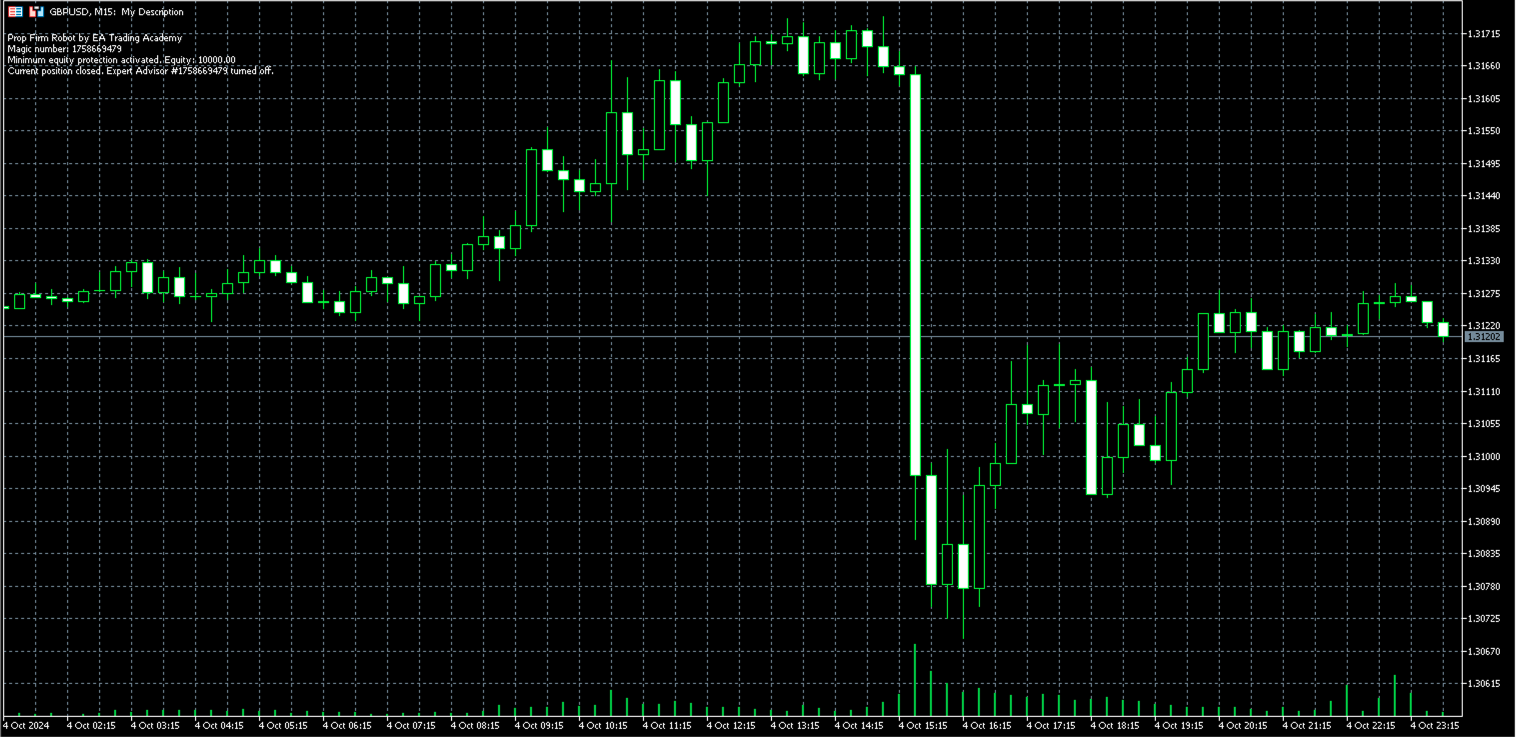
ParticipantA few moments after install of the EA on MT5 the data on the left stays but the blue hat disappears. Any idea why?
Thanks!
 October 7, 2024 at 1:23 am #314140Participant
You can see in the data box on the left that the EA has been shut off even though Algo Trading is enabled in EA Properties and in MT5 top bar.
October 7, 2024 at 2:30 am #314144ParticipantFigured it out!! Had an account size chosen larger than what I had and went into equity protect. My fault.
October 7, 2024 at 12:14 pm #314177Keithesaf
ParticipantHi All,
I have the Prop Firm Robots on MT5 on a VPS 9foexvps.netBroker is IC Markets, but had the same issue with EightCap
Demo $100000 account
Install the expert on the charts. after compiling.
Journal says Expert Loaded successfully, then 3 minutes or less later, The Journal Says Expert removed.
This is happening each time I try and load the experts.
Any advice would be greatly appreciated.
Thanks
Keith
October 7, 2024 at 12:27 pm #314179Participant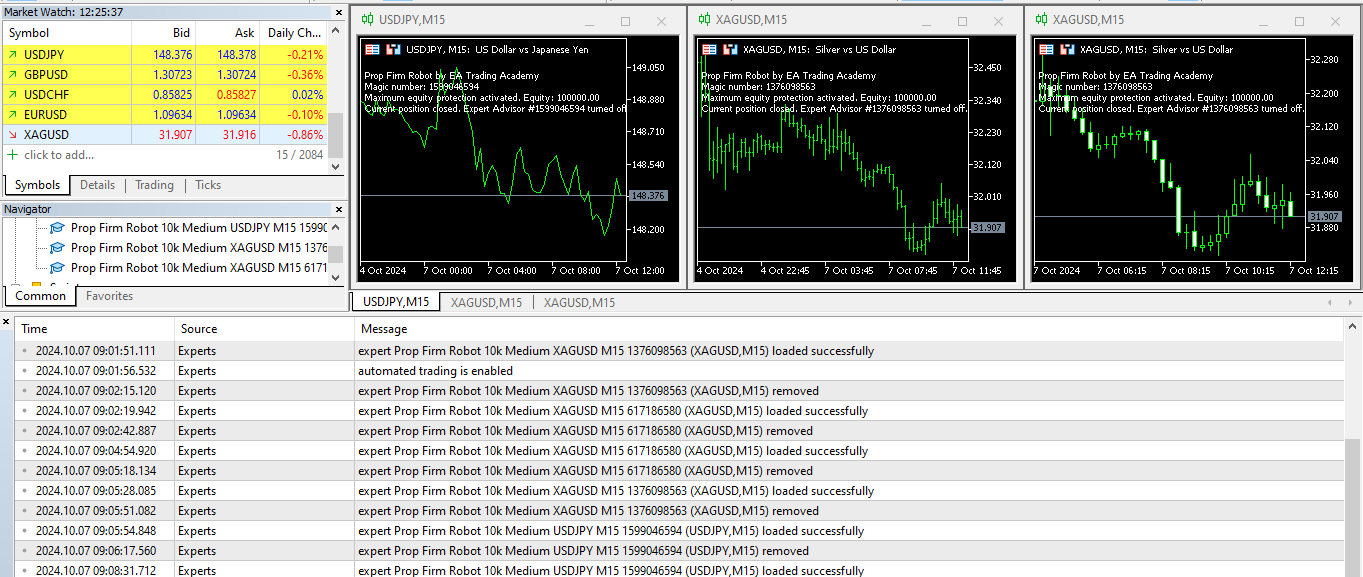 October 7, 2024 at 3:51 pm #314244Participant
 October 8, 2024 at 2:37 pm #314497
Flyhigh430
ParticipantHi all, I am super new to this, but a simple question; after a possible success of winning an FTMO challenge, can I then keep using the same bot on the funded account? The Prop firm bot as I understand will close all trades as it reaches a set target. That is perhaps not what you want once your in the funded account. Could I either take away that target or just restart it? Or is there a better way? Also can I already purchase this Prop firm bot and use it on a live account even though that account is not a 100k account?
Sorry a lot of questions but I am just starting on this wild and exciting ride!! 🙂
October 8, 2024 at 4:28 pm #314526ParticipantHi there,
You can continue using the EAs on a funded account, and simply adjust the settings. In the Properties of the EA (inputs) find the line “Maximum Equity (Currency)” and set the value to 0, so the EA doesn’t stop trading when the profit is hit. Or adjust it to an amount you want.
Keep in mind that the Prop Firm Robots are designed for challenges and the risk and protection settings are selected before downloading the EA, so you’ll have to adjust them to suit your goals.
Cheers,
Ilan
October 8, 2024 at 4:33 pm #314528ParticipantPlease check the Minimum Equity Setting. This needs to be higher that the account balance. It’s a protection setting. The EAs will be removed/disabled should your account balance fall below the specified minimum equity.
Thanks,
IlanOctober 8, 2024 at 4:35 pm #314530ParticipantThe settings will change according to your goals and protections. You can change the setting in the Inputs for Maximum Equity (Currency) to 0, so that the EAs do not stop trading when a profit target is hit. You can also change other settings like minimum equity and risk in %.
Thanks,
Ilan
-
AuthorPosts
- You must be logged in to reply to this topic.