
Community Forums › Forums › Forex Strategy Builder Pro › FSB Pro Discussion
Tagged: FSB #Fsb
- This topic has 197 replies, 28 voices, and was last updated 2 years, 8 months ago by
Alan Northam.
-
AuthorPosts
-
July 21, 2019 at 9:20 am #16464
Petko Aleksandrov
ParticipantHello all,
I hope I do not post a question that is already discussed here.
Is there a way to have the data in FSB Pro automatically? I mean can I set it in a way so I do not need every time to set the symbols and the spread and all?
Thanks!
August 7, 2019 at 6:32 pm #17573ParticipantHello Travis,
sorry for the late replay, somehow I missed the question and it went on the second page.
Yes, you can make it automatically. There is a script that you can drop in your Meta Trader, and it will export all the info. After that, you just drag the Historical data Script and it will update the data. You do it just one time.
Here is a video of how to do it:
Cheers,
August 9, 2019 at 5:47 am #17644Real Lyfe Enterprise LLC
MemberIs it possible to edit a strategy only to sell, or only to buy?. i have noticed after running tests on some of the generated strategies some win more buying or selling. so what i want to do is only have the strategy buy or sell. is there a way to do that?
August 9, 2019 at 9:15 am #17653ParticipantHello,
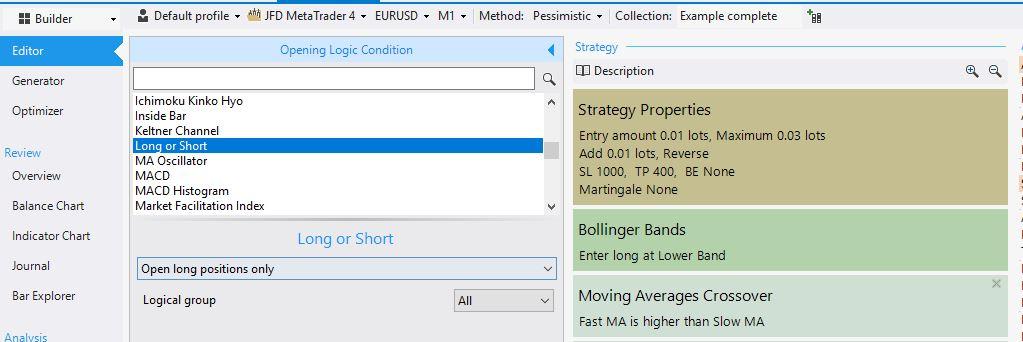
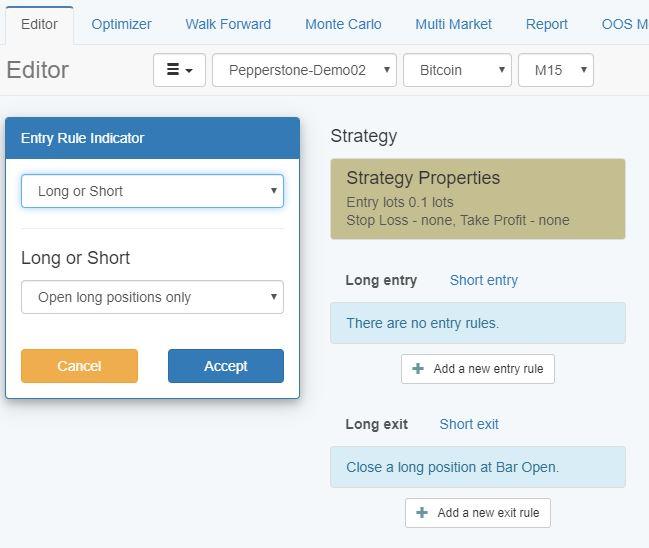
yes, it is possible. In EA Studio and in FSB Pro there is an indicator Long or Short. If you add it to the strategy, you can select if you want to have only long or only short trades.
This is in FSB Pro:
EA Studio:
 August 9, 2019 at 12:10 pm #17663
riuzk
ParticipantSo after been playing with EA studio for some weeks, i wanted give FSB pro a try. And i got quite surprised how different they are, first thing i was looking for was: “where is the reactor tab” or “so how can i collect all these ea’s into with one ea, only to find out that you can only export them one by one”.
I notice it was not so efficient like EA studio, where you can toggle at some button and click on generate, BAM and you have 100’s of great ea’s. But the really thing i liked about FSB pro was the indepth adjustment/settings you can do, to create more precise ea’s. But i see i need to spent more time on FSB pro, hopefully they will soon let us move ea’s from fsb pro and ea studio vice versa.
Anyhow, somebody who have great experience/result with FSB pro (motivation)
August 10, 2019 at 6:10 am #17719MemberThank you chingi for the reply i believe that is a game changer, I’m gonna go test it out now.
August 10, 2019 at 5:38 pm #17751ParticipantHey Riuzk,
Glad to hear from you. You are right! They are different. First was only FSB Pro, when I purchased it by myself. After that EA Studio came up.
And as far as I know, the idea of EA Studio was to be just simpler and faster. And it is faster, but not a simple program anymore. We can do really a lot. There are things that aren’t available with FSB Pro (like the Reactor).
However, FSB Pro allows us to create much more complicated EAs such as different time frames.
Personally, I prefer to use them both, just because this way I get different strategies which is what I always aim at – diversification.
Kind regards,
August 12, 2019 at 10:41 am #17840ParticipantHey Petko,
I am using FSB Pro for such a long time now, and I always keep forgetting how to do that when I move the software to another computer, and I always refer to this video above 🙂
August 15, 2019 at 9:37 am #18059ParticipantHey Ossaio,
the reason why data is not placed in the following:
Normally we do not want to have the same period data for all time frames(for example 5 years). Why?
When you use 5 years of data that is totally different on the different time frames. This means that you will have more than 30k bars on H1 and on M15 you will have around 100k. With M1 it will be a couple of hundred thousand bars.
It does not make sense to use 5 years of data for all time frames just because that is a huge difference in the number of bars.
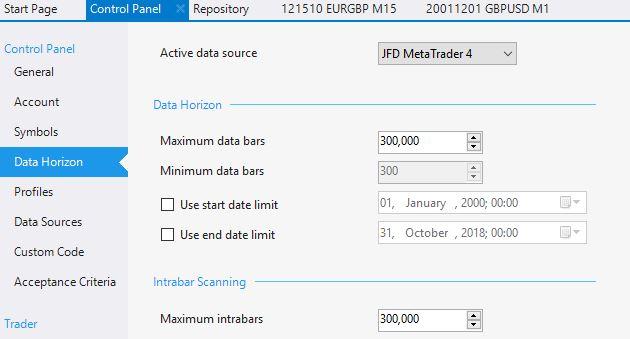
August 15, 2019 at 9:40 am #18060ParticipantAlso, in the FSB Pro you have the option to set the Data Horizon. I guess this is what you are using?
 September 5, 2019 at 10:35 am #20330Participant
Hello all,
I am licensed used of EA Studio and recently I watched some videos and courses from Petko about FSB Pro. I consider taking it as well. Any ideas about how really it will improve my trading. Are the EAs generated with FSB Pro better?
Also, it looks a bit more complicated to me compared to EA Studio. I would like to know what is the essential difference.
Thanks!
September 18, 2019 at 6:56 pm #21822mehreen_2
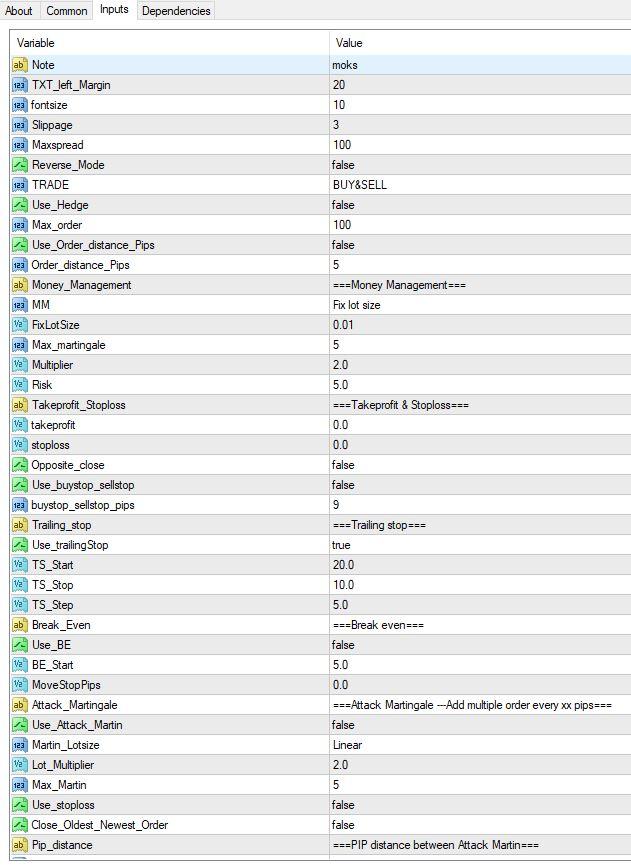
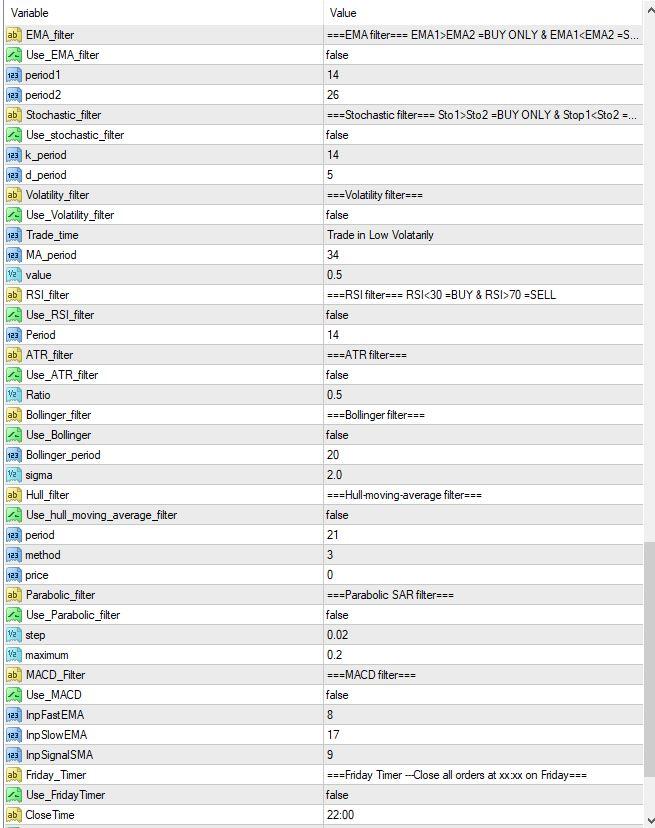
ParticipantI want to create template like in the picture… which is not easy task I think… maybe its made by VTS.
Is there any FSB template which is similar and I can download to start with?
and how to make auto-magic number? I mean no need input, it gives auto number to any chart without duplicating it.
 September 18, 2019 at 9:39 pm #21840Participant
Hello Mehreen,
welcome to the Forum. What you are showing is inputs of Expert Advisors. This is when you have the ready Expert and you click on its inputs in MetaTrader. After it is ready and attached to the chart.
With FSB Pro you can build Expert Advisors. Basically, from these pictures we can see the indicators used but not the rules. If you took these pictures from somewhere online it will be hard for you to build the Experts because you do not have the rules for each indicator. I hope you understand what I mean. If not, let me know and I will try to explain it in more details.
September 18, 2019 at 10:19 pm #21843ParticipantActually indicators are pretty basic ones and settings are also default but each have ON/OFF button.
This is default template by someone who inject this template with any good non repaint indicator.
So I want to know if I can create such template easily in FSB… without much of programming experience.
If there is some downloadable template to start with… Template which can easily let me insert indicators.
I think its pretty difficult with FSB and VTS maybe easier.
September 19, 2019 at 10:57 am #21870ParticipantHello Mehreen,
just give it a try and you will see it is not hard to build a strategy or Expert Advisor with FSB Pro. Not all. I have been using it now for two years and since the beginning, I have no issues with it(even I have zero IT skills).
So how you can do it:
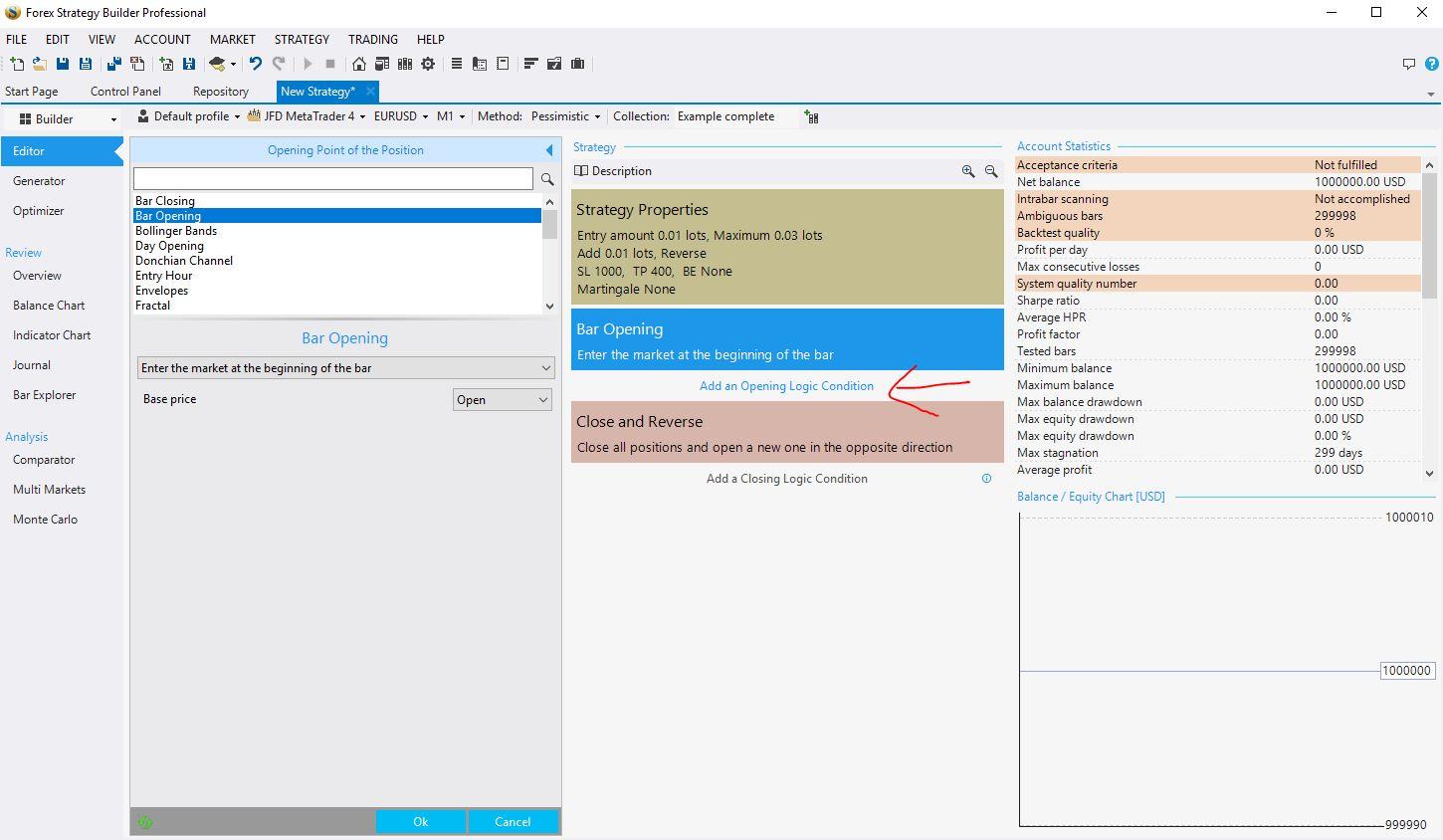
just add the indicators you want to use for the strategy, set the parameters and the rules.
When you are ready, go to the small yellow button with a hat and export the strategy as Expert Advisor:
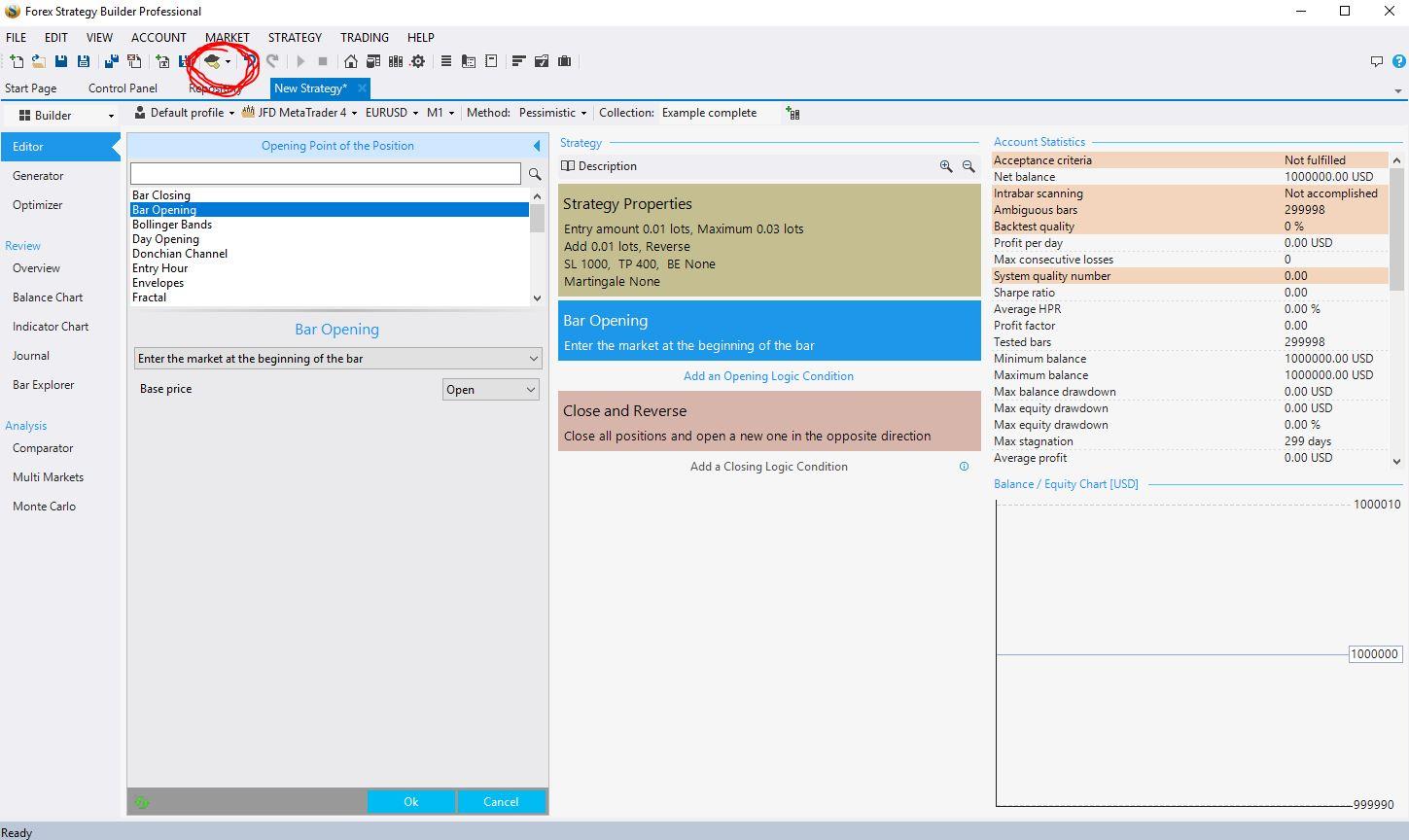
you really need Zero programming to use FSB Pro.
Regards,
-
AuthorPosts
- You must be logged in to reply to this topic.