Hey traders,
Two major updates in EA Studio:
1. Portfolio Expert Advisors are now available for MetaTrader 5.
2. You can download all the strategies from the Collection with one click as a zipped file. This saves a lot of time.
Cheers,

EA Studio
 by Petko Aleksandrov
Hey traders,
Two major updates in EA Studio:
1. Portfolio Expert Advisors are now available for MetaTrader 5.
2. You can download all the strategies from the Collection with one click as a zipped file. This saves a lot of time.
Cheers,

Is this trading robot still profitable?
Do you have a sample account that uses this trading robot for 2 years or more?
Hello Katia,
EA Studio is not a robot. It is software that generates, analyses, and backtests robots.
Please, have a look at the free course so you can learn more about it:

Add Stop Loss in percent to individual strategy Report and and Portfolio Stats. Risk management suggests that each asset traded should not be greater than 2% of account balance. In the case of a portfolio containing multiple strategies it would be nice to know what the total risk is in percent. Knowing what the risk (SL) is in percent is crucial to proper risk management and should be included in EA Studio.
Also, add Stop Loss as a filter to generator, reactor, and validator.
Hey Alan,
Such an update was recently launched. You can see what percentage is the SL or the TP.
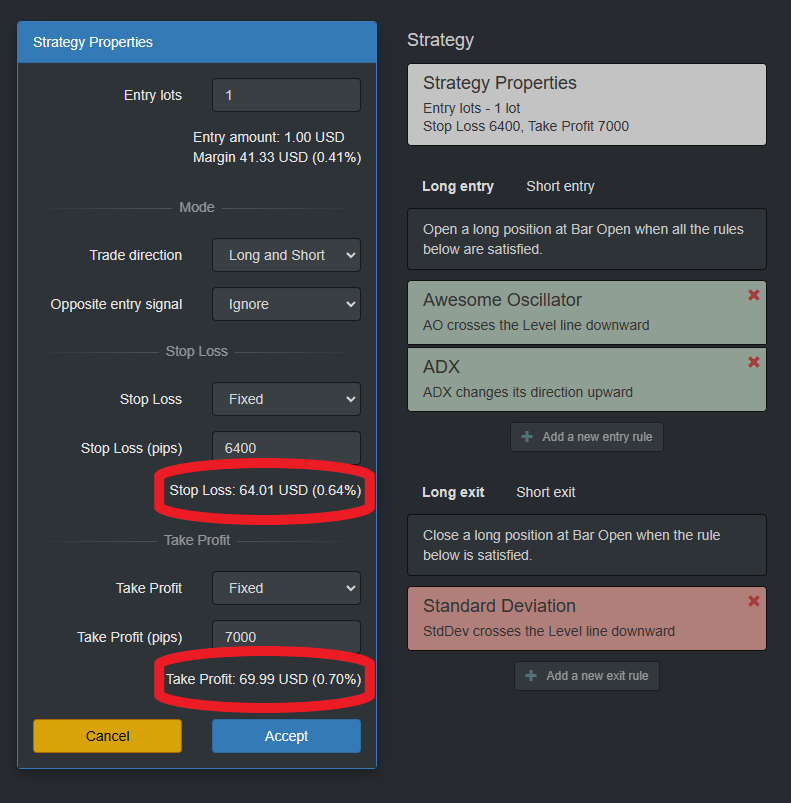
I asked Mr. Popov about it sometimes, and he fulfilled the wish. But it’s not all the time. 🙂
Yes if did finally see that after posting my request. However, I don’t see where it would add up all the SL and TP for a portfolio of strategies. Also would like to see this added to EA Studio!
Hey Alan,
I have missed your answer here. I can’t understand what you mean. Do you mean to put SL and TP the same for all the strategies in a portfolio?
The portfolio is a collection of different strategies. So if you wish to have SL of 30 pips and TP of 60 pips, for example, you would need to generate such strategies with fixed SL and TP. Then when you add them to portfolio EA they would all have the same SL and TP.
Let me know if that is what you wanted to say.
Disregard! The Portfolio Stats, Max DD, answers my question. I think I must have been asleep when I asked the question :o)
Petko – I have taken another look at my original question and it now looks like the Portfolio Stats Drawdown does not answer my question. When I add up all the SL of all the strategies within my portfolio the total, in dollars, does not equal the Portfolio Stats Drawdown in dollars, infact, they are quite different. So, evidently the Portfolio Drawdown is calculated differently. So, what I have been doing is taking all the SL from each strategy within the portfolio, as you have shown in your earlier post above, and adding them up manually to determine my Portfolio Risk in Dollars and in Percent. The result is quite different than the Max Drawdown shown in the Portfolio Stats! It would be nice not to have to do this manually but to have the Risk added to the Portfolio Stats.
Hey traders,
Here are the recent updated with EA Studio.
1. Indicator Options added in tools:
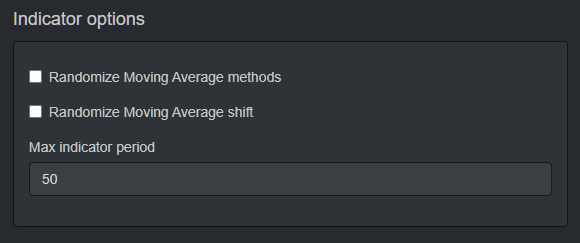
The max period for the indicators in the Editor is 1000.
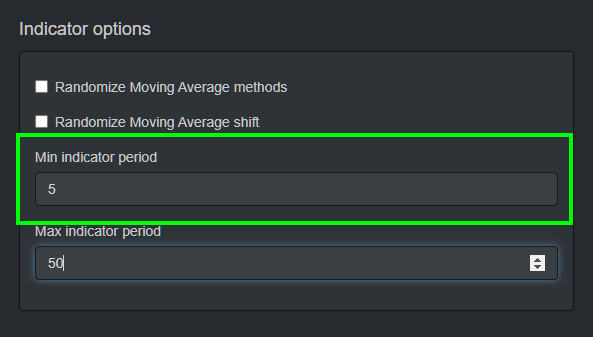
Also, we have a min Indicator period that the traders can set:
2. When we place the EAs on MetaTrader 5, the indicators will load automatically:
This is very useful to traders who want to improve the strategies behind the Robots.
Please refresh EA Studio with Ctrl+F5 to be sure you have the latest version. It must be v23.8.16.

Hello dear traders,
We are glad to tell you that there is a new update in EA Studio which can be helpful. This is what changed:
1. The Last Open Position stats from the Collection page and from the Balance chart is now removed.
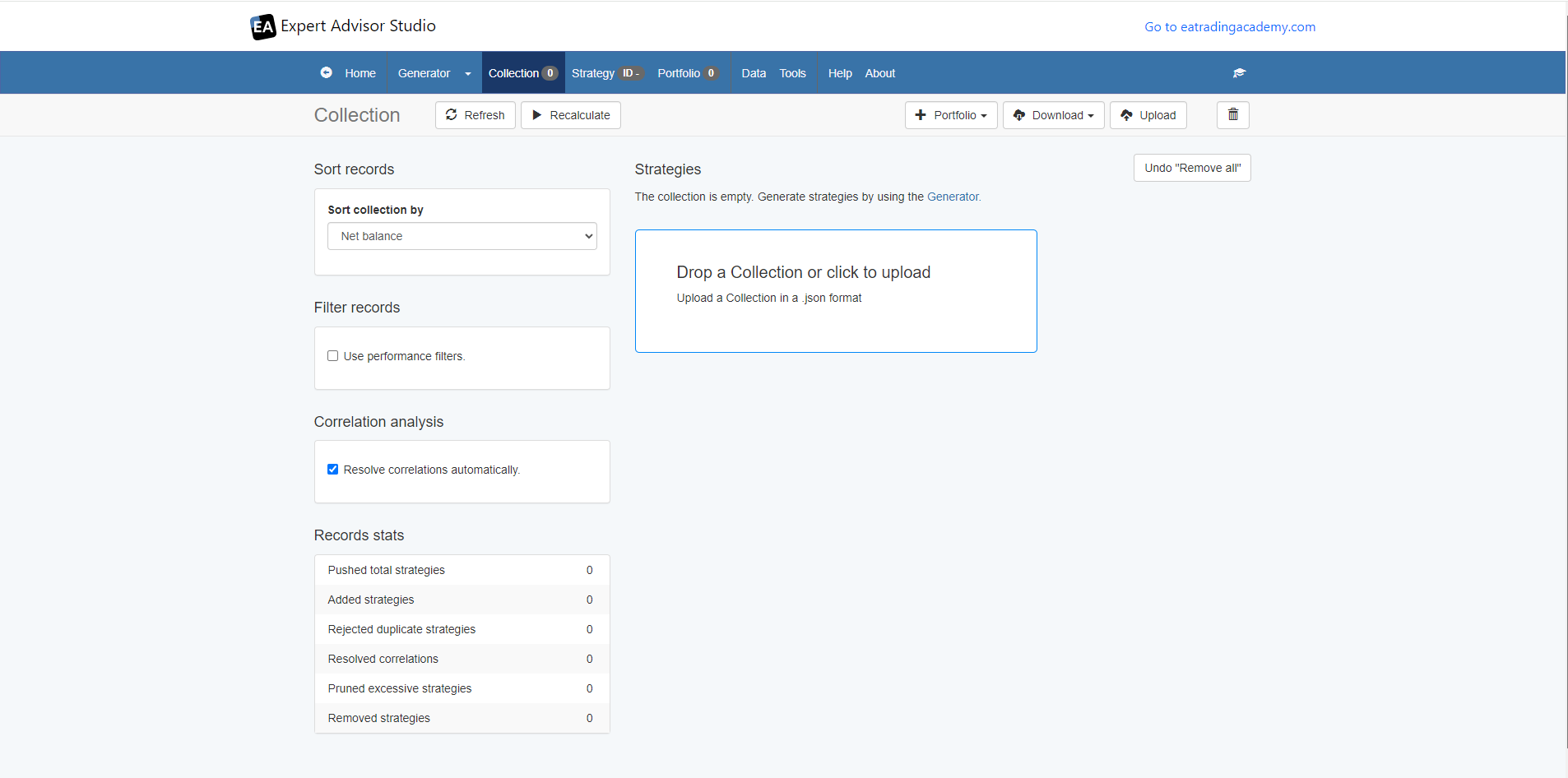
2. You can now drag and drop your collections in the collections page if they you have a .json file of the collections.
You can see in the image below how it looks:
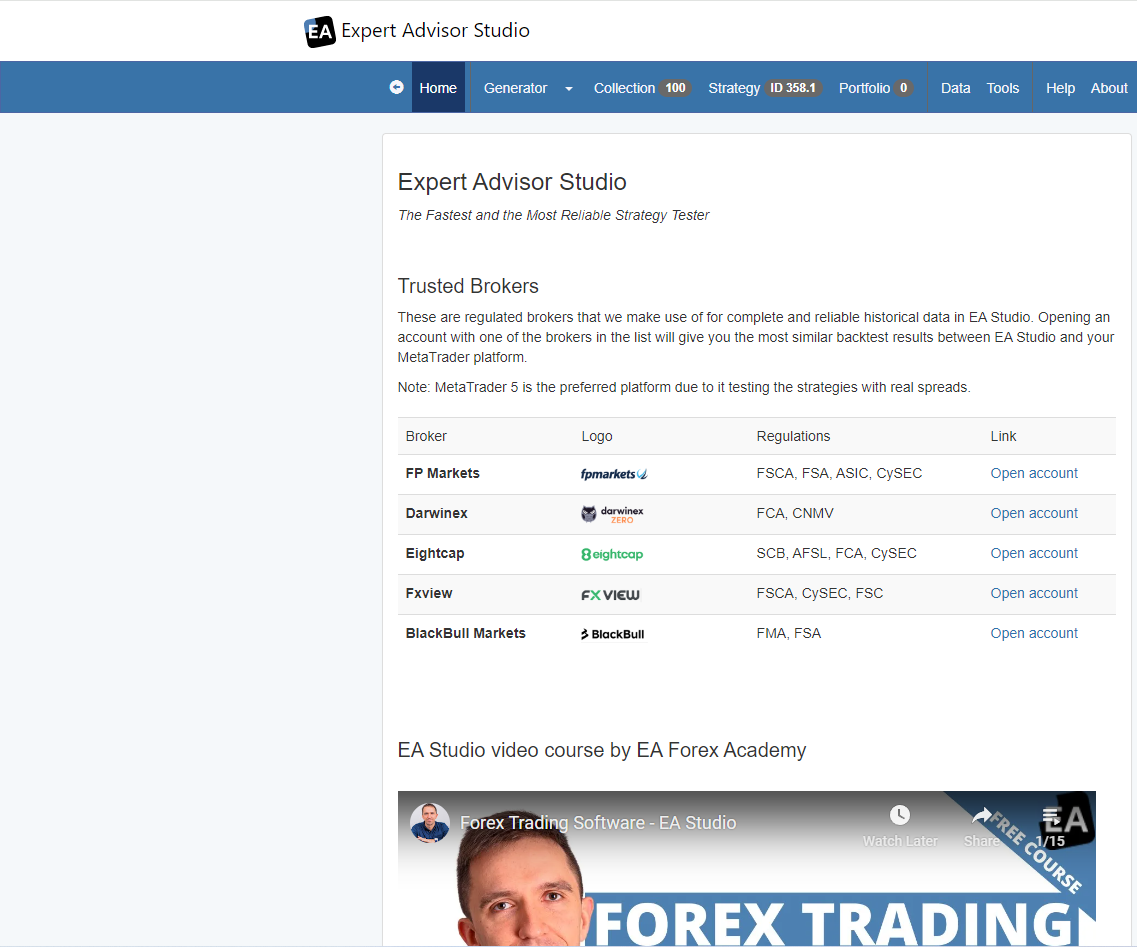
Also, another thing that changed is that now you can see all the trusted brokers that we have tested and the ones that work best with EA Studio in the landing page of EA Studio.
Let me know if you have any questions!
Kind Regards,
Nikos

Thank you

You are welcome!
Kind Regards,
Nikos
Sign in with your Algo Trading Space account to reply. Members get notified when someone answers.
The Academy’s free courses take you from a demo account to your first Expert Advisor, taught by the traders who answer here.