
Community Forums › Forums › 21 Day Program › 21 Day Program: Properties & Settings
Tagged: #EA #bots #parameters #input #admin, 21 day program, Assignment, EA setting help, HELP, portfolio manage account
- This topic has 49 replies, 9 voices, and was last updated 1 week, 5 days ago by
kooooooo.
-
AuthorPosts
-
Stoyan Stoyanov
ParticipantThis topic focuses on in-depth conversations about the properties and settings of the 21 Day Program EAs. Discuss topics like take-profit levels, maximum spread protection, and any other configuration aspects. This topic is your go-to resource for configuring your EAs effectively.
P.S. Please use the Reply button if you want to reply to a specific comment. This would make the topic organized and easier to navigate through and will reduce number of duplicate questions.
Melvin05
ParticipantHi i followed the video step by step but i cant seem to change the timezone on the imported data from the premium data base, forex historical data app
Alan Northam
ParticipantHi Melvin,
Go back to the Historical Data App and click on Settings.
Alan,
ParticipantHi Alan,
I have tried it and changed multiple timezones, but the data time still does not change
ParticipantHi Melvin,
The data time should be the same time as your Metatrader time. If you are in a different time zone than Metatrader shows you cannot change it to your own local time zone.
Alan,
Nake Devins
Participant<p style=”text-align: right;”>Hi,</p>
I am taking the 21 day course, and am just wondering about your EA’s the “GBPUSD M1 Scaling, USDJPY M5 scaling” I noticed they do not have Take profits of stoploss.I am a new trader, so I don’t understand this stuff. Could you please advise me if I need to set up a stoploss, and if not, why not?
Thanks
Jacob
ParticipantHi Nake,
The EAs that do not have a TP or SL will have an indicator built into them that will determine when to take profit or close with a loss.
Alan,
Raymond McDonald
MemberI’ve just implemented the the 5 EA’s on a demo account and the first two trades have been opened. One question I have is, what is the default risk lot/percentage? when manually trading, I typically risk 1-2% of my account per trade. Can this be adjusted on the EA’s?
Thanks
RayParticipantHi Raymond,
Go to upper right corner of the trading chart and right click on the smiley face or blue hat. Select Expert Advisor, Properties, Inputs. There you can adjust the lot size.
Alan,
MemberThanks Alan
Maarten Vollebregt
ParticipantHello,
I also want to have good control over the risks (as much as possible). As Raymond said 1 or 2%. But in manual trading I learned to scale my lot size based on the amount of pips I place my stoploss. I used fxbook for this. But trading with the ea’s gives random stoploss positions. So what’s the best way to calculate the lot size for an ea. Now I use for a 10000 usd demo account 0,1 lot size for each EA.
Cheers,
Maarten
ParticipantHi Maarten,
You can use a position size calculator to calculate the lot size based upon risk.
https://community.algotradingspace.com/forums/topic/forex-diamond/#post-249996
Alan,
ParticipantHello,
I’m using source Premium Data 15 min for gold, but it gives me no strategies. With the same settings I can generatie 10000’s of strategies for forex pairs… Something special with gold? Oh, and I use data horizon for last 4 years..
Thanks,
Maarten
ParticipantHi Maarten,
Is the Acceptance Criteria too strict for gold?
Alan,
ParticipantI turned off the acceptance criteria now I see more happening:
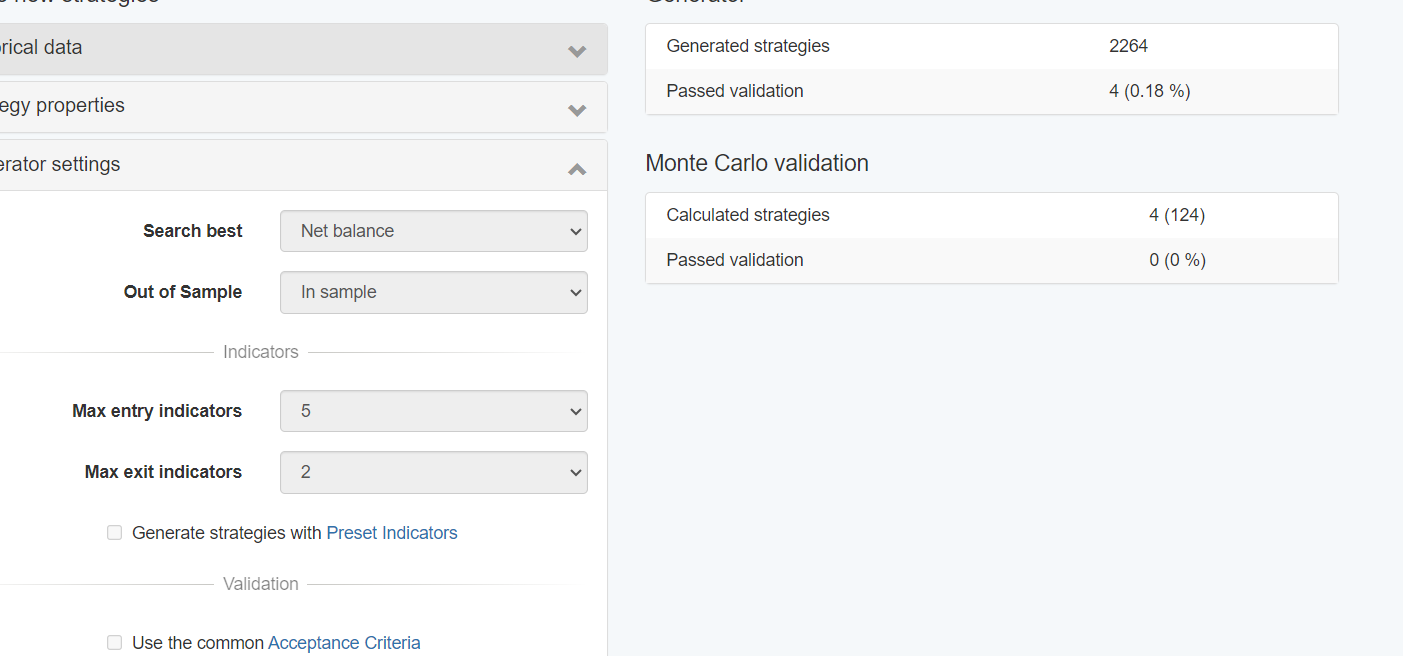
But without the acceptance criteria I accepte strategies with min net prof below 10 and below 100 trades… I don’t think that’s what we want..
-
AuthorPosts