Good day Petko. I’m sorry to add more questions even though the previous ones still have not been answered, but here are some further questions I wanted to ask you.
1. DATA COLLECTION
a. May I ask for the export to csv script?
b. Discrepancy of data downloaded from demo and live account coming from the same broker and account type.
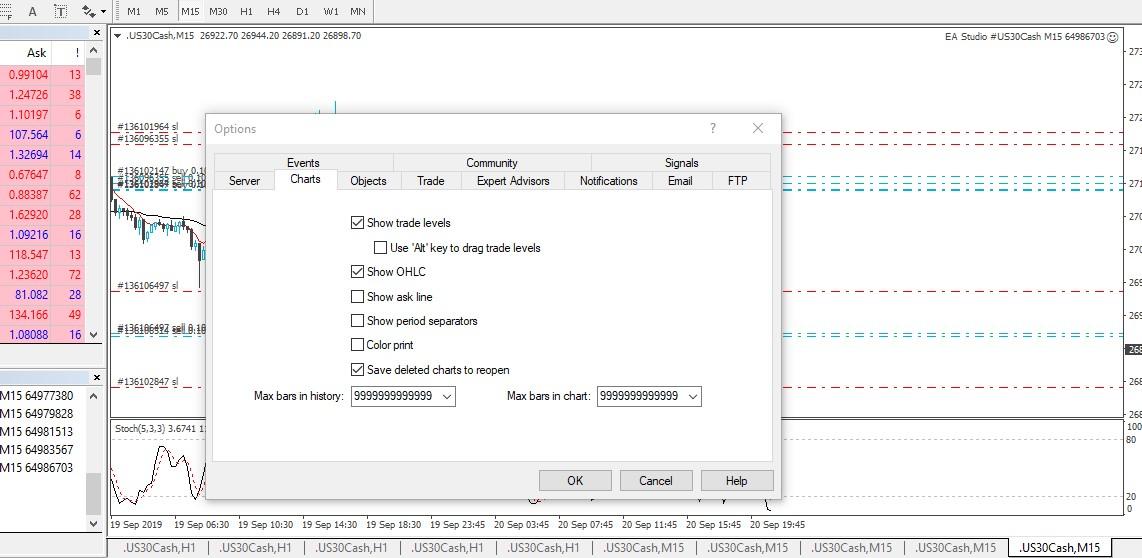
I noticed that when I downloaded the data from my demo account both the m1 and m5 timeframes have 65,000 bars. However, for my live account, also for the m1 and m5 timeframes, it was only roughly 43,000 and 64,000 bars respectively. What might have caused this to happen?
c. You mentioned that for generating strategies using the m1 timeframe, 300,000 bars is the ideal number of bars that need to be used. However, when I exported the data from my broker it was only 65,000 bars (of which you said is the maximum that the EA Studio Data Export script could do).
Given the fact that 65,000 bars does not meet the 300,000 bars criteria for generating strategies on the m1 timeframe, how do I remedy this problem? I’m guessing the logical answer is to manually add the missing historical data into the most recent ones that were collected, which presupposes that I have previously collected price data in the past already (of which is something that I still have not done as of the moment). Can you help me out on this?
Also, related to my question regarding the manual addition of the most recent data with THE previous ones, I noticed in your first video that the file that you used by which you added the above-mentioned data was in CSV format. So this begs me to ask… How can you use this document (having CSV format) by which you added the recent and previous data together and use it with EA Studio since the format that is required is not CSV, but instead, JSON? Did you convert it back to json before uploading to EA studio?
2. Updates to EAS/FSB upgrades
a. Can you update the course with the most recent upgrades of the EAS/FSB, such as knowing how to use the Walk Forward and OOS Monitor for EAS?
b. Acceptance criteria under the Generator settings in EAS
In the acceptance criteria…
i. There is no longer the option to use the “maximum ambiguous bars.” What is the alternative to this?
ii. There are already three parts: complete backtest, in sample, and out of sample. Can you update us on how to use this? Before, the acceptance criteria was more general, instead of being divided into three.
I’m sorry for taking some of your time. Looking forward to hear from you.
Best,
Jay-R