

Forum Replies Created
-
AuthorPosts
-
Torbjorn Brenden
ParticipantWithdrawal worked. The transfer took 24 hours.
I am still skeptical to this broker since other brokers offer instant Deposits and Withdrawals.
ParticipantHi Petko,
I can confirm that FxView Support fixed this problem after I raised a support case today, 1th of April.
The Deposit was done 30th of Mars.They told med “it would never” happen again. I will do some Testing – Withdrawals and Deposits to check if they have fixed it.
ParticipantAlan,
I found the solution to this problem. The solution was easy.
Of course it was the only combination I didnt try.If custom pair XAUUSD.pro, then use CustomSymbolMappings = .pro
If custom pair = XAUUSDx, then use ForexSymbolSuffix = xParticipantAre you sure ?
There are two different versions of FX Blue Trade Copier.This is the local trade copy version where you install several MT5 terminals on one single VPS and define 1 master and x number of slaves.
There is no variable with username/password.
In the Sender version you define the Channel Names (TC1, TC2, TC3).In the Receiver(s) you only define the Channel Name you want to connect to.
ParticipantNo, but I receive Heartbeat.
The Sender is setup with 3 channels: TC1, TC2, TC3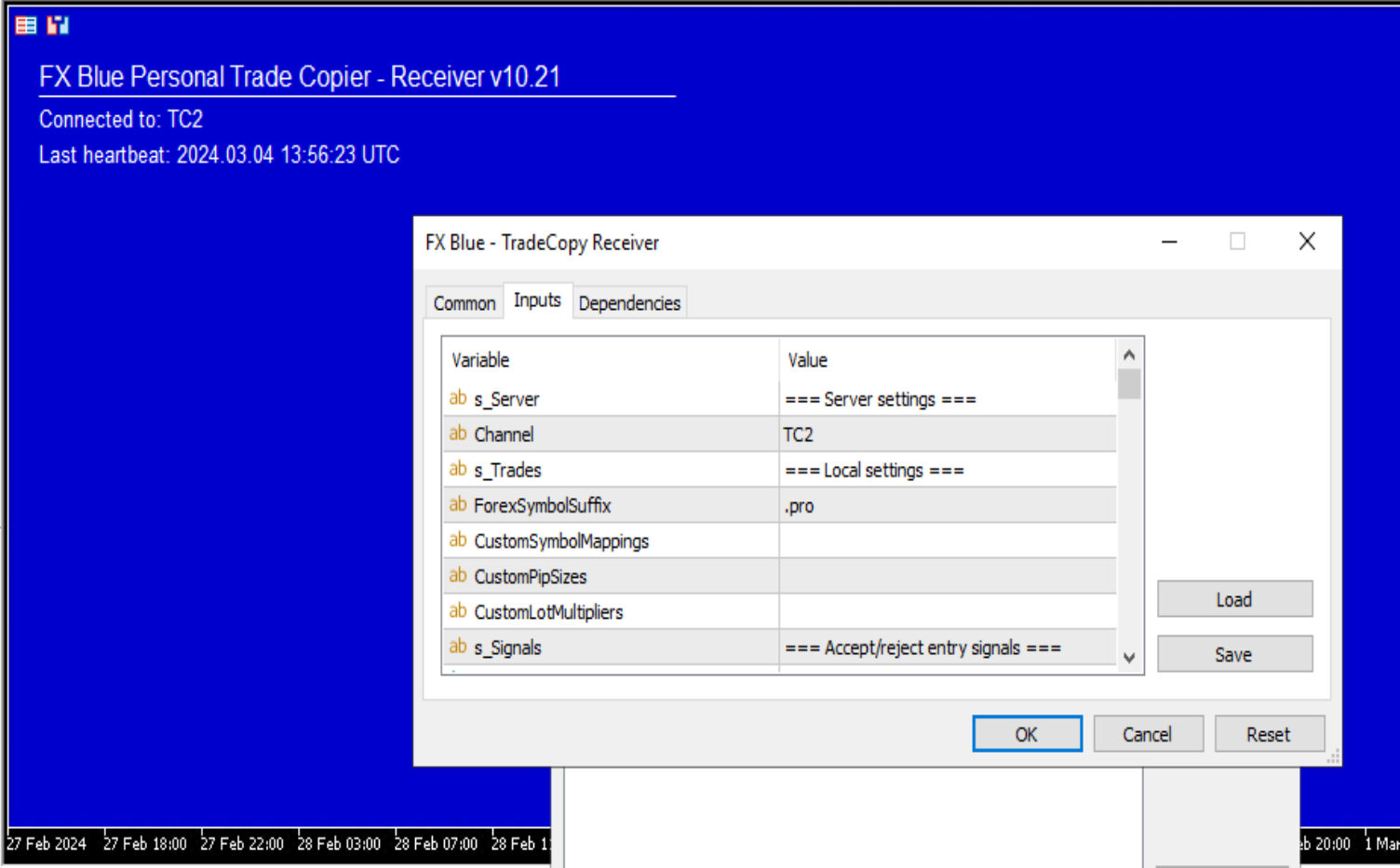 Participant
Sorry,
I was unclear.Receiver 1 (works) : added “x” to ForexSymbolSuffix.
This receiver use XAUUSDx (no dot).Receiver 2 and 3 (fails). These receivers use .pro. Eg. XAUUSD.pro
Tried this:
1. Added “.pro” to ForexSymbolSuffix
2. Added “pro” to ForexSymbolSuffix
3. Added “.” to CustomSymbolmappings and “pro” to ForexSymbolSuffix.All fails.
January 18, 2024 at 4:27 pm in reply to: Prop Firm Robots App & v6.0 – New Features Released! #227692ParticipantAlright.
It works on MT5 Version 5.00 build 4050 29 Oct 2023
It fails on MT5 Version 5.00 build 4127 12.Jan 2024
So if I understand correctly; if you upgrade to the latest version of MT5 it will fail.
January 18, 2024 at 12:52 pm in reply to: Prop Firm Robots App & v6.0 – New Features Released! #227643ParticipantI am running this version on a BlackBullMarkets Demo account.
However, get this eerror message “Error with OrderCheck:Unsupported filling mode”.
This is running on a VPS from NVCServers. I also got V.4.3 running on another Demo Account from BBM on this VPS and this works fine.
I got V.6.0 FTMO Robot running on other Prop firm accounts. It works great on FTMO MetaTrader 5 and EightCap.
Any ideas how to fix this ? (I have checked the usual settings under options etc).
November 20, 2023 at 8:43 am in reply to: Are you able to run a demo and live account on one VPS? #214583ParticipantHi,
I wonder which VPS you recommend ? Im running my Live accounts and Prop Firm accounts on MQL5 VPS.
However, Im looking for a VPS where I can run several instances of MT5 connected to Demo accounts.Skrulle,
ParticipantI have tested running 7 robots (except gold) on a demo account for 2 weeks with losing results.
However if I selected the 3 best pairs it give positive returns.I recommend to run them on demo first and test for yourself.
-
AuthorPosts