

Forum Replies Created
-
AuthorPosts
-
Petko Aleksandrov
ParticipantHey Andi,
you should do it all! 🙂
I am taking the example of Petko, and I am very satisfied with the results I have from his EAs, and from EA Studio as a software to use to optimize the EAs for my broker.
January 17, 2019 at 9:51 am in reply to: Forex strategy, Forex ea or cryptocurrency ea – share with everyone #8534ParticipantI remember I had one cryptocurrency EA before from Petko that was trading for month so so well, than it went in range – losing and profiting.
Now I am back in trading, and I will look for the next profitable EAs.
ParticipantHey Petko,
I have been away from trading for sometime as I was in the sea. Now I think to get back to EA Studio, and your old and new courses that I missed!
Hope you are doing fine, and the team.
Glad to see that there are so many people in the forum, in the beginning we were just few, good job!
ParticipantHey Jacpin,
I will do my best now to catch it up with the recent updates, as there are some very interesting ones. So I will record one video nearly everyday, and then I will continue recording when there are new updates.
Cheers,
ParticipantThe First update is about the Forex Historical Data in EA Studio:
YouTube Video: EA Studio Updates: Forex data import
In the video, you will learn what is new with the Historical data in EA Studio.
There is the Data Statistic which allows us to evaluate the Historical data that we are using:
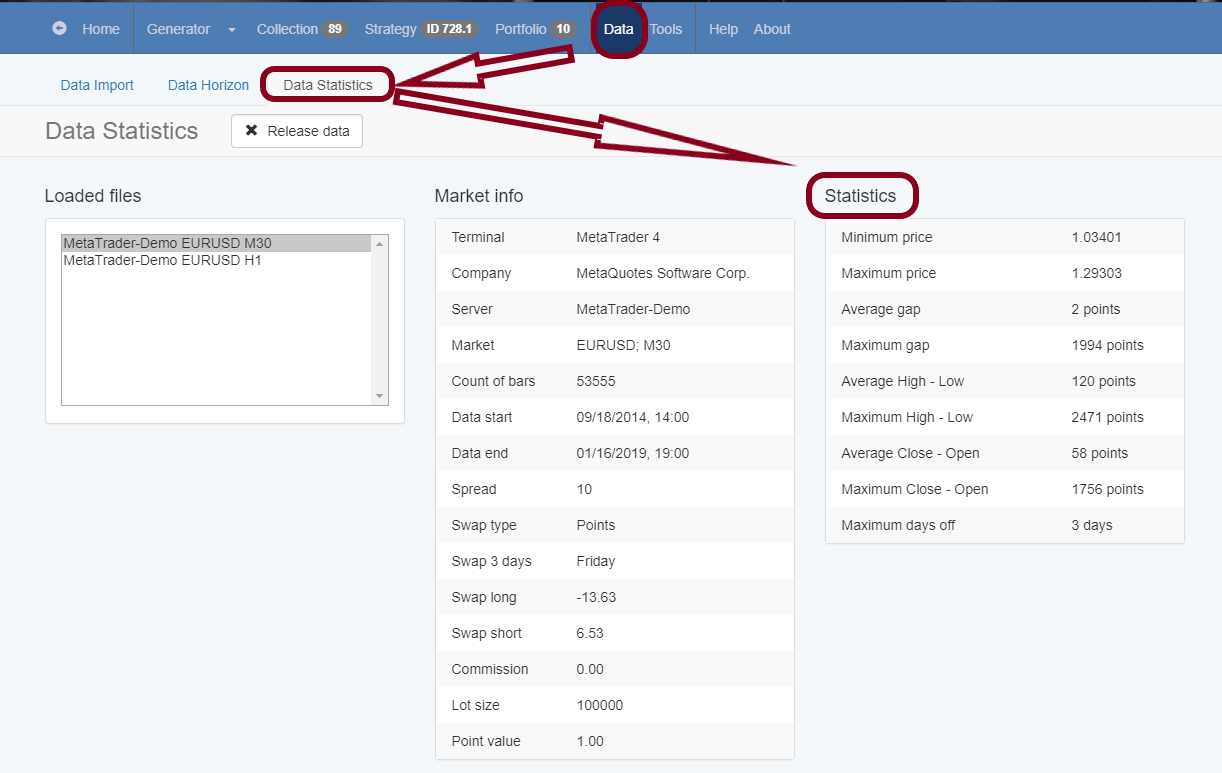
Also, for the licensed users, the max number of bars that we can use is increased to 500k.
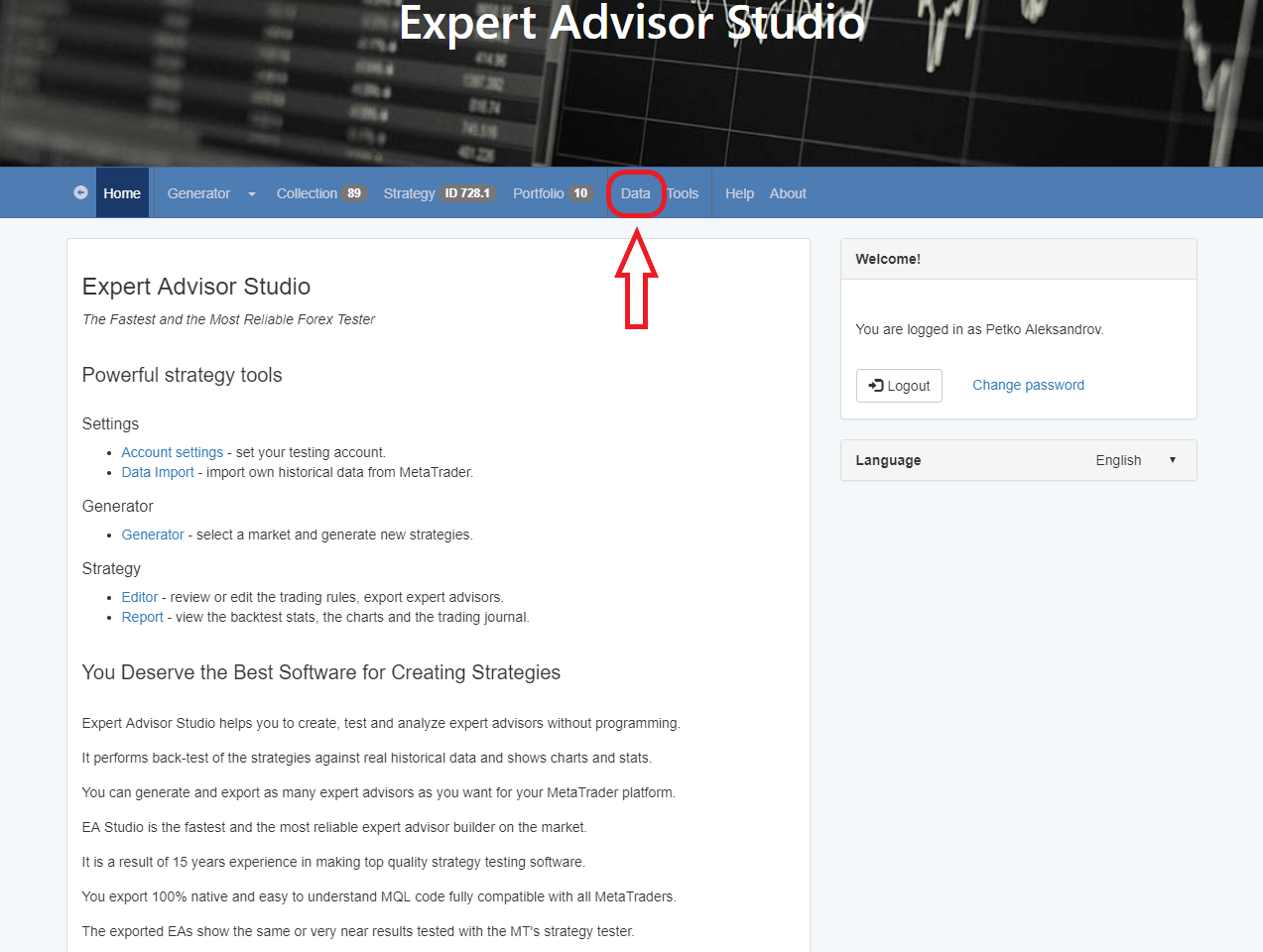
Last, the Data is moved on the main bar, so it can be accessed easier and faster:
Let me know if you have any questions!
Petko A
January 16, 2019 at 9:14 am in reply to: Forex strategy, Forex ea or cryptocurrency ea – share with everyone #8500ParticipantHey Roman,
it will be great if you share which is this EA from Petko. This is the topic here 🙂
Thanks!
ParticipantWow, good to know that Haliffa! SO far I am doing just Forex, even I have all the courses from Petko, but I will go for the Cryptocurrency Expert Advisors as well. I will do my best to place them on Demo this month.
January 16, 2019 at 9:08 am in reply to: How satisfied are you with the automated trading software EA Studio? #8498ParticipantCheers, Haliffa!
ParticipantWell done, Chris! When you protect someone from being scammed, is similar to making profits for him.
ParticipantHello,
this increase of the Historical bars is still in test, and I am not sure if it will last.
Anyway, if you want to test it, you need to change the number from the Data Horizon.
There are many updates now in EA Studio, and more are coming up.
So what I will do is to open a new topic in the forum, where I will post videos with every update. This way everyone will keep it up with the updates, and I will explain them in details, because in the help of EA Studio they are written but not really explained.
ParticipantThis topic about How to recognize the Scam brokers is really useful!
I had a friend who was nearly scammed. He called me to ask few questions because he knew that I have been trading from quite a long time.
From what he said, I was sure that this was a Scam broker. I sent him the link from this page, and he actually realized it.
January 15, 2019 at 11:38 pm in reply to: EA Studio Tools and Settings: Experience and Results #8489ParticipantHey guys,
do you know that now it is available to use up to 500k bars in the Data in EA Studio. That is only for the licensed traders by the way.
Have someone tried that?
ParticipantHey Haliffa,
Well….the forum is a great place to share trading result. I mean, for sharing results we really do not need a lot(anything with functions).
You can upload trading History, statement, pictures, just as Jacpin, and some other trader shared in the Forum.
Now, competition is something I have been thing for quite a long time…and we have just been discussing it with the team, how to organize it, how to manage it, and what should be the price. Probably we will do it by the end of this year.
ParticipantHello Ossaio,
Well, for the top 10 usdjpy ea course I used the FSB Pro.
It is personal choice which one to use. The two softwares are very different.
The main differences is that EA Studio is web based app, and you can use it from any device as desktop computer, laptop, tablet or phone, since FSB Pro is a software and needs to be installed on a laptop/PC.
I will give you some more information about both:
Expert Advisor Studio (EA Studio)
This is an online platform for creating trading strategies. It is very fast.
It’s a complex machine learning algorithm for combining indicators into a strategy for a market you choose. It outputs all information you are
probably familiar with (from the MetaTrader Tester):Indicator Chart, Balance Chart, Backtest Statistics, Journal… The platform has also a strategy optimizer, tools for robustness testing – Monte Carlo,
Multi-Market and advanced tools for providing automated workflow – Strategy Reactor and Strategy Validator.The tools are both powerful and very easy to use at the same time.
Now, EA STUDIO is faster, because it works only with Meta trader Indicators and the other good tool is the Reactor that creates for you EAs, test them, optimizes them fully automatically so you can have a ready portfolio of strategies/EAs. There is the Validator from EA Studio as well, also fantastic because you can recalculate old strategies, whole portfolios and collections. The newest in EA Studio are the Portfolio Expert Advisors. This means that with one EA you can trade many strategies together.
Forex Strategy Builder Professional (FSB Pro)
FSB Pro uses more complex strategy structure. It allows you to set adding, reducing or reversing behavior of the strategies. It can trade variable
entry lots depending on the account amount, it provides “Logical Groups”
for the indicator’s logic in order to create more complex strategies.
There are possibilities to make multi-currency and multi time-frame strategies. It has different interpolation methods and deeper analyzing tools
for more detailed view on the strategy behavior.FSB Pro give more possibilities. You have 100s of custom indicators, you can have different time frames as filters, if you saw in the course How to create 100s of Forex Strategies and the Top 10 USDJPY Expert Advisors.
They just create different types of EAs and when you combine, the best results are coming.
Hope that makes it clearer.
ParticipantHey Haliffa,
Glad to hear that! Always enjoy the trading.
-
AuthorPosts