
Community Forums › Forums › Ready-to-use Robots › Top 10 EAs › Top 10 EAs: Errors and Solutions
Tagged: EA not getting initiated on the MT5 terminal, EA trading, EAs don't stick, error, Top 10 EAs App, Top 10 forex trading EA's
- This topic has 103 replies, 32 voices, and was last updated 7 months, 3 weeks ago by
Samuel Jackson.
-
AuthorPosts
-
April 29, 2024 at 3:28 pm #252272
Oly
ParticipantSo what, I need $888002 to run your bots?
April 29, 2024 at 3:29 pm #252273Alan Northam
ParticipantHi Oliver,
Not stupid, just learning. We all go through it!
Alan,
April 29, 2024 at 4:15 pm #252283ParticipantAnyway, I put all the bots back from last week, and they work. The new bots I downloaded this morning don’t work, so that’s even more confusing. I still don’t know how to:
You need to make adjustments to Max spread, Minimum equity, and Maximum daily loss. You can set these to zero to get the account trading but you won’t have any protections.
Can you send me a video?
April 29, 2024 at 4:30 pm #252289Participant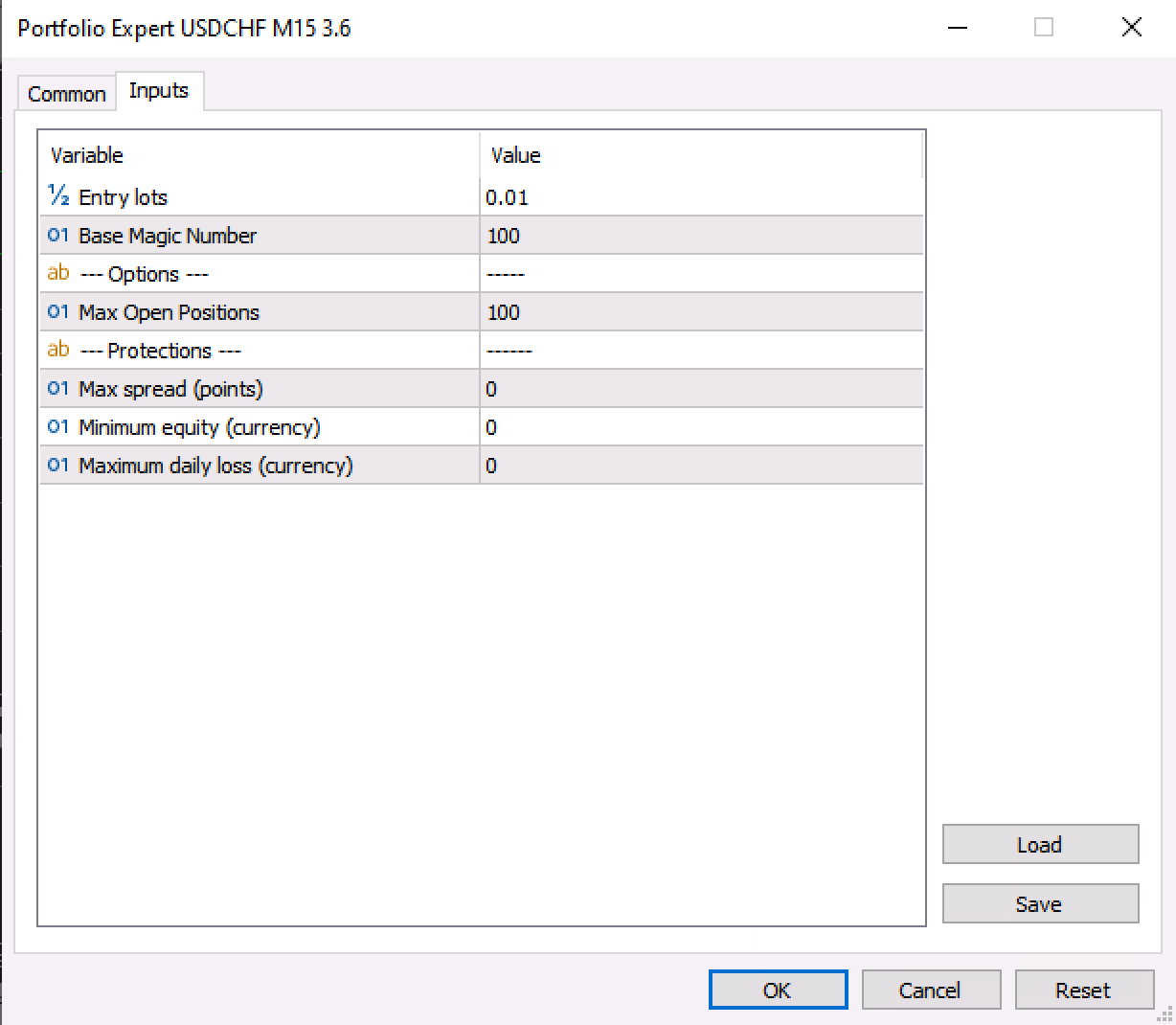 April 29, 2024 at 4:40 pm #252295Participant
That’s working now. I set everything to 0 as I have a drawdown bot that protects my account. Thank you.
April 29, 2024 at 4:57 pm #252299ParticipantHi Oliver,
Have you tested the drawdown bot to make sure it works? Maybe just set it slightly below current price so that if you get a small drawdown it will close the EAs. This would be a good test before setting a lower trigger level and then finding out it doesn’t work as advertised. It is wise to test it to make sure it works.
Alan,
April 29, 2024 at 5:52 pm #252305ParticipantHey Alan, that’s a good idea. I’m also running this portfolio on a demo account, so if the DD bot fails, I won’t lose any real money. Thanks for your help and tip!
April 29, 2024 at 6:43 pm #252317ParticipantHi Oliver,
That’s a good strategy to start with a demo account! Keep up the good work!
Alan,
May 2, 2024 at 4:17 am #252304Jasmin Kutzner
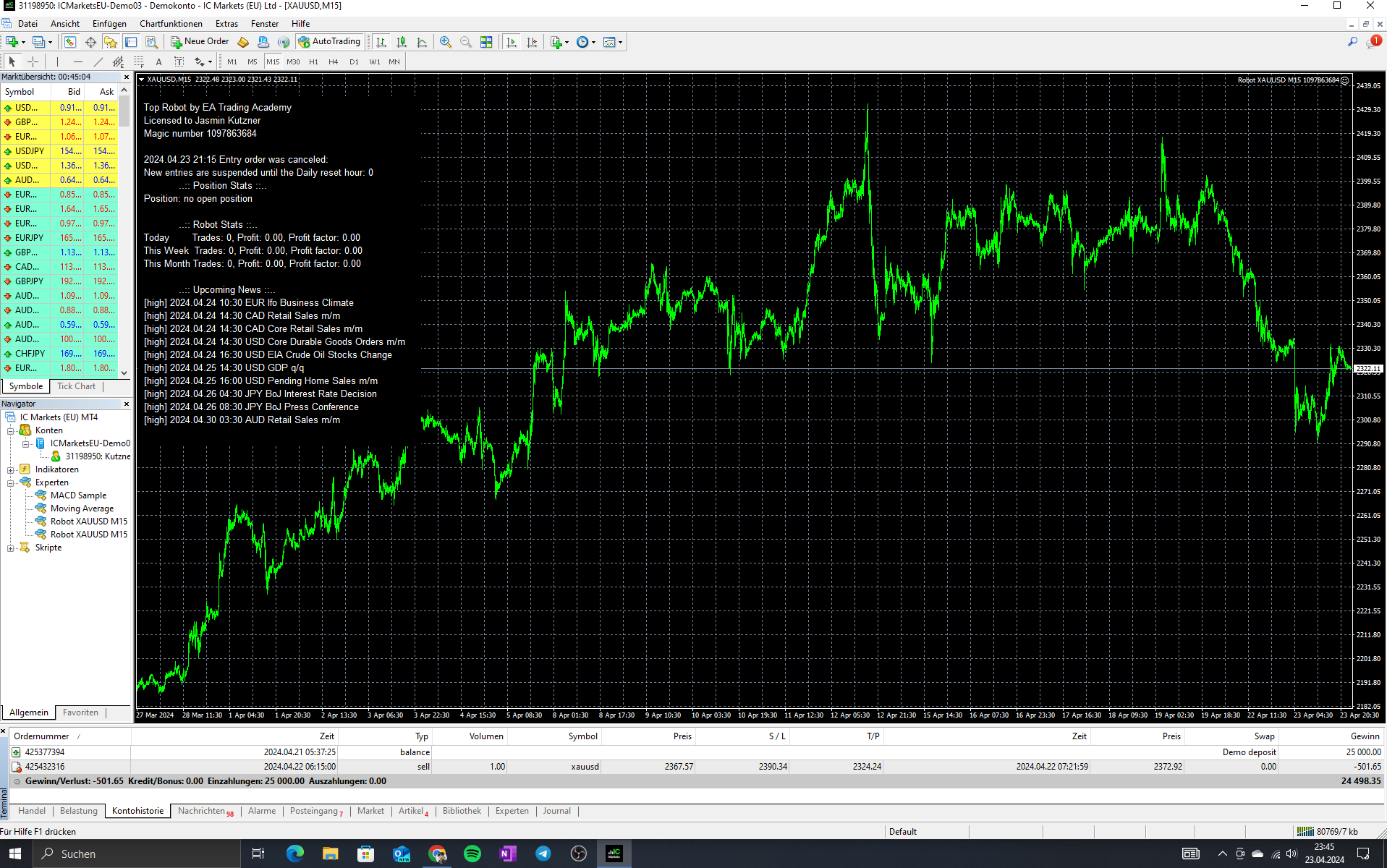
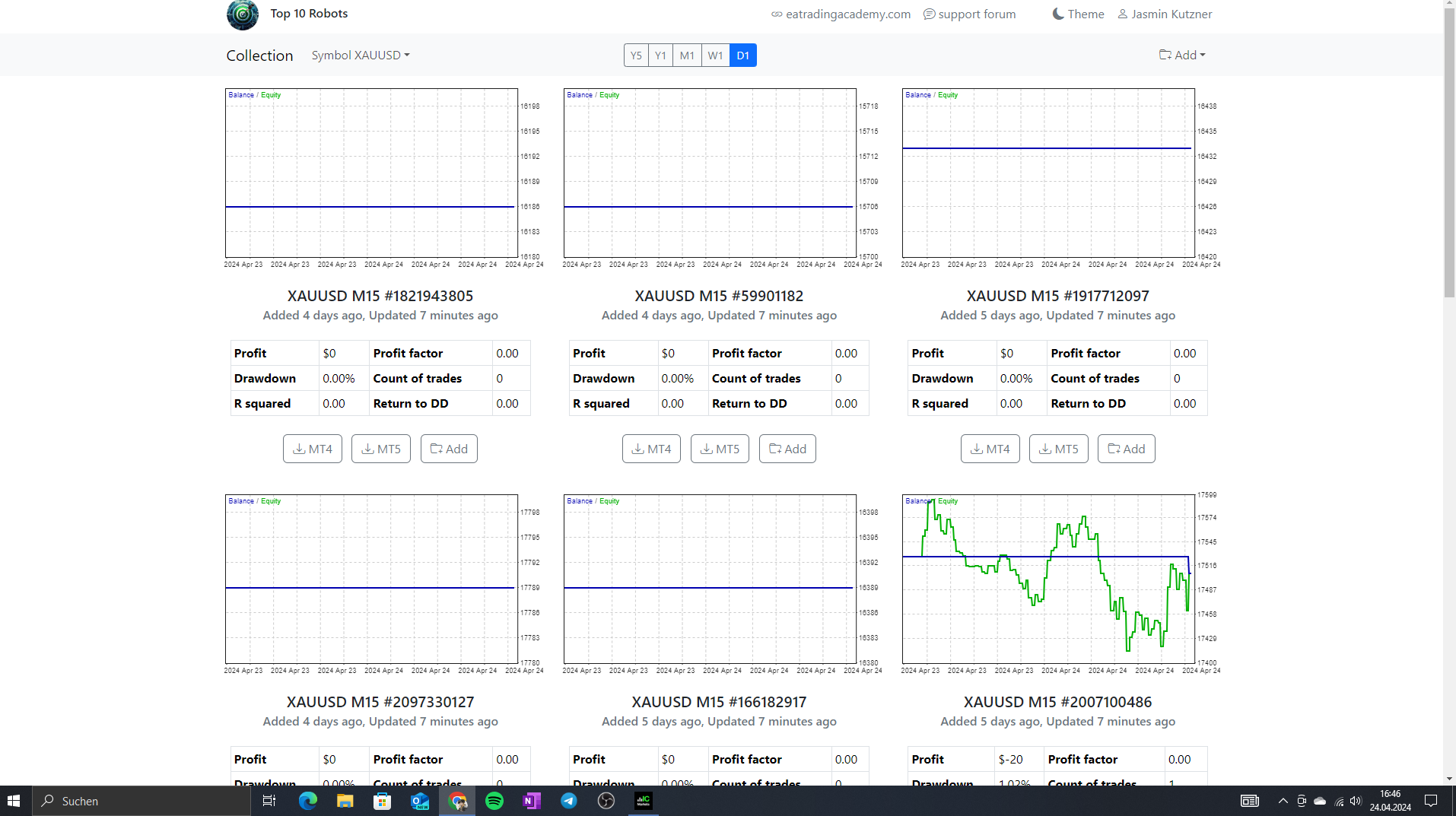
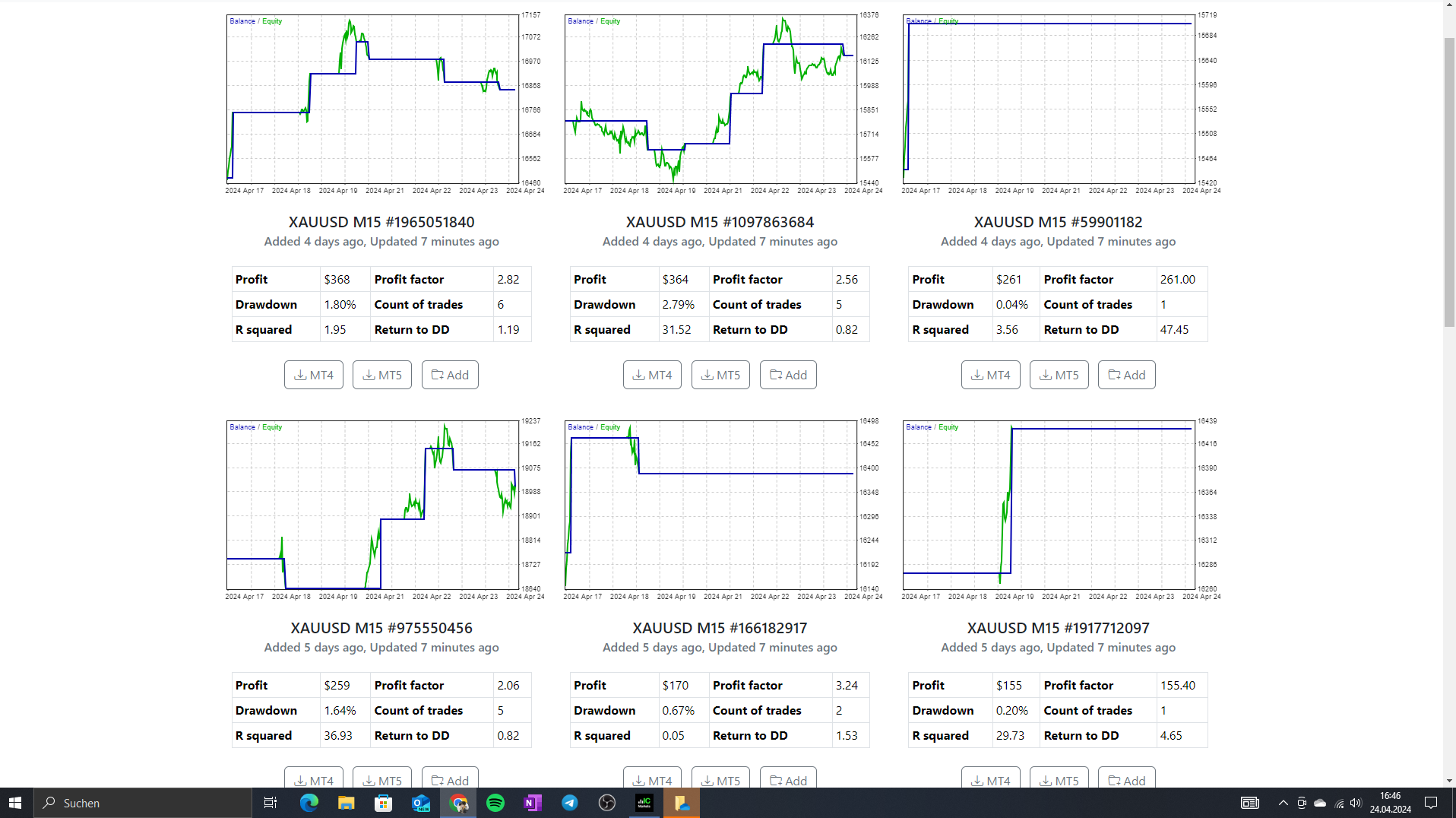
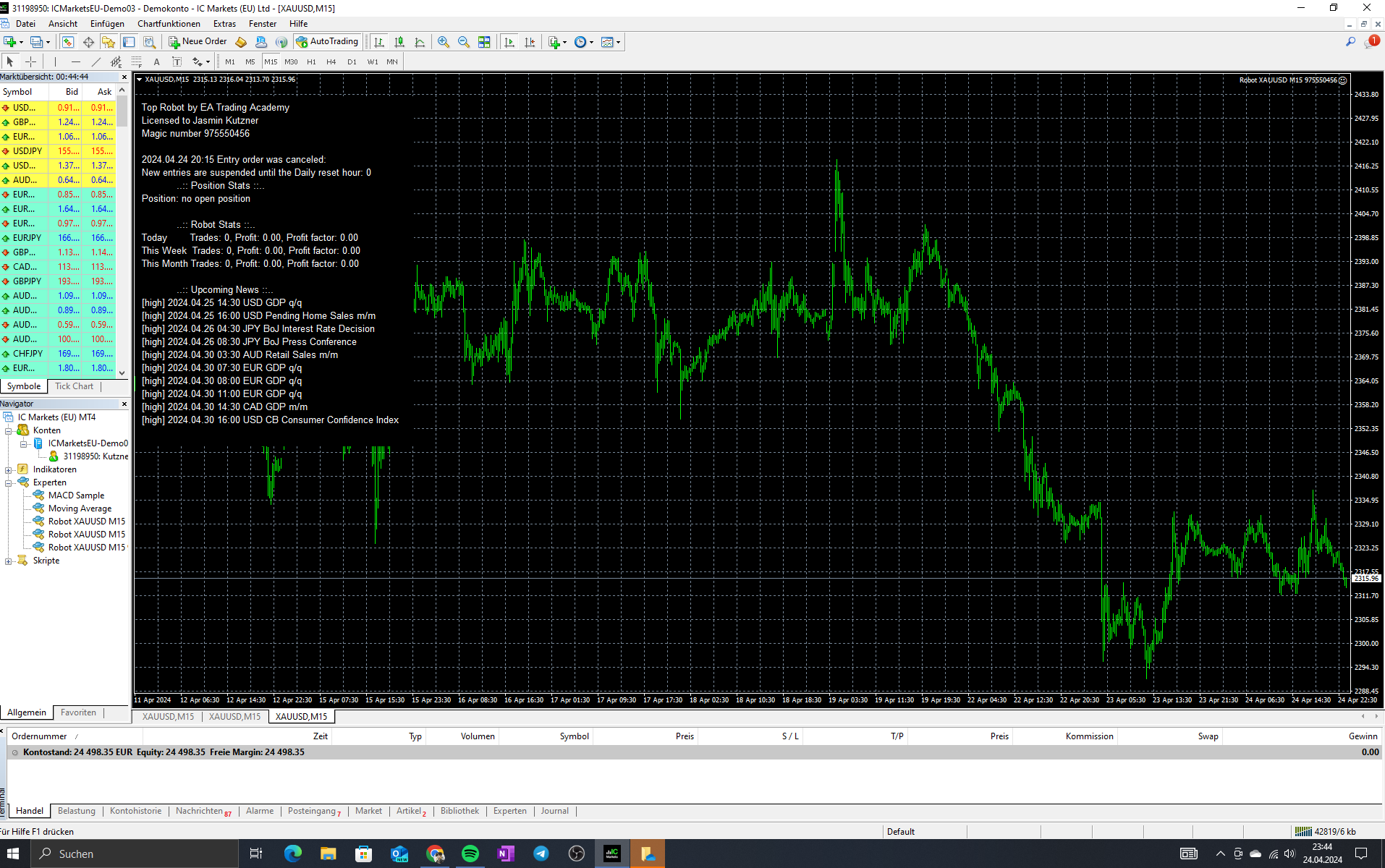
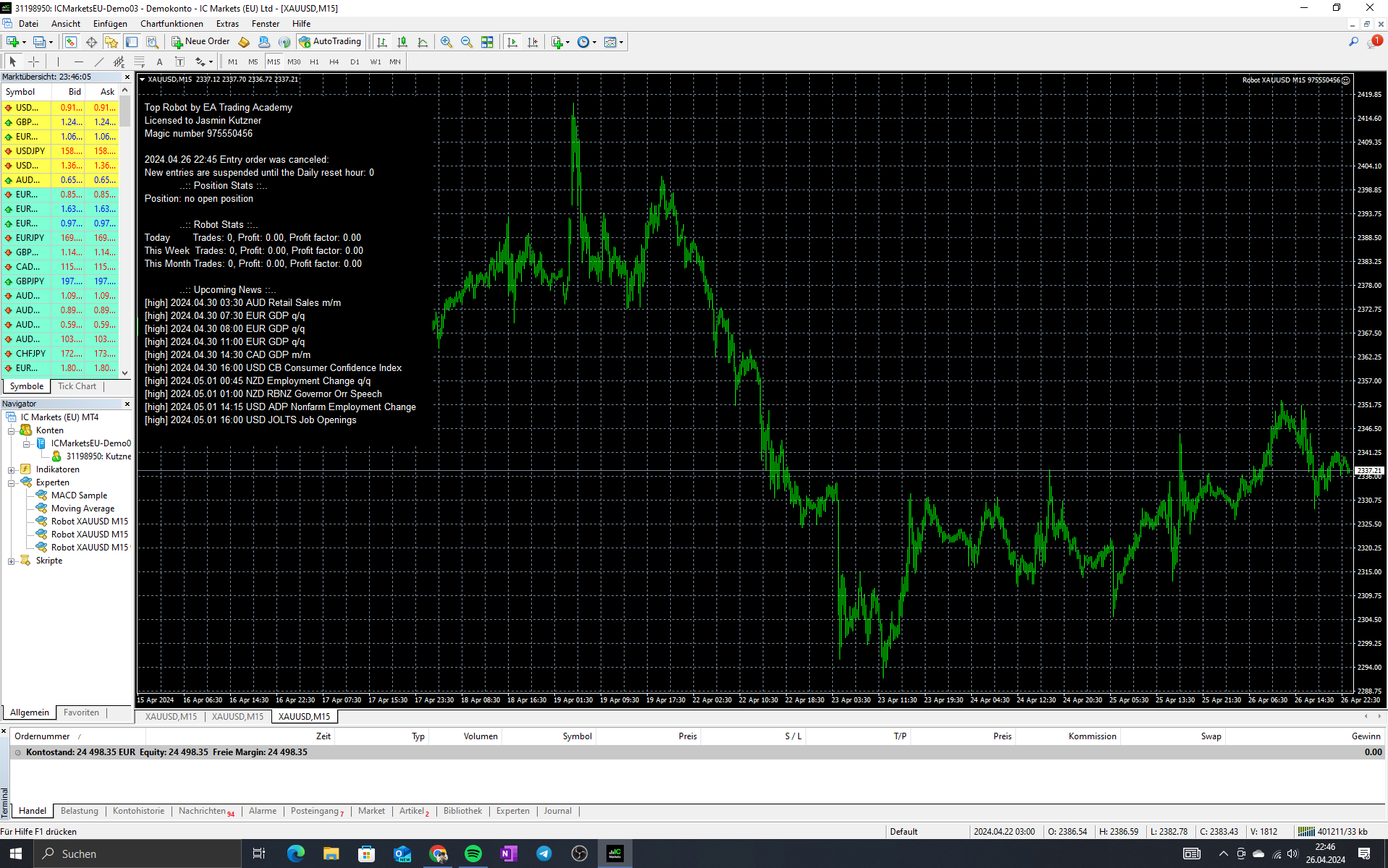
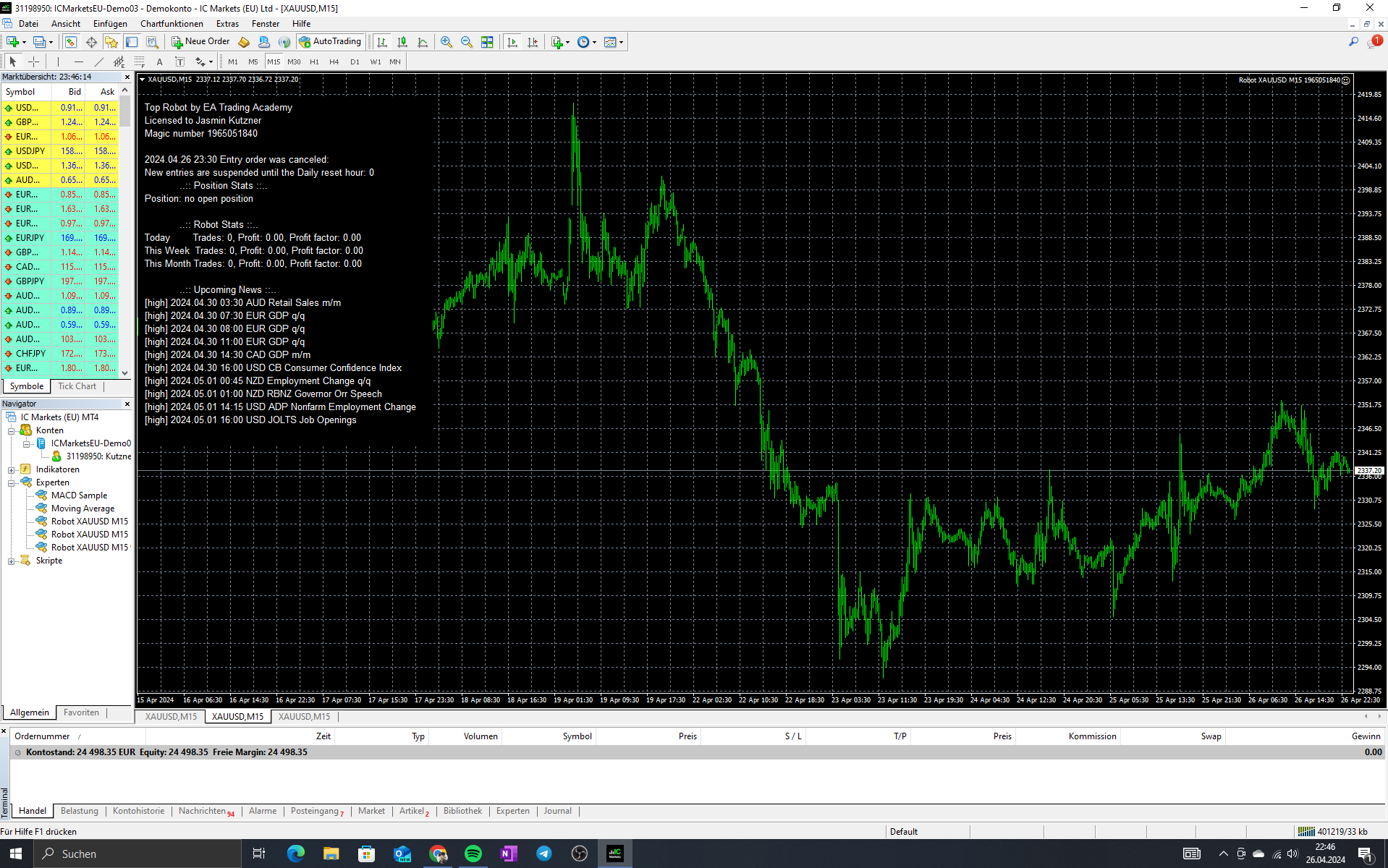
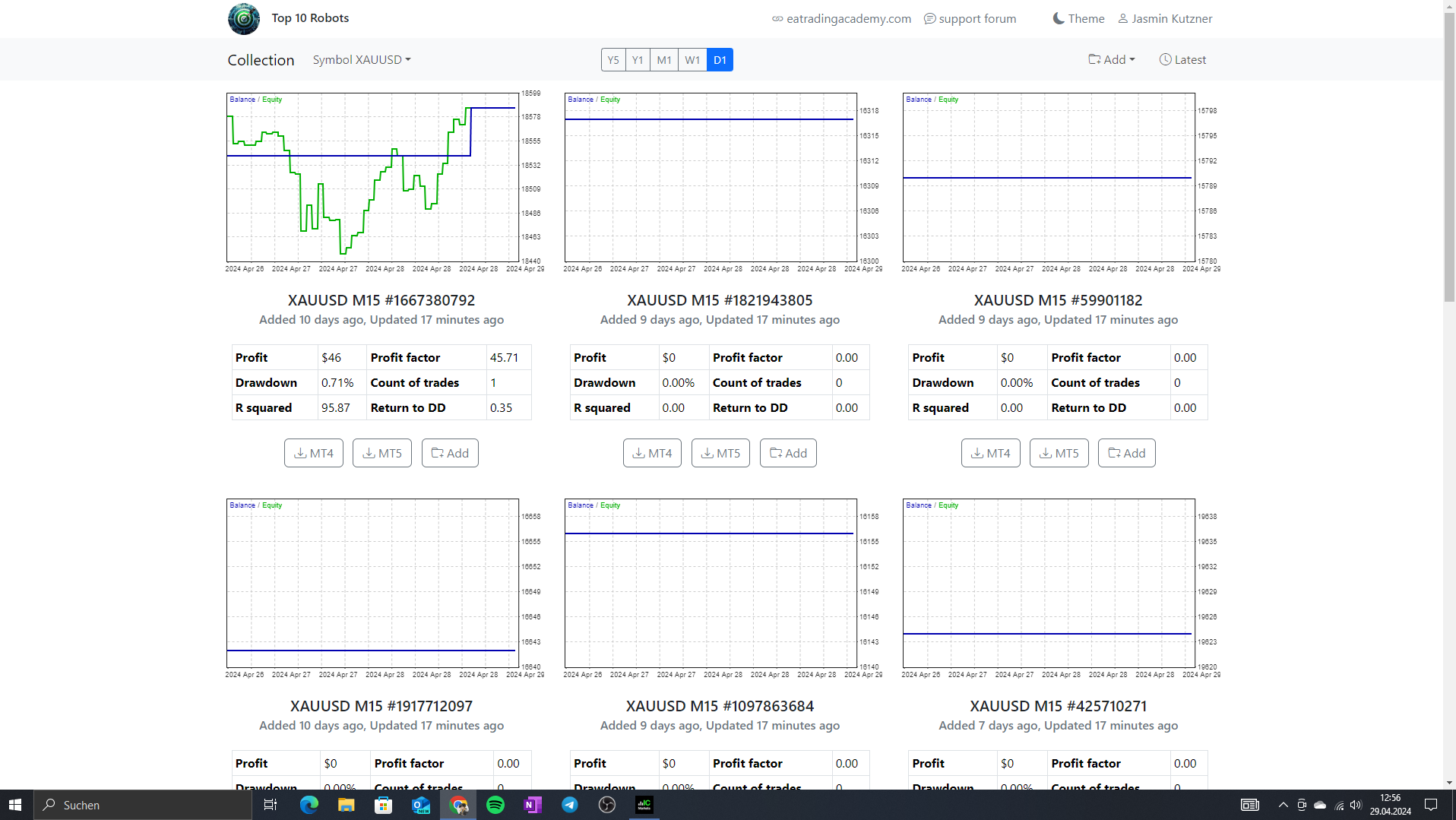
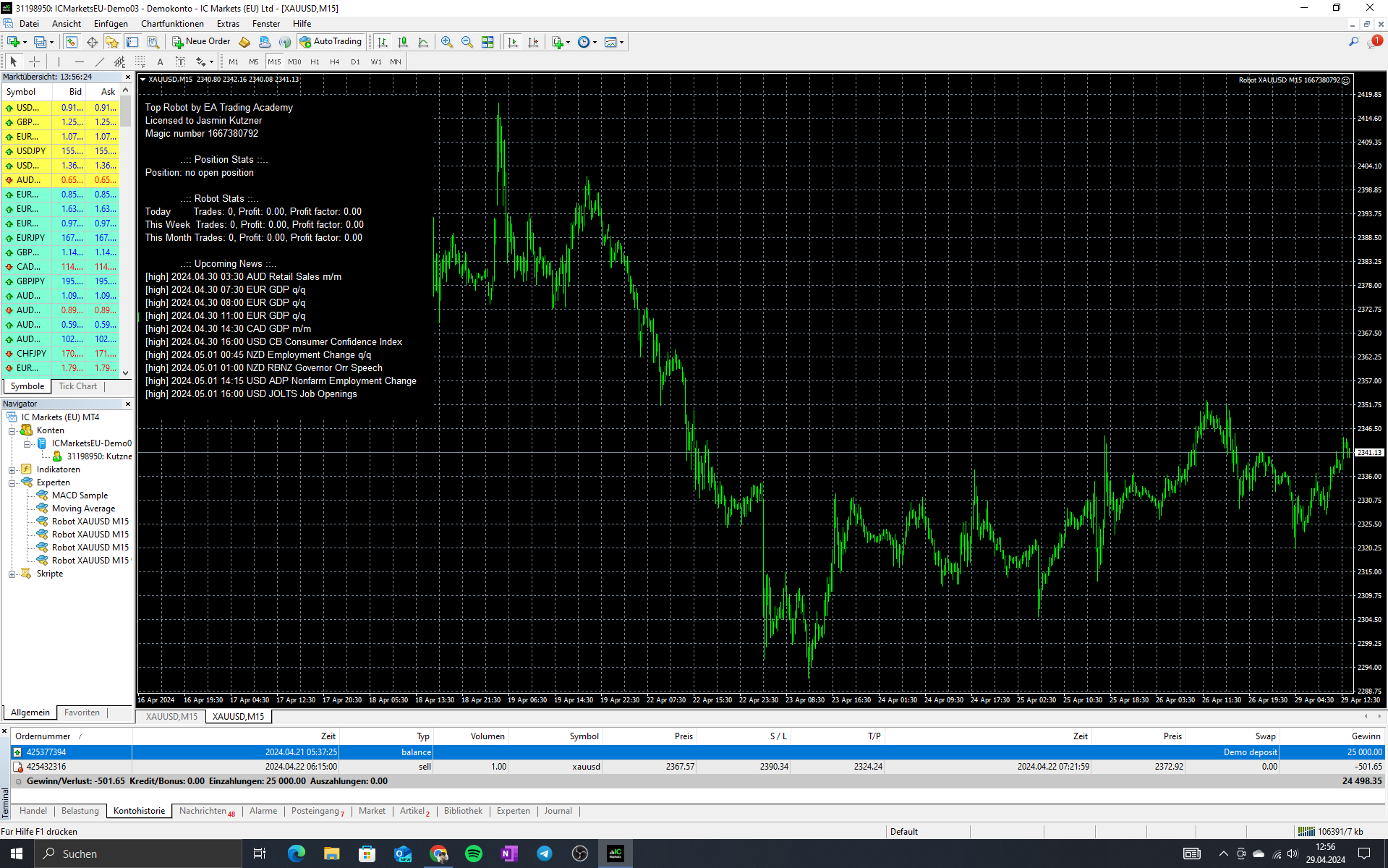
ParticipantI purchased the Top 10 Commodities EAs last week on 04/21/24, and I haven’t seen any results with them. I connected the one to two most profitable bots with my demo account. The first trade that was placed closed with a negative result. In the following days, it showed that the trades were canceled, and even trades that are shown in the app don’t open in my demo account.
Can someone tell me if I made a mistake? My demo account size is 25k, and the currency is euro.
 May 2, 2024 at 4:18 am #252595
Matt
ParticipantHi Jasmin, how are you?
Hopefully we can sort this out for you.
Top left of the chart, in the info box, looks like “new trades aren’t allowed until the reset hour of 0”
Perhaps you have a limiting setting in the hours of operation???
And the Top 10 data, backtests, on the day, looks very quiet, but that doesn’t seem right for gold.
Let me know how you go with the Hours of operation settings.
Warmly
Matt
May 8, 2024 at 5:56 pm #254029David Correa
MemberHello Fellow Traders,
I have a concern with 3 of the Bots from EURUSD, XAUUSD, BTCUSD from Top 10 App. The Bot’s are applied on the chart. However, there is a message in the chart that says, that bots are turned off. I am also attaching a screenshot for quick reference.
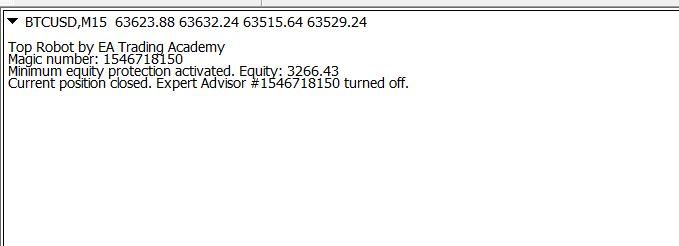
Can someone help me with the same please?
Thank you in advance for the support.
May 9, 2024 at 3:28 am #254091Ronald Cooksey
MemberI recently purchased the top 10 EA’s and since I have smaller accounts under $3,000 the developer shows me how to download the EAs to accommodate small accounts so I downloaded one eur\usd placed the EA on the chart and all the parameters activated put no trades have been placed. Is there something in the setting that I need to adjust?
May 9, 2024 at 4:56 am #254095ParticipantHi David,
The text in the graphic says “Minimum equity protection activated”. This happens to protect your account from further loss. You need to change the “Minimum equity (currency) setting in the EA properties box.
Alan,
May 9, 2024 at 5:01 am #254096ParticipantHi Ronald,
If you are using MT4 and see a smiley face in the upper right corner of the trading chart or if you are using MT5 and see a blue hat then the EA is working correctly and you just need to give it more time to start placing trades.
Alan,
May 9, 2024 at 8:18 pm #254223MemberHello Alan,
Thank you so much for your a timely response. I will work on the changes and check if the bots are running smoothly.
What’s the best setting I can set up for the same?
Regards,
David
-
AuthorPosts
- You must be logged in to reply to this topic.