
Community Forums › Forums › Ready-to-use Robots › Top 10 EAs › Top 10 EAs: Errors and Solutions
Tagged: EA not getting initiated on the MT5 terminal, EA trading, EAs don't stick, error, Top 10 EAs App, Top 10 forex trading EA's
- This topic has 103 replies, 32 voices, and was last updated 7 months, 3 weeks ago by
Samuel Jackson.
-
AuthorPosts
-
April 5, 2024 at 4:17 pm #262865
Marin Stoyanov
KeymasterIn this topic we focus on identifying and resolving common errors encountered with the Top 10 Robots. Share your experiences, troubleshooting tips, and solutions related to installation issues, configuration problems, algorithmic errors, performance optimization, and more. Whether you’re a seasoned trader or a newbie, join us to exchange valuable insights and enhance the performance of your trading robots. Let’s work together to master these powerful tools for a more successful trading journey!
April 5, 2024 at 4:17 pm #252265Oly
ParticipantHello,
Today, after downloading the best 10 EAs as portfolios and dropping them in the correct charts, they didn’t stick; they disappeared. This is very annoying.
April 5, 2024 at 4:17 pm #246785Chandan A S
ParticipantI recently bought top 10 forex trading robots ,but when i try to attach them to chart they were showing like EA turned off as soon as i attach them . i am confused how to use them . please help i am very much worried
April 5, 2024 at 5:55 pm #246806Alan Northam
ParticipantHi Chandan,
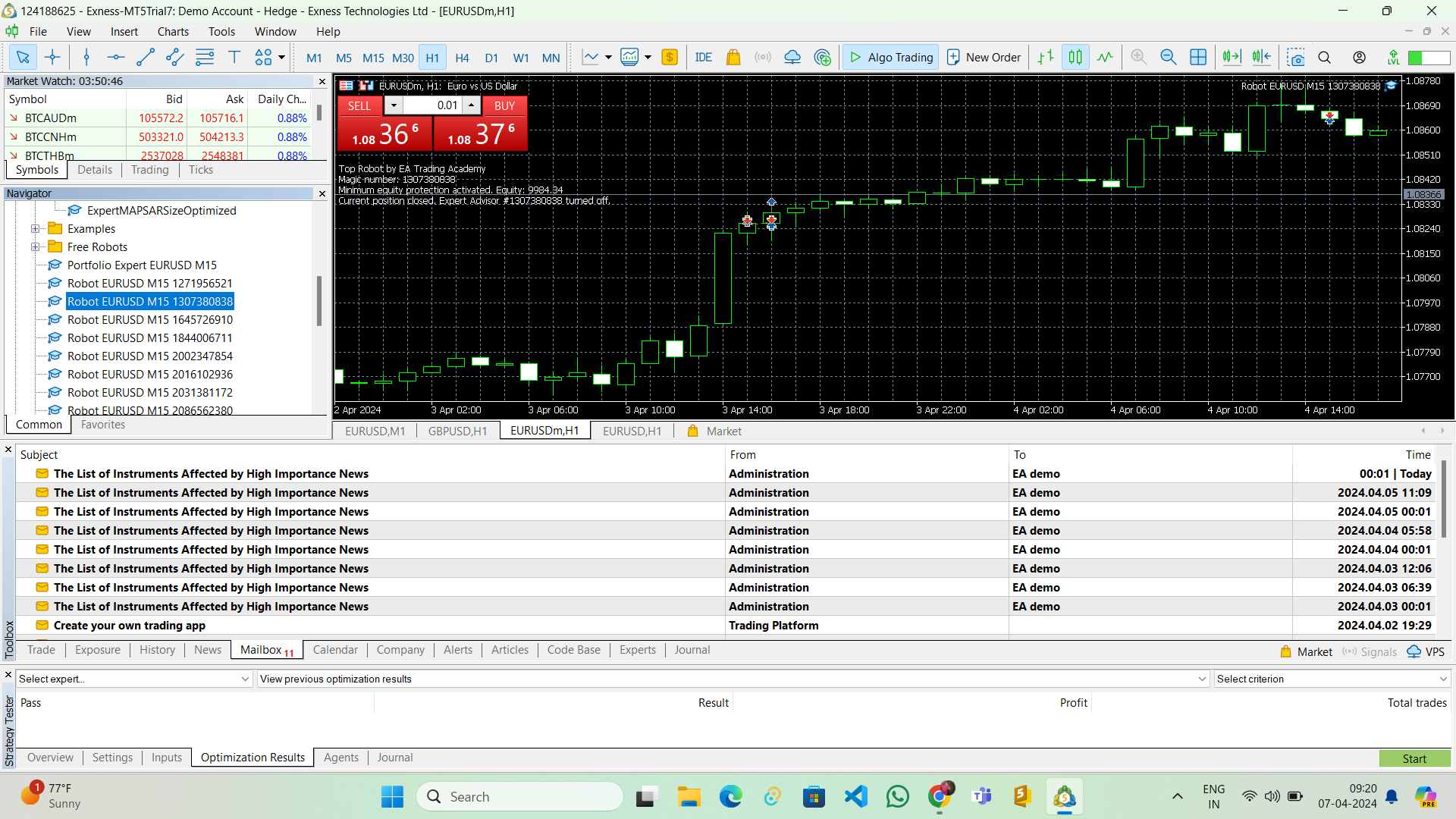
Can you share a screenshot of the chart window and also the account size. Also a screenshot of the EA properites box.
Alan,
April 7, 2024 at 6:51 am #247059Participant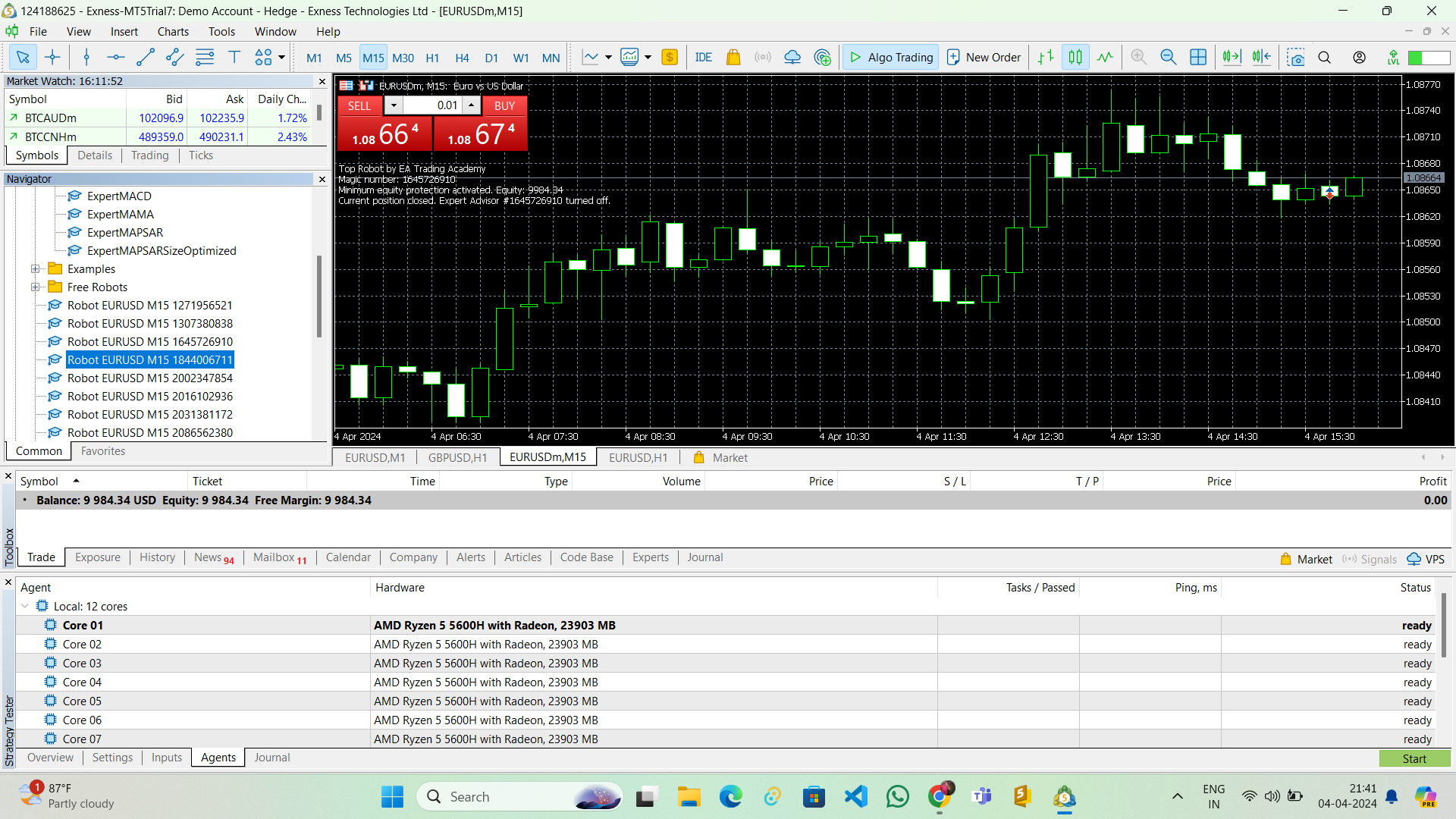 April 7, 2024 at 6:52 am #247060Participant
 April 7, 2024 at 6:53 am #247061Participant
Account size is 9984.34 dollars i am using exness broker demo account
April 7, 2024 at 2:40 pm #247107ParticipantHi Chandan,
This happened because the Minimum equity protection has been activated because your account fell below the level set in the Expert Advisor properties. To get the account working again you need to change the “Minimum equity (currency)” in the properties box.
Alan,
April 8, 2024 at 7:44 pm #247361Participanti attached all the 10 EA’s with and also portfolio expert but none of them took any of the trade
April 8, 2024 at 8:00 pm #247366ParticipantHi Chandan,
Did you adjust the Minimum equity (currency) values so the Expert Advisors will be active?
Have you performed a backtest with the Strategy Tester to see how often the EAs take trades?Alan,
April 9, 2024 at 4:33 am #247452Participantyes i did minimum equity problem solved ,in my MT5 backtest option is not showing .
can you please anyone guide my how to use them properlyApril 9, 2024 at 8:55 am #247477Participantthe link to download updated EA is not working
April 9, 2024 at 11:40 am #247504ParticipantHi Chandan,
If you see a blue hat in the upper right corner of the chart then the Expert Advisor is working. You just need to give it more time to start trading.
To see the strategy tester click on View in the menu bar and then scroll down to Strategy Tester. If you don’t know how to use the Strategy Tester then go to youtube to find some videos.
Alan,
April 9, 2024 at 12:19 pm #247517ParticipantHi Chandan,
Updated link sent to your email.
Alan,
April 9, 2024 at 12:23 pm #247519KeymasterHello, please check this short video which explains how to download the EAs.
Most probably you have a cache/cookies issue and you need to open the link from incognito or guest mode browser.
With the upcoming launch of the Top 10 Robots App, access will happed directly within the app without the need to manually copy and paste OneDrive links and passwords.
-
AuthorPosts
- You must be logged in to reply to this topic.