
Community Forums › Forums › Ready-to-use Robots › Prop Firm Robots › Prop Firm Robots: Errors and Solutions
- This topic has 784 replies, 3 voices, and was last updated 1 month, 2 weeks ago by
Ron Lee.
-
AuthorPosts
-
Aleix Marti
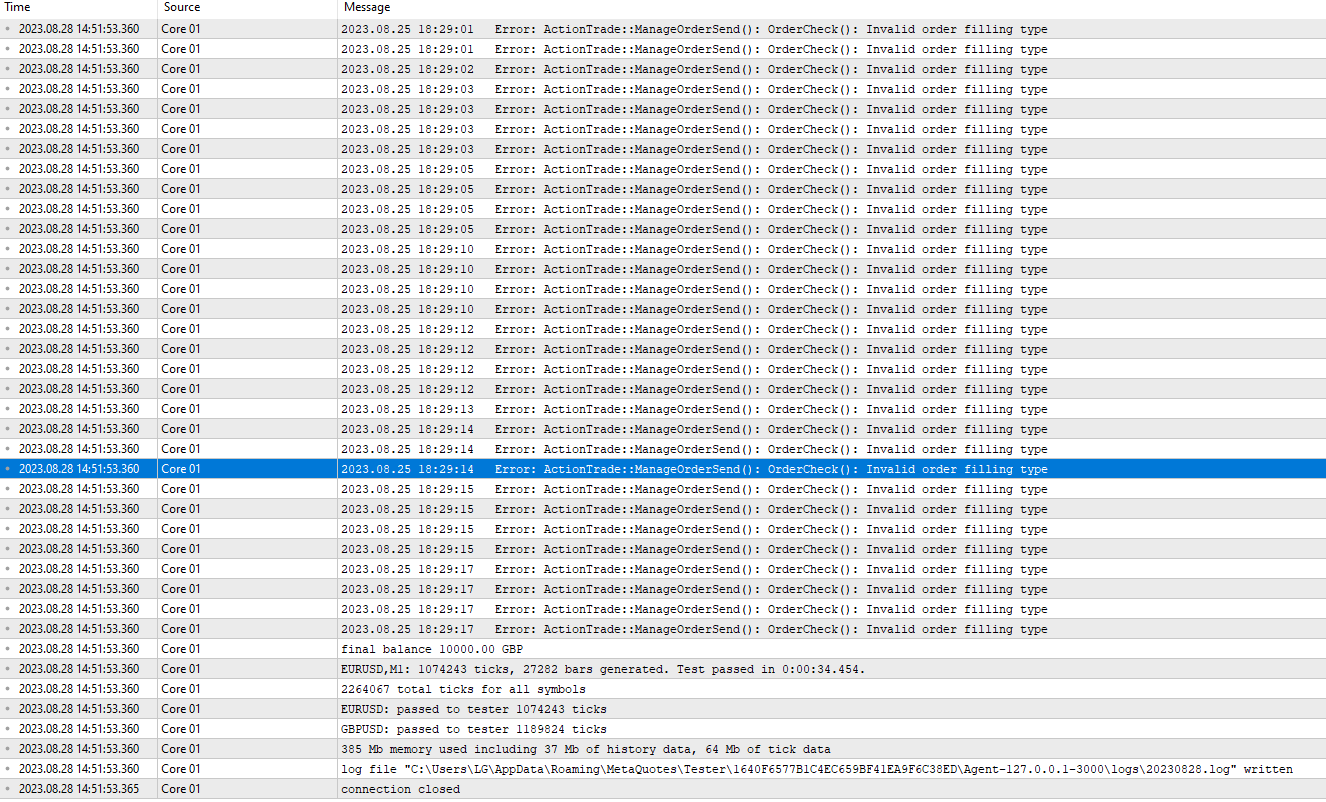
ParticipantIn the backtest I get a lot of errors. Please help! I don’t know where the problem comes from.
ParticipantThanks for answering me. But the question is, in which do you run the ea, mt4 or mt5 for FTMO account? Because in MT4 when you open the folder to put the EA it only gives the option to put the MT5 version, I don’t know if that will be a problem. Why does it have to do with the type of Hedge or Netting account, right?
Well let’s see if someone can clarify it for me so that I can get it ready to launch operations.
Thank you.

Alan Northam
ParticipantIf you are using MT4 then you need to use EURUSD M1 FTMO Filter M30.mq4.
If you are using MT5 then you need to use EURUSD M1 FTMO Filter M30.mq5 (EURUSD M1 FTMO Filter M30).
ParticipantExcuse me, the backtest is OK! Everything works! Thank you so much!
Janek
ParticipantI was getting the same error in MT5 on demo account and strategy tester:
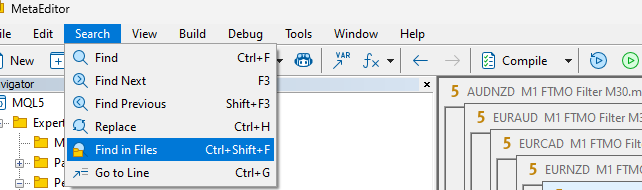
Press F4 (to get to MetaEditor), go to Search – find in files:
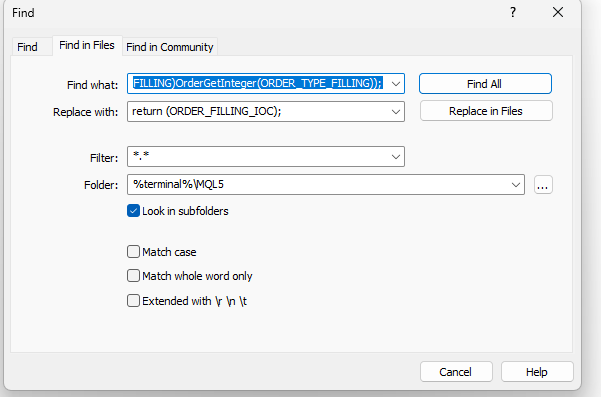
Find what: return ((ENUM_ORDER_TYPE_FILLING)OrderGetInteger(ORDER_TYPE_FILLING));
Replace with: return (ORDER_FILLING_IOC);
Press Replace in FilesNow compile all AE that you needed to change and restart MT5.
I am not sure what does this change do I am not developer. But it fixed my issues.Thanks,
JanekPetko Aleksandrov
KeymasterThanks for sharing all of that!
Also, with the latest update of the FSB Pro, this problem should be solved. I updated the EAs as well.
Marisa Morabito
ParticipantHi, I have installed the robot, and have used them in the past with other companies so I am not a newbie by all means. But I am having a difficult time with this getting it to place a trade. The smily face is on, I made sure to select auto-trading prior to adding the chart, and the time-frames are accurate. Any other suggestions on why it isn’t working? I have it set on the M1 so I would have thought many trades should have been placed as it has been running non-stop since this morning and it is now evening here. Looking forward to getting this to start trading, thanks! 🙂
ParticipantI back-test the FTMO Robot on an FTMO Demo account. My results from Aug 1, 2023 through Aug 15, 2023 shows the robot took approximately one trade per day. My back-test from Aug 16, 2023 through Aug 29, 2023 shows the robot approximately one trade every other day. Here is a link to my back-testing:
John Morey
MemberI have the same issue as Marisa. loaded properly with smiley face for 4 days now and still no trades have been opened. is this normal?
ParticipantWhat size is your account and lot size?
ParticipantCould you go to Experts tab and see if you are getting any errors?
 Participant
I am getting this error: ModifyPosition: OrderCheck: Position specified has already been closed
Is it anything that I should be worried about or it is not the error but a notification?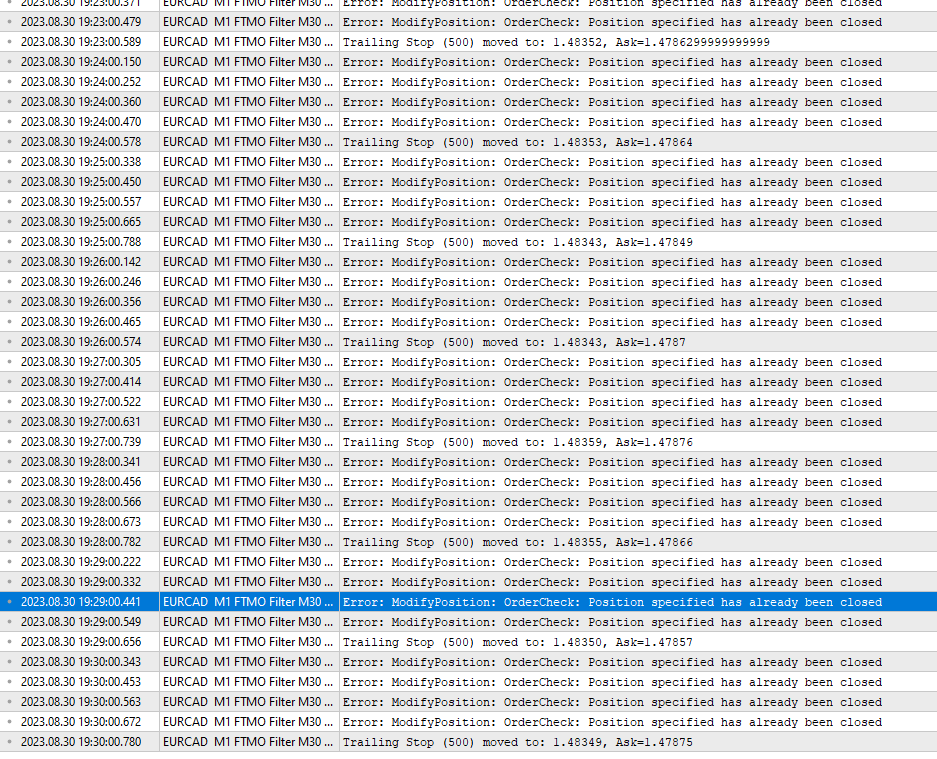 Participant
Looks like you are trying to close a position that has already been closed. Remove EA from chart. Close MetaTrader and reload. Add EA back to chart. This should give you a fresh restart.
ParticipantDone, this has resolved the issue. Thanks! Hopefully is nothing to do with amount of advisers from you I have been
testing 🙂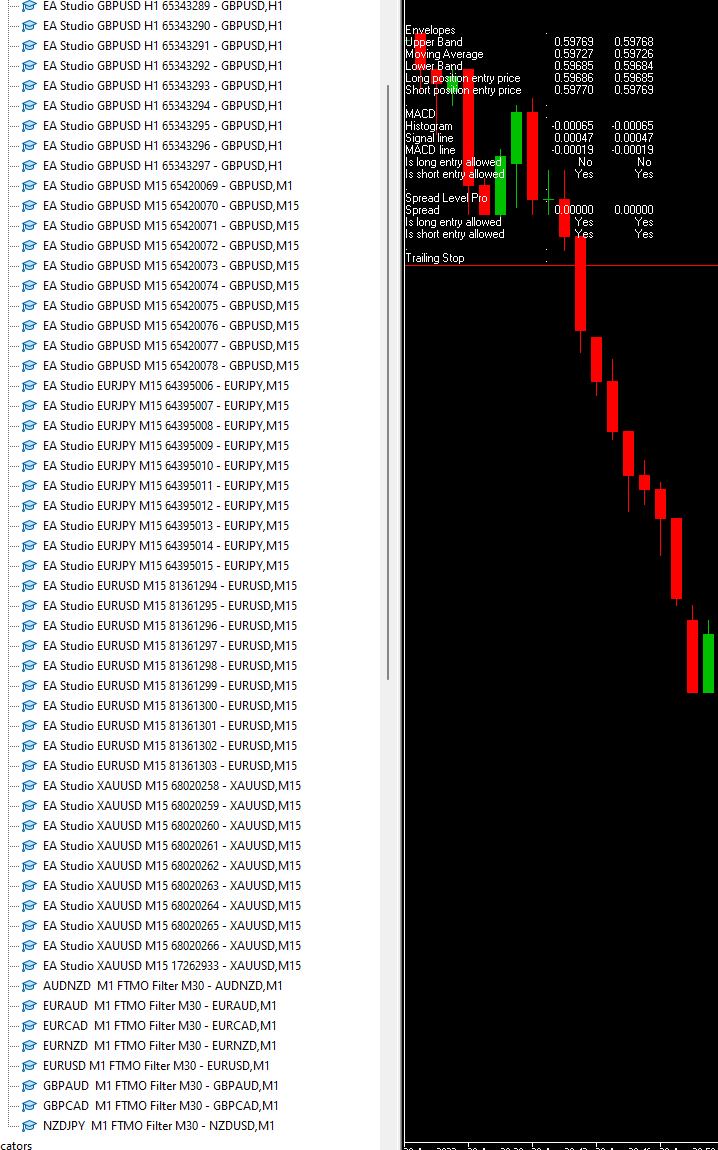 Participant
Should be good to go as long as lot size is adjusted properly so you don’t go over the margin limit and you don’t have more than 100 EAs!
-
AuthorPosts