
Community Forums › Forums › Ready-to-use Robots › Prop Firm Robots › Prop Firm Robots: Errors and Solutions
- This topic has 782 replies, 1 voice, and was last updated 1 week, 1 day ago by
jordan6566.
-
AuthorPosts
-
January 2, 2024 at 3:58 pm #224070
Alan Northam
ParticipantHi Sammy,
After you get the setfile and load it into the EA show a screenshot and I will verify it is the correct file.
Alan,
January 3, 2024 at 3:01 pm #224279Sammy Trader
MemberHi Alan
Have you seen the new video of Peko followed by emails to member. I got the access of FTMO Robot App website now. I suppose I can simply fill the desired values there and download the new setfiles in a zip folder.
January 3, 2024 at 3:21 pm #224292MemberIn fact, set files are not needed anymore if you use FTMO Robot App website. Now the question is that when I generate my new EA, what shall I do with already opened trades from the older version of EA before I remove the older EA and inject these new EA.
January 3, 2024 at 3:42 pm #224299ParticipantHi Sammy,
Yes, if you are going to use FTMO robots v6.0 you no longer need to load the set files.
As to whether or not to close open trades, that is a personal decision. Maybe, leave the robots that are in profit continue to trade and let them hit their TP, and close out the losing trades, as an example of how to handle this situation.
Alan,
January 10, 2024 at 4:59 am #225954Jon Jenin
MemberHi
I m testing v6 in multiple acc from different broker in the same VPS …but it seem only 1 acc is opening trade…is there any limitation on account usage per VPS?
January 12, 2024 at 7:59 pm #226547Anna Bryja
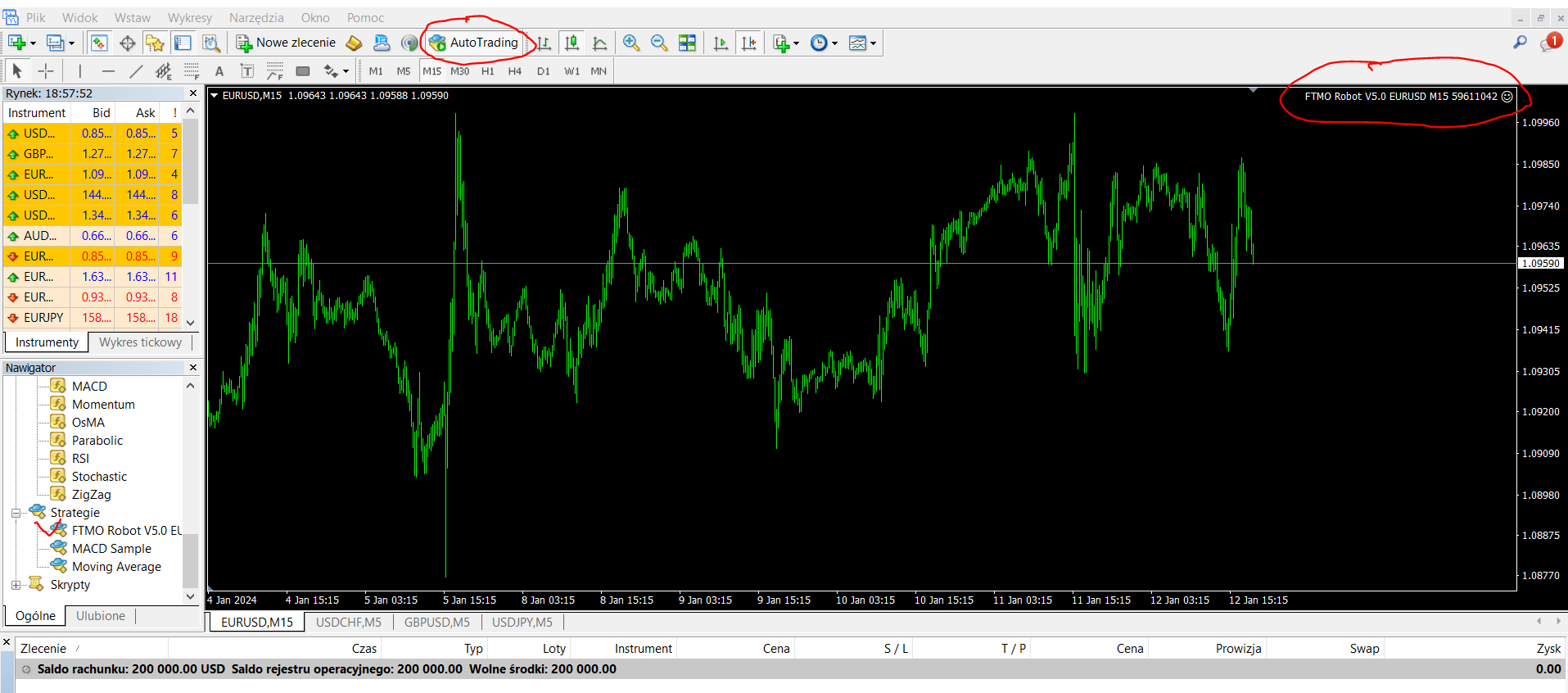
ParticipantWhat is wrong with a FTMO Robot? I went through the instructions to install it but it seems it does not work install it but it seems it does not work
 January 12, 2024 at 8:10 pm #226550Participant
The FTMO robot is installed properly. How long has the robot been installed? If you just installed it within the last day or two you may need to give it more time to start placing trades.
Alan,
January 13, 2024 at 5:33 pm #226670ParticipantHi Alan – thank you for your reply.
I installed the free version (EURUSD) of the FTMO robot yesterday, Friday the 12th. I just dont have the window I see on recording (small square on the left hand side with details)
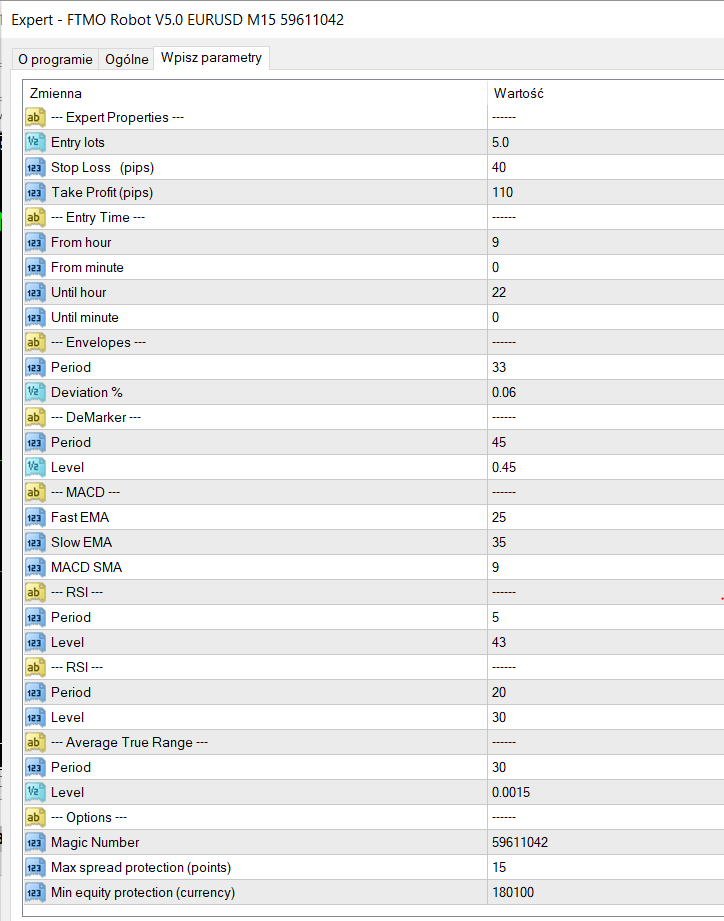
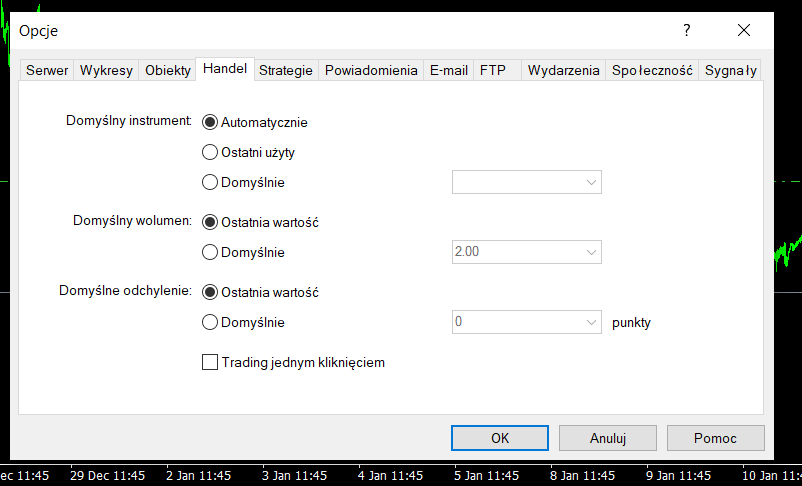
I have attached the print screen of my settings. Is the lot for the 200k account ok to be 5.0 for EURUSD?
I need min 10% of income within 30 days.
 January 13, 2024 at 5:35 pm #226672Participant
 January 13, 2024 at 6:23 pm #226690Participant
Hi Anna,
The FTMO V5.0 robot EURUSD has been in a losing trend over the last two weeks. Now is not the time to start trading this robot.
Alan,
January 16, 2024 at 11:57 am #227176Gaurav Kataria
ParticipantDear PEtko,
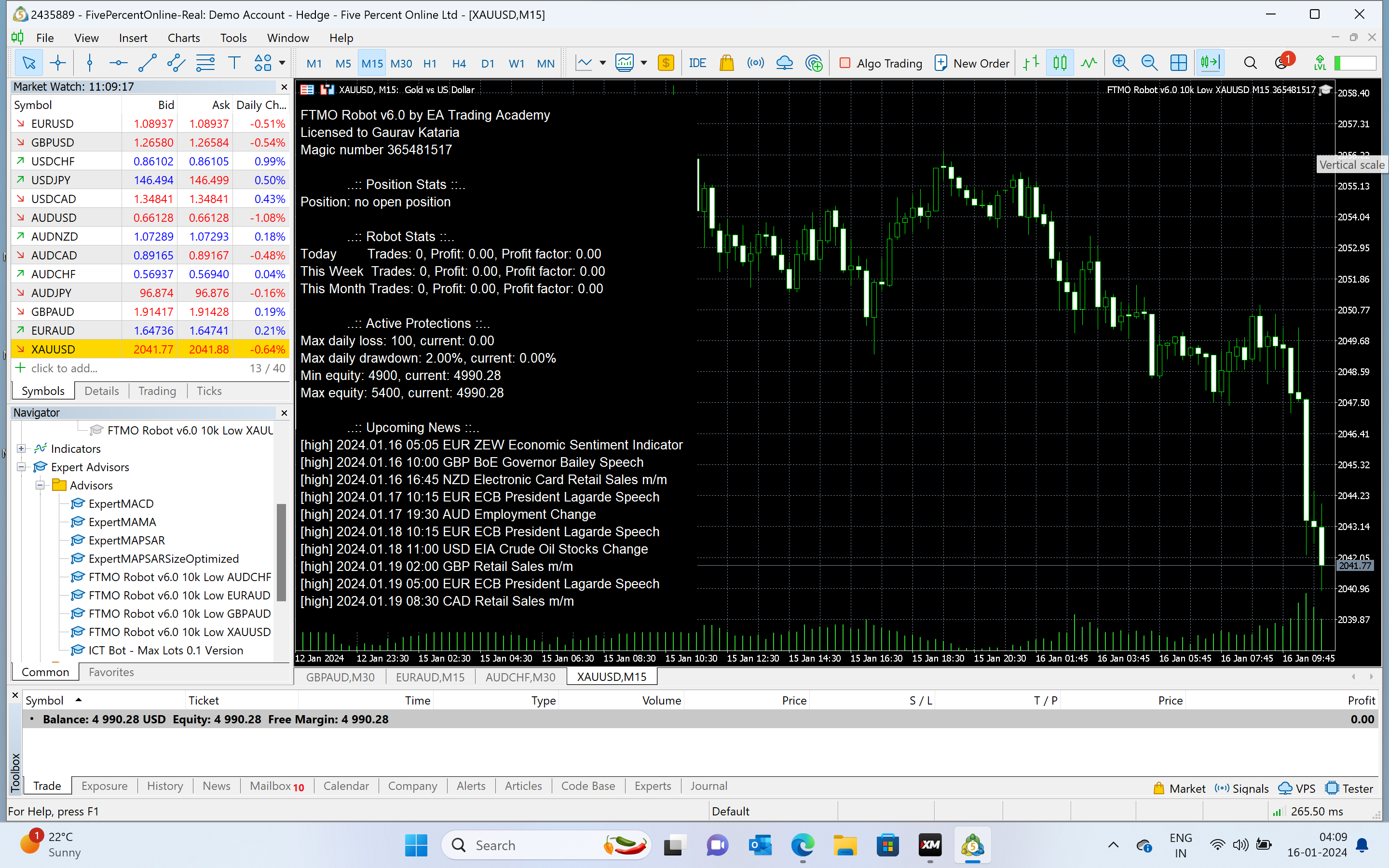
this Mt5 robot works ihope i put it right first trades were done manually yesterday wer elsoers i already 10$ drawdown but it wont take or place a trade my is small account.
Green hat came up now but it wont palce a trade dear… it s small acount in 5%ers
Any one can help Me dear
 January 16, 2024 at 2:20 pm #227199
DENIS PIERFEDERICI
ParticipantCiao, ho acquistato FTMO robot e ho installato gli EA sulla piattaforma ma non appare la faccina sorridente…dove può essere il problema?
January 16, 2024 at 2:21 pm #227200Participant<p style=”text-align: left;”><span style=”vertical-align: inherit;”><span style=”vertical-align: inherit;”>Ciao, ho acquistato il robot FTMO e ho installato gli EA sulla piattaforma ma non appare la faccina sorridente…dove può essere il problema?</span></span></p>
January 16, 2024 at 2:22 pm #227202ParticipantHi Gaurav,
The problem is your account size does not match the account size you have chosen for the FTMO V6.0 robots. To get the robots working you will need to make these changes to your robots:
Make the following changes to all the robots:
Maximum daily loss (currency) = 299
Minimum equity (currency) = 4550
Maximum equity (currency) = 5505Also each of the following robots need to have these changes made to the Entry lots which will limit your account risk to 0.5% or low risk:
AUDCHF Entry lot = 0.04
EURUSD Entry lot = 0.05
AUDUSD Entry lot = 0.05
EURAUD Entry lot = 0.07
GBPAUD Entry lot = 0.07
USDCAD Entry lot = 0.07
USDCHF Entry lot = 0.05
XAUUSD Entry lot = 0.01 (0.01 Entry lot is the smallest lot size you can use. Unfortunately the risk to the account is 1% instead of 0.5%. So it is your choice if you want to trade this robot.)Alan,
January 16, 2024 at 2:27 pm #227204ParticipantHi Denis,
If you are using MT4 then you need to make sure the Auto Trade button in the tool bar is pressed before installing the robots.
If you are using MT5 then you need to make sure the Algo Trade button in the tool bar is pressed before installing the robots.
Alan,
-
AuthorPosts
- You must be logged in to reply to this topic.