
Community Forums › Forums › Ready-to-use Robots › Prop Firm Robots › Prop Firm Robots: Errors and Solutions
- This topic has 784 replies, 3 voices, and was last updated 1 month, 2 weeks ago by
Ron Lee.
-
AuthorPosts
-
JordyTr971
ParticipantSo something is really wrong with mine 🤔
I am testing on a free ftmo account
I think I will reinstall them
Alan Northam
ParticipantI would close MT5 and restart as well. You might even try completely uninstalling MT5 from your pc, re-download MT5 from FTMO, and re-install.
Alan,
ParticipantI’ll do that
thank you for your help
ParticipantLet me know how it goes!
Alan,
ParticipantAfter resetting everything I just got my first trade!
I’ll still monitor them closely to be sure every EA’s are traking trade
ParticipantCongratulations, I am happy to hear the issue is resolved!
Alan,
Lara
MemberHi @alan,
I’m encountering the same problem where the FTMO bot isn’t executing trades.
- Smiley face in the top right ✔️
- Free FTMO demo account ✔️
Is there a specific URL where I can observe the FTMO bot running correctly? This way, I can compare it to mine to ensure it matches the proper FTMO bot. Thanks
Sammy Trader
ParticipantHello
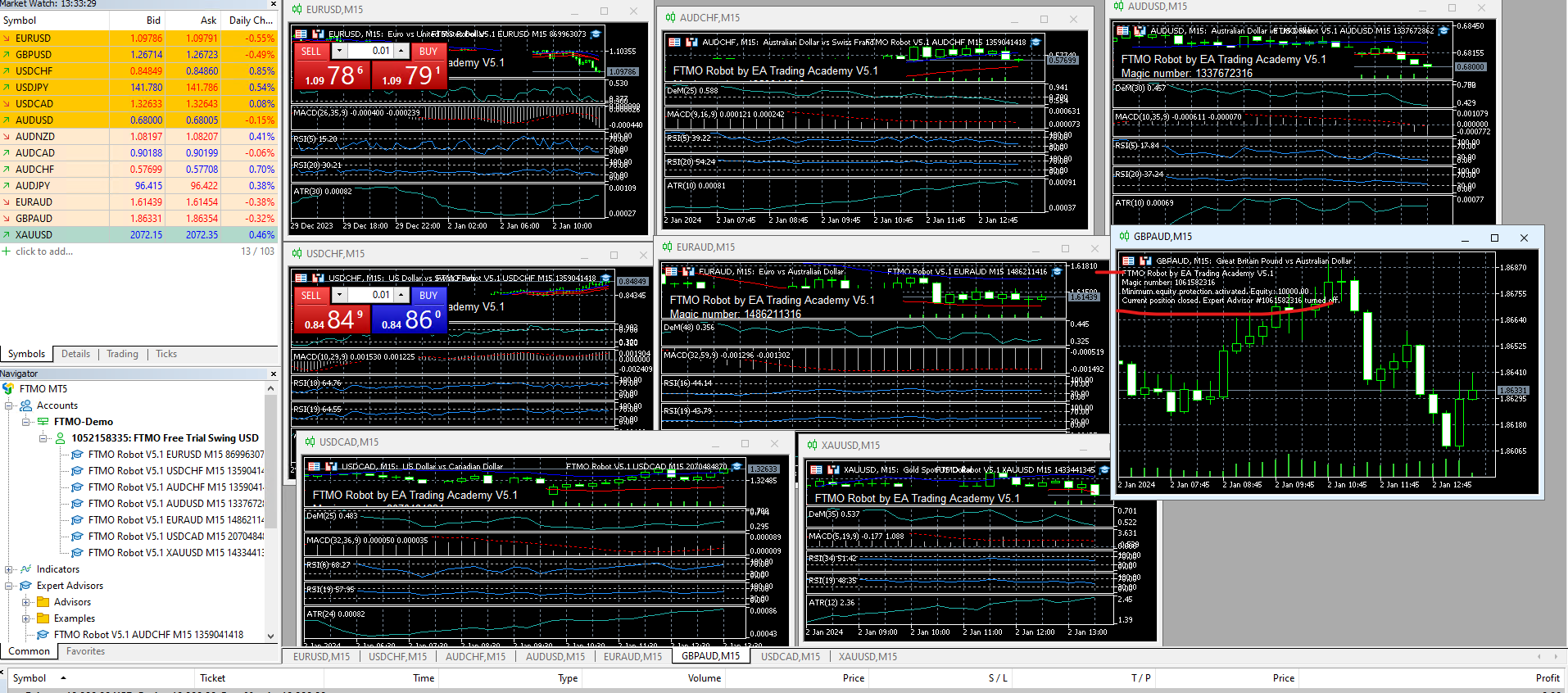
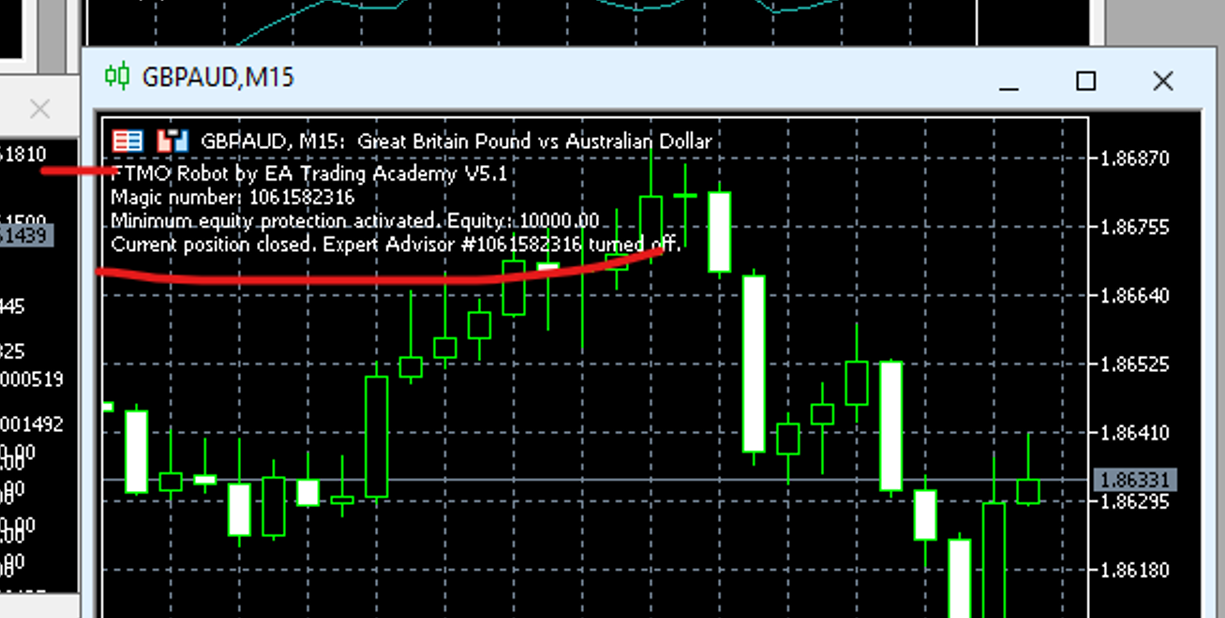
I have put the Robots in a Demo account for $10k. the robot GBP-AUD keeps detaching itself from the chart; please see the right side of the image with Red Line underlined. Where am I going wrong here? I have changed the magic number on all-
 Participant
 Participant
Hi Sammy,
The “Minimum equity protection” has been activated. Reduce to a lower level.
Alan,
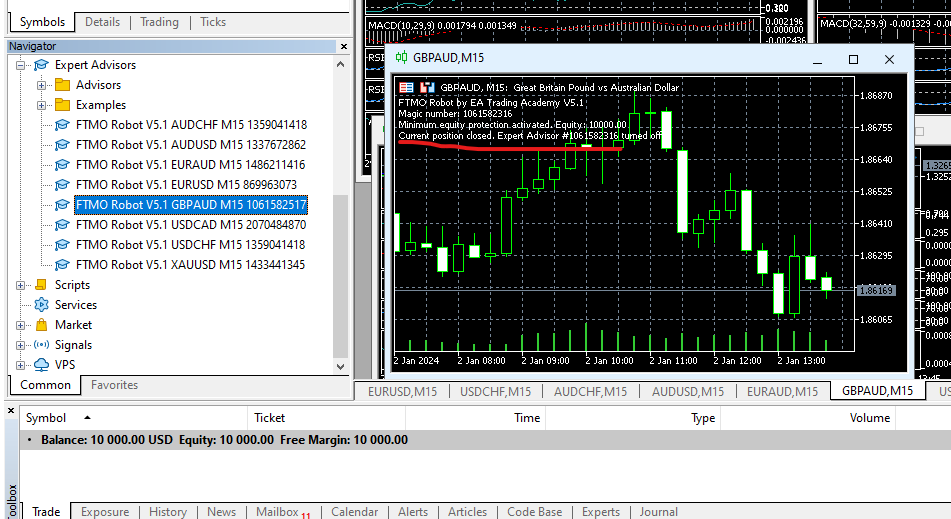
ParticipantThanks Alan, how can it be possible as I have not started trading at all on $10k Demo acc, equity is still full on as $10k, what is it protecting
 Participant
The Minimum equity protection is protecting your account balance of $10,000. So it is keeping your account from trading as trading could result in a loss which would then cause your account to fall below $10,000. To get this EA to start trading it is necessary to reduce the Minimum equity protection level. For example, reducing it to $9100 would keep your account from drawing down more than 10%.
Alan,
ParticipantHi Alan,
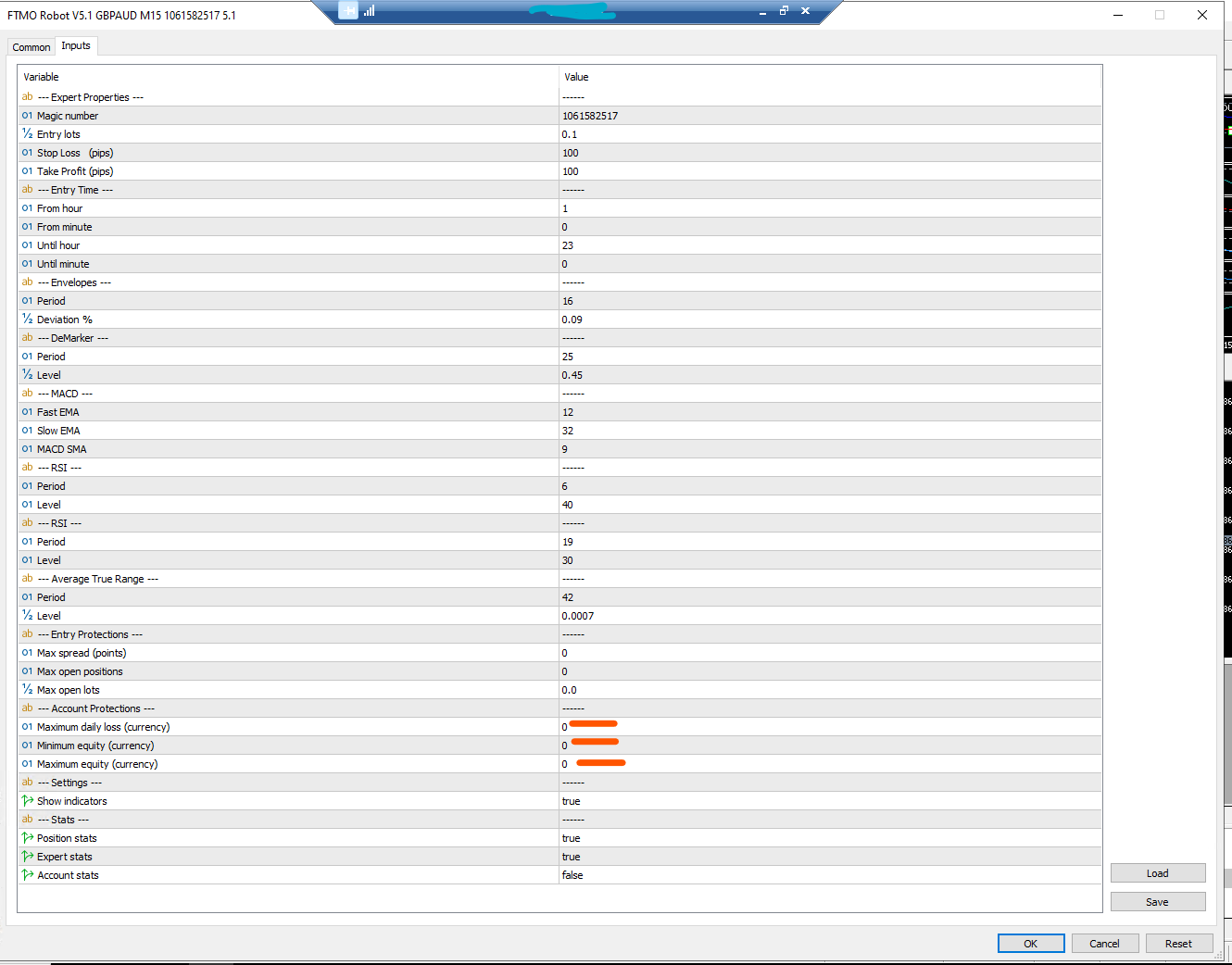
Thanks for the reply again. I have not touched any settings of EA provided and just placed them on the chart as others. I do not understand that why the settings for only this one – GBP AUD M15 are not correct in the set file that I use for $10k account. In fact, the set file provided has these settings below which doesn’t make sense for $10k. Where can I get the default settings from ? Can I simply match the setting from another Robot – e.g. EURUSD M15? Or rather reach out to support to provide me that. I am not in the stage where I would want to tweak it as per my own knowledge but rather trade with the one that Petko has decided for $10k account.
 Participant
Hi Sammy,
The FTMO V5.1 robot setfiles for a 10K account are correct but they are different from the image you have provided. Somehow, you did not load the correct setfile. You should have been sent an email with a link for the correct setfiles and robots. If you do not have these setfiles you will need to contract [email protected] .
Also, you cannot just use setfiles for other EAs as the settings will not be correct.
Alan,
ParticipantThanks Alan, my thoughts were same that I haven’t started trading and it was taken off the EA.
I have now asked the support to provide me the correct setfiles of that pair. The irony is that, any users who are downloading the robots and those setfiles, they will all have this error as I have now verified that the above settings in the screenshot is the setfile provided in that zip file.
Now, its the waiting game of when the support will come back to me. I might get my account connect to FXBlue meanwhile.
-
AuthorPosts