
Community Forums › Forums › Ready-to-use Robots › Prop Firm Robots › Prop Firm Robots: Errors and Solutions
- This topic has 782 replies, 1 voice, and was last updated 1 week, 1 day ago by
jordan6566.
-
AuthorPosts
-
November 22, 2023 at 1:46 pm #215153
Emre Karademir
Participanti have all 8 bots running on roboforex demo account and it opens trades everyday but on my tft prop firm challenge account it doesnt open any trades i got 3 of them bots running there but the 3 opened trades on roboforex but not on prop challenge sadly someone got the same problem ?
November 22, 2023 at 1:51 pm #215154Participantit even shows on 2 charts the arrow where it supposed to open the trade but it didnt for some reason
November 22, 2023 at 3:32 pm #215184Ilan Vardy
ParticipantHi Emre,
This sounds like a problem with the broker or their server. Slippage maybe. Or it could be a problem with the auto trading. I’d suggest making sure your auto trading is enabled, you see the smiley face (or hat in the case of MT5) in the top right hand corner. If all settings are confirmed as correct, run a backtest. You will see trades that should have opened. Then contact the prop firm and enquire with them why the trades didn’t open, when they clearly should have according to the backtest. Also, check the journal for any errors.
Cheers,
Ilan
November 22, 2023 at 3:43 pm #215186ParticipantHi Ghiath,
If you run a backtest, do you see trades that would have opened? It sounds like all your settings are correct, and trades should be opening. I’d suggest running the backtest, saving the results and asking the broker why trades have not executed, when clearly, the backtest shows that they should have. Also, check your journal for any errors. Could be a connectivity issue with the broker’s sever.
Cheers,
Ilan
November 22, 2023 at 5:05 pm #215198Participantok i will try to write the prop firm but auto trading is on bc other eas took trades on the same account and there was the smily
November 23, 2023 at 12:37 pm #215398Sion Mascaro
ParticipantHello.
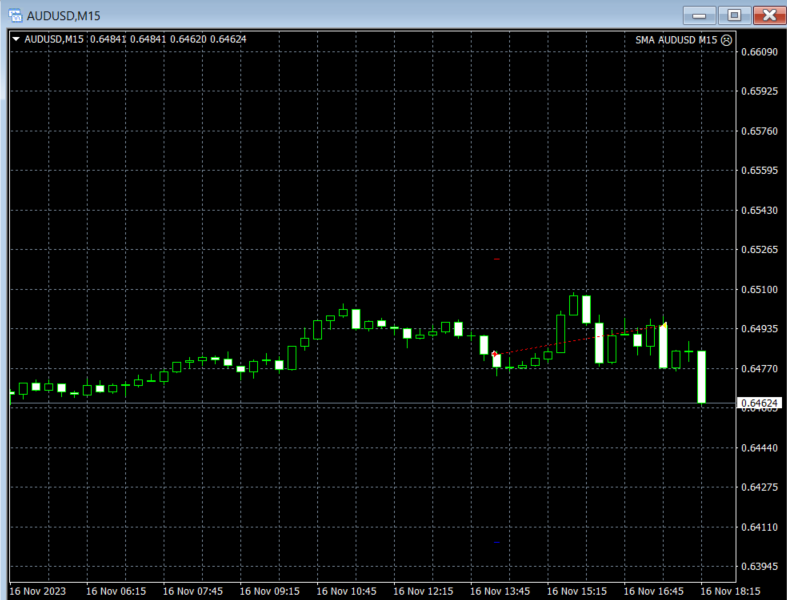
The robot took this trade (inserted image), and I do not understand why exited the trade when it was going the right way, does someone know clearly wich are the exit conditions of it?
Thanks.
 November 23, 2023 at 1:44 pm #215412Participant
Hey Sion,
Difficult to tell from the image above, without the indicators displaying. But, if it exited, it means the exit rule was triggered.
Cheers,
IlanNovember 23, 2023 at 1:54 pm #215415Participanthow can I add the indicators on the live chart.
Thanks for the response.
November 23, 2023 at 2:14 pm #215416Al FA
ParticipantHello
I have noticed on brokers that do now allow EA trading, such as Rocket21.
I was force to trade manually on that challenge.
Check if your selected Prop firm accepts EA trading.
Good luck 🙂
November 23, 2023 at 2:20 pm #215418ParticipantHey Sion,
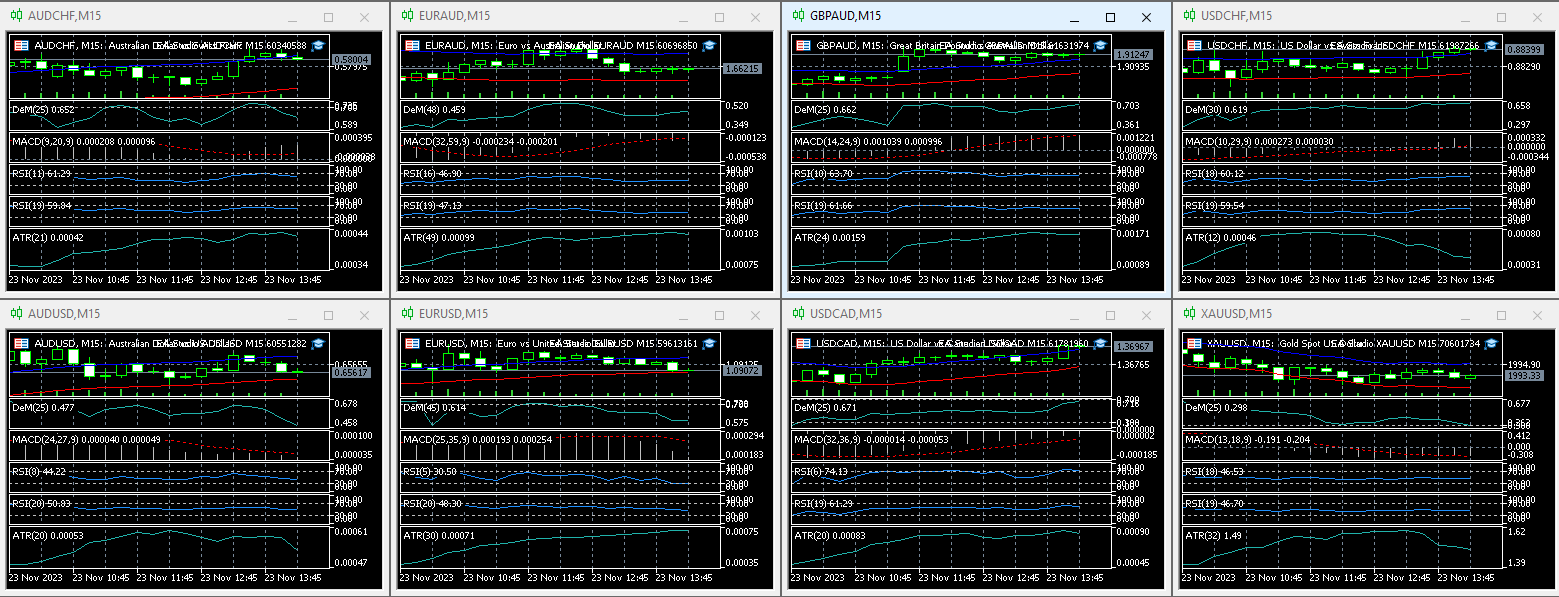
If it’s the FTMO Robot, which I believe it is, they should be on the chart when you load the EA. Have you loaded all 8, and do you see the indicators, like this?:
 November 23, 2023 at 2:34 pm #215421Participant
I have loaded all 8 robots on the chart but the indicators do not appear.
November 23, 2023 at 2:48 pm #215426Marin Stoyanov
KeymasterThe indicators are visible only on MetaTrader 5. You won’t see them on MT4
November 23, 2023 at 3:36 pm #215441Mihai Suciu
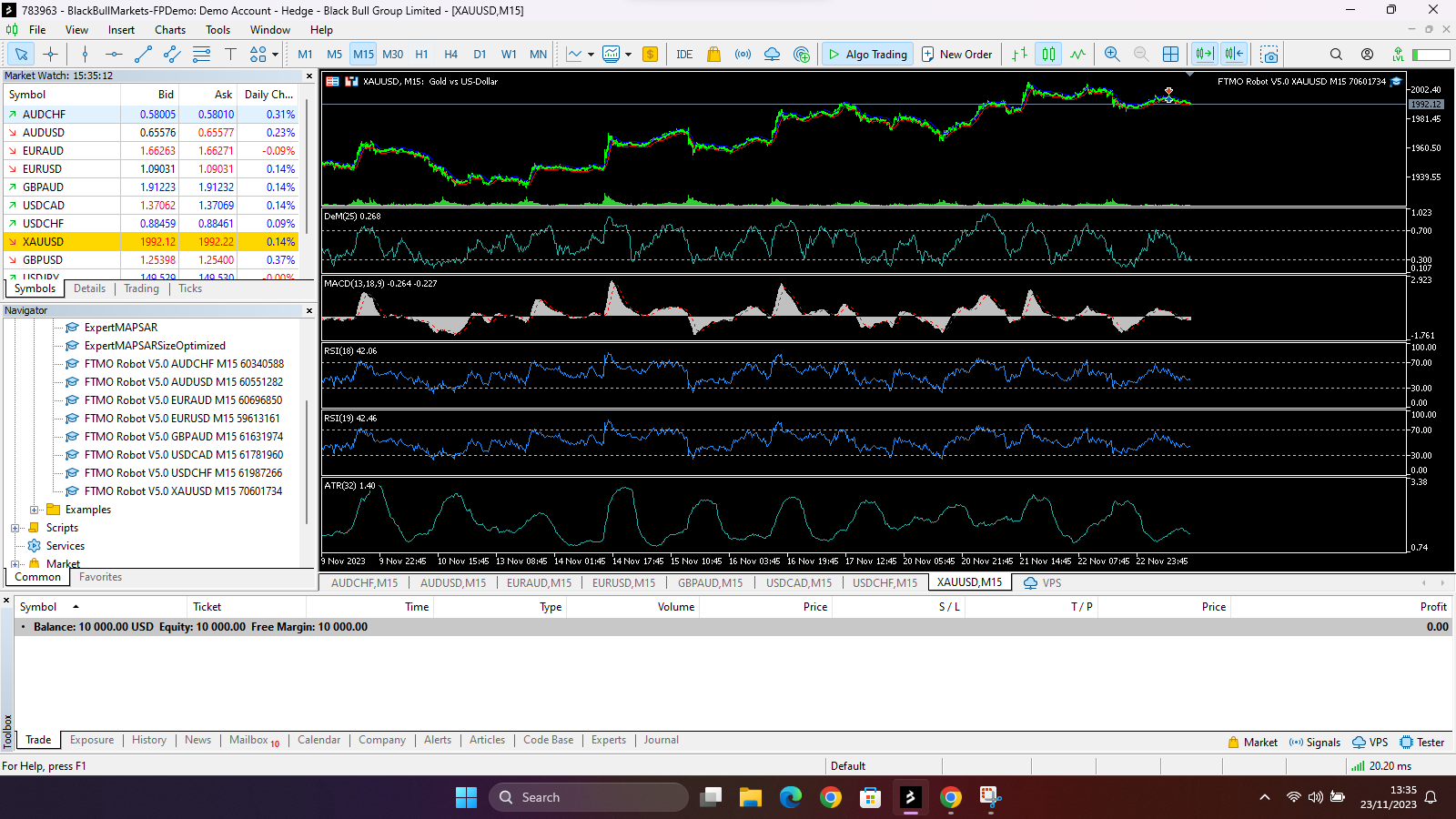
ParticipantI bought a funded account from Funding Pips which uses blackbull markets as their broker and i added the ea’s on Mt5 yesterday but no trades have been taken the ea’s are active with a blue hat on the top. I contacted the broker and they said maybe its the ea’s and that I should check it. Please someone help me.
 November 23, 2023 at 5:21 pm #215480
Tanyeem gazi
Participanthey so i have installed the bot on a MT5 and it not take any trades yet but i hope it is running properly as the hat in the chart shows blue and also i did not have to compile it.I just pasted it in the expert folder of the mt5 and it just appeared.am i missing something?
November 26, 2023 at 5:59 pm #216194G. C.
Membercopied mt5 robots by ea trading academy to mt5 expert folder. when i refresh the navigator the ea robots do not appear so they can be dragged onto the charts.
nothing in the instructions about this possibility
please comment
-
AuthorPosts
- You must be logged in to reply to this topic.