
Community Forums › Forums › Ready-to-use Robots › Prop Firm Robots › FTMO Robot: V4.3: What’s new?
Tagged: Back test FTMO robot, FTMO Robot, ftmo robot v4.0, ftmo robot v4.1, ftmo robot v4.2, ftmo robot v4.3, manually close transaction, Petko, Questions with prop firms
- This topic has 282 replies, 65 voices, and was last updated 2 years, 2 months ago by
Sammy Trader.
-
AuthorPosts
-
August 21, 2023 at 10:58 am #192713
TimTomTed
ParticipantYour lot sizes were way too big for a 50k.
I’m running 6.0, 6.0, 2.0, 0.1 on a 200k account (as suggested).
On a 50 k, you should rather run 1.5, 1.5, 0.5, 0.1 (although the 0.5 is irrelevant because the max lot will be opened with 1 trade). So you’d need to take Petko’s settings and divide by 4 because his are for a 200k account.6 lots open on a 50k will def smoke it. Sorry
August 21, 2023 at 4:00 pm #192758Alan Northam
ParticipantI am testing the EA in an FTMO demo account.
August 21, 2023 at 4:30 pm #192774Joel Bormann
ParticipantHey Petko, I bought the robot on friday and want to set on MT4. I searched on all messages on the Forum for the Settings (general) but I did not find any pattern settings.
can you post the pattern settings?
August 21, 2023 at 4:33 pm #192779ParticipantIf the robot you purchased was the FTMO robot then the following are the recommended low-risk settings based on the account balance:
200K Account: Amount for new position = 6.0 / Maximum position amount = 6.0
100K Account: Amount for new position = 3.0 / Maximum position amount = 3.0
50K Account: Amount for new position = 1.5 / Maximum position amount = 1.5
25K Account: Amount for new position = 0.75 / Maximum position amount = 0.75
10K Account: Amount for new position = 0.30 / Maximum position amount = 0.30If you have more questions please post them and they will be answered asap!
August 22, 2023 at 11:51 am #198911Petko Aleksandrov
ParticipantHey traders,
Thanks to your precious feedback, I succeeded in improving the FTMO Robot.
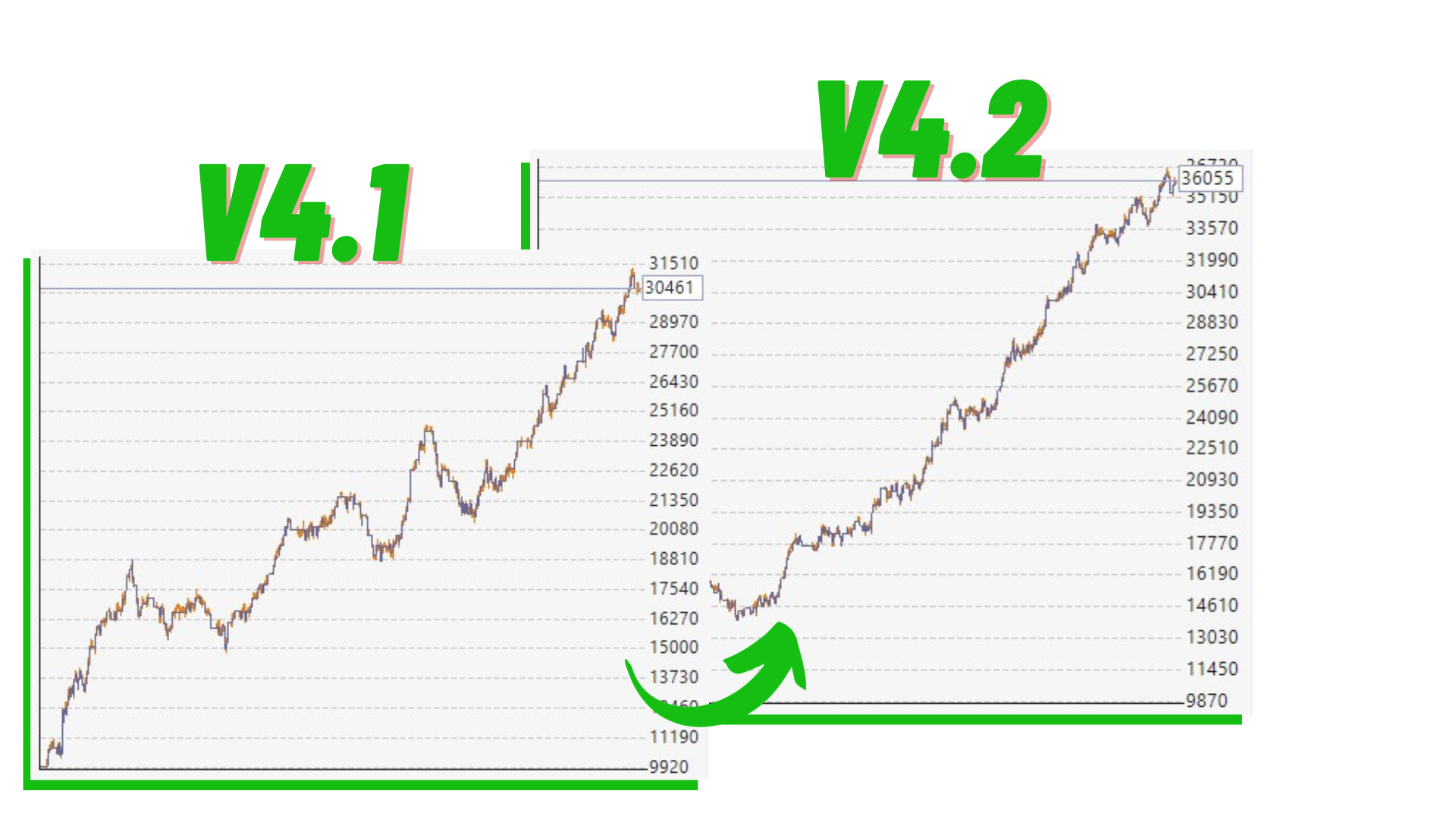
As you already know, the strategy behind the FTMO Robot uses the Envelopes, which is why it works best when the price is in a range. That is why I added an interesting indicator called the Chande Momentum Oscillator. It will allow the EA to buy only when the Chande falls.
In other words, it would ignore the buys when there is a strong bearish momentum.
Also, I added the Account Percent Stop again, which allows you to limit the risk to a percentage of the account. And that is important for all Prop Firms, I agree!
The result is that I got much smoother backtests. Check the difference with the GBPAUD FTMO Robot:
Moreover, I removed the EURUSD Robot from the pack and added the NZDJPY Robot, which showed much better results in the long term.
Please feel free to ask me any questions.
Kind regards,
PS. Those who already have the FTMO Robot will receive an e-mail with the new link and password.
August 22, 2023 at 11:51 am #192919ParticipantHey traders,
The major update: The FTMO Robot trades on 7 different currency pairs. Those of you who already purchased the Robot will receive 7 different EAs. Each one is optimized for a different pair.
More, I added to the Robot:
- Break Even
- Trailing Stop
- Martingale (OFF by default)
- Detailed manual(PDF) to help you get started from scratch
Also, the update should solve the issue ”Invalid order filling type” on MetaTrader 5. The code was updated with the latest version of MetaTrader.
August 22, 2023 at 5:56 pm #192977jack sme
ParticipantHello, great update!
May we open more than one pair at the same time in the same mt4?
August 22, 2023 at 8:25 pm #193011fxbam
ParticipantHas anyone noticed poor modeling quality when using the strategy tester? I’m already using the historical data from this website.
Is there anything I can do to improve it or should I not worry at all?
August 23, 2023 at 12:34 am #193035letsrockit
ParticipantI plan to purchase FTMO EA to use with my Broker. Not yet ready for FTMO.
Let say I create a Demo account of 1k, then I need to set 0.03 as lotsize and I’m good to go?Thanks
August 23, 2023 at 12:35 am #193046ParticipantYes, you will be good to go!
August 23, 2023 at 2:47 pm #193150John Noland
ParticipantThank You so much Petko !!! Can it do anti-martingale as well?
August 24, 2023 at 7:03 pm #193009ParticipantHello Petko, thank you for the update. You also mentioned adjusting some of the metrics to help make your trades unique with the FTMO Robot from other traders. I’ve already done that.
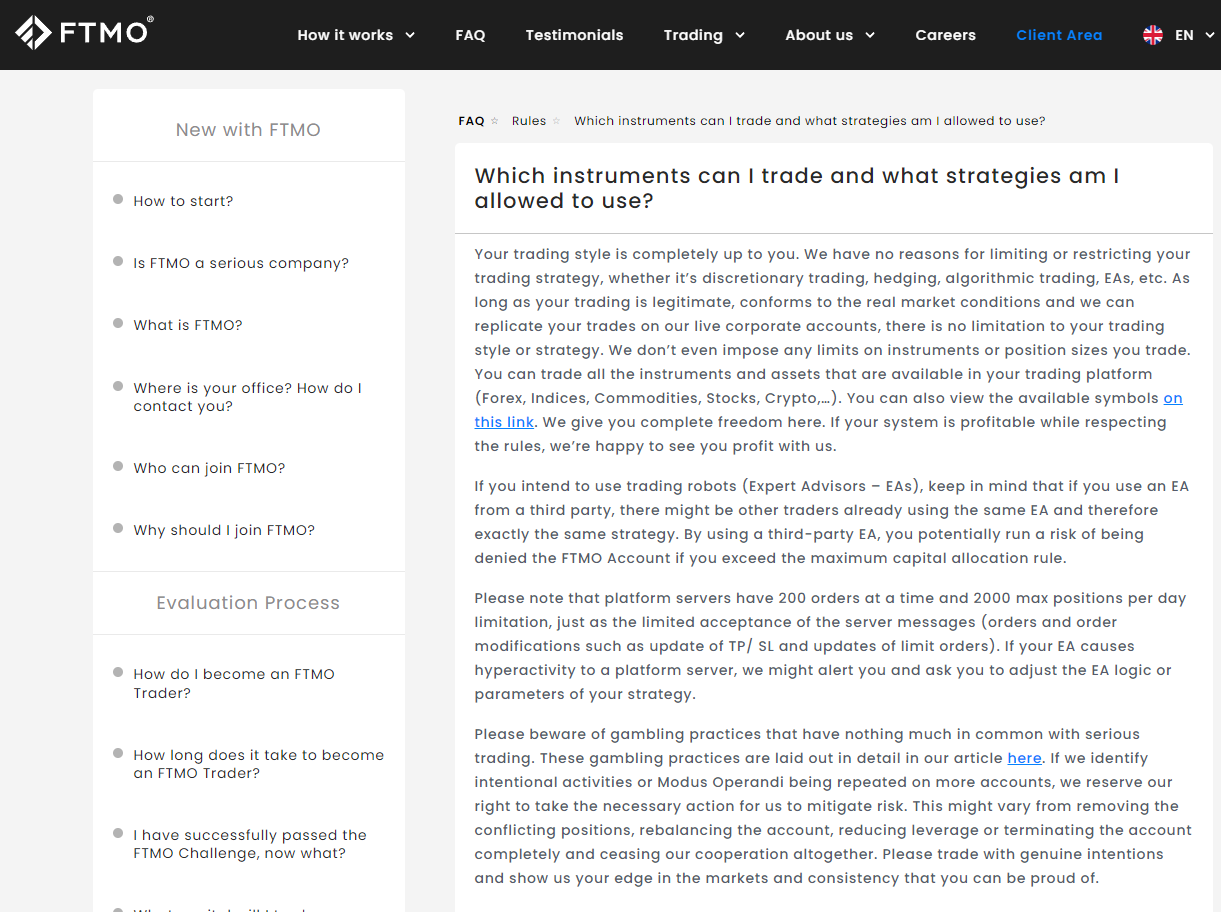
Please consider adding a delay option for execution too because FTMO has a maximum amount of trades on their platform that can open simultaneously. Example: Delay (None) – (adjustable 1 to 8-second delay)
I’m not sure if this can be done but it could help prevent some issues that may come from excessive execution times. You’ll see that they have a maximum of 200 execution orders at the same time.
Thanks again for all the work you put into everything you do. I honestly don’t know how you find the time.
 August 24, 2023 at 7:07 pm #193370Participant
Hey mate,
Once you change slightly any of the parameter in the inputs it will result in different execution.
I have described it in the PDF:
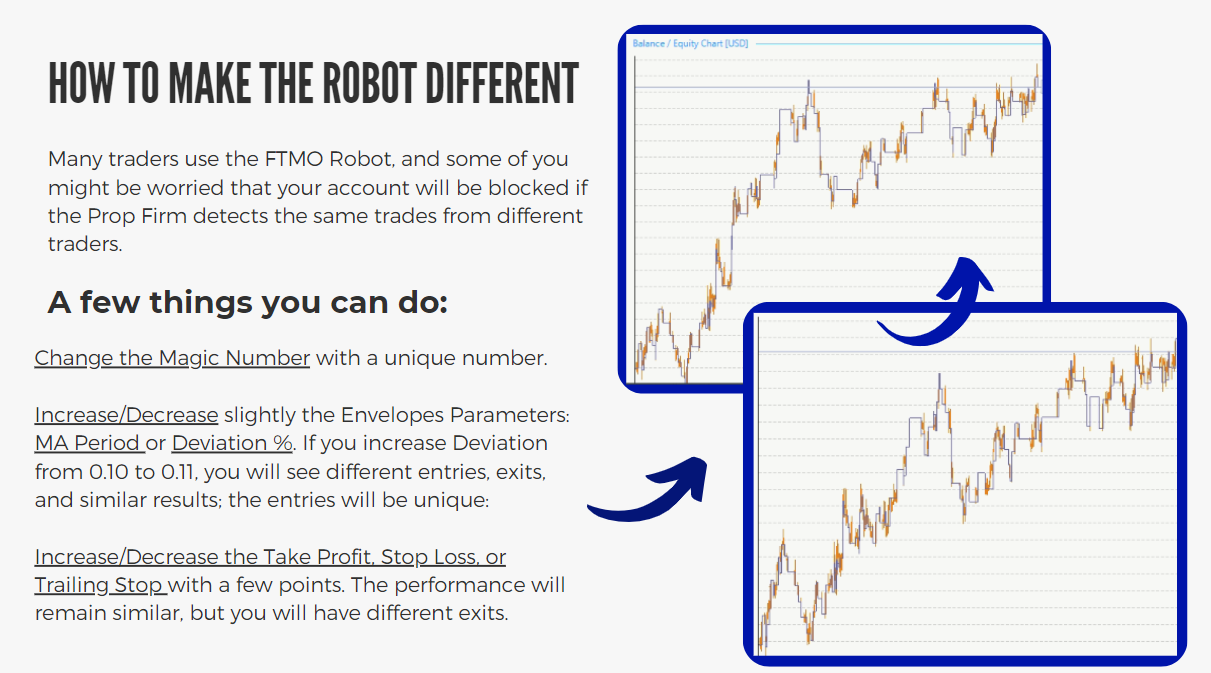
I will research about the delay, but the above mentioned works.
Cheers,
PS. You have no idea how I find the time…plus 3 kids around 🙂
August 24, 2023 at 7:10 pm #193372ParticipantThank you for all of the hard work Petko! I have purchased all of your Udemy courses and they are awesome!!
Where do we download the 7 optimized EAs for the 7 different currency pairs? All I see in Udemy is the one for EU.Thank you
August 24, 2023 at 11:00 pm #193411Michael Jonsson
ParticipantShould we stop the FTMO EA during news, or should we let it be running ?
-
AuthorPosts
- You must be logged in to reply to this topic.