
Community Forums › Forums › EA Studio › EA Studio Updates
Tagged: EA Studio Updates
- This topic has 179 replies, 27 voices, and was last updated 1 year, 8 months ago by
NIKOS KYRIAKOU.
-
AuthorPosts
-
August 12, 2020 at 12:44 pm #56889
Petko Aleksandrov
ParticipantHello traders!
Here is another video with more updated on EA Studio:
December 1, 2020 at 3:27 pm #68128[email protected]
MemberHi there,
I have been trying to upload my own EA (MQL4 and EX4 files) but it will not allow me to do so.
can you assist me with this as i try to drag and drop the files as well but I cant get anywhere!
Thanks!
Anthony
December 3, 2020 at 4:23 pm #68739Akwin
ParticipantEmpowering us with such meaningful EA studio updates knowledge is a plus, it helps us to have a clearer picture for strategies.
December 6, 2020 at 9:42 am #69102ParticipantHey Anthony,
Glad to hear from you.
You can not actually import external EA. What you can do is to build it using the editor. Use the User Guide for more info:
https://platform.algotradingspace.com/guides/expert-advisor-studio/strategy-editor/
December 29, 2020 at 8:56 am #70574Omosisko
ParticipantPls is any subscription for 1month in fsb or Ea studio
January 4, 2021 at 3:12 pm #71077ParticipantHello Omosisko,
Welcome to the Forum!
FSB Pro comes only with a lifetime license. EA Studio has 3 months as a lowest plan.
Cheers,
January 5, 2021 at 6:30 pm #71467Participant- How much is each studio for 3month
January 6, 2021 at 8:09 am #71640Ilan Vardy
ParticipantHi Omosisko,
You can have a look at pricing for all plans using the link below:
https://platform.algotradingspace.com/packages/trading-software/
Thanks,
Ilan
January 8, 2021 at 1:11 pm #71798Nitin Rana
ParticipantIs there a way for the forum to show most recent updates on Page 1 rather than showing oldest post on page 1?
Thank you, Nitin
January 8, 2021 at 1:24 pm #71799ParticipantHi Anthony,
You cant upload your own EA. However, since you have the code for the strategy, one think you can do is to create a strategy with and enter your criteria as an entry and exit condition and see how to match it closely to your EA and use EA Studio robustness tool to see how you can tweak it there. Another thing is if you think your strategy is good then you can backtest in MT4 directly also and see if that helps.
Hope this helps. Nitin
January 17, 2021 at 2:45 pm #73432ParticipantHey Natin,
That is not a bad idea, I will discuss it with the team.
Cheers,
April 5, 2021 at 9:52 am #82351ParticipantHello traders,
EA Studio was updated multiple times during the last month, and here is the most important:
- Symbols settings were moved to Data.
- We have the option to set “Digit” in the Symbol settings page which solves the issue for the Historical data from brokers with different number digits
- The Volume indicators are marked as not recommended
- You can import up to 1 000 000 bars as a Historical data
- Multi-Market adds relevant markets:
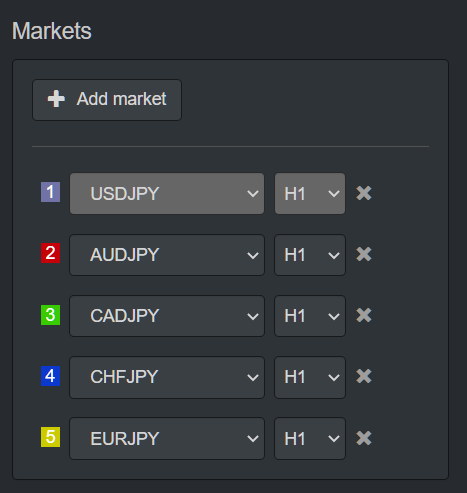
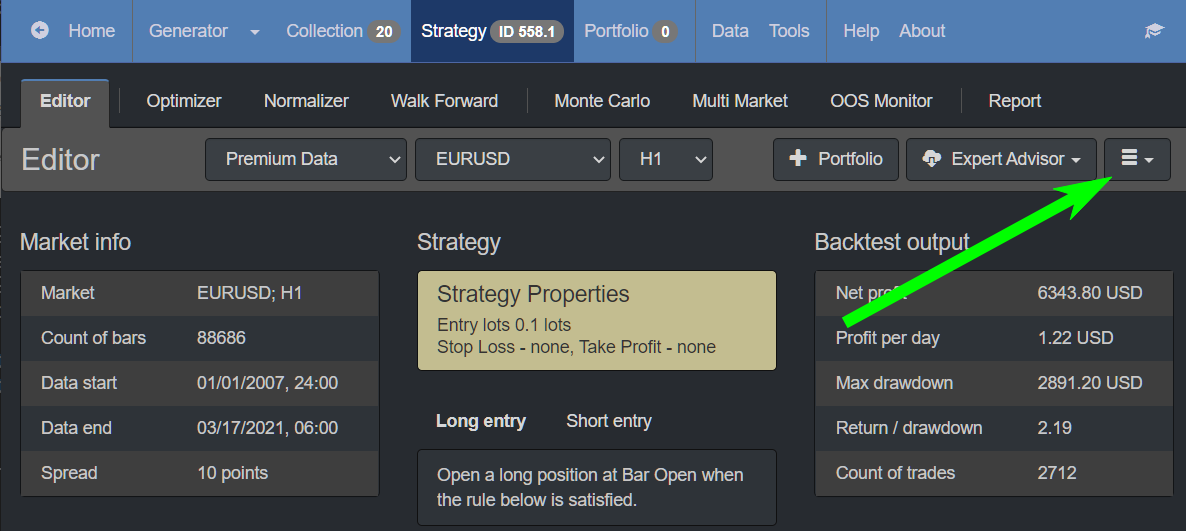
Also, the editor button is now on the right side:
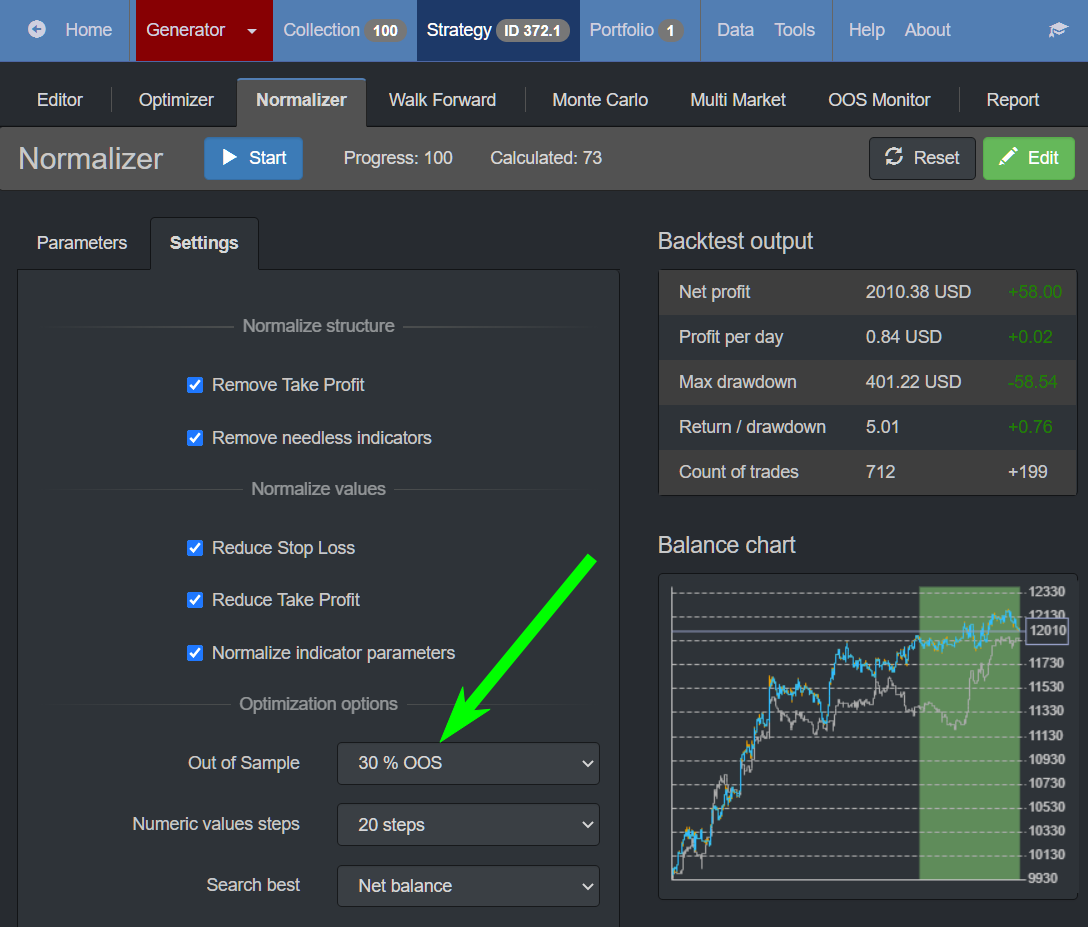
OOS is now available in the Validator and the Reactor:
I am glad that Mr. Popov from Forex Software is working on the software and improving it all the time.
September 29, 2021 at 3:48 pm #96809Manish Sharma
ParticipantHi,
I like the software. There are few suggestions that may already be in consideration or might be new:
– A complete portfolio backtesting with different time frames, different portfolio advisors, and instruments would add a massive value. Everything is there in terms of data, custom parameters but we still have to export the portfolios and test the cumulative drawdowns/margin required on demo account.
– % size lots rather than fixed will make the software scalable.
September 30, 2021 at 8:31 am #98373ParticipantHey Manish,
Glad to hear you liked the video.
Yes, many people asked for the % size lots, but there are many concerns about it. If you trade many EAs in the account, each trade will open different sizes, and it will be hard to compare the EAs and decide which one had the best performance.
Also, deciding how much to trade is simple math, and actually, it is the professional approach to trade with fixed lots.
Regarding the complete Portfolio Backtesting, keep in mind that the EA Studio is limited with MetaTrader on the other end. And on MetaTrader, the EAs work on separate charts. The portfolio EAs work on a one-time frame and one asset. So even having a mixed portfolio in EA Studio would be useless because MetaTrader wouldn’t allow it.
Let me know if there is anything else. There have been many updates recently in the EA Studio, and I will drop them a bit later on this topic.
September 30, 2021 at 10:10 am #98375ParticipantHey guys,
Here are some of the recent EA Studio Updates:
1. We see Statistics now when Optimizing or Normalizing the strategies:
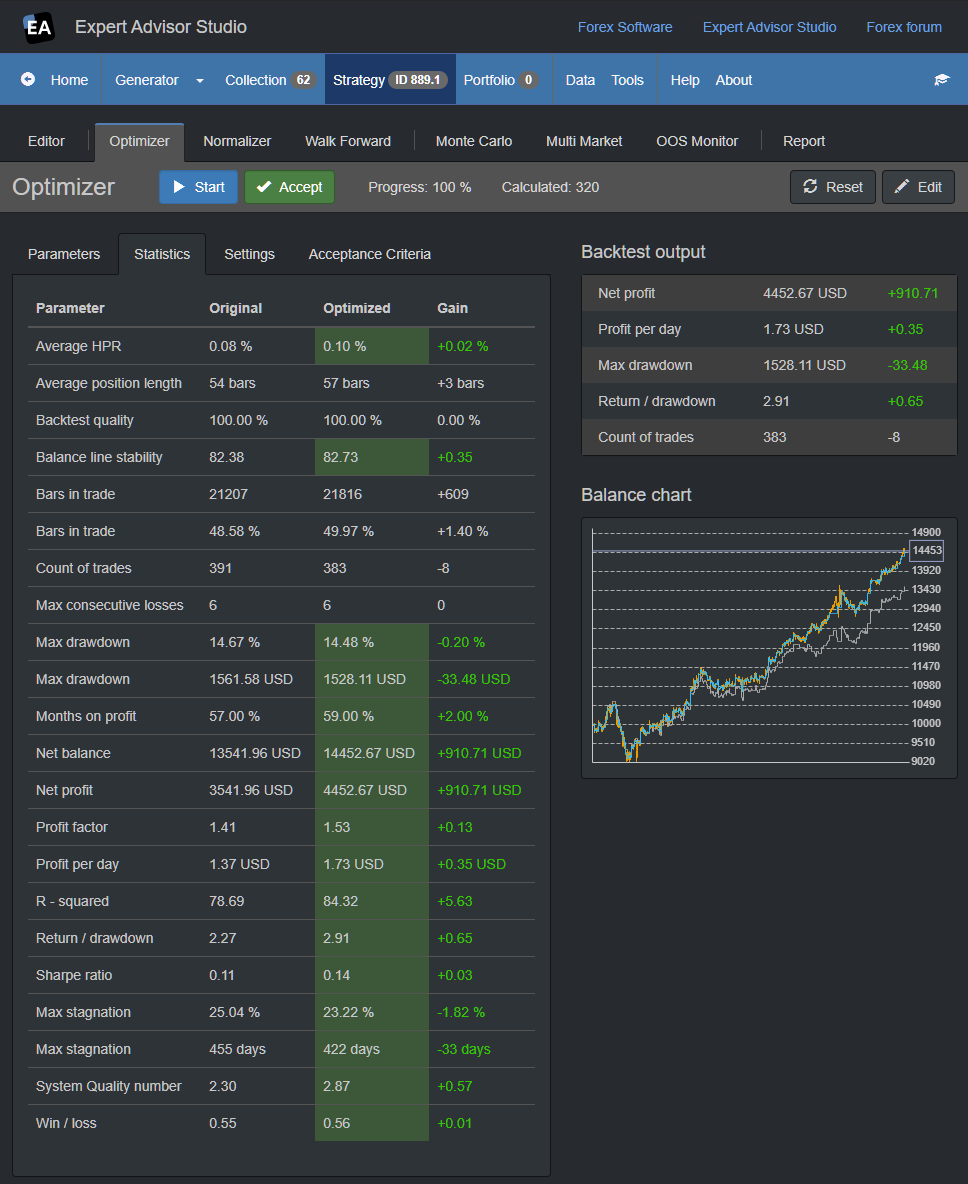
2. A better User Interface. Now the program loads faster because the source code got 30$ shorter. This is because it uses no more bootstrap.js and jQuery.js. I have no idea that that is but that is the reason 🙂
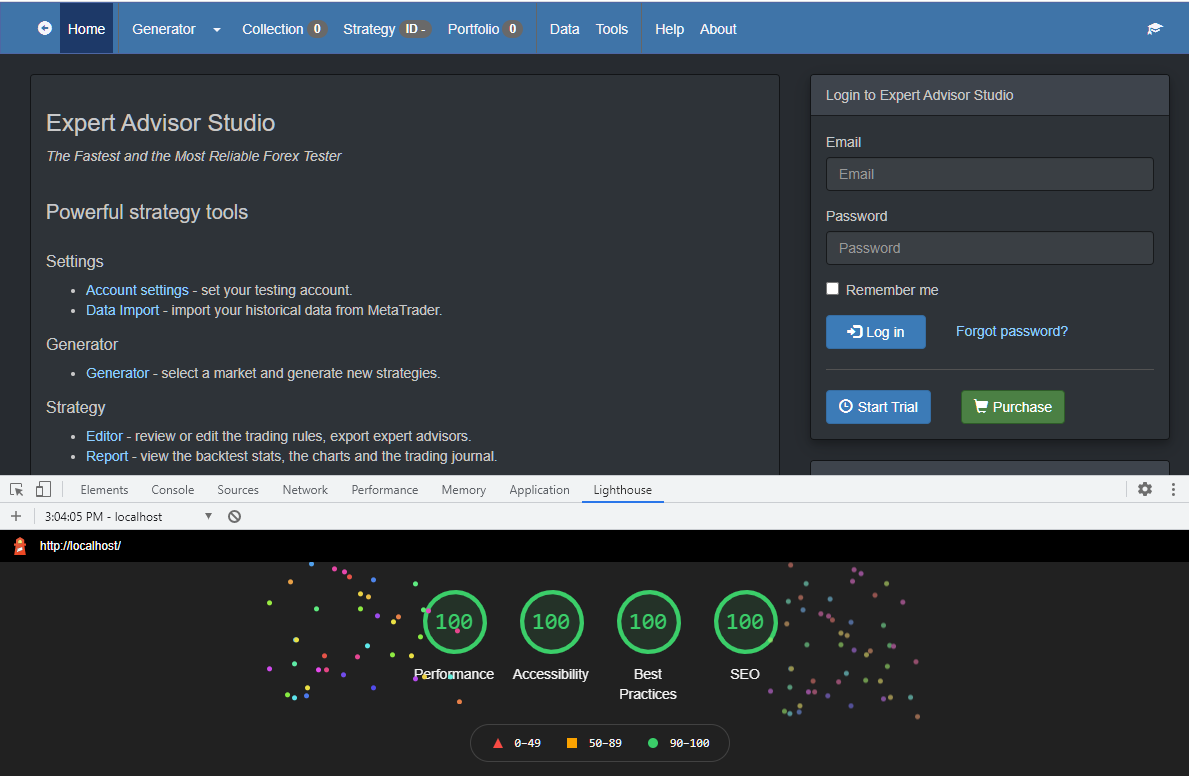
3. In the Editor we can change the values in the Indicators and the Editor will calculate the backtest in real-time:
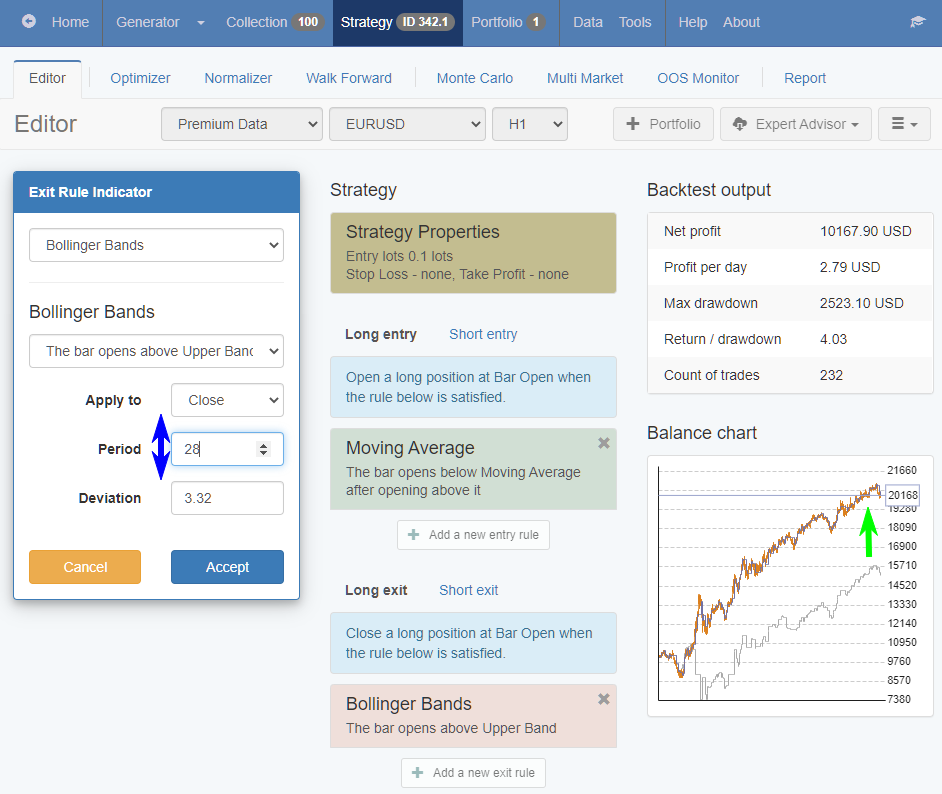
4. Accept button added to the Optimizer and Normalizer. So if you decide to ”accept” the new values, you do not need to click on Edit as it was until the moment, but just click on Accept.
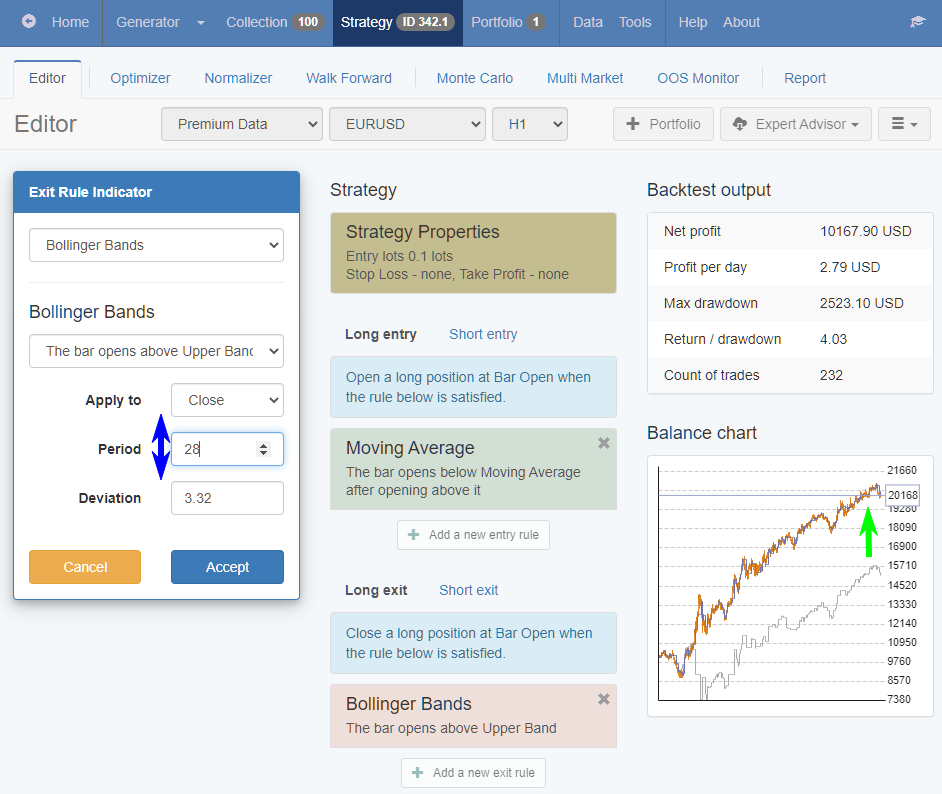
5. Margin requirements added in the Generator. This way you will know how much you need in order to use the strategies.
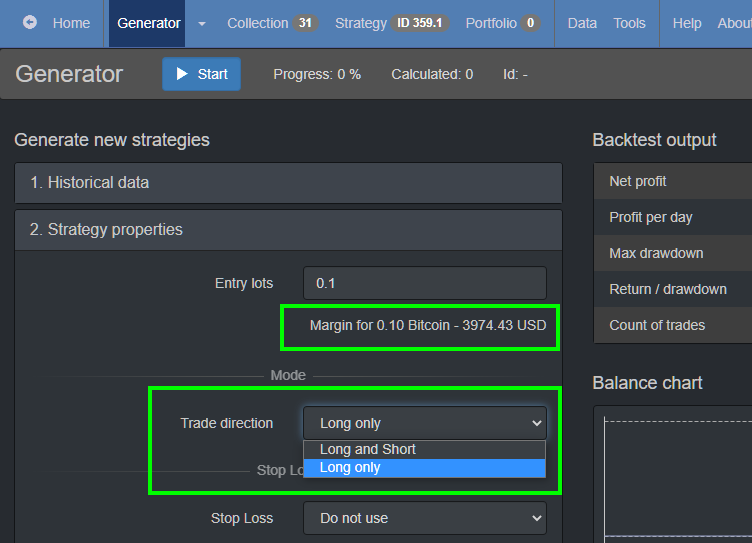
-
AuthorPosts
- You must be logged in to reply to this topic.