

Forum Replies Created
-
AuthorPosts
-
January 4, 2024 at 10:12 am in reply to: Prop Firm Robots App & v6.0 – New Features Released! #224528
Sammy Trader
MemberFTMO only provides a trial account for two weeks. Then you open another one 🙂
January 4, 2024 at 10:11 am in reply to: Prop Firm Robots App & v6.0 – New Features Released! #224524MemberFTMO only allow a trial account for two weeks. But, what am I doing is opening another Trial account and making sure that the Robot performs in the following two week too. Then it will be time to dance.
January 3, 2024 at 11:05 pm in reply to: Prop Firm Robots App & v6.0 – New Features Released! #224431MemberWhile you wait for Axi, you want to try it for a Demo acc in https://ftmo.com/ ? Mine is setup in it and works ok.
January 3, 2024 at 11:01 pm in reply to: Prop Firm Robots App & v6.0 – New Features Released! #224430MemberIt’s working in my VPS – I successfully added forexsb.com. All my firewall i.e. inbound and even outbound are clean for that portal.
MemberThanks for this, I was thinking myself that why there was no trailing stop. But will rather test on the given settings.
January 3, 2024 at 5:18 pm in reply to: Prop Firm Robots App & v6.0 – New Features Released! #224343MemberIf you are still paying for the updates then check this email in your inbox with Subject – New Year, New FTMO Robot App (+ v6.0)
January 3, 2024 at 5:17 pm in reply to: Prop Firm Robots App & v6.0 – New Features Released! #224342MemberHi Andy ,
These are your possible fixes for Error 5203 :
1.Check your internet connection: Make sure your device is connected to the internet and the connection is stable.
2.Restart MT5
3.Check MT5 server: It’s possible that the server you’re trying to connect to is experiencing issues. Try connecting to a different server if possible.
4.Contact your broker: If none of the above solutions work, it would be best to get in touch with your broker. They can provide information about any server issues or maintenance that might be causing the problem.
5.Reinstall MT5: As a last resort, you might need to uninstall and reinstall MT5. This can help clear any corrupted files that might be causing the problem.
January 3, 2024 at 5:02 pm in reply to: Prop Firm Robots App & v6.0 – New Features Released! #224335MemberAll set – Its the waiting game now, I am not tweaking any settings given by FTMO Robot App. Playing with the top 5 EAs, let’s see.
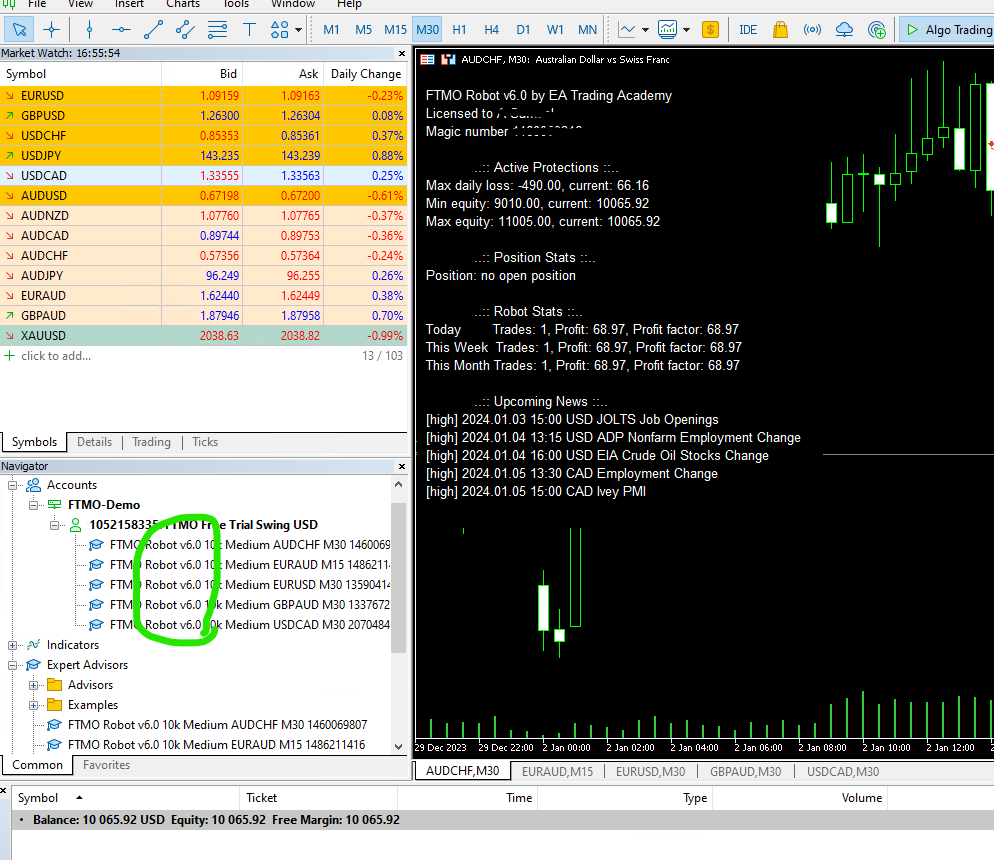 Member
In fact, set files are not needed anymore if you use FTMO Robot App website. Now the question is that when I generate my new EA, what shall I do with already opened trades from the older version of EA before I remove the older EA and inject these new EA.
MemberHi Alan
Have you seen the new video of Peko followed by emails to member. I got the access of FTMO Robot App website now. I suppose I can simply fill the desired values there and download the new setfiles in a zip folder.
MemberI am testing the new FTMO robots. The link that was given to download, one setfile do not have the correct settings for $10k account so I am waiting to hear back from support, to give me the correct file. So far, I am wasting money on VPS.
MemberHi,
I have bought the FTMO Robots and been given incorrect set files. I am trying to contact Support but no response so far. Is there anywhere else I can escalate if [email protected] is not replying back.
Emails Sent:
Subject: Incorrect set files are provided
Sent on 02-Jan 13:32 GMTand
Subject Re:Need help?
Sent on 31st Dec at 15:33 GMTMemberThanks Alan, my thoughts were same that I haven’t started trading and it was taken off the EA.
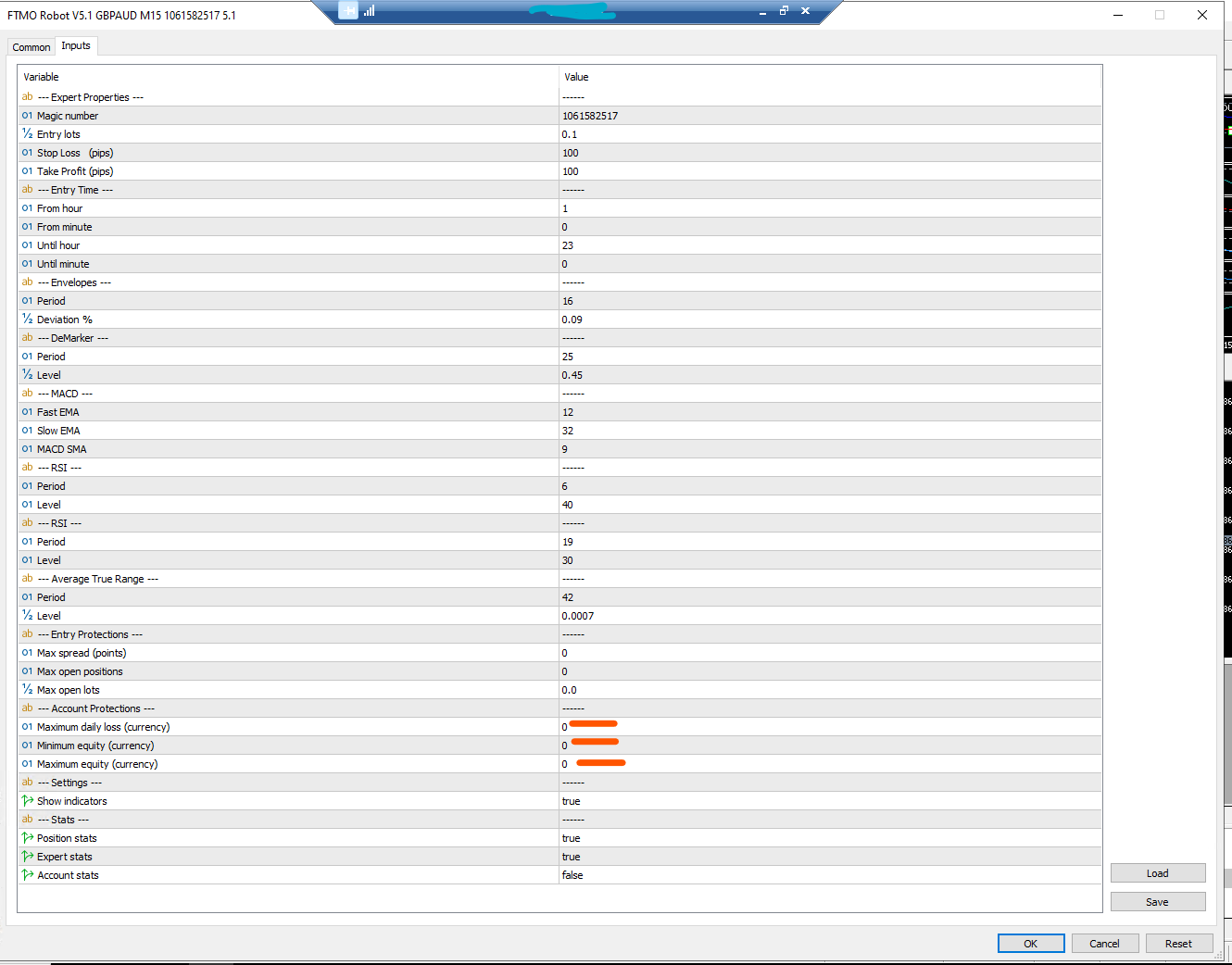
I have now asked the support to provide me the correct setfiles of that pair. The irony is that, any users who are downloading the robots and those setfiles, they will all have this error as I have now verified that the above settings in the screenshot is the setfile provided in that zip file.
Now, its the waiting game of when the support will come back to me. I might get my account connect to FXBlue meanwhile.
MemberHi Alan,
Thanks for the reply again. I have not touched any settings of EA provided and just placed them on the chart as others. I do not understand that why the settings for only this one – GBP AUD M15 are not correct in the set file that I use for $10k account. In fact, the set file provided has these settings below which doesn’t make sense for $10k. Where can I get the default settings from ? Can I simply match the setting from another Robot – e.g. EURUSD M15? Or rather reach out to support to provide me that. I am not in the stage where I would want to tweak it as per my own knowledge but rather trade with the one that Petko has decided for $10k account.
 Member
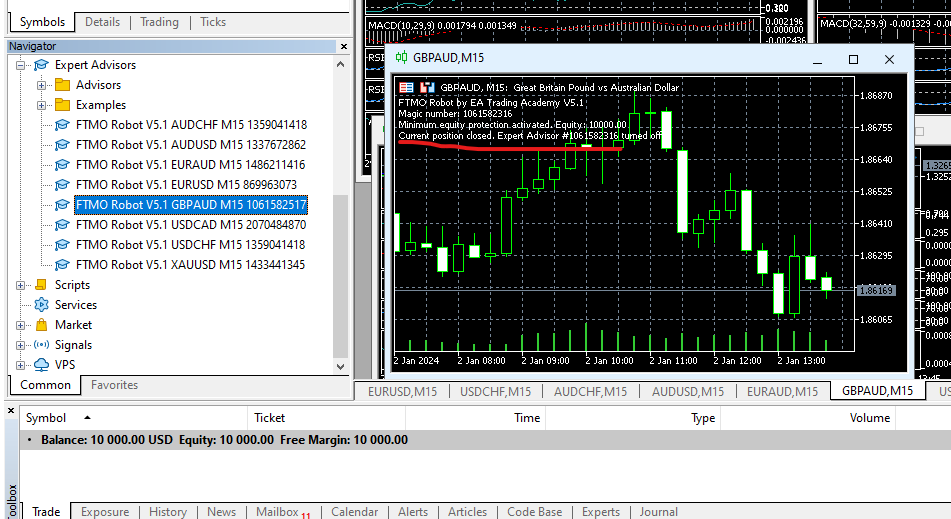
Thanks Alan, how can it be possible as I have not started trading at all on $10k Demo acc, equity is still full on as $10k, what is it protecting
-
AuthorPosts