

Forum Replies Created
-
AuthorPosts
-
Sammy Trader
MemberThanks Rasa , my feelings are same. Only take the EA that has delivered the results after closing trade.
MemberHi Rafael
Is your equity is negative as well apart from loss ? I am wondering if one can close open trades if the equity is positive and then risk those pairs for live challenge account.
Member1. prop firm / broker you are using – FTMO Trial (not real challenge)
2. your account size – $10k
3. your risk o.o5%, 1.0% or 2.0%. – Medium 1%
4. number of trading days – 2 weeks
5. your trading results – Loss but two trades are still open so Equity is $10068.00 ; AUDCHF and USDCADMemberHello all – just sharing my best pairs to trade.
For V6.0, my best pair of last week is – AUDCHF and USDCAD (Both at M30 timeframe).
This is for FTMO Trial.
What are your best pairs for last week and which broker?
MemberOh waaaw , you saved a lot of my time. I will look elsewhere. Thanks
January 9, 2024 at 5:28 pm in reply to: Prop Firm Robots App & v6.0 – New Features Released! #225872MemberHow is it possible that you had $1000 and now $0, I got the Bot running too and didn’t se any drastic price change in any currency to make that massive difference.
I suppose the new update in future will bring a new Robot that will put trailing TP to protect the unrealised profits.
January 8, 2024 at 10:39 pm in reply to: Prop Firm Robots App & v6.0 – New Features Released! #225682MemberHi Robert
That will be really your choice. For example if you are using AUDCHF EA and its not in the Top performing list for the last week, your call to keep running those trade or to close it. I myself asked this question before and I have been told that it’s our choice eventually.
My advice is, if AUDCHF (in above example) is running on any profit or even close to break even then simply close it manually. If you are seeing a draw down then I would wait until either it hits the SL or at least come back up for the break even.
January 8, 2024 at 4:42 pm in reply to: Prop Firm Robots App & v6.0 – New Features Released! #225607MemberHi Danny
You can download the Top 5 from Robot App, those Top 5 will be based on the last 10 years. Then, you test them in a demo account. After a week, you can see on the char itself, the performance of all of the 5 EAs and then you pick up top 3. You can keep those 5 EAs ongoing in your demo account and keep changing the top 3 from the last week into real challenge account.
January 8, 2024 at 10:29 am in reply to: Prop Firm Robots App & v6.0 – New Features Released! #225510MemberIs it wise to trade/test V5.0 while we have the newer ver v6.0. ?
January 7, 2024 at 7:11 pm in reply to: Prop Firm Robots App & v6.0 – New Features Released! #225408MemberYes, this is the new feature that you see the performance directly on the chart so you do not need to link your profile to FXBlue or Myfxbook.
@Luce – yes the data is from last 10 years for Top 3 (or Top 5). The idea of this app is that we need to put some effort to find out what worked in the last week for Top (out of those 3 EAs) for our prop firm/broker. Their performance can be different between two. Is it not strictly design for FTMO Prop Firm, but design for all prop firms. We need to find which are top one form last week will work for our challenge. I myself testing it for Instantfunding as their capital allocation is $600k which is higher than other Prop Firms.
January 7, 2024 at 11:49 am in reply to: Prop Firm Robots App & v6.0 – New Features Released! #225292Member@Luce- See below
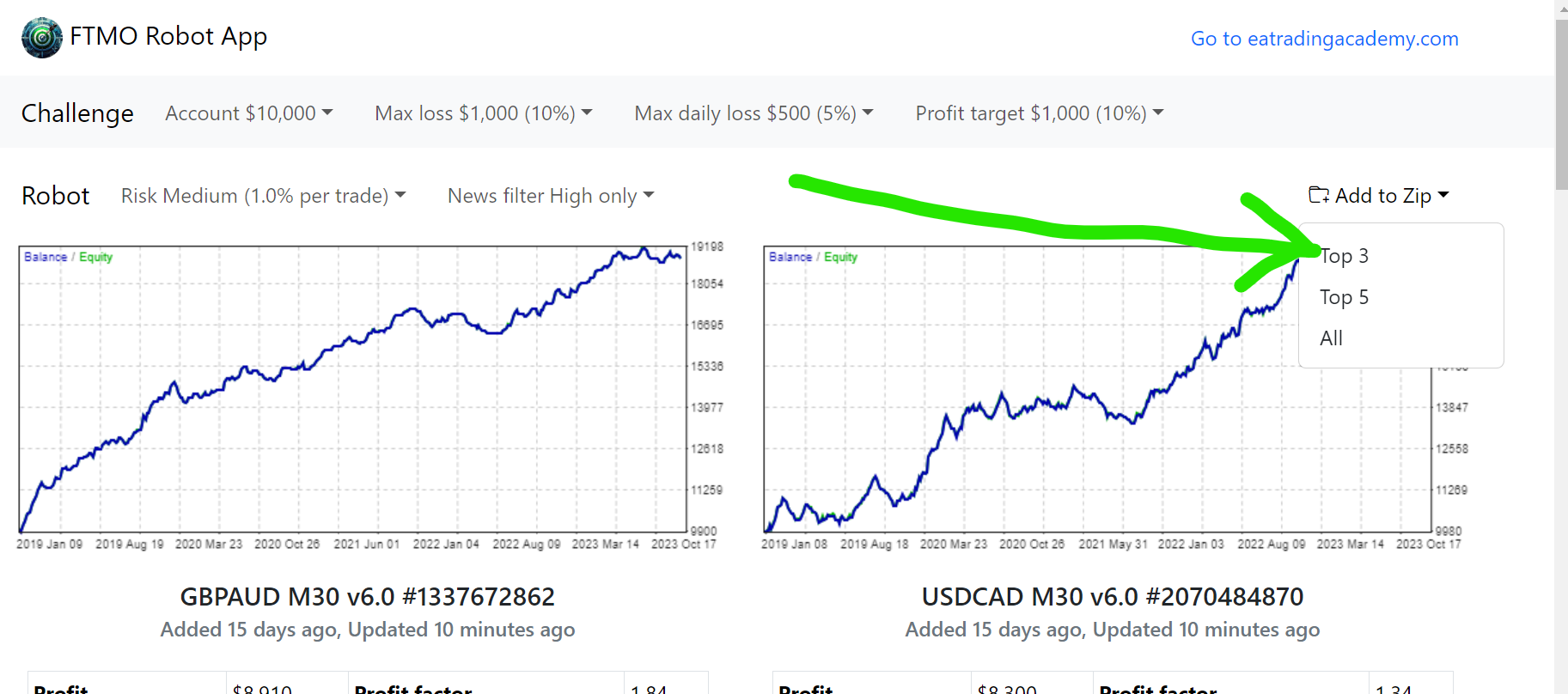 January 5, 2024 at 8:10 pm in reply to: Prop Firm Robots App & v6.0 – New Features Released! #224928Member
Same here, I am still waiting for the trade to take place since two days. Thank God that the passing time of the challenges have hanged to ‘unlimited’.
January 4, 2024 at 5:43 pm in reply to: Prop Firm Robots App & v6.0 – New Features Released! #224645MemberYou need to take off V5 first. Dont use both versions.
So, you deactivate the algo trading, remove the older Robots (V5) from chart. Close MT4, delete the files from the Data Folder.
Get the new Robot with V6 and then do the ritual of installing the new robots.
MemberBig update – https://www.youtube.com/watch?v=5EWNP9L2q5U
January 4, 2024 at 1:27 pm in reply to: Prop Firm Robots App & v6.0 – New Features Released! #224561MemberIt’s because you forgot to change the MAGIC NUMBER. Watch Petko’s video and he will guide you in there for how to change the magic number. Change it to anything unique and you will be fine.
-
AuthorPosts