

Forum Replies Created
-
AuthorPosts
-
Marin Stoyanov
ParticipantHello Nicos,
I tried other pairs and tried downloading data from another broker but the problem still exists!
Do you know any other way?
Thanks
ParticipantDiscover the excitement of sports betting with Lords Exchange! Bet on cricket, football, and more with exclusive promotions and bonuses. Whether you’re new to betting or a seasoned pro, Lords Exchange turns your sports insights into big wins. Join now, bet smart, and enjoy the thrill of winning with Lords Exchange!
ParticipantThank you Marin for a great response.
just as a follow up, if i trade a $10K account, with the applicable EAs from the prop firm app, on moderate risk, what would be the advisable settings for entry lots, maximum daily loss, maximum daily drawdown, minimum equity and maximum equity
Regards,
ParticipantHi Tsholo, practically you can, as long as you’re using the appropriate EAs for your account, but you might face several challenges with the live account.
First, if you plan to use the EAs from the Prop Firm Robots app on a live account, you need to download the EAs for the appropriate account size, e.g. if you’re planning to use them on a $10k live account, then you would need to download EAs for $10k challenge.
Another thing is that the EAs from the Prop Firm Robots app come with several protections that you preset prior to downloading the EAs. Those reflect most prop firm challenges requirements. You can modify them after downloading the EAs. Those are the Daily Protections and Account Protections. While these are good when participating in prop challenges, they might limit the trading in the live account. On the other hand, they can help to protect the account from huge losses in case market goes downside. So it’s a personal choice if you’re going to change them or not.
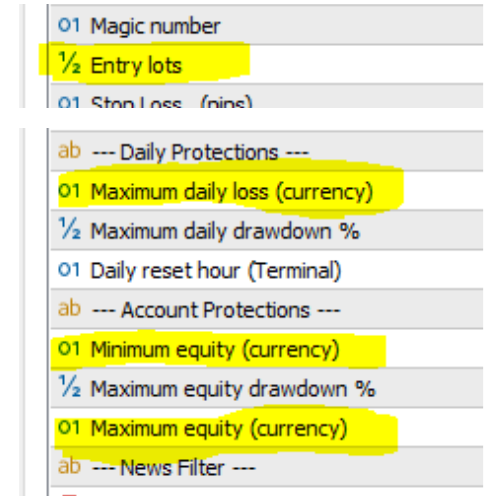
Another difference is that each individual EA in the Top 10 App by default is preset to 0.1 lots per trade. In the Prop Firm Robots app the each EA has its own individual lots, and the lot size differs from the risk settings – low (0.5% of the account per EA), medium (1% per trade per EA) or high (2% per trade per EA).
Always start with a demo account with the same size you plan to have on the live account and test different setups to see what works for you and if you’re satisfied.
ParticipantExperience the best in sports betting with FairBet7! Our cutting-edge platform offers a wide range of betting options, from cricket match outcomes to football player performances. Enjoy exclusive promotions and bonuses that maximize your winnings. Whether you’re a beginner or a seasoned bettor, FairBet7 turns your sports knowledge into profits. With a secure, user-friendly interface, betting is smooth and enjoyable. Join FairBet7 today, refine your strategy, and make every match a winning opportunity—bet smart, savor the excitement, and win big with FairBet7!
4o
Participanthi Marin.
Is it ok to use Prop firm EAs on my 10K live account, if i cannot afford to get the top 10 app yet. This can get me going in the meantime.
If so, which settings would i have to adjust.
Regards,
Tsholo
ParticipantHello Nicos,
I tried more than 3 different browsers and the problem was not solved!
Is there another way?
Thanks
ParticipantHello Marin,
This method didn’t work, can you tell me another way?
Thanks
ParticipantMost probably the files you try to upload are too big or it could be a browser issue. Please try to upload the JSON files one by one (not dragging and dropping them all). Please let me know if this worked once you test it.
ParticipantHello, the download link is available in the video description. For convenience I’m sending it here as well.
ParticipantHi ive just seen the video on youtube and that you can download the top 3 for free. However i have logged in and it wont let me download them as it keeps saying im not logged in when i go to the page, any help on this?
ParticipantHey Craig, quick question: When you say you set them up every morning, do you mean that you turn them off and on again in the morning or do you download new weekly EA`S every day?
thank you!
Participant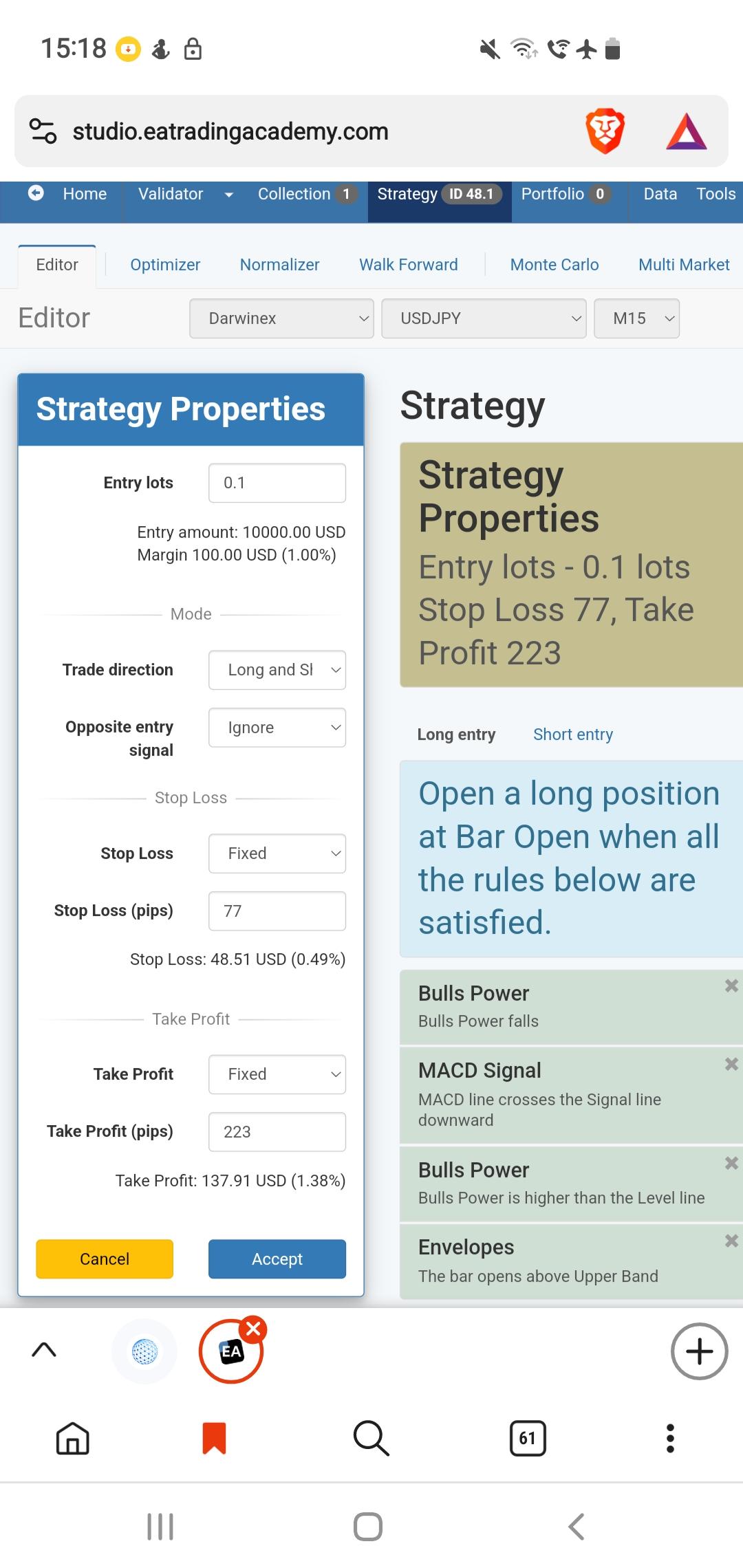 Participant
Hey @sevanohan, Nikos already shared how to solve this issue but let me explain why does this happen so you have context and understanding on how to modify the properties in order to prevent similar issues in the future.
From the screenshot I see that you’re trading with the EAs which are preset for a $10k account. But since you are running a $15k challenge, you would need to modify the protections of the EAs.
If you go to the Journal tab (and on the chart also) you will see a message “Maximum equity protection activated. Equity: 15000.00” and then current position closed and expert advisor turned off. The reason for this is that when you download the $10k EA and select a Profit Target between 4% and 10%, this would set the Maximum equity (currency) protection to be somewhere between 4% and 10% from the equity. In your case I assume you picked a 5% profit target as this is the requirement of the challenge, and this would set the value for this protection to be somewhere around $10,500. Since you’re starting the challenge and your equity is at $15,000, this is way above the 5% from the $10k account and the EA is removed from the chart (because it assumes that you reached your target profit).
So you would need to modify the below properties according to your challenge balance and requirements.
For a $15k setup to keep the same risk settings you defined initially when you downloaded the EAs, you can easily multiply the $10k lots by 1.5 (since 10,000*1.5=15,000).
You can read this post which explains how to modify the rest of the protections accordingly.
Hope this helps.
ParticipantHey Sevan, we have a separate sub-forum about the brokers that other US traders use. You can look at it and see what other traders use and engage in a conversation with them about hedging and if they found a suitable broker.
-
AuthorPosts