

Forum Replies Created
-
AuthorPosts
-
Petko Aleksandrov
ParticipantHey Simon,
I am glad to heat that you get positive results so far.
Well, tell me first how do you get the top 100 that you are testing? Are they from my courses or you create them by yourself?
ParticipantRecently I noticed that we don’t need to have too many bars to get more count of bars. With the default 50 000, you can still get 300 to 500 count of trades.
And this way we get more active strategies. That is what I Explain in the upcoming trading course.
ParticipantHello Michael,
they can’t take from you more than what you have deposited!
Be sure about that!
I would do just what Petok suggests: Forget about it!
There are people losing millions with the scam brokers and you lost $250. Feel like a winner 🙂
August 15, 2020 at 10:32 am in reply to: What should I aim for in terms of returns? Setting Expectations #57051ParticipantThis month I am +15 percent with the EAs from the Robots bundles and I feel so satisfied with the results!
I never did profits before when doing manual trading, and now I feel I am in the right way.
I do my best to keep the suggestions from Petko for money management and equal exposure for the currencies.
Thanks, Petko, for sharing your EAs!
August 15, 2020 at 10:22 am in reply to: EA Studio Tools and Settings: Experience and Results #57050ParticipantI have noticed the same. I guess because it divides the backtest period into zones, and in each one, it requires min count of trades.
However, what I wanted to share recently is that I use more and more the R-squared and the tests show that if I generate EAs with above 80 as a value, the strategies perform pretty well after that.
August 13, 2020 at 10:50 pm in reply to: How satisfied are you with the automated trading software EA Studio? #57005ParticipantEA Studio gets better and better.
I saw the videos in the EA Studio Updates topic and it is really great to see how the strategies improve one after another.
I love the dark version!
ParticipantThanks, Petko!
I am just waiting for the spread to cool down and I will use the NLF with the new parameters!
ParticipantHello Tremosor,
I used just what is shown in the pictures. Plus the SL and TP range was from 10-50 pips.
ParticipantHey Raul,
Glad to hear that you liked the courses. True, in most of the courses I mention similar things, BUT there are reasons for that:
1. Most students take just 1-2 courses (they can not afford more) so I have to explain in each course what is Forex, what is EA, what is EA Studio, how to use it, how to place the EAs on MetaTrader, how to test them, etc..
2. For the people like you, who have man courses and many EAs from the courses, I show different approaches in ever course – different Acceptance criteria, different robustness tools…why? Because this way I generate different strategies so I and my students have a bigger diversification of the risk.
I will have in mind your ideas and all the rest of this topic. And yes, Forex Software already works on a product that will be in EA Studio and FSB Pro, and it will be better than FX Blue. So we will have it all in one place. And it will be free.
ParticipantHello traders!
Here is another video with more updated on EA Studio:
ParticipantI got great results by the way. After 2 hours running the Generator I got decent strategies:
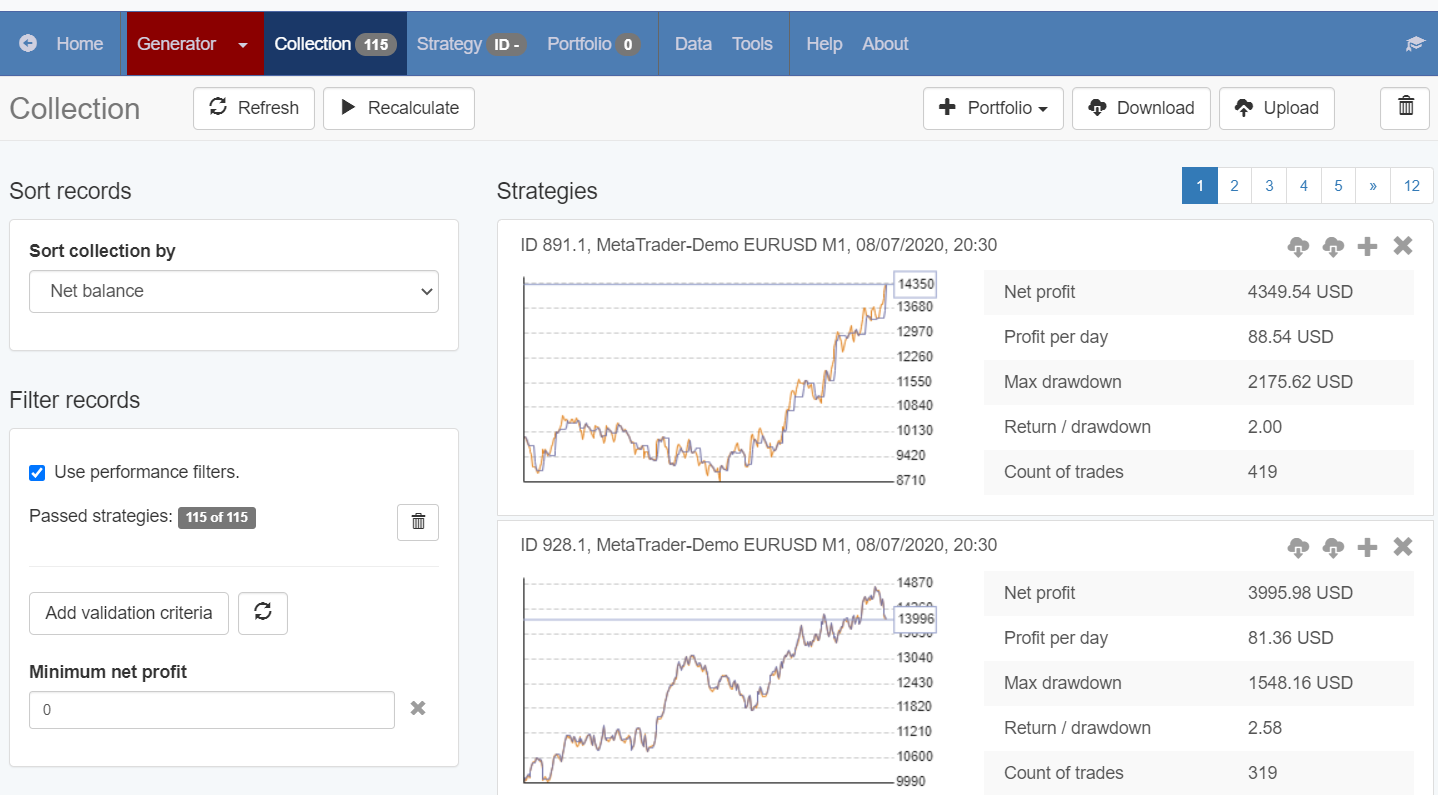
And if I click on the journal for the first one, I see that it really had many trades per day:
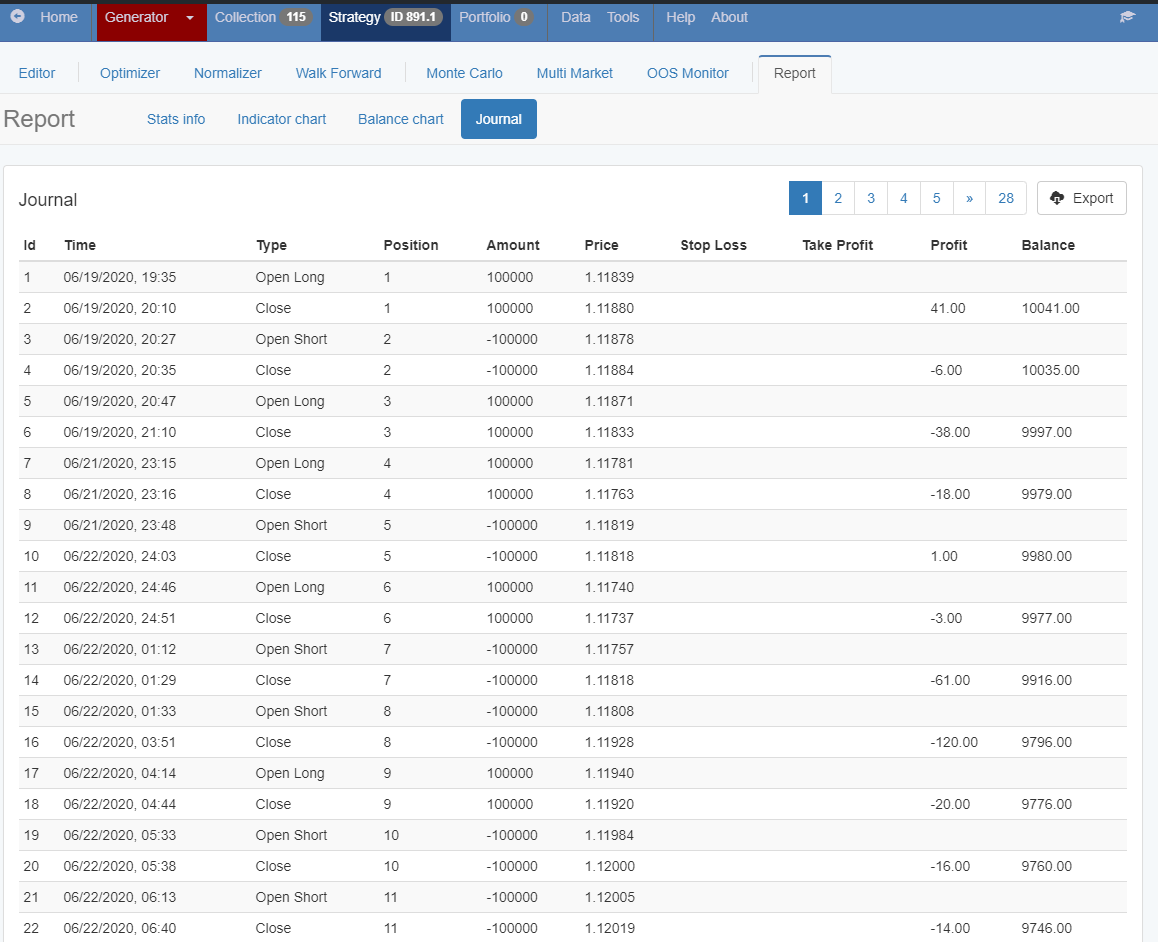
So I guess my calculations are correct 🙂
EA Studio is great software…I am surprised nearly every day with its capabilities.
If you learn how to follow the logic and calculate what you need, you will be able to generate strategies for any purpose.
ParticipantHey Tremosor,
You don’t have such an option. You will need to calculate it and go around it.
For example, if you use 50 000 bars on M15 as Historical data, and you want the strategies to be on M1, this means that for one day you will have:
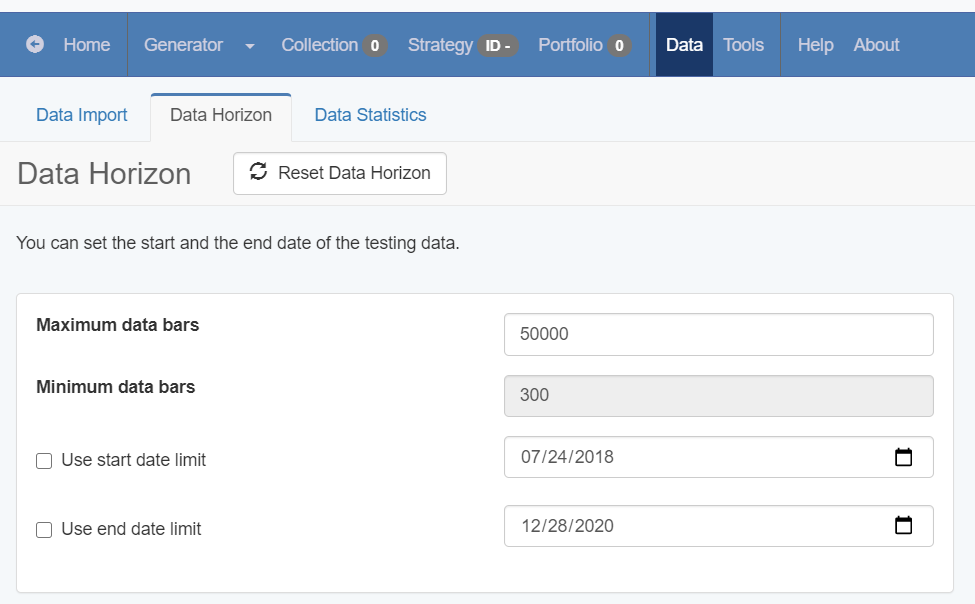
60min x 24hours = 1440 min or bars. Which means that you have 35 days (50 000 : 1440).
So if you want to have 7 trades per day, and you have 35 days, this is 245 trades.
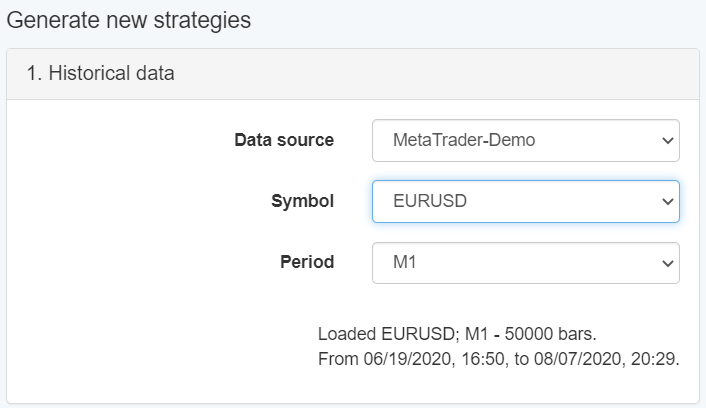
What does that mean?
When you run the generator, you need to put the min count of trades 245.
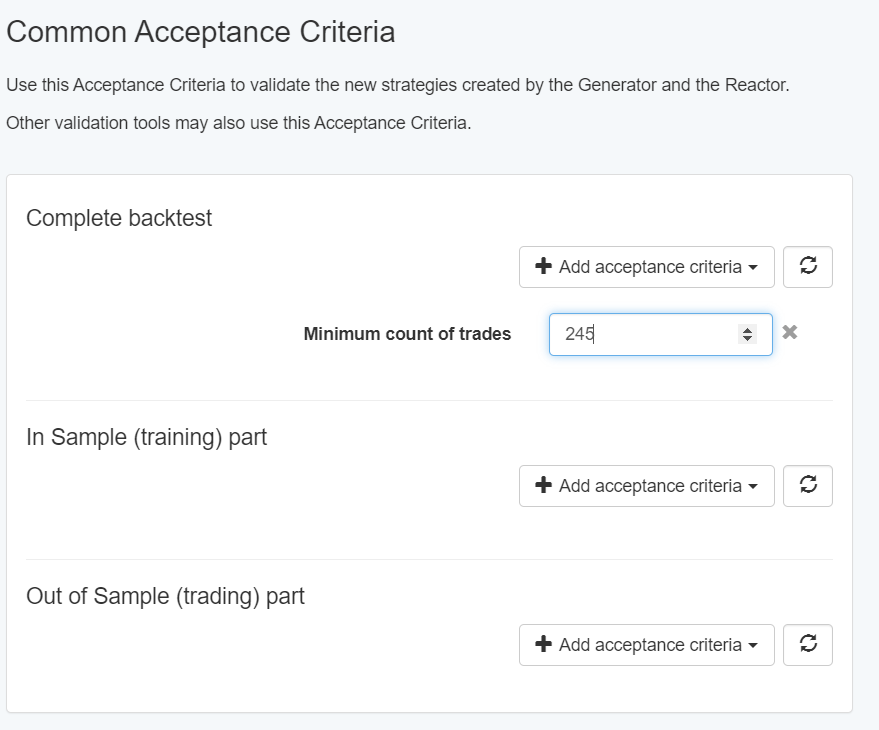
That is quite interesting, I am not sure if you will be able to get strategies but give it a try.
I might run a generator with these settings to see what will be the result.
ParticipantHello Tremosor,
Welcome to the Forum. If you want to have 200 lots per month, it means you need to have 6.6 lots per day.
If you set the EA to trade with 1 lot per trader, you will need to have 7 trades per day.
That is quite an active strategy, so you better try to generate it with a small range of SL and TP. Somewhere about 10-20 pips.
Cheers,
ParticipantHello Leonard,
Well, if you change the initial 1 lot with 4 lots, you need to calculate all the rest accordingly.
1,4 Lot is 140% from the 1 lot. Or you multiply it by 1.4. So if you start with 4 lots, it must be 4 x 1.4 = 5.6 lots.
And you continue with the rest…but why would you go with 4 lots? You need really a big account for that…
I guess nothing less than $100 000.
ParticipantHello Hussain,
I am glad to hear that you liked the strategy builder.
Well, it opens on the next bar because this is when the cross is confirmed. If you want to be at the exact moment, you can build this strategy with FSB Pro as well. But sometimes there will be a cross (and entry) and if the price reverses you will not see the cross anymore. The Moving Averages are repainting indicators.
You can set the parameters for the Moving Averages when you put them in EA Studio:
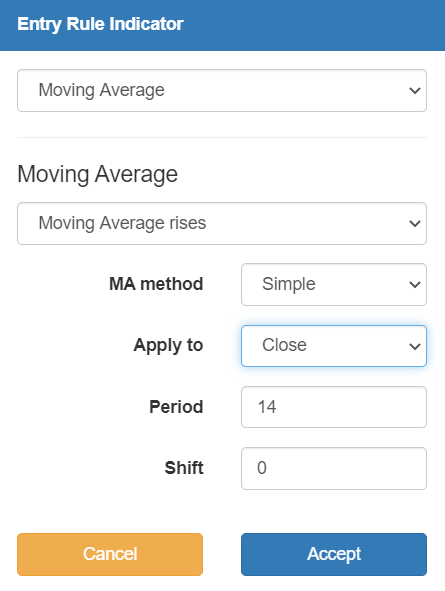
From MA Method, you select Simple, Exponential, etc.
From Apply to, you can select Open, Close, etc.
-
AuthorPosts