

Forum Replies Created
-
AuthorPosts
-
Alan Northam
ParticipantToday FTMO V6.0 50K Challenge had USDCAD close for a 1% profit. The trade took 24 hours from start to finish. I have open trades (GBPAUD,USDCAD) equating to 0.5% profit. My account risk is 1%.
Today My Infinityforexfund 100K Evaluation using FTMO V6.0 robots had USDCAD close for a 0.93% profit. The trade took 24 hours from start to finish. I have open trades (GBPAUD,USDCAD) equating to 0.28% profit. My account risk is 1%.
January 23, 2024 at 4:24 pm in reply to: Inquiries on EA Studio Functionality VPS and Optimization Features #229102ParticipantHi polatcagata,
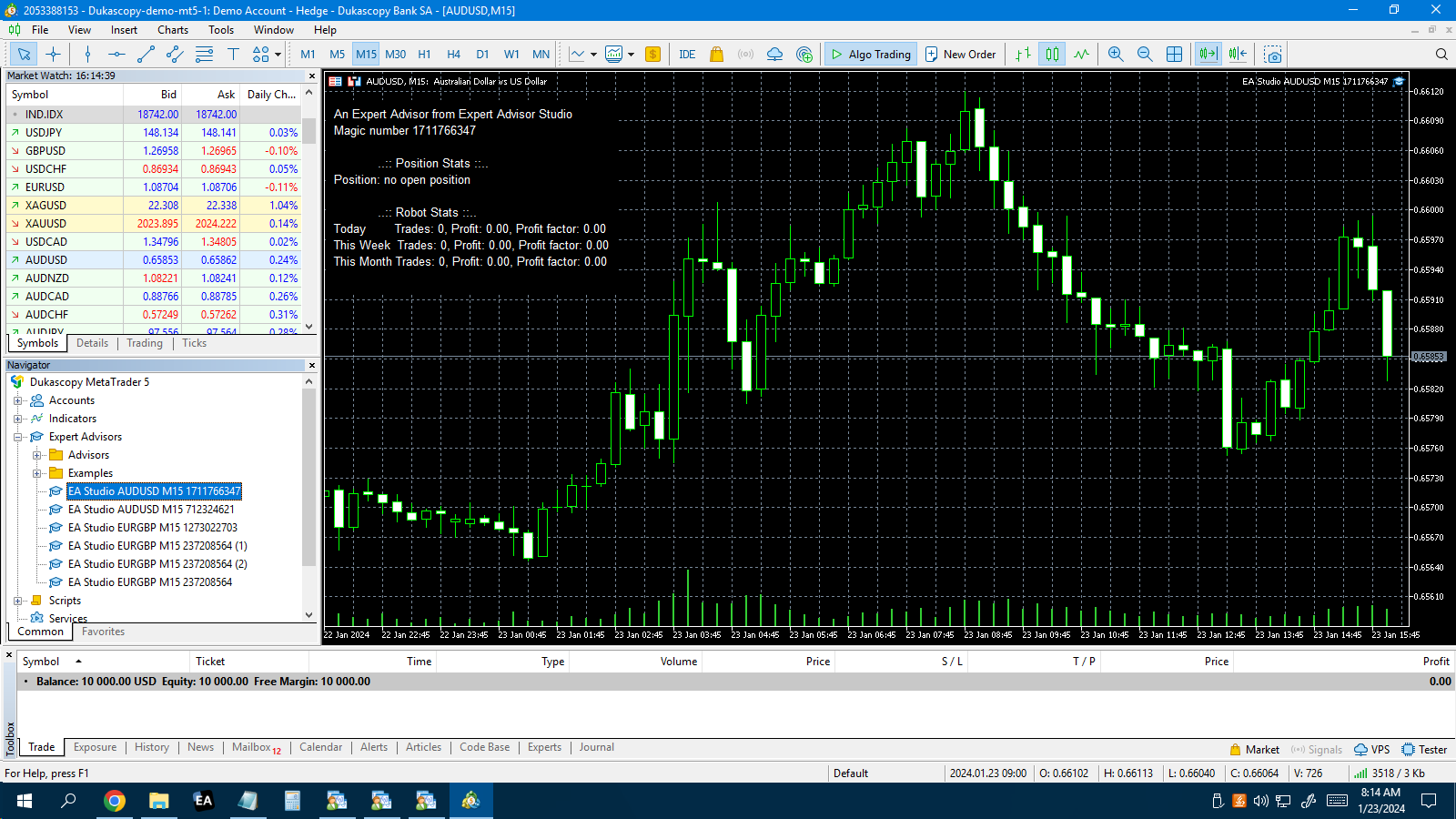
AUDUSD up and running!
Alan
January 23, 2024 at 4:11 pm in reply to: Inquiries on EA Studio Functionality VPS and Optimization Features #229098ParticipantHi polatcagata,
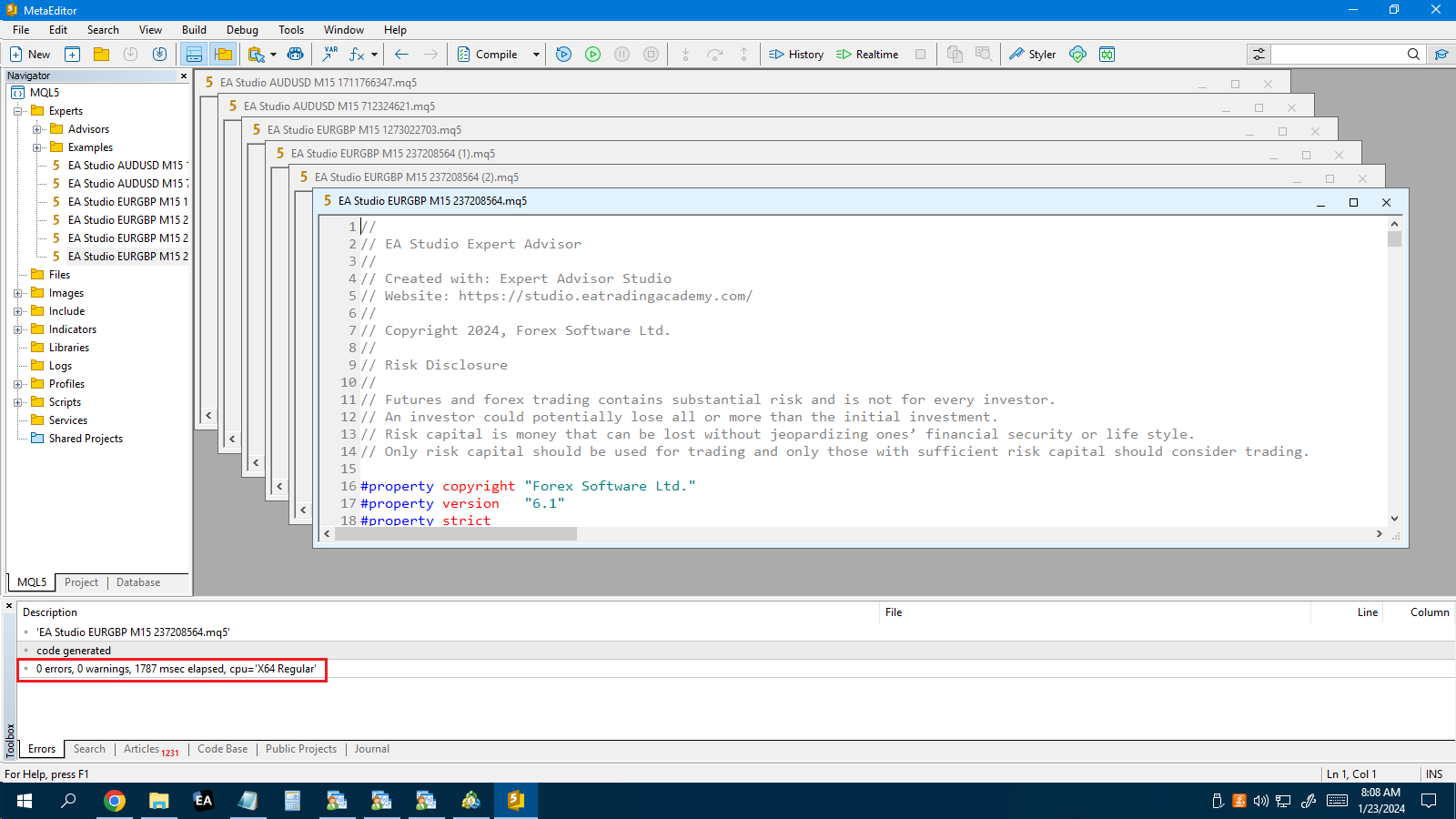
So far so good. All 6 EA’s have been installed in MT5 and compiled without any warnings or errors.
Alan,
January 23, 2024 at 3:39 pm in reply to: Inquiries on EA Studio Functionality VPS and Optimization Features #229085ParticipantEmail received! I did not see EURUSD file attached. I did receive 6 other files.
Alan,
January 23, 2024 at 3:33 pm in reply to: Inquiries on EA Studio Functionality VPS and Optimization Features #229082ParticipantI still have not received the email. Make sure you sent the code to [email protected]
Alan,
January 23, 2024 at 3:12 pm in reply to: Inquiries on EA Studio Functionality VPS and Optimization Features #229075ParticipantHi polatcagata,
Do not try to install EURUSD’s exe file. Load the mq5 file and then compile it in MT5.
Alan,
ParticipantHi Leonardos,
I currently have 5 open trades for the FTMO V6.0 robots. When did you install them on MT4 or MT5? If you installed them on MT4 do you see a smiley face in the upper right corner of the trading charts? If you installed them on MT5 do you see a blue hat in the upper right corner of the trading charts?
Alan,
ParticipantHi Sammy,
Yes I am still in. Backtest over the last month shows USDCAD placing 10 trades. So on average one trade every other day. This could indicate the current trade should close within the next day.
Alan,
ParticipantHi paul4x,
At the end of the week I will replace the weakest EA if the replacement is a different pair than my top 2 performers. That is my plan at the moment!
Alan,
ParticipantHi hiukiny,
I would recommend using the swing account when using EAs.
Using low risk accounts are a good way to go. It will take longer to pass a Challenge but reduces the potential for losing your account. Same with funded accounts!
Alan,
ParticipantHi Paul4x,
I downloaded the top 3 weekly robots, medium risk, to my 50K Challenge. So far today I have USDCAD open with a $250 profit so far today. The profit so far today doesn’t really mean anything. What counts is the profit or loss when the trade is closed out, but that is just where the trade stands at this moment.
Alan,
January 22, 2024 at 6:01 pm in reply to: Inquiries on EA Studio Functionality VPS and Optimization Features #228902ParticipantHi polatcagata,
That is strange because I create my own EAs using EA Studio and I use them in MT4 on my VPS. Can you copy the EA Studio EA to a folder in the VPS? Can you copy and paste the EA code to a reply so I can check it out?
Alan,
ParticipantHi Boyan,
Petko is using a demo account from dukascopy.com. During the process of opening a demo account you will be given the opportunity to download MT4 or MT5.
https://www.dukascopy.com/swiss/english/forex/demo-fx-account/?headerBar=main-slider
Alan,
ParticipantHi Boyan,
Each account must have a separate MT4 or MT5 and they need to stay open for the EAs to work. It appears the setup file you copied from the Meta Trader website is also MT5. I think it best to go to your brokers website and download MT4 or MT5 from there.
Does this answer your questions, if not please let me know?
Alan,
January 22, 2024 at 4:44 pm in reply to: Inquiries on EA Studio Functionality VPS and Optimization Features #228879ParticipantHi polatcagata,
I am happy to hear the EA is working well with Metatrader.
Is your VPS using Windows?
To copy the EA to a VPS I use File Explorer on my pc and copy the EA mq4 source file. I then open the File Explorer on the VPS and save the EA to a file. Have you done this?
Alan,
-
AuthorPosts