
Community Forums › Forums › Ready-to-use Robots › Prop Firm Robots › Prop Firm Robots: Access Issues & Assistance
- This topic has 154 replies, 4 voices, and was last updated 3 weeks, 4 days ago by
F@bj75.
-
AuthorPosts
-
Ben10power
ParticipantHi Samuel – thats good to know. Very exciting on a new and robust functional news filter, with tailored risk management settings built in.
EASystem
ParticipantHi,
I don’t need more that 30:1 leverage especially for gold. Generally PropFirms offer 100:1 for forex and 30:1 for gold. It’s just non-swing trading challenges are generally cheaper and have less strict rules for example consistency rules or max DD so better chances of passing.
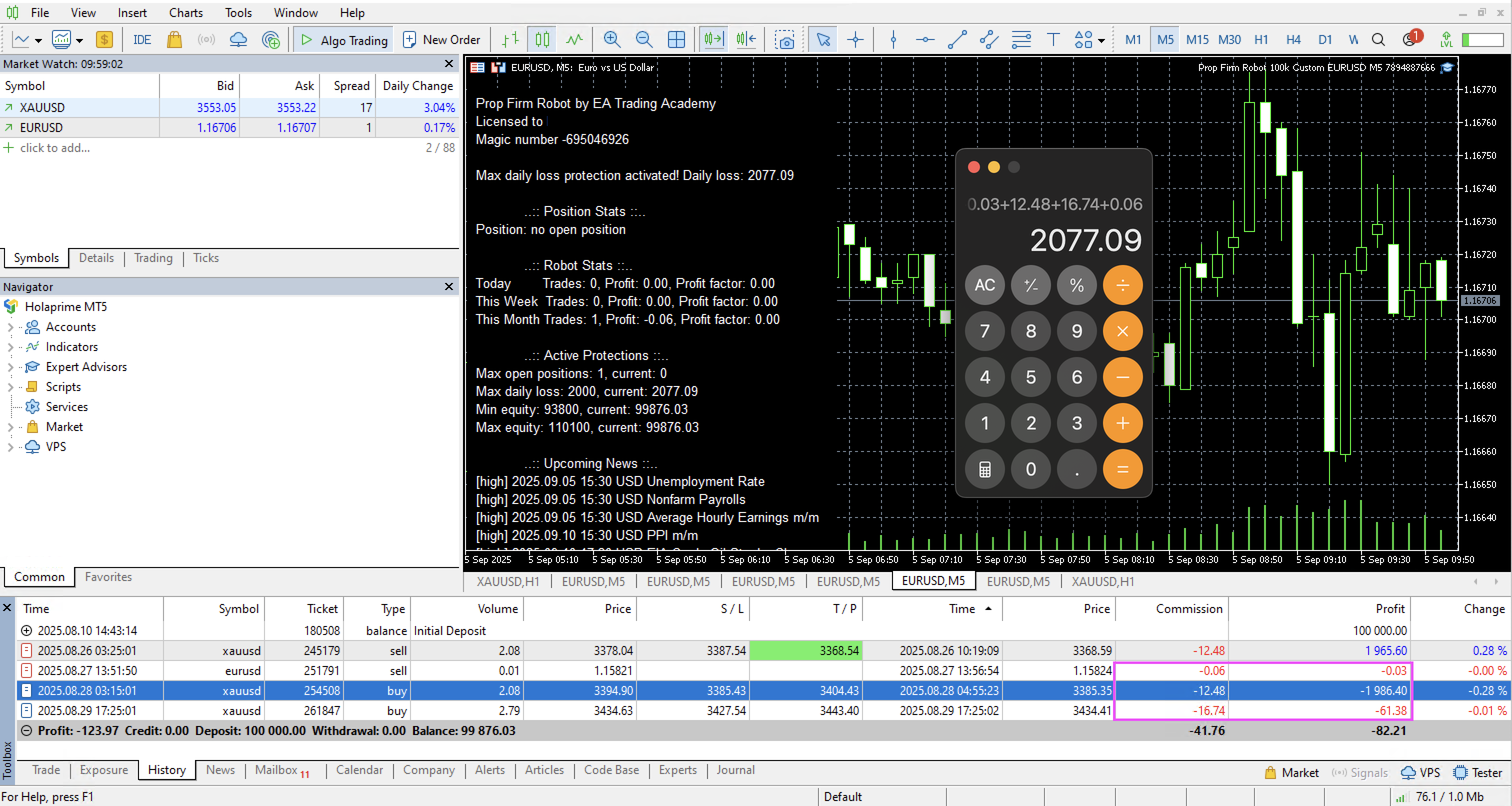
ParticipantLooks like Max daily loss protection doesn’t work as expected. I have set MDL to 2000. The EA has not traded since the 29th of August and we are the 5th of September. It looks like that it calculates the total loss of all passed closed trades including commissions instead of as you can see in the picture below (Daily loss 2077.09). So for now we can’t use that feature. I can use EA Protector in the meantime until it’s fixed in newer version:
 Participant
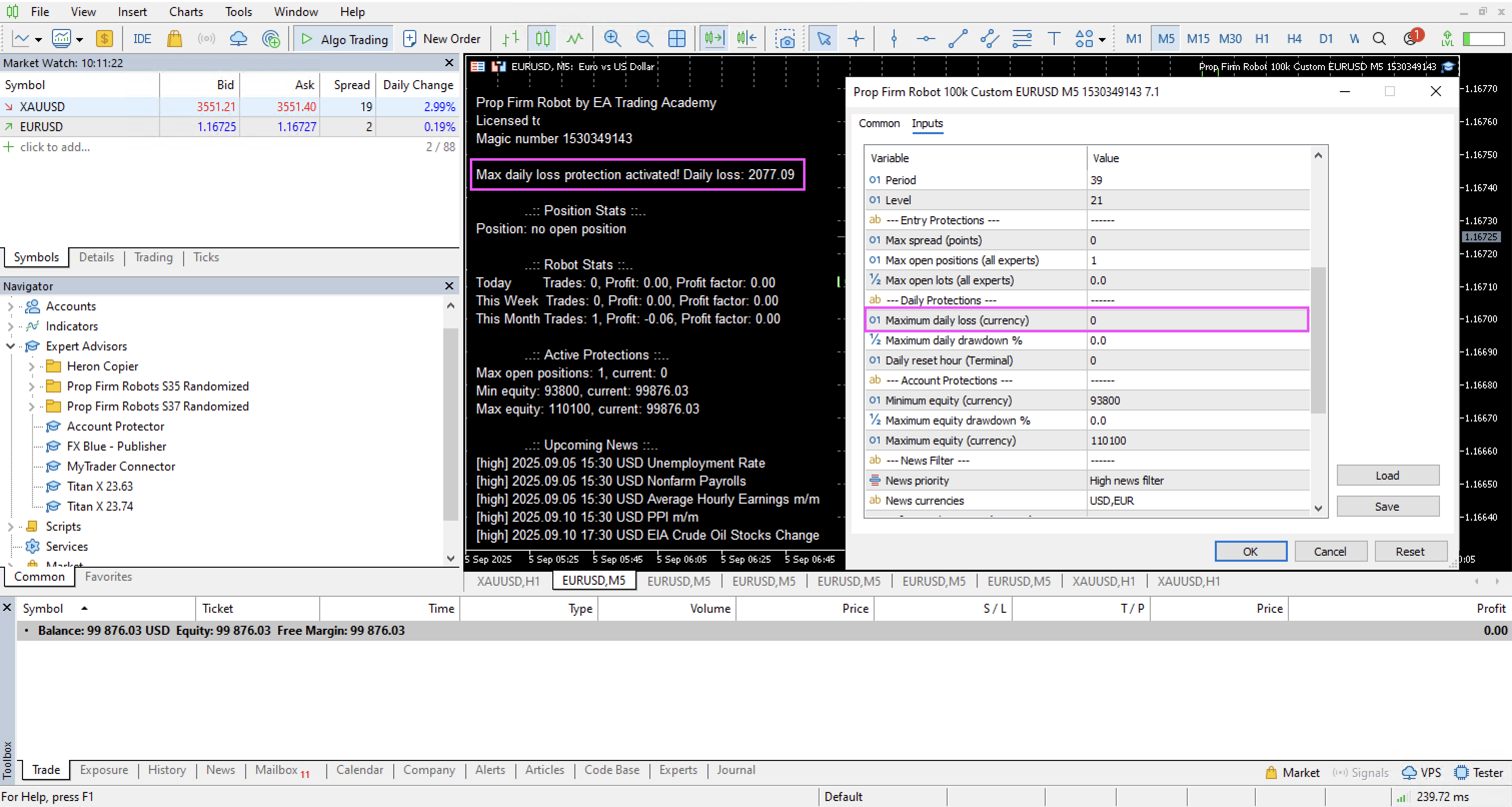
If I remove the MDL in settings and I save the settings. The EA reload but doesn’t remove the MDL from the robot stats and probably logic:
 Participant
Sorry post created twice. Don’t know how to delete it.
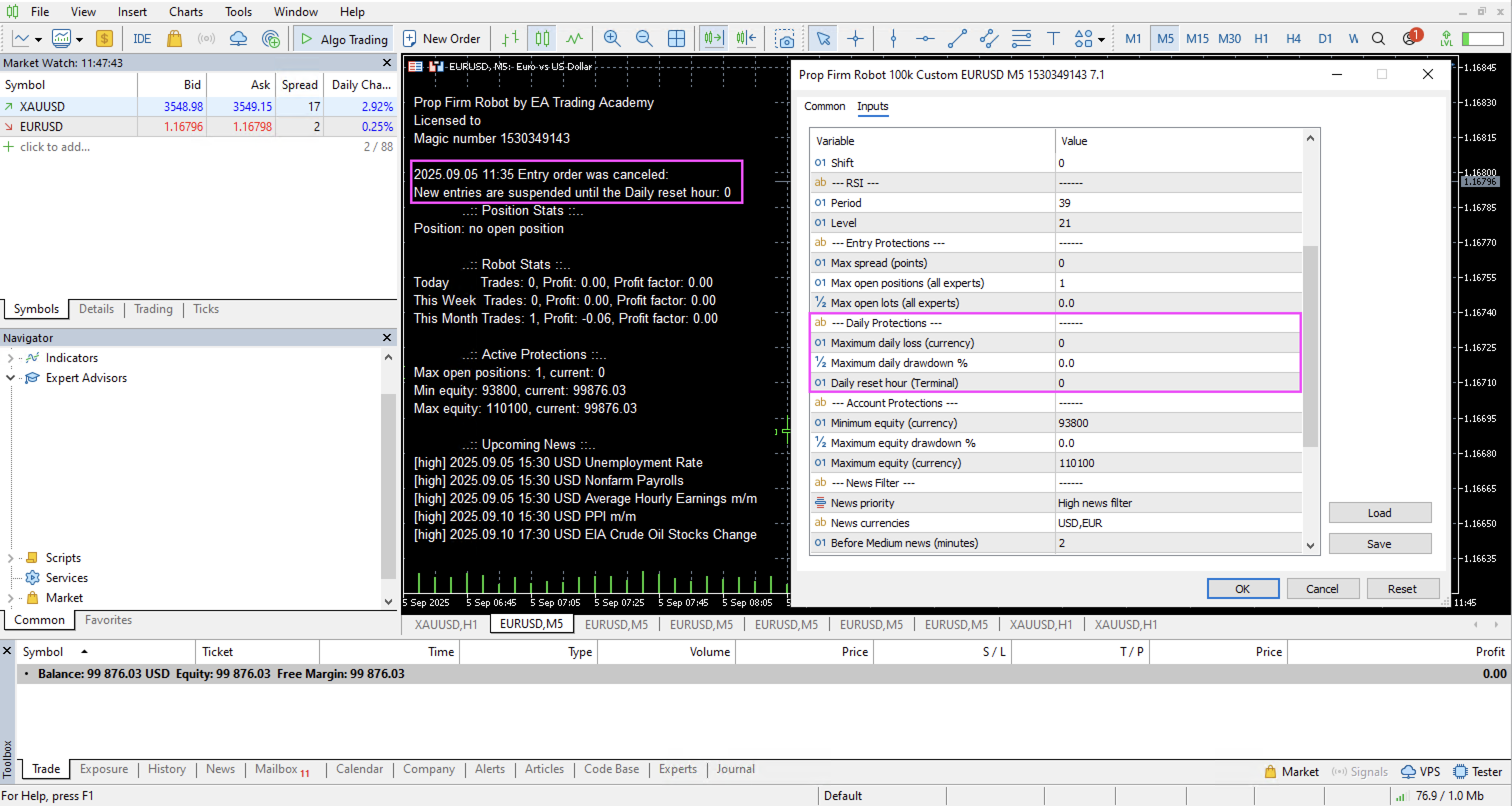
ParticipantWhy my entry order has been cancelled? The Daily Reset Hour is set to 00:00 but I have no Max Daily Loss set?:
Samuel Jackson
MemberHi, this wouldn’t happen if you were just trading this robot so I think there may be a clash happening with others you are trading.
can you check that definately this is the only one with this magic number and also please check the other robots to see is something is activated in them that could be triggering a global protection.
But yes with the inputs you have set for this robot, this should not happen
ParticipantI don’t see anything that could interfere. I’m running 4 EURJPY robots with 1 USDJPY robot with all these same settings below:
How can I contact support to get these bugs fixed?
Thank you
nectar
ParticipantHello Mariano, have you passed the prop now?
MemberHi EASystem, I have forwarded to support for you
ParticipantThe EA’s have opened 2 positions even if all my Prop Firms Robot EA has Max Open Position set to 1:.
MemberThis will be a different EA opening each position. Please show comments and you should se a different magic number. I believe that the Max Open Position is just for each EA only so if set to 2 then technically for that EA you can get another position if there is a second entry signal but the first position still hasnt closed.
Brendan Conway
ParticipantHi everyone. Ever since the new website I cant access the prop firms app. Anyone else have this problem. Or know what the problem is. Many thanks
Vagarro Willie
MemberHello Support,
The link to the Link to Prop firm Robots App Not working. I am getting page error.
This page doesn’t seem to exist.
It looks like the link pointing here was faulty. Maybe try searching?downagu
ParticipantI’ve paid for the Prop Firm package. I’ve checked my mandatory account information and cleared the cache and cookies, but it still doesn’t work. Please help me. My email is [email protected].
-
AuthorPosts