
Community Forums › Forums › Ready-to-use Robots › Prop Firm Robots › Latest Updates: October 2024
- This topic has 14 replies, 6 voices, and was last updated 1 year, 3 months ago by
Zafar Hashmi.
-
AuthorPosts
-
October 30, 2024 at 12:13 am #374086
Marin Stoyanov
KeymasterHello Traders,
We’re excited to share the latest updates to the Prop Firm Robots app, designed to help you navigate prop firm challenges effectively. The new release introduces several essential features: Randomization, Custom Export Options, and Out-of-Sample Data. These enhancements are aimed at ensuring your strategies remain compliant with prop firm rules while maintaining effectiveness.
🎲 Randomise Feature
This feature allows you to randomize key trading parameters such as stop loss, take profit, and indicator values, ensuring each strategy remains unique and undetectable by prop firms. This is particularly valuable for traders using similar strategies, helping to avoid potential rule violations.⚙️ Custom Export Options
You now have the flexibility to create robots with unique identifiers (magic numbers) or to customize the first or last four digits of these identifiers. This helps preserve strategy integrity while differentiating entries and exits for trades.🔍 Out-of-Sample Data
The app now includes the ability to validate trading robots using unseen, independent market data. This feature helps prevent overfitting, enhancing the resilience and consistency of strategies when faced with real-world conditions.These updates are designed to give traders a stronger edge in passing prop firm challenges while maintaining a high level of compliance and reliability. If you have any questions about these features, please drop them below.
Best regards,
Marin @ EA Trading Academy TeamOctober 30, 2024 at 4:54 pm #374244rasa
ParticipantThank you Petko and team … this latest update is really great!
October 30, 2024 at 11:46 pm #374326Sagar Kesarpu
ParticipantWhen I download the zip…I am not seeing the version. Is that ok ?
October 30, 2024 at 11:49 pm #374328ParticipantSorry had one more question…if the broker allows different currency pair symbols like GBPUSD_ or GBPUSD.
Where can I change that in the settings
October 31, 2024 at 3:48 pm #374457Ilan Vardy
ParticipantHey Sagar,
You won’t see the version of the EA when you download it. You’ll see the info on the chart when you attach it.
If your broker uses a suffix, don’t worry. Use the EA as it is. The suffix doesn’t affect the functionality in any way.Thanks,
Ilan
October 31, 2024 at 9:58 pm #374515Participant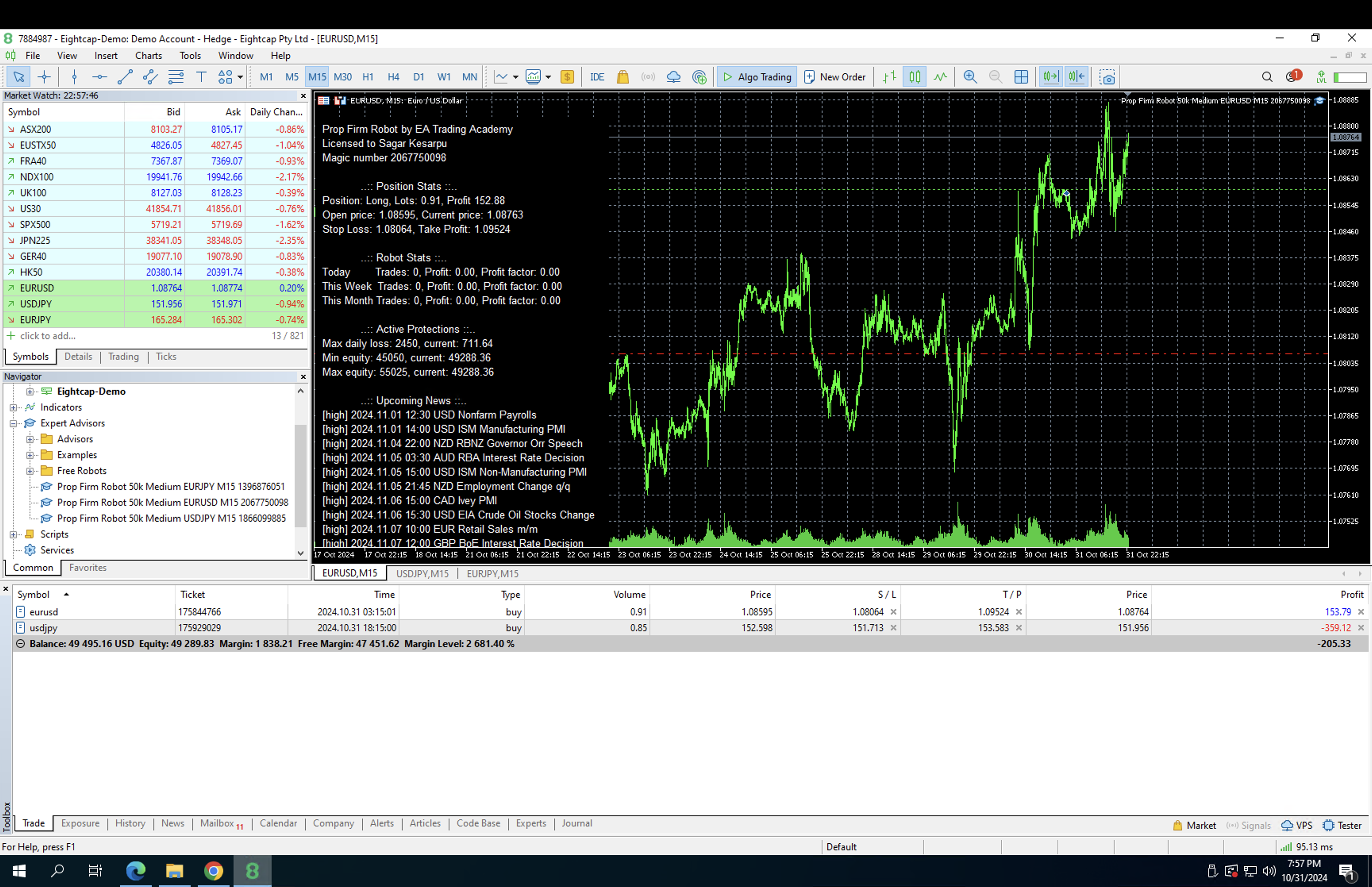 October 31, 2024 at 10:00 pm #374516Participant
 November 1, 2024 at 1:06 am #374537Participant
I guess you have not provided me with the latest version link or what I am not sure…can you please check from your end on why the version is not showing up
November 1, 2024 at 9:00 am #374578ParticipantHi Sagar,
There is only one link to the app – the one you’re using. If you are using the app, you are using the latest version. It’s an online app.
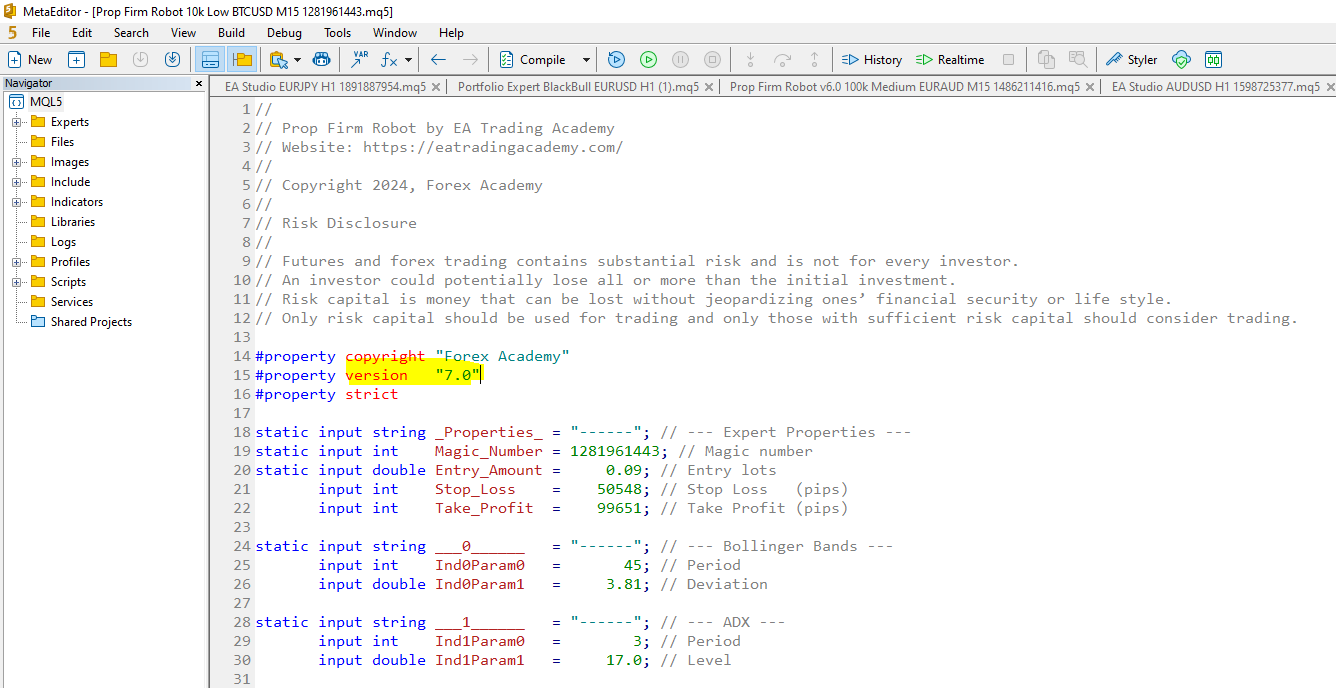
But, if you want to see the version of your EA, once downloaded, open the file in MetaEditor or Notepad, and you’ll see the version number there.
Ilan
November 1, 2024 at 1:39 pm #374632Zafar Hashmi
ParticipantWhy not add in a feature to create a random delay before entering a trade (5-30 secs) that would really randomise the price every trade is taken at.
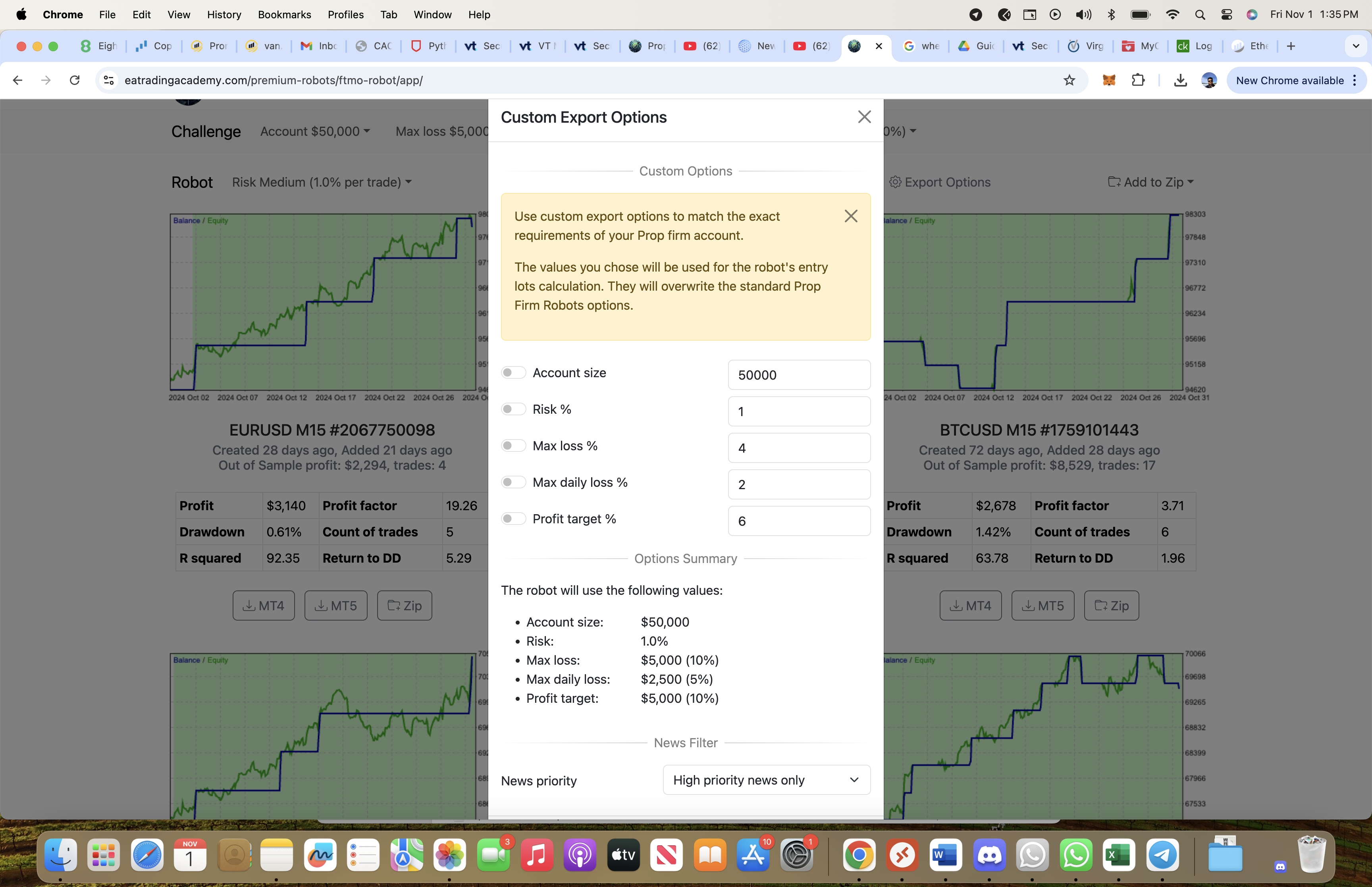
November 1, 2024 at 7:37 pm #374701ParticipantI see that the version is 7.0 when I try to compile…after I change the daily loss, max loss, equity nothing changes..it still shows the same 5%, 10%
 November 1, 2024 at 7:56 pm #374704Participant
Few more questions:
1. At any given point of time, how many trades will be open
2. For example if there are 2 trades opened for EURUSD and USDJPY…will the daily loss be calculated for one pair individually or for both the trades combined
3. Please fix the export options window to reflect the exact values selected or provide all the options at the top where we input challenge details equity, daily loss, max loss and profit target or if this is working please let me know what is ideal way to download to reflect the customized options
Thanks,
Sagar
November 4, 2024 at 4:45 am #375115Orlando
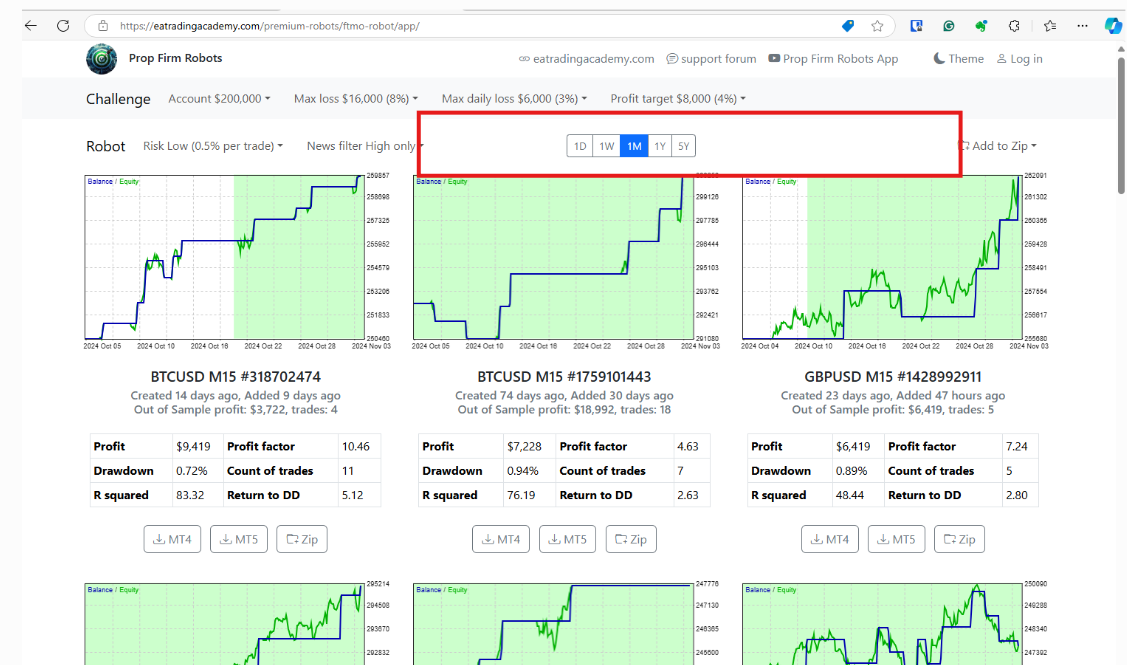
MemberGreetings. The randomization and custom export settings dropped off (screenshot below). Perhaps updating/refactoring is in progress before they become available again?
Respectfully,
Orlando———————–
 November 4, 2024 at 5:02 am #375117Member
Hello – Update – please disregard.. apparently I have several Google accounts registered with your site.. using my correct one for trading is providing access to the Randomization and Customizaiton.
November 6, 2024 at 4:23 pm #375613Participant” For example if there are 2 trades opened for EURUSD and USDJPY…will the daily loss be calculated for one pair individually or for both the trades combined”
The daily loss isn’t calculated you give it a physical number in $$$ and when equity reaches that point the trade is closed and the EA is stopped.
you will have the same $$$ number for all EA’s running so when the number it all the EA’s will be turned off. -
AuthorPosts
- You must be logged in to reply to this topic.