
Community Forums › Forums › Ready-to-use Robots › Prop Firm Robots › Prop Firm Robots: General questions
Tagged: "prop EAs unique", #Propfirmrobots #Propfirm, #rawfeed, App success, BTC robot, challenge, Challenges, daily stop, EA Manual, EA Trading academy, Failing challenge, FTMO 6.0, FTMO Robot, ftmo robot passed challenges update, FTMO ROBOTS, FTMORobot, funded accounts, Performance Issues, Prop Firm Live Trading, Prop Firm Robots, Prop Firm Robots 100k challenge, prop firm robots app, Prop Firm Robots Parameters, Settings, Suggest me a EA for all type of prop firms, telegram, Trial test with no result, USDJPY EAs
- This topic has 1,069 replies, 228 voices, and was last updated 3 weeks, 6 days ago by
Guenther.
-
AuthorPosts
-
August 21, 2024 at 1:56 pm #301896
NIKOS KYRIAKOU
MemberHello scatrading,
A) Yes, you can manually close positions and it will not affect the robot
B) Yes, you can adjust the stop loss, but it’s best to do it from the inputs as it works better that way
C) They have Equity drawdown only.
Kind Regards,
NikosAugust 22, 2024 at 10:57 am #302002Svetlin Borisov
ParticipantHello Guys
Maybe everybody get a message that IFF are changing the trading platform.
“Dear Traders,We are excited to announce that we will be transitioning from the Eightcap MT4/MT5 platform to the new and improved DXtrade platform. ”
Is there any solution about this? Because i know that the prop robots are working with mt4 and mt5
Thank you!
August 22, 2024 at 11:07 am #302004Marin Stoyanov
KeymasterHello Svetlin, we’re aware of this situation (check Nikos’ post in the forum). Most probably we will use a copy trading software like this one to copy the trades from a MetaTrader platform to the prop firm account. We’re still testing how it goes and will post an update once we IFF migrate to the new platform and we run tests.
September 6, 2024 at 4:29 pm #303415Maximilian Argiolas
ParticipantHi guys,
Hope you can help. I’ve purchased the Prop Firm Robots on Wednesday late evening and set them all up on a demo account for the FTMO 10K challenge.
I’m currently using the 6 top performer robots in the last month. I do believe I’ve set all everything up correctly, following the video to a T however no trades have been opened yet.
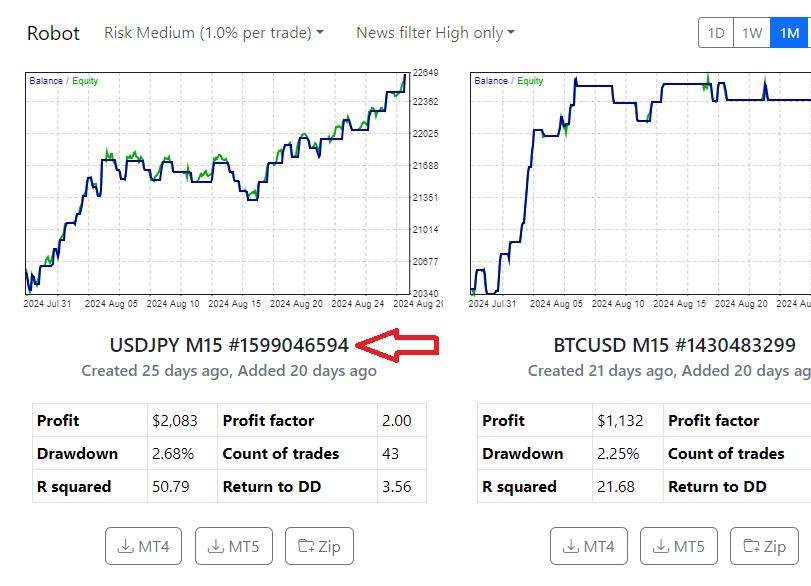
I do understand that this might be due to market conditions no correctly aligned for the robots to open a valid trade however my concern is one and it might reflect on the other robots.
For example, if I take into consideration this robot on 1D time frame I can see that it has opened one position.
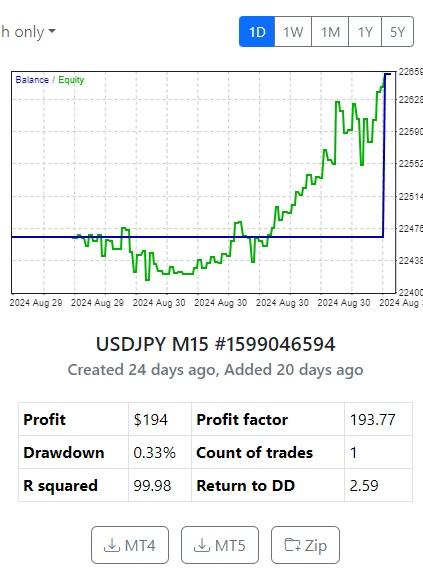
The same robot, on the 1M time frame, with the same magic number, has not opened any position on my MT5:
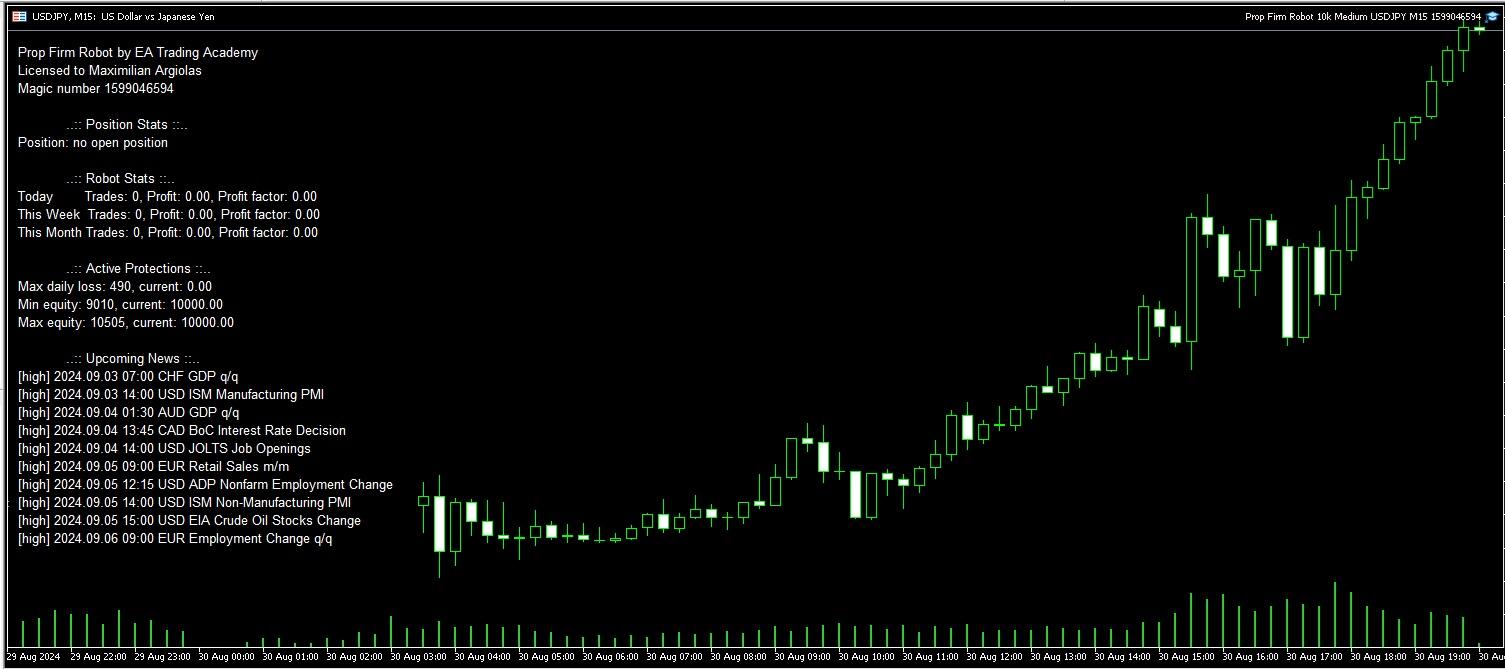
As I mentioned before, I do believe I’ve set everything correctly on my MT5:
Is anyone so kind to be able to point me to the right direction or have experienced my same issue?
I’m currently on an FTMO Free trial and I’d like to make the most out of it before purchasing the real challenge.
Any help will be very much appreciated.
Thanks a lot,
Max
September 6, 2024 at 4:31 pm #305232KeymasterHi, can you please attach screenshots from the Experts and Journal tabs?
The “Experts” contains the entire information about the attached expert, including opening/closing of positions, modifying of orders, the expert’s own messages, etc.
The “Journal” tab contains information about the stated actions of the trader and the client terminal within the current session.
Also what is the initial balance of your FTMO account and account currency (it should be USD as the EAs are created for USD account)?
September 9, 2024 at 6:45 pm #305784Anne-Marie Killer
ParticipantHi!
I’ve been trading with the prop EAs for about a month and I’m blown away by the results! I do have a big concern though…if everyone who has purchased these EAs are trading them to pass prop challenges, isn’t there the risk that we will all lose our accounts as the trades will be identical/highly correlated/non-unique?
Please advise how I can make adjustments to the EAs (without ruining their effectiveness) to make my trades unique.
Thanks for an amazing product!
Regards from Cape Town,
Anne-Marie
September 18, 2024 at 8:37 pm #310510Ilan Vardy
ParticipantHi Anne-Marie,
Good to hear you’re happy with the robots.
This is a possibility. What you can do is change the magic number, and make slight changes to the take profit, stop loss, as well as the values for the indicators. We will be introducing a randomisation option soon, which will make several changes like the ones I mentioned, but through the software with the optimisation tool to ensure the robots are still profitable but unique.
Regards from Joburg :-),
Ilan
September 22, 2024 at 1:56 pm #311388mgaucho
ParticipantHello,
short question. Works the robot only on usd challanges or Euro too??
thanks
Michael
September 22, 2024 at 5:09 pm #311428Alan Northam
ParticipantHi Michael,
Robots work on both USD and EURO.
Alan,
September 22, 2024 at 6:30 pm #311448Participantok thanks. So i have to change something in the settings or have do to nothing?
September 23, 2024 at 11:50 am #311610ParticipantHi Michael,
The robots are designed to work on the currency pairs they’re created for. In other words, the EURUSD robot will work on a EURUSD chart.
The currency of your account with your broker/prop firm doesn’t affect this.
Regards,
IlanSeptember 24, 2024 at 3:34 pm #311885biznizallday
ParticipantHi! If I buy some of your services and get access for example to the Top 10 EAs or the best Prop EAs, will I also receive the source code in mq5 or mq4 format? I am interested in these, because I want to learn the logic that is used etc.
I dont want only the ex4 files. Please let me know how this is working! 🙂
Regards
September 25, 2024 at 8:01 pm #312140Sand0r
ParticipantYou will get everything, the source Code and the executables.
You can use Chat gpt tobget a better understanding of the logic 🙂
September 26, 2024 at 5:13 pm #312318ParticipantHi,
Yes, you’ll get everything. You can also import the EAs back into EA Studio, and see the exact strategy, indicators and parameters for each EA.
Cheers,
IlanSeptember 26, 2024 at 6:06 pm #312333yonatanavraham
ParticipantHi,
I download the robots from the prop firm robots app, now I can’t open them.
How I install or open them, I didn’t understand from the video.
Also I have Macbook and not windows, like in the video.
please help me.
-
AuthorPosts
- You must be logged in to reply to this topic.