
Community Forums › Forums › Ready-to-use Robots › Prop Firm Robots › Prop Firm Robots: General questions
Tagged: "prop EAs unique", #Propfirmrobots #Propfirm, #rawfeed, App success, BTC robot, challenge, Challenges, daily stop, EA Manual, EA Trading academy, Failing challenge, FTMO 6.0, FTMO Robot, ftmo robot passed challenges update, FTMO ROBOTS, FTMORobot, funded accounts, Performance Issues, Prop Firm Live Trading, Prop Firm Robots, Prop Firm Robots 100k challenge, prop firm robots app, Prop Firm Robots Parameters, Settings, Suggest me a EA for all type of prop firms, telegram, Trial test with no result, USDJPY EAs
- This topic has 1,069 replies, 228 voices, and was last updated 3 weeks, 6 days ago by
Guenther.
-
AuthorPosts
-
October 23, 2023 at 8:31 pm #206426
Alan Northam
ParticipantHi Lee,
The FTMO Expert Advisors do not randomize trades. Having said that the same Expert Advisor will trade somewhat differently from one broker to another. This is because the historical data is not exactly the same from broker to broker. Even if you place the same Expert Advisor on two different charts with the same broker one of the charts may place a trade and the other may not place the same trade at the same time. This is because of the difference in the time it takes metatrader to send the order to the broker varies.
Congratulations on passing the evaluation stage!
Alan,
October 24, 2023 at 1:43 am #206542Majdi
ParticipantHey Alan,
YESSS .. finally your sugesstion above solved the problem 🙂 thank you very much for staying on top of this untill it was resolved 🙂 highly appreciate your effort.
Regards,
Majdi
October 24, 2023 at 1:46 am #206545ParticipantHello Alan,
Thanks for clarifying the MA method, apprecitaed 🙂
Regards,
Majdi
October 24, 2023 at 6:48 am #206598ParticipantNo problem, happy to hear it is now working!
October 26, 2023 at 11:14 am #207295Petko Aleksandrov
ParticipantHey Traders,
I’m happy to share with you that I passed 2 Prop Firm challenges with the FTMO Robot in the last 2 weeks!
In the first challenge, I used the Top Performer from the 7 FTMO Robots. Once I reached 2%, I increased the entry lots to 3. You can see the statistics for all trades in the account.
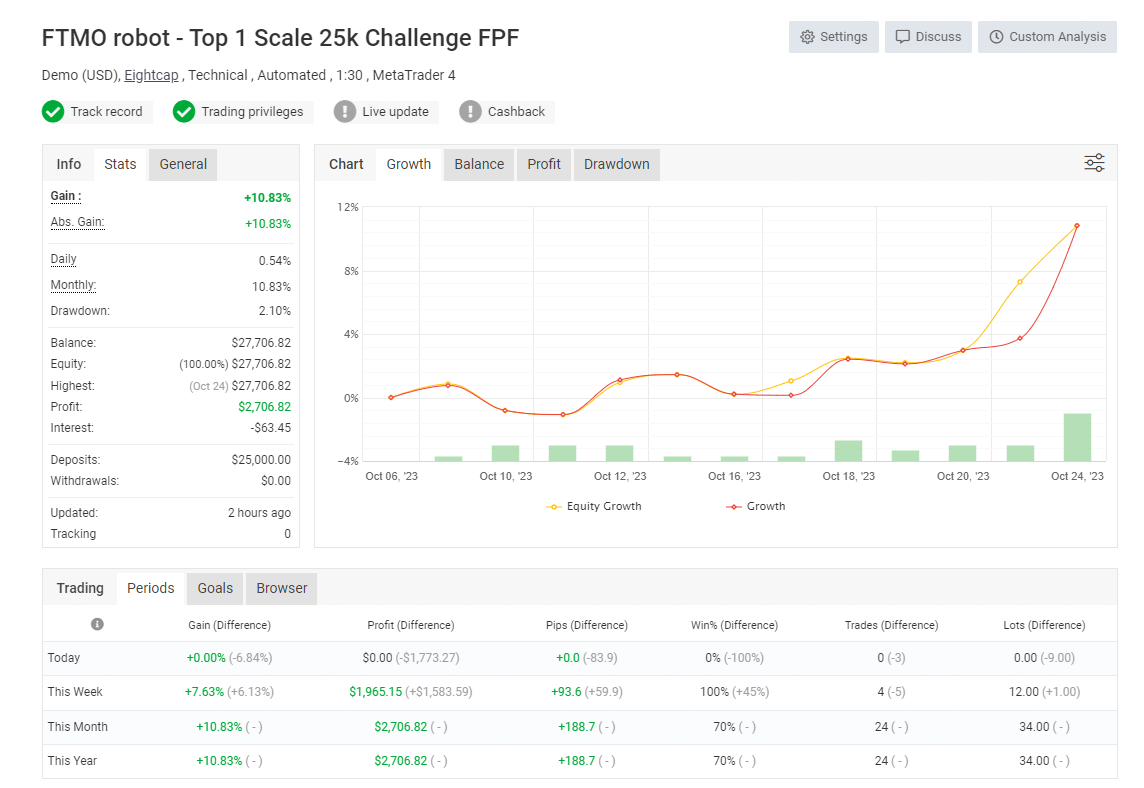
I used the Top 3 EAs in the second challenge without changing the lot size. Have a look at the statistics from the account.
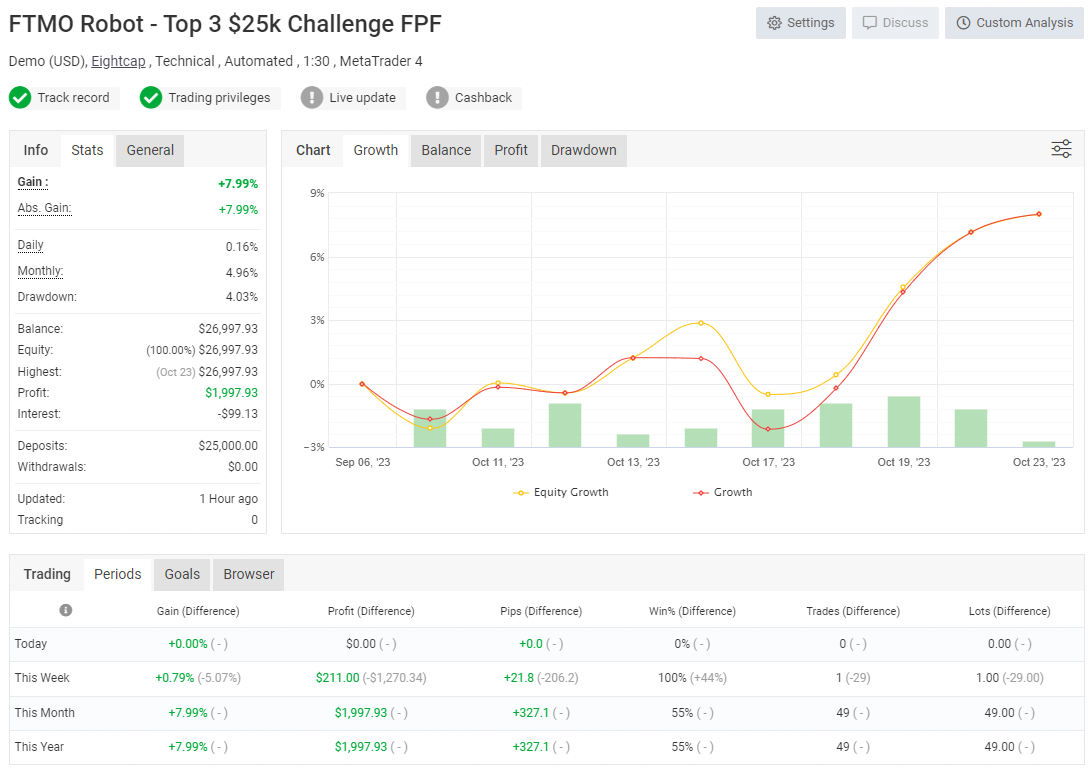
The second account is with time limit so the target is 8%. Surprisingly the Prop Firm marked it as Passed at 7.99%! 🙂
I also recorded a video about it, and it will be published tomorrow – Friday the 26th of October.
Cheers,
October 26, 2023 at 11:49 am #207299Cristian Nembrini
ParticipantWow congratulations! Can I ask you about the time settings of the bots? 1-23 by default? Or did you modify them?
October 26, 2023 at 5:16 pm #2073800xBitpool
ParticipantLeverage 1:30, meaning you opted for FTMO Swing accounts?
October 28, 2023 at 2:12 am #207838Jason McKay
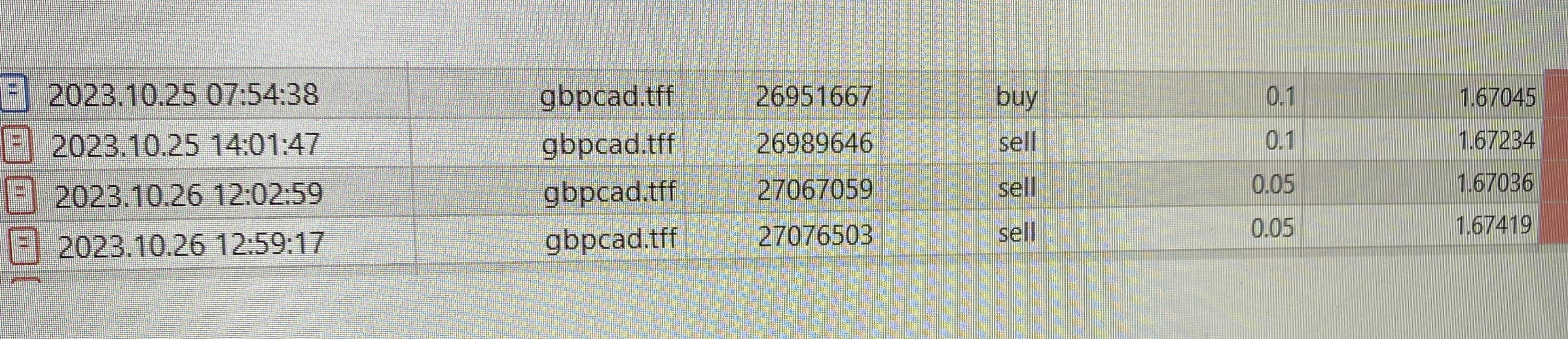
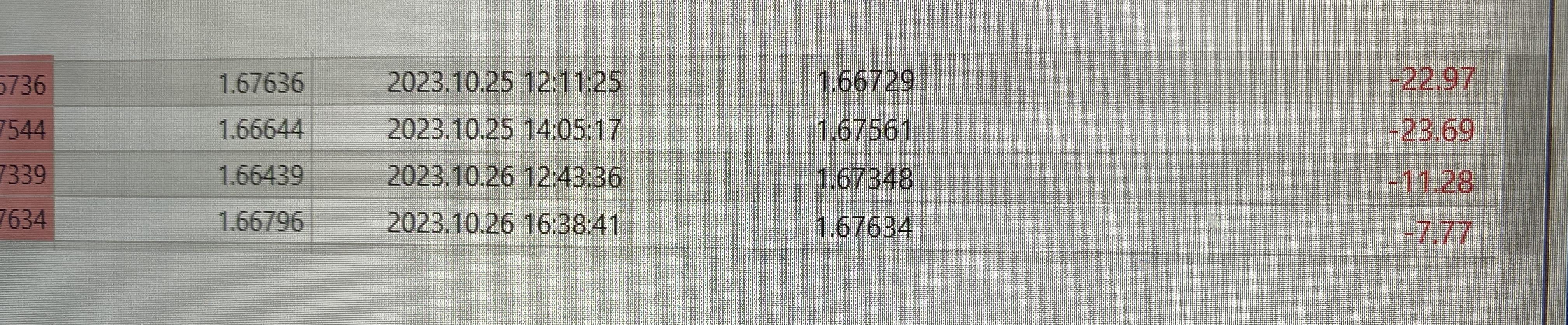
MemberGreat job! I was running the GBPCAD also and it was losing multiple trades, so I shut it down. I’m using the V4.3 on 1M
I would love to get it working like yours. Any help is greatly appreciated.
 October 28, 2023 at 2:14 am #207839Member
 October 28, 2023 at 1:14 pm #207936Participant
Hi Jason,
The EAs will go through periods of profit and periods of losses. You have to give the EAs more time to work.
Alan,
October 28, 2023 at 2:08 pm #207946ParticipantYes, I use the default settings. I did not change anything.
October 28, 2023 at 5:11 pm #207989ParticipantIf you check the trades in the reports, you will see that I traded the GBPCAD at the beginning of the week. At the end of the week, the AUDNZD was the profitable one.
So you need to track the 7 EAs and see which is the best one at any moment.
October 28, 2023 at 5:44 pm #208000Trinidad Simmz
ParticipantGlad to hear there was profitability on your side this week, unfortunately I have only radio silence with these EA’s for some reason. I’d love to rectify that.
October 28, 2023 at 6:23 pm #208010ParticipantI have a few of ideas. 1. In the EA properties box reduce all four of the first four lines from 1.0 to 0.01 to see if you now start to get trades. 2. Start a 200K FTMO demo swing trade account and add all 7 EAs. I know the EAs will work there. This way you can start tracking which EAs are performing the best in the current market environment while you continue to resolve the issues with the other brokers. 3. Contact each broker and make sure they allow EAs. 4. Give me access to your computer so I can make sure everything is setup properly.
Alan,
October 28, 2023 at 7:41 pm #208026ParticipantHello Alan, I had already tried 0.01 lot size on one of the other accounts I was tracking, but still there were no entries.
The 3 brokers I have tried definitely allow EA’s because I use them regularly to trade many different EA’s on all my accounts, (demo & live).
Always I have other EA’s along side Petkos FTMO bot, (to verify MT4 functionality) and they trigger entries as normal.
For example this last week on the same account, I put an EA trading XAU/USD along with it, and as you can see that one made many entries;
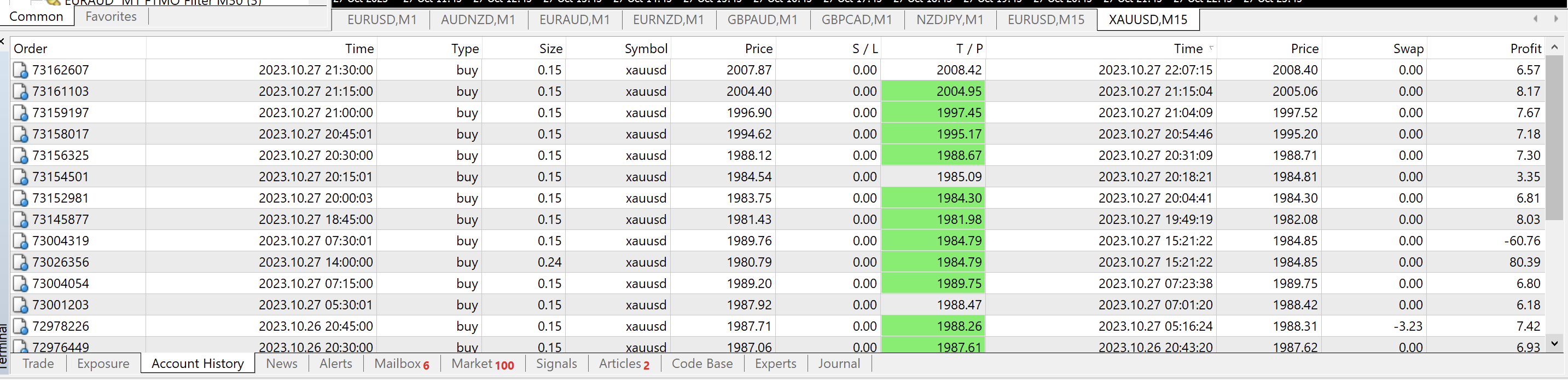
Im not sure what else I can try, last week I deleted all my other MT4 terminals except this current EightCap one, to make sure there was no issues with conflicting terminals.
This next trading week I will reinstall the separate terminals again with different brokers and test them with smaller lot sizes only.
Very confusing why it doesn’t work for me.
-
AuthorPosts
- You must be logged in to reply to this topic.