
Community Forums › Forums › Ready-to-use Robots › Prop Firm Robots › Prop Firm Robots: General questions
Tagged: "prop EAs unique", #Propfirmrobots #Propfirm, #rawfeed, App success, BTC robot, challenge, Challenges, daily stop, EA Manual, EA Trading academy, Failing challenge, FTMO 6.0, FTMO Robot, ftmo robot passed challenges update, FTMO ROBOTS, FTMORobot, funded accounts, Performance Issues, Prop Firm Live Trading, Prop Firm Robots, Prop Firm Robots 100k challenge, prop firm robots app, Prop Firm Robots Parameters, Settings, Suggest me a EA for all type of prop firms, telegram, Trial test with no result, USDJPY EAs
- This topic has 1,069 replies, 228 voices, and was last updated 3 weeks, 6 days ago by
Guenther.
-
AuthorPosts
-
July 31, 2023 at 3:53 pm #214015
Olivier Hoeksma
ParticipantI have multiple funded accounts and I am wondering if it is possible to add the robot to all. Besides that, is it possible to trade by yourself and not interfere with the bot?
July 31, 2023 at 3:53 pm #187273janan
MemberCan we use EA to make profit after passing phase 1 and phase 2.
July 31, 2023 at 3:55 pm #187458Petko Aleksandrov
ParticipantHey Janan,
The EAs has no limiatons at all. You can trade with it on funded account after the challenge or you can trade it on regular Forex account.
August 25, 2023 at 9:09 am #215448nguyenqh.mt
ParticipantI don’t have much data forward test for the last week, because it opened very less trades, only few. That’s why I can’t tell which pairs are the top performance at this moment, this current market. So anyone can share the top 3 please. Thank you very much
August 25, 2023 at 9:09 am #193202Chris Barry
MemberHi all,
Three days ago I installed the 7 FTMO EA’s and didn’t change the settings and the lot size has stayed the same which is 1. I have been losing (-700.00) with 0ne or two wins. I also had a -1,117 hit to my account because the EA opened GBPCAD and didn’t leave a stop lose so this trade is red. My question is: Should I stop using the EA’s, Should I make some changes, or Should I increase the lots size from 1 to ?. This is a prop account and I was positive before the EA’s, so I have some room to turn things around. Thanks for the help,
Chris
August 25, 2023 at 9:29 am #193454ParticipantHey Chris,
Glad to hear from you.
1. I updated the FTMO Robot with 7 versions, but this does not mean you have to trade all of them in 1 account but select which one you want to use. For example, you can put them all in one trial and follow the results. Check which ones bring the most profits and use it on your Challange or Funded account.
For example, here are all my recent trades where I am testing the 7 EAs (arranged by comments/magic numbers)
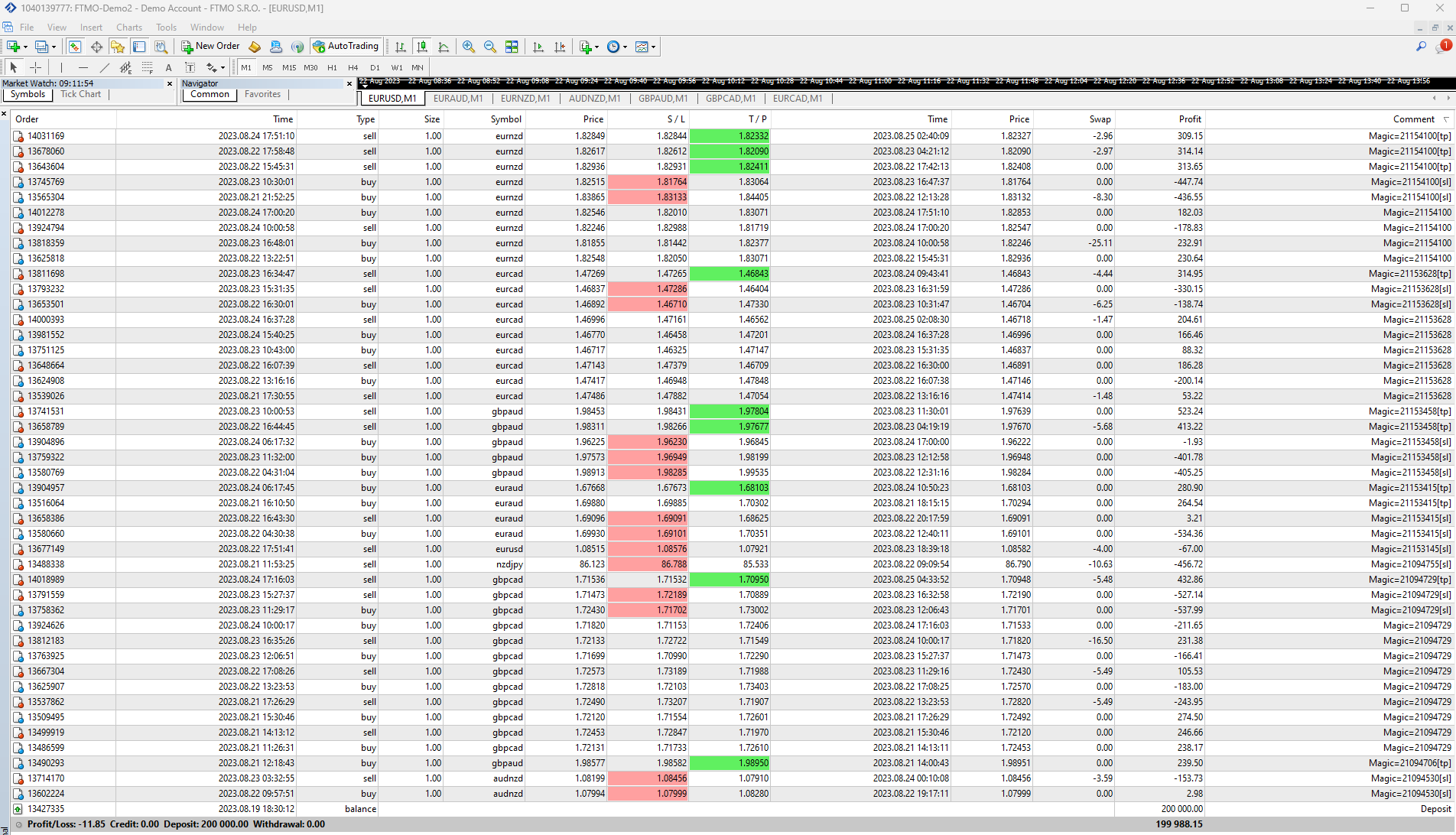
2. Then, what I would do is connect the account with FXBlue and see which EAs are most profitable:
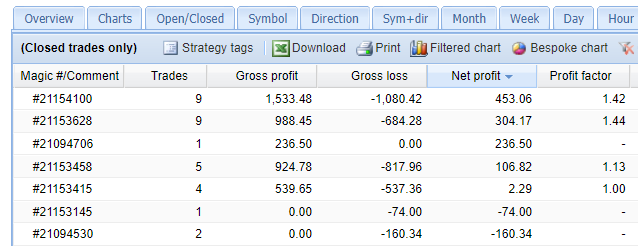
In this case, I have 4 that bring profits in current market conditions. So I can pick 1 or 2 that I would trade on my challenge or FTMO-funded account.
At the moment the FTMO Robot for EURNZD is the top performer.
And I always combine with the scaling-up system I show in the FTMO Course.
3. All the EAs have SL, check the first screenshot.
But that is what I would do. It doesn’t mean you have to do it the same way. 🙂
August 31, 2023 at 10:24 pm #195152Janek
ParticipantHi,
Is the EURNZD still the best performer?
Thanks,
JanekSeptember 2, 2023 at 8:05 am #195460ParticipantHey Janek,
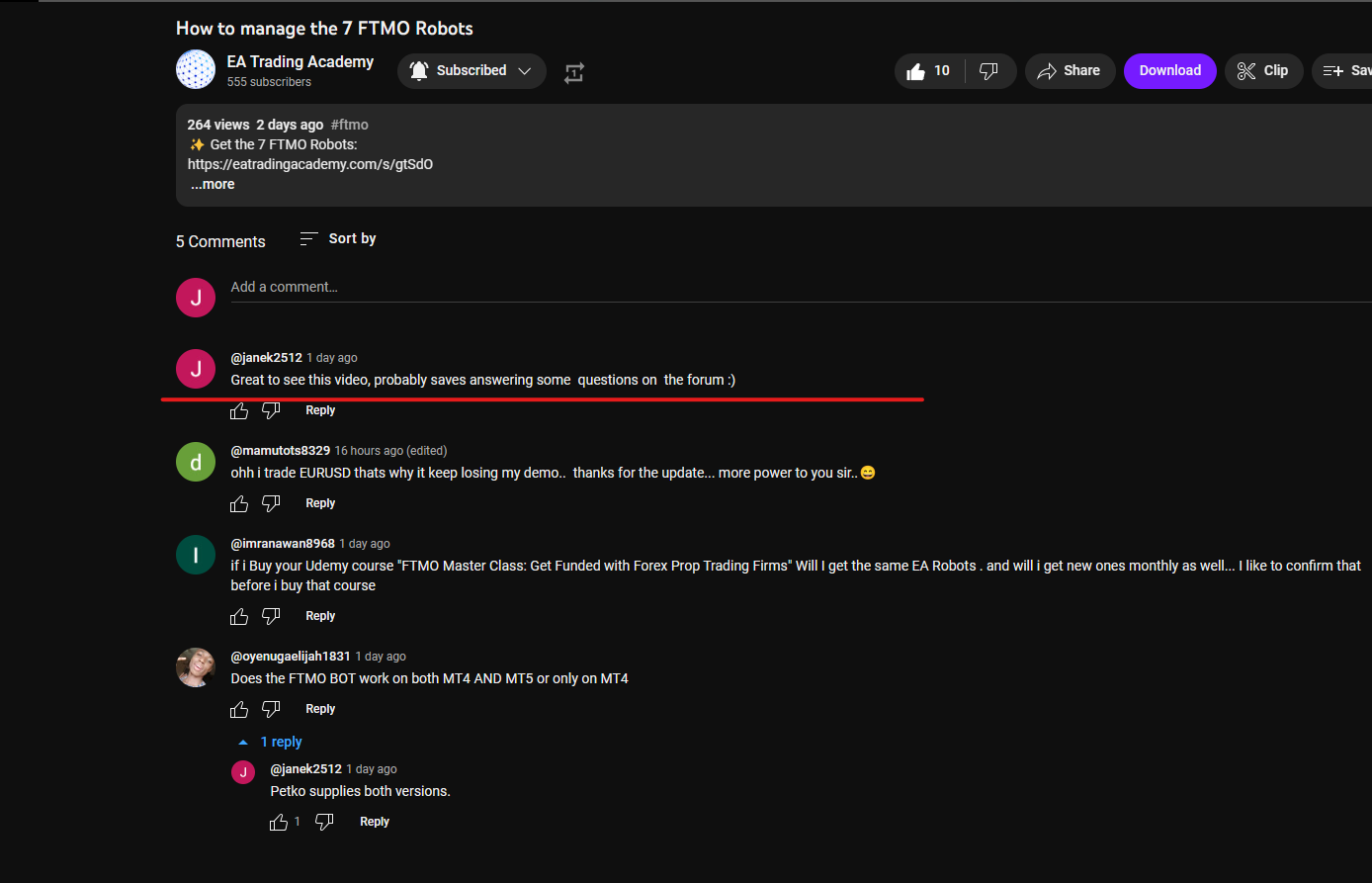
In the last few days of the week, it was the EURAUD. I recorded a video showing exactly how I manage it:
September 3, 2023 at 1:51 pm #195685ParticipantHi Petko,
Thank you for creating the video and answering here 🙂
 September 16, 2023 at 11:05 am #198885Participant
Hey Janek,
I appreciate it! I am going to add this video to the course since it turned out to be valuable indeed!
September 29, 2023 at 12:50 am #202027KazGwada
ParticipantHi
Has anyone already completed another FTMO challenge (notably Nova Funding) with the bot?
Are we sure the bot is difficult to detect on Nova?October 2, 2023 at 10:09 pm #202784Craig
MemberHi all,
These 7 bots have different Risk to Reward Ratios. Is that correct? The default EA’s when loaded?
AUDNZD 1 to 0.5
EURAUD 1 to 0.56
EURCAD 1 to 0.41
EURNZD 1 to 1.5
GBPAUD 1 to 1.85
GBPCAD 1 to 0.83
NZDJPY 1 to 0.44
Or do I need to change the RR to a 1 to 2 or 1 to 3?
Thanks
October 2, 2023 at 10:26 pm #202788MemberSorry to add, I’d these RR’s are correct I would need to modify my Lot sizes so that the max lot size is 1%?
October 3, 2023 at 11:30 am #202856Alan Northam
ParticipantI think what you are wanting to do is to limit the risk of account loss to 1%. This is done by a calculation based upon the account size, risk in percent, and the Stop Loss. All the EAs have their individual SL set to the required number of pips to equal an account loss of 1% so you do not need to change anything. All you need to do is set the lot size based upon your account size as follows:
200K Account: Amount for new position = 6.0 / Maximum position amount = 6.0
100K Account: Amount for new position = 3.0 / Maximum position amount = 3.0
50K Account: Amount for new position = 1.5 / Maximum position amount = 1.5
25K Account: Amount for new position = 0.75 / Maximum position amount = 0.75
10K Account: Amount for new position = 0.30 / Maximum position amount = 0.30October 10, 2023 at 8:20 pm #204056Majdi
ParticipantHello there ,
as I’m watching the ftmo course I came across were Petko was talking about the Forex profit supreme meter .. and I downloaded it from below the video and applied it to my chart but for some reason it’s doesn’t look exactly as shown on Petko’s screen .. The pair names don’t show in full so I can’t read the pair name and also, it’s on top of the of the meter on the left .. please take a look at how it looks on my screen .. I’m attaching both screens how it’s on my screen and how it should be like Petko’s screen … any suggestion why this is happening or how can I fix this ? please note that i looked under the colors tab in the idicator settings and i see nothis to change font size. any one know how to solve this ?
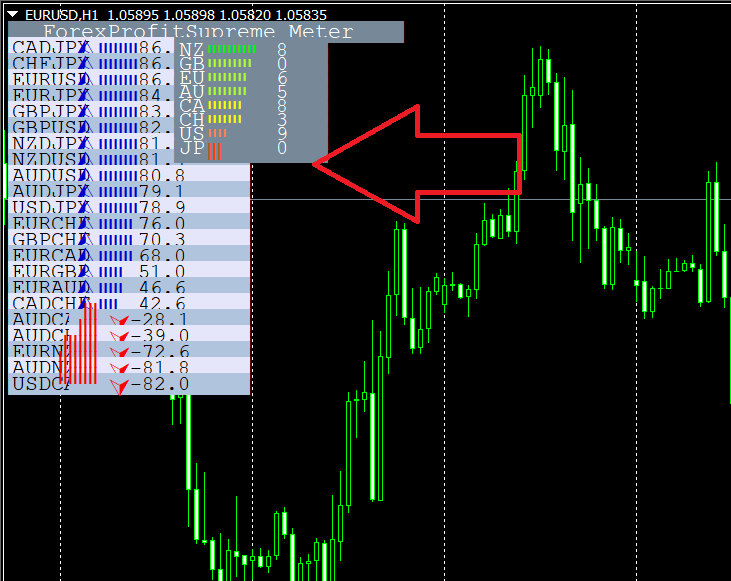
Regards,
Mqjdi -
AuthorPosts
- You must be logged in to reply to this topic.