
Community Forums › Forums › Historical Data › Use of Historical data & Data Horizon
Tagged: custom datas, data horizon, fbs, Glitch, historical data, Historical data App, History Center ON MT5, IG, metatrader, sychronization, symbol settings
- This topic has 48 replies, 19 voices, and was last updated 1 year, 1 month ago by
Alan Northam.
-
AuthorPosts
-
May 21, 2021 at 3:48 pm #88226
SteveM2030
ParticipantHi Petko, can you advise if it is possible to merge JSON files to create an ongoing historical data set? For example: When I download M1 data from my broker, I can get about 65000 bars, which covers about 2 months of trading. I did this on 26th April and so was running the generator against M1 data covering approximate 24th Feb to 26th April (I forget the exact start date). However this week I wanted to update my data, so I followed the same process to export it from my broker, loaded it into EA Studio, but the new 65000 bar data set was covering 18th March to 18th May, so I “lost” 24th Feb – 18th March. Is there any way to ensure EA Studio keeps and stores previous data uploads with older trading data? Clearly this questions only really relevant for higher timeframe data – M1 and M5 perhaps. Thanks
May 27, 2021 at 12:22 am #88712Petko Aleksandrov
ParticipantHey Steve,
Actually, the 65 000 limitation comes from MetaTrader and not from EA Studio.
In most of my algo trading courses, I explain how to solve it but I have some youtube videos as well:
The solution is after 4:30 minute.
December 3, 2021 at 11:47 am #101530Paul Jervis
ParticipantHi Guys/Girls
I’m trying to import historical data into MT4, I have used the Forex historical download to export the data but i am having trouble importing and seeing it in MT4.
Ive also tried the expert Advisor studio but again this is not working for me.
Any advice would be much appreciated .
Thanks in advance
M
December 9, 2021 at 8:35 am #102937ParticipantHey Paul,
Please, have a look at all the videos on this page:
https://platform.algotradingspace.com/software/forex-historical-data/
have shown it all step-by-step.
October 25, 2022 at 12:43 pm #128843Gerhard du Bruyn
ParticipantI bought the course called: ” Trade the 12 Forex Robots I Trade Live” Im trying to export Historical data to my MetaTrader MT5 .There is no historic center on MT5. What do I do?
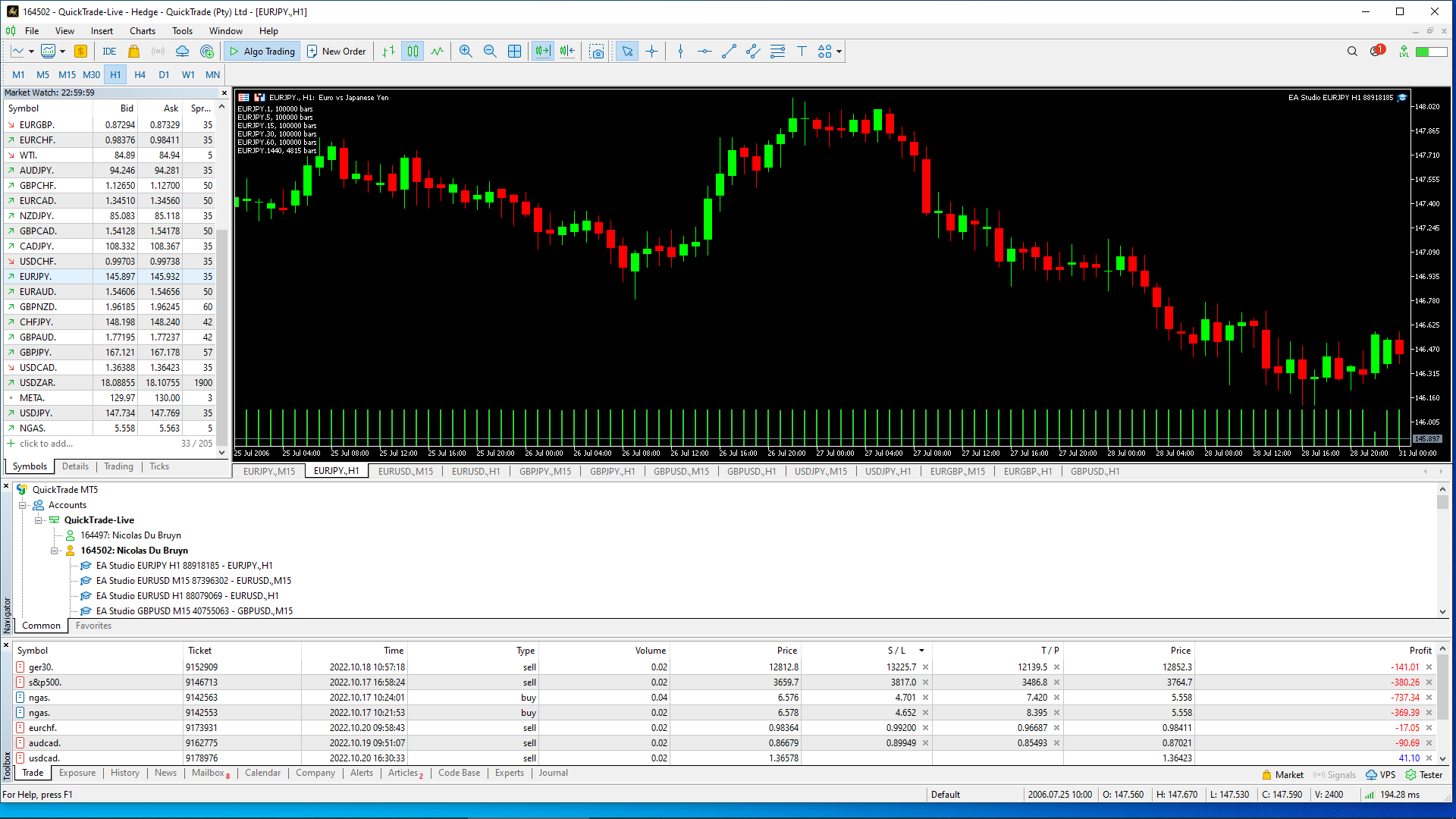
October 25, 2022 at 12:43 pm #128845ParticipantI loaded a few EA robots on MT5 because my broker supplied enough historic data. I want to know if I did it correctly. Please look at the picture
 October 25, 2022 at 12:48 pm #128917
Samuel Jackson
MemberHi Gerhard,
Things look loaded correctly to me. Can you be clearer with your concern please?
Also it looks like you are trading live? Is this correct?
This would not be advised if it is your first time trading these robots so I give the -live server does not mean real money
May 21, 2023 at 9:14 pm #171733Thorsten G.
ParticipantHello,
can someone help me with the correct values for GOLD to the Data Export script (V. 4.5) ?
I’m not sure which data I can find exactly where. I use an ICMarkets raw spread account.https://ibb.co/j4Pb4gK https://ibb.co/6vMNSjD
Thanks a lot!
Thorsten
May 21, 2023 at 9:16 pm #171739ParticipantMay 21, 2023 at 9:20 pm #171754Alan Northam
ParticipantIf you are looking for the data files for XAUUSD go to: File>Open Data Folder>MQL4>files
November 9, 2023 at 3:42 am #210974Bkennedy74
ParticipantI notice you have eightcapEU live as a datasource, if this is the broker I am using and I export the data, wouldn’t the data be identical? And therefor not need to go through the process of exporting data for each currency pair/crypto pair I want to run ea’s on?
May 20, 2024 at 7:07 am #255843Marin Stoyanov
KeymasterHi Bkennedy74,
You’re right, it should be identical.
Have you tried it?
How are the EAs working for you with that data set?Warmly
MattJune 9, 2024 at 6:27 pm #260344timaddamz
ParticipantHi, I followed the video on how to export the historical data. I am using blackbull markets for my demo. This is 3 hours ahead of GMT in my Metatrader. So I have set it 3 hours ahead and loaded the data. When I compare the price chart against Metatrader as per the video it is still 3hours behind. It has not changed the timezone in the historical data app.
Can anybody help?
June 14, 2024 at 11:47 am #261162NIKOS KYRIAKOU
MemberHey timaddamz,
From what I can understand is that this might be happening as the historical data is set to GMT +0 by default and probably this is the reason you see the difference.
Kind Regards,
NikosOctober 10, 2024 at 2:59 pm #314923Goestaf Paul
ParticipantIt is supposed to be updated to coincide with your broker data. It does not. Up to the hours you can easily adapt the data by just moving everything 3 hours up/down, but that does not work for 4h, 1D. That data will then have to be reworked from hourly data. I do not think it is worth my while.
-
AuthorPosts
- You must be logged in to reply to this topic.