
Community Forums › Forums › Ready-to-use Robots › Prop Firm Robots › FTMO Robot: V4.3: What’s new?
Tagged: Back test FTMO robot, FTMO Robot, ftmo robot v4.0, ftmo robot v4.1, ftmo robot v4.2, ftmo robot v4.3, manually close transaction, Petko, Questions with prop firms
- This topic has 282 replies, 65 voices, and was last updated 2 years, 2 months ago by
Sammy Trader.
-
AuthorPosts
-
August 5, 2023 at 3:45 pm #188634
patrick paiotta
MemberHello Petko,
I am testing the FTMO Robot 1M EURUSD on a 10k USD – 15kCAD.
I am using Metratrader5 could you please post a video on how to backtest the Robot and how to let the Robot run on the platform?
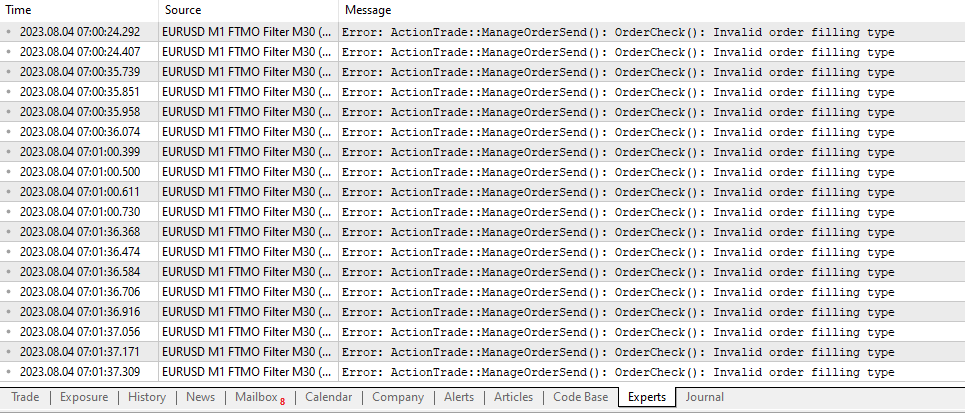
as per today i am not able to backtest the robot or even to let the robot run on my account, please find pictures attached with details on the errors and settings.
Account for new position: 0.1
Maximum position amount: 0.1
and default settings
Am i doing something wrong?
Thank you so much,
Patrick
 August 5, 2023 at 3:47 pm #188774
Alan Northam
ParticipantSee Petkos’ video on this topic on August 2 entitled “FTMO Robot Backtesting”.
August 5, 2023 at 3:47 pm #188473Szymon Wloch
ParticipantHi Petko,
Just received the 4.0 FTMO Robot and can I simply overwrite it on my current M1 chart or should I wait for the current trades to close?
Also, I believe the question for .setfiles is in regards of the other inputs we can change i.e. MACD or Envelopes – are the preloaded values (MA 9, Daviation 0.1, Slow MA 13, Fast MA 12, Signal line 10) the recommended settings or do you recommend backtesting and tweaking these as well?
Just starting the FTMO course so hopefully it will address some other questions about the robot and if not I shall come back here!
Thanks
August 5, 2023 at 3:49 pm #188776ParticipantYes, you can overwrite the EA. It is up to you if you want to close out any open positions.
August 5, 2023 at 8:43 pm #188827JOSE RODRIGUEZ
ParticipantHi Pedro
In case that I want to use the EA non-martingale mode what do I have to do?
Thank you
August 5, 2023 at 8:49 pm #188829ParticipantHi sir
Another Question my broker use EURUSD.i can I use the EA without not problems ?
Thank you
August 6, 2023 at 7:54 pm #189083ParticipantYes! EURUSD.i is just the name of the chart and has nothing to do with the historical data displayed.
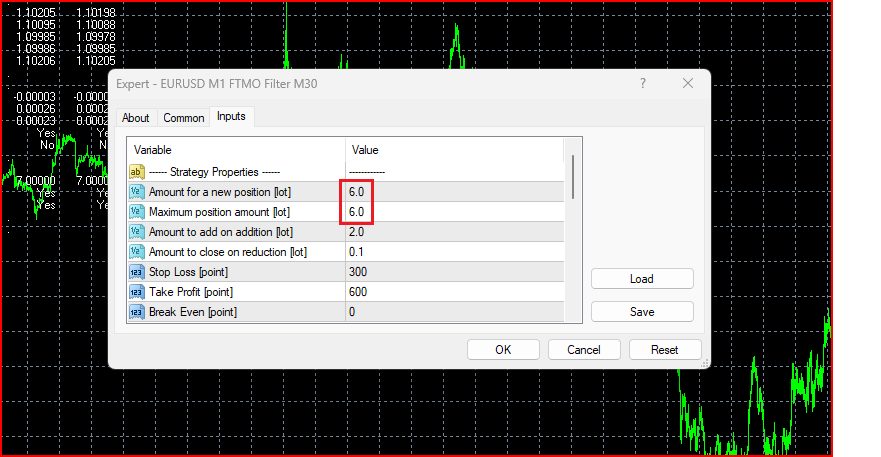
August 6, 2023 at 8:03 pm #189086ParticipantThe FTMO EA does not use martingale. It does however add to the lot. Martingale works differently. To stop adding make “Amount for a new position” and “Maximum position amount” the same.
 August 6, 2023 at 8:48 pm #189088Participant
Hi sir,
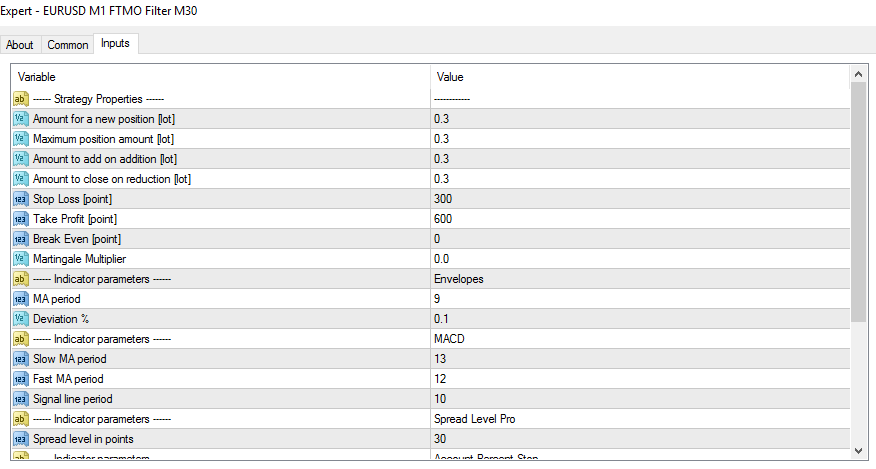
I need that the EA open the positions with the same size. this is, ok?
 August 6, 2023 at 8:49 pm #189104Participant
Yes, this will open only one lot and will not add to it!
August 6, 2023 at 8:51 pm #189080Daniel Whyte
ParticipantHey Patrick, were you able to fix those errors you are getting? I’m also seeing the same error msg when backtesting on Eightcap.
August 7, 2023 at 1:46 am #189193ParticipantThanks for help
August 8, 2023 at 2:12 pm #189644Bogdan Mihalcea
MemberHi Guys,
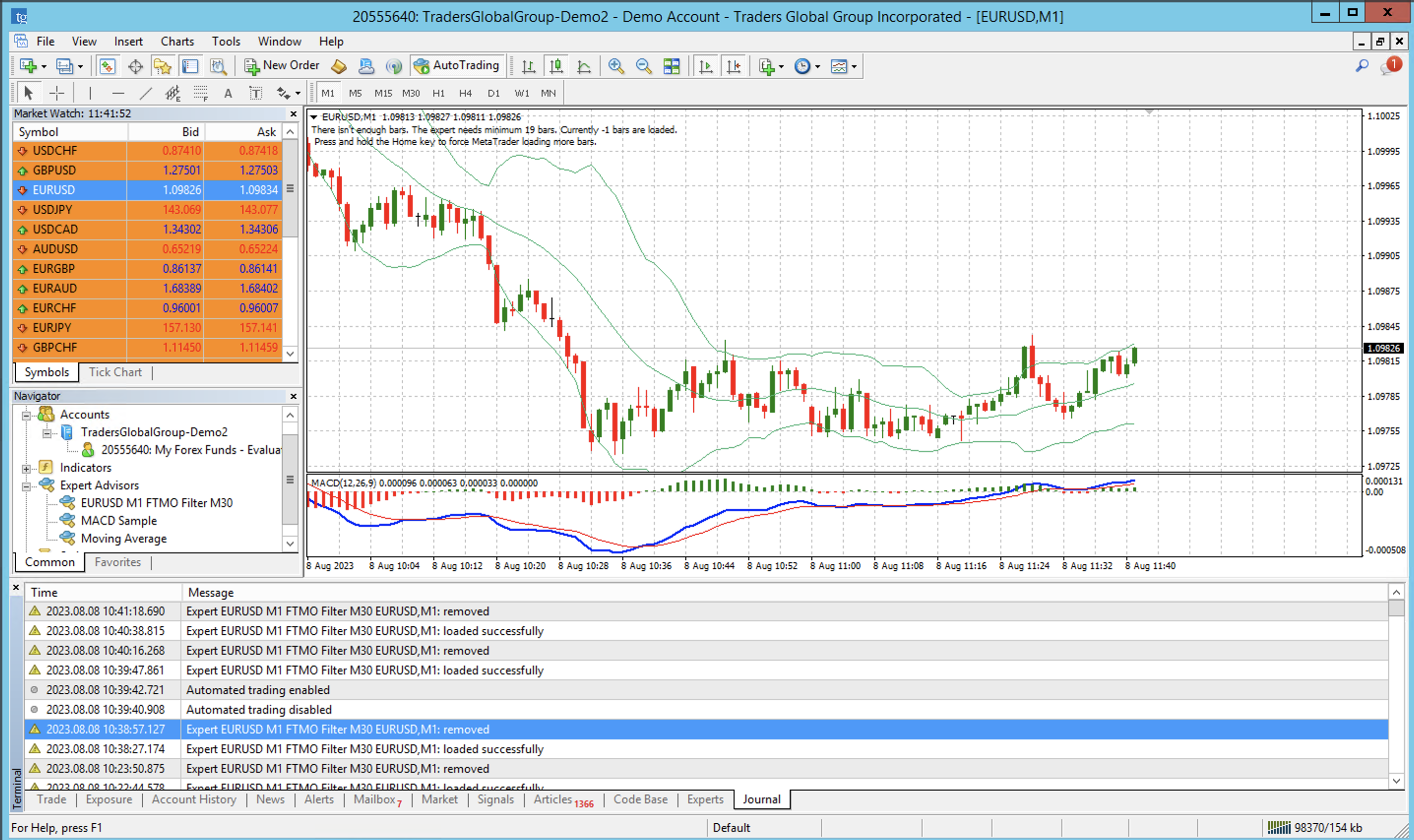
Any idea why my robot is getting removed after only a few seconds after activation? I made the tests and when I try to put it live it gets disconnected automatically
Thanks!
 August 8, 2023 at 2:13 pm #189672Member
Solved the issue. It seems I did not had enough historical data. 🙂
August 9, 2023 at 12:16 am #189817Kevin Burton
ParticipantSo far this week I have had the V4 Bot turned on and it has not taken a single trade.
-
AuthorPosts
- You must be logged in to reply to this topic.