
Community Forums › Forums › Forex Strategy Builder Pro › Forex Strategy Builder Pro: Errors and Solutions
Tagged: FSB Pro, FSB Pro EA performing badly
- This topic has 28 replies, 7 voices, and was last updated 1 year, 4 months ago by
augfilip.
-
AuthorPosts
-
March 23, 2020 at 10:47 am #436389
Stoyan Stoyanov
ParticipantIn this topic we focus on identifying and resolving common errors encountered with FSB Pro. Share your experiences, troubleshooting tips, and solutions related to installation issues, configuration problems, algorithmic errors, performance optimization, and more. Whether you’re a seasoned trader or a newbie, join us to exchange valuable insights and enhance the performance of your trading robots. Let’s work together to master these powerful tools for a more successful trading journey!
P.S. Please use the Reply button if you want to reply to a specific comment. This would make the topic organized and easier to navigate through and will reduce number of duplicate questions.
March 23, 2020 at 10:47 am #42309Simon Chong
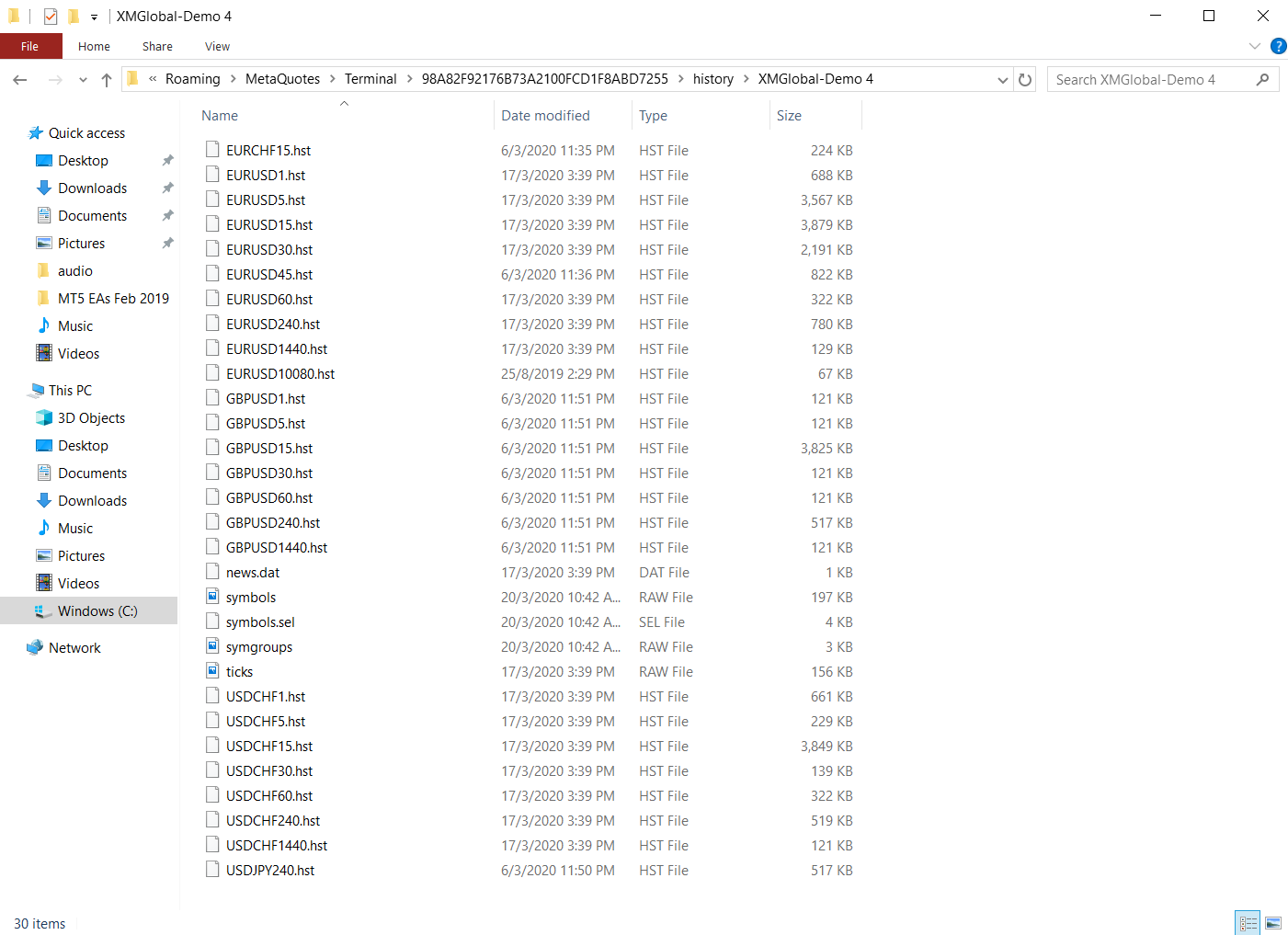
ParticipantFSB seems can’t support the data as well. How to I increase the HST files sizes and use it as data for FSB?
 March 23, 2020 at 10:56 am #42310Participant
I realize that different charts like Heiken Ashi (same time) will lead to a different result when using same indicator parameter. Can we do the same for EA Studio and FSB?
March 24, 2020 at 9:32 pm #42495Petko Aleksandrov
ParticipantHello Simon,
the Historical data in hat files comes from your broker.
Make sure you press the home key and hold it on each time frame and asset that you want to trade.
After that close the MetaTrader so the hat files will be saved.
Here is a video that will help you importing Historical data in FSB Pro:
March 24, 2020 at 9:41 pm #42496ParticipantHello Simon,
Glad to hear from you again.
Do you mean that you have created one and the same strategy with EA Studio and with FSB Pro? And you see different balance lines?
It depends what you have in the strategy, but keep in mind that the strategies in EA Studio open on Bar Open. And in FSB Pro, the strategy can open inside the bar. So it works differently. The EAs check for signals at different time, which leads to different orders. This is why it is reasonable to see such a difference.
Kind regards,
Petko A
March 25, 2020 at 5:53 am #42499ParticipantHi Petko,
The experience I encounter is when I’m using TradingView. Different type of charts leads to different performance when using the same indicators. I wonder we can do the same via EA Studio or FSB. I would like the system to calculate the performing indicator based on Heiken Ashi chart.
March 25, 2020 at 2:44 pm #42617ParticipantHello Simon,
please, attach some screenshots so I can understand better what you mean.
Cheers,
April 15, 2020 at 5:38 pm #45185Charbel
ParticipantHello, 1st of all sorry for posting too much questions these days but m new to Algos..
Well i ve generated an EA using FSB Pro, i attached it to EurUsd M1 it shows the smiley face, i tried to backtest it, no backtesting is performed..and While on the same chart window i clicked on other timeframes, all charts show the smiley face except the Monthly Timeframe it shows a message saying that the EA need more bars… And when i switched again to M1 timeframe the smiley face disappeared as the EA Deattach itself from the chart… Any idea what s happening?
Kind regards
April 19, 2020 at 3:25 pm #45394ParticipantHello Charbel,
I am not really sure what exactly you are doing, but you need to place the EA only on the time frame that you are trading.
If you trade on M1, but you use the higher time frames as a filter, you need the smiley face just on M1.
But before you attach it to the chart, you need to load enough bars on the other time frames by pressing the Home key on the keyboard.
April 20, 2020 at 9:28 am #45414ParticipantThank you Petko for your quick reply,
Well Ive already done what you said, my question is: when we attach an EA to a specific timeframe for ex. M1, if on the same chart window we clicked on another time frame ie. M15 the EA detach from M1 and reinitialize on M15, this is what the ecperts log shows, this the way Mt4 works right? Thank you again Petko. Happy Easter.
April 20, 2020 at 2:41 pm #45419ParticipantHey Charbel,
Happy Easter!
Yes, I got you now. When you set the EA on M1, you should not change the time frame on this chart window. Anyway, the EA will start working on the new time frame.
The EAs that use higher time frames, they scan the higher time frames without an actual chart to be opened. Or, if you want just to monitor another time frame, open it on a separate chart.
April 21, 2020 at 9:54 pm #45527ParticipantThis is what i ve meant…Well Petko Regardless of the professional relationship you establish with everyone in this forum, I just want to praise your great dedication and your big sense of ethical responsibility in communicating all the infos and the technical know-how to everybody, in a dark field like forex… Thank you again Petko.
April 23, 2020 at 11:09 am #45545ParticipantHey Charbel,
I am really glad to hear your words, and it makes me very happy that my work is appreciated by many of the students. Thanks!
When I was studying Forex, it was so much harder, online education as not yet popular. And I was missing a lot of ot things.
This is why when I established the Academy, I wanted to implement everything I learned and everything I was missing, such as support and guides from someone that is more experienced.
And this is why even I have my team, I still answer the Forum personally because I know how important it is.
Cheers,
July 16, 2020 at 4:12 pm #54231queen_rana1988
ParticipantDear Mr. Petko
My name is Rana,from Iran, my friends and I have some questions about FSB pro, we attached pdf and step by step we show the path, would you please help us to achieve our strategy? How can we send PDF here?or we can just sent pictures?
Besides , your team was very kind to us, thank you sir
Sincerely,
Rana
July 16, 2020 at 5:13 pm #54242ParticipantHey Rana!
Welcome to the Forum. Glad to hear the team is polite, this is why I have them 🙂
Please, attach your screenshots here using the option:

-
AuthorPosts
- You must be logged in to reply to this topic.