
Community Forums › Forums › Ready-to-use Robots › EAs not working (not opening any trades)
- This topic has 10 replies, 8 voices, and was last updated 6 months ago by
Samuel Jackson.
-
AuthorPosts
-
April 14, 2022 at 12:34 pm #115133
danielsimon1105
ParticipantDear All,
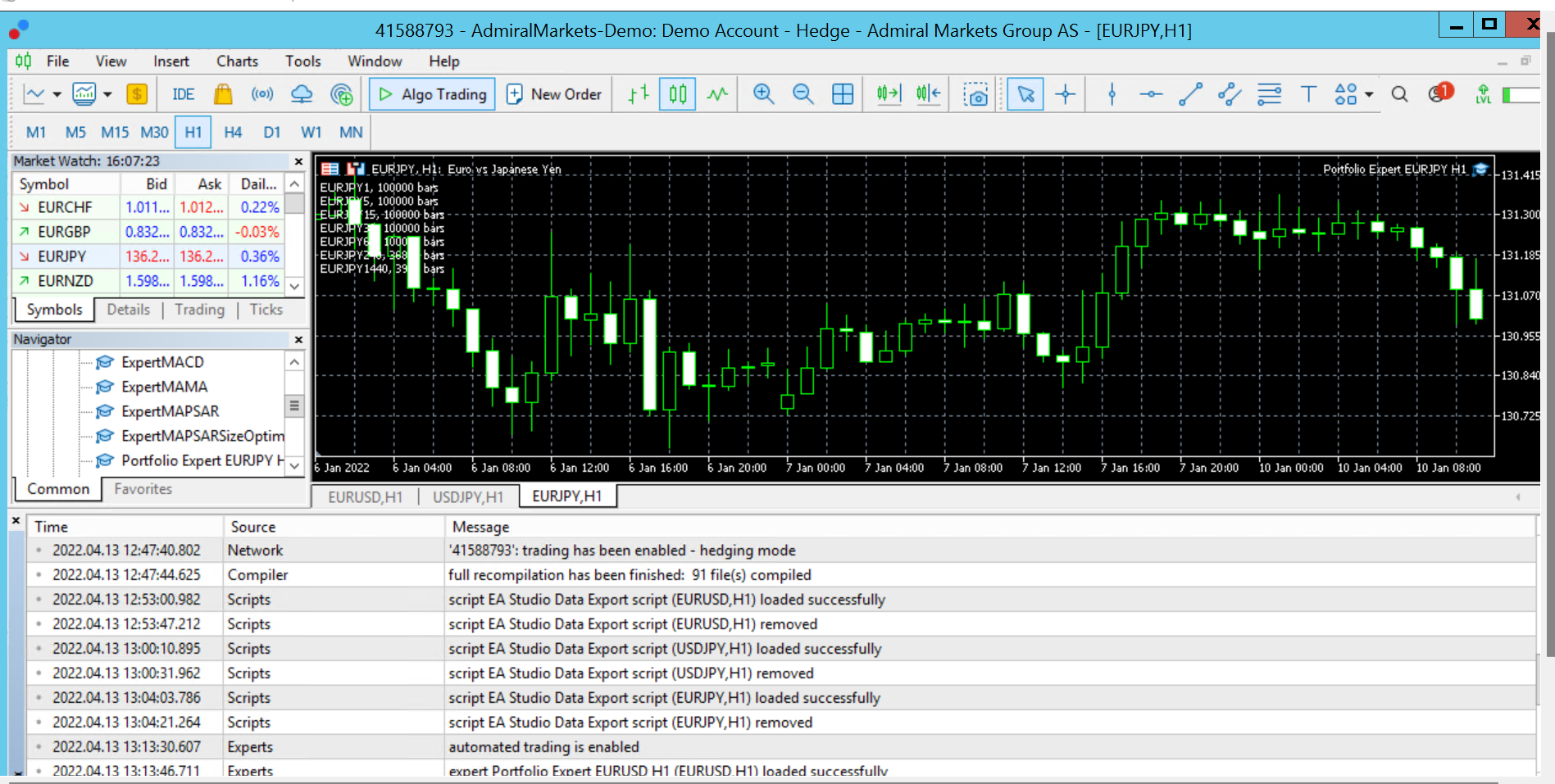
I’m facing an issue with the EAs. I used this website back then (like 2 years ago), the EAs worked like a charm. I subscribed this month, created few strategies and simply doesnt work, not open trades at all. I have tried MT4, MT5, separate EAs (including Petko’s EAs from some courses), Portfolio. I think i have ticked every necessary boxes, but still not working. I’m sure i’m missing something, somewhere, i just simply don’t know where..
Have enough bars, algo trading enabled (before i applied the EAs, but also tried to reinsert it, also no success), according to the platform the EA is running (top right corner), one-click trading enabled, have connection, broker says everything is in place on my account to do EA trading.. I was able to do backtesting in MT5 with these portfolio advisors, i ran out of ideas, right now i wouldn’t care about the results, i just would like to have the EAs to open trades atleast.
What am i missing? Anyone have any ideas?
Greatly appreciate your help on this!
 April 14, 2022 at 12:41 pm #115173
Samuel Jackson
MemberHi Daniel,
First a couple of obvious checks.
1. If you click Tool > Options > and then export advisors are any of the “disable expert…” options checked. If so then uncheck them.
2. Right click on the chart with the expert advisor and then select the common tab and ensure that the allow live trading is checked
It also could possibly be a compilation issue. Is the .ex5 or 4 file showing in the Experts folder. You could try opening up metaeditor and compiling it manually and seeing if any warning shows up.
It sounds like it is just not opening trades? Are you positive that the entry conditions have been triggered?
April 16, 2022 at 7:15 am #115175Marin Stoyanov
KeymasterHi Daniel,
May be you can also look at the expert tab (on mt4, don’t know about mt5), sometime you have very useful information like wrong lot size, not sufficient margin, …
French in my case, but you should find it easily 🙂
 March 26, 2024 at 2:01 am #244304
ShaynaOrozco
ParticipantIn my opinion, you should double-check that the options for “Allow automated trading” and “Allow DLL imports” are ticked in the settings for Expert Advisors. It’s a simple step but it’s really important for making sure your trading robots can do their job.
March 26, 2024 at 2:41 am #244310Alan Northam
ParticipantHi Shayna,
FYI – Expert Advisors do not use DLL’s!
Alan,
April 3, 2024 at 6:40 pm #246333Eric Carrier
Participanti am having issues where i have had gold scalper pro, forex gold investor and trending matrix ea’s all running since March 17 and 27th but havent gotten one trade to initiate. i followed the guides to the letter and everything looks to be running but nothing is entering trades
September 4, 2024 at 6:46 pm #304826NeelC
Participant05-Sep-2024
Hi,
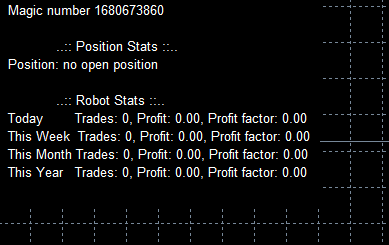
I am having the same problem, using MT4 EA – I have checked all settings mentioned above and still no luck, Topped up account balance with funds – Still wouldn’t work. Have tried removing it and re-adding the EA…but No – it does not want to work – it works in the “Strategy Tester” – spits out values on the past data – it seems like it does not want to process the current real-time data.
Can anyone help please…
Thanks – Neel.
September 4, 2024 at 6:46 pm #304827Participant05-Sep-2024
Hi,
I am having the same problem, using MT4 EA – I have checked all settings mentioned above and still no luck, Topped up account balance with funds – Still wouldn’t work. Have tried removing it and re-adding the EA…but No – it does not want to work – it works in the “Strategy Tester” – spits out values on the past data – it seems like it does not want to process the current real-time data.
Can anyone help please…

Thanks – Neel.
September 4, 2024 at 6:48 pm #304828Participant05-Sep-2024
Hi,
I am having the same problem, using MT4 EA – I have checked all settings mentioned above and still no luck, Topped up account balance with funds – Still wouldn’t work. Have tried removing it and re-adding the EA…but No – it does not want to work – it works in the “Strategy Tester” – spits out values on the past data – it seems like it does not want to process the current real-time data.
Can anyone help please…

Thanks – Neel.
September 2, 2025 at 10:54 pm #469764James Quin
ParticipantI’m having the exact same issue. Everything worked fine on a demo account but all but 2 EA’s never get triggered on a live account. All setting are correct as outlined in this thread. I contacted support but not much help.
September 3, 2025 at 12:43 pm #470154MemberHi, how long have the EAs been on the account for and how many are there? What period did you back test for and what was the number of trades per week? It may even be worth exporting the backtest as a csv file and then using excel to deterimine the maximum time between trades? It may just be that no open signals have occured? If you provide more details along these lines then I will happily help you troubleshoot this further
-
AuthorPosts
- You must be logged in to reply to this topic.