
Community Forums › Forums › Cryptocurrency › Cryptocurrency: Settings and Inputs
Tagged: Bitcoin Robots, cryptocurrency
- This topic has 62 replies, 1 voice, and was last updated 2 days, 2 hours ago by
Gamebai1grcom.
-
AuthorPosts
-
April 9, 2024 at 12:14 pm #247516
romolusne
MemberGood morning Nikos,
I have received the updated 10 Bitcoin robots, shall delete everything from the chart and set up them as like new robots? Or just place them under the old ones at the – Open data folder file?
Thank you in advance!
Best wishes,
Edina
April 9, 2024 at 12:22 pm #247518Marin Stoyanov
KeymasterHey Edina,
I recommend that you change the robots to the updated ones. Remove the old ones completely and place the new ones!
Kind Regards,
NikosApril 9, 2024 at 12:36 pm #247522MemberOMG Nikos, Thank you for the quick reply!
Really appreciated!
Have a great day!
April 9, 2024 at 12:41 pm #247525KeymasterNo worries Edina!
If you have any more questions, let me know!
Have an amazing day!
Kind Regards,
NikosApril 10, 2024 at 6:16 pm #247857MemberHi Nikos,
My husband got the gold robot for free and the robots already started working beautifully. I would like to ask do you recommend any kind of virus protection somewhere?
I mean okay we have on the computer in the base – but what happened previously – we downloaded from MQL5 a free Algo Gold robot (Do you know this robot?) – and on my husband account it started working nicely at first – but then one day suddenly an unknown robot with different numbers started to take all the money from the account. And I wondering what had happened – or how we can prevent this things?
Best wishes,
Edina
April 10, 2024 at 7:18 pm #247874KeymasterHey Edina,
So, I cannot recommend any anti virus, I would suggest that you do some research on that or ask someone who knows about this kind of things.
I know Algo Gold Robot.
Regarding the unknown robot, did you have any other robots other than Algo Gold Robot on any charts of the account?
Kind Regards,
NikosApril 10, 2024 at 11:43 pm #247915MemberHi Nikos,
thank you so much for getting back to me! He had these robots on his MT4
:TOP 10 Forex, Dark Venus, Central, and Algo Gold.
But when it started to go to negative and taking the money the robots had strange numbers and signs, instead of normal names… that is why we don’t know which robots were the kinda bad ones…
Best wishes,
Edina
April 11, 2024 at 12:48 am #247927KeymasterHey Edina,
I can understand that one of the robots or some of the robots could have not been set correctly and that could be the reason that the account went negative.
There are a way that you can find which robots were the ones that made the bad trades. The easiest way actually is to check in the expert advisor settings and see the magic number or comment whatever you find in the inputs.
Hope that helps!
Let me know if you have any questions!
Kind Regards,
NikosApril 11, 2024 at 10:24 am #247977MemberGood morning Nikos,
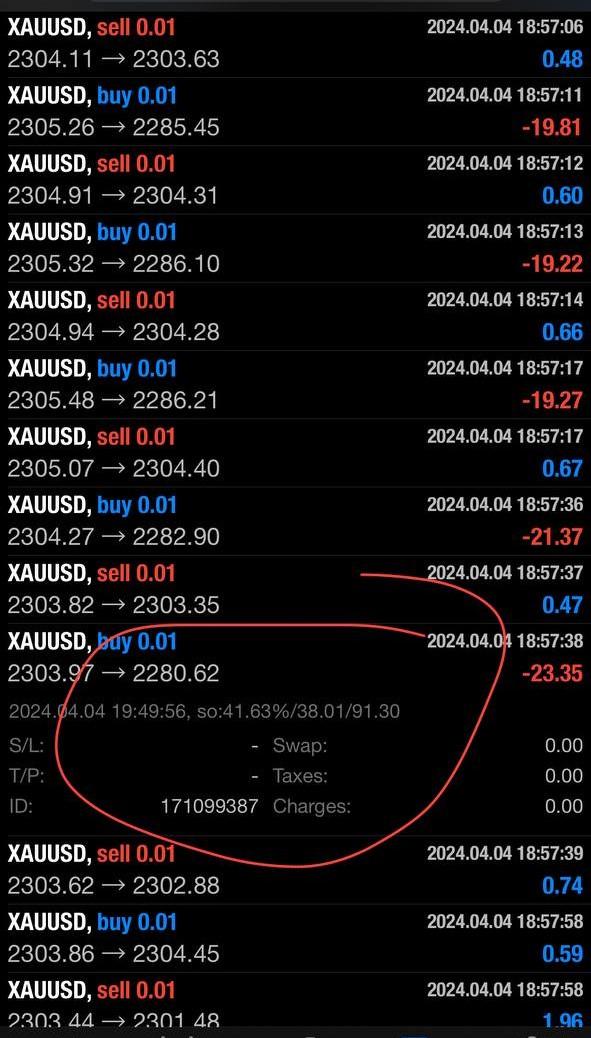
Thank you so much for replying to me so late! I attached a picture – unfortunately it does not say which robot is that – but has got really weird numbers and simbols.
That is why we are clueless which one was the “bad” one a kind of a “virus”? My hubby had like 200 pounds on that account – it went up above 300 and as soon as stepped over the 300 starting to making minus straight (all the minus twenties are the same robot) and only minuses.
Best wishes,
Edina
 April 11, 2024 at 11:29 am #247983Keymaster
Hello Edina,
So, if you mean that so:41.63%/38.01/91.30, I am not sure what that is but it’s definitely something inside of metatrader. It is not a virus though.
To check what robot has made the trade, you will need to check the account inside of metatrader in a PC by clicking in the Account History tab, right clicking on the Profit/Loss section and then you should see a pop up menu that has some options. From there, you need to click on where it says comment so that it gets a tick and that will show you the magic number of the robot or even a comment that will display the name of the robot.
Hope this helped!
If you have any more questions, let me know!
Kind Regards,
NikosApril 11, 2024 at 11:44 am #247985MemberHi Nikos,
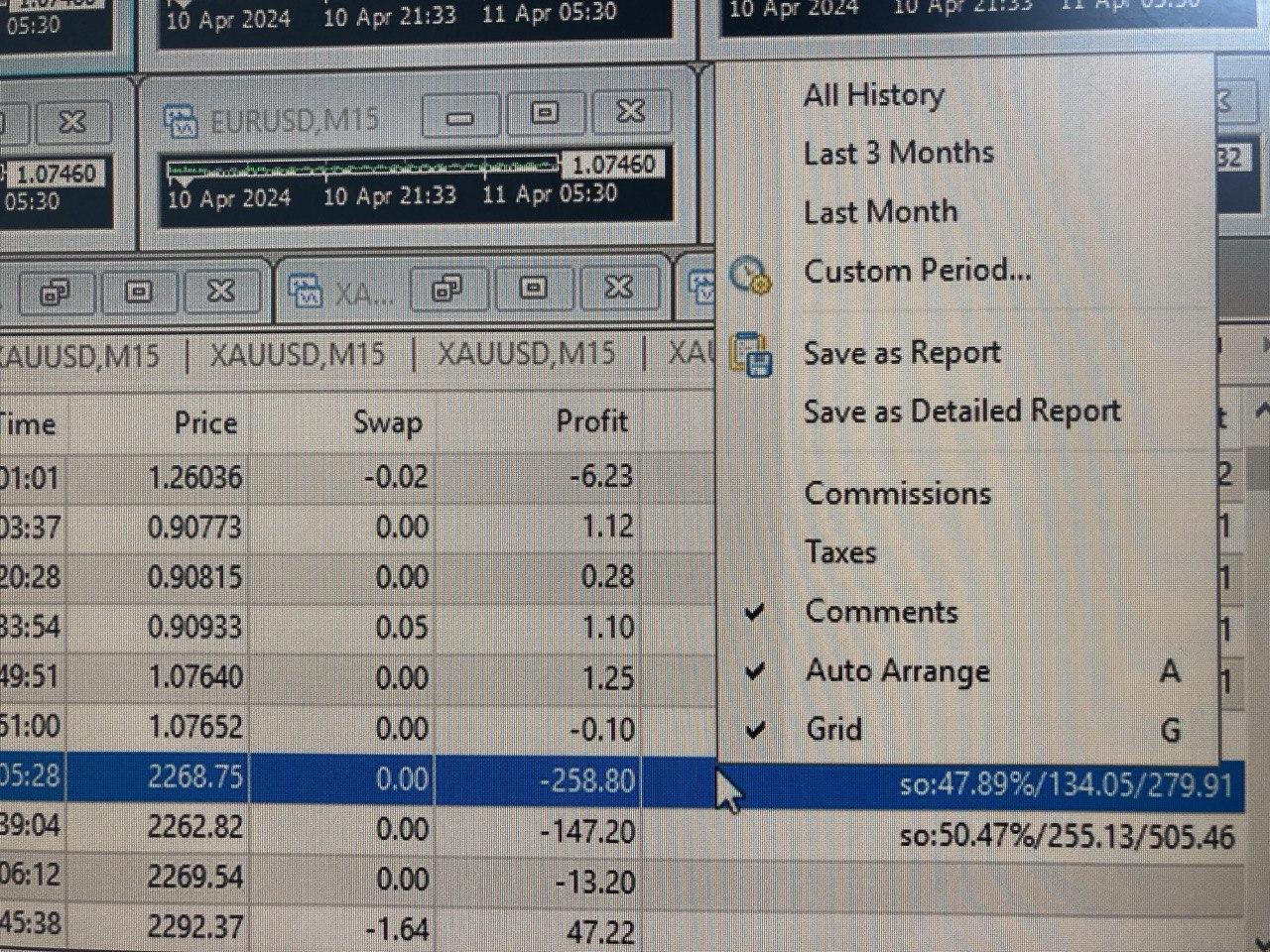
thank you for your answer, unfortunately it is the same numbers, please see the picture below 🙁
 April 11, 2024 at 12:00 pm #247990Keymaster
I see Edina. I just found out this means that the trade got stopped out, which stands for so: 47.89% which means that margin level was 47.89%, equity was 134.05 pounds or dollars, whatever currency you are using in the account and margin at 279.91.
In that case, to see what is the expert advisor that made this trade, a way is to check the expert advisor settings and see what the comments are and just try to see in the closed trades or even open trades what are the magic number or comment of the trades that do not have been stopped out and that way you could find which robot made the stopped out trade.
Hope this helps!
If there is anything else, let me know!
Kind Regards,
NikosApril 11, 2024 at 2:55 pm #248020MemberThank you Nikos, for your answer,
My husband Oli, thinks – it was the Algo Gold robot (however we are unable to recover exactly), and what could happened, maybe the bot tried to enter with bigger amount – and because the capital was not enough to recover the losses he made…
However all of a sudden it is started closing the trades with only negatives – and it did not closed the profits.
I have a different question – how much a floating amount should be for example if the capital is 1000 pounds? (we use pounds normally)
Thank you in advance!
Edi
April 11, 2024 at 4:26 pm #248034KeymasterHey Edina,
In this case, if you never had this issue before and it happened after you placed the robot, probably it could be Algo Gold Robot.
So, about the floating amount, keep in mind that when it reaches to about 50% of margin level, the position gets stopped out. So, when you have an open position, keep checking the margin level.
Hope this helps!
Kind Regards,
NikosApril 11, 2024 at 4:49 pm #248039MemberThank you so much Nikos!
-
AuthorPosts
- You must be logged in to reply to this topic.