
Community Forums › Forums › Cryptocurrency › Cryptocurrency: Settings and Inputs
Tagged: Bitcoin Robots, cryptocurrency
- This topic has 62 replies, 1 voice, and was last updated 2 days ago by
Gamebai1grcom.
-
AuthorPosts
-
February 21, 2015 at 4:31 pm #435154
Stoyan Stoyanov
ParticipantThis topic focuses on in-depth conversations about the properties and settings of the Cryptocurrency EAs. Discuss topics like take-profit levels, maximum spread protection, and any other configuration aspects. This topic is your go-to resource for configuring your EAs effectively.
P.S. Please use the Reply button if you want to reply to a specific comment. This would make the topic organized and easier to navigate through and will reduce number of duplicate questions.
September 14, 2021 at 9:50 am #97231Xiaotian Chen
ParticipantFor the SL/TP pips, I think it’s not 2 digit:
I’m using Premium Data BTCUSD, for a strategy the SL is 201936. I thought it means a SL of $2019.36. But in “Report – Journal”, the first trade opens at price $4342.1 and the SL is $24536.7, which is $4342.1+$20194.6So I guess if I want to set a SL of $100, the pip I should put would be 1000?
September 14, 2021 at 9:50 am #97219ParticipantThanks for providing such an awesome platform!
I’m playing around with EAs on BTCUSD and have some questions:
1. For Stop Loss and Take Profits, they are in pips. So if I want to set a $100 stop loss, the Stop Loss I should fill out in EA Studio should be 10000, right?2. In “Strategy – Report – Balance Chart – Long balance, Short balance, Market”, I want to compare the EA performance with Market. The backtest is from 08/30/2017 to 09/07/2021, during which BTC-USD price raised about 10x ($4565~$46914). My account’s starting balance is $10000, I’m expecting the “Market” curve in the report to hit around $100000 as a reference. But in fact it ends around $13800. I wonder how is that calculated?
September 14, 2021 at 9:55 am #97845Petko Aleksandrov
ParticipantHey Chen,
Glad to hear from you and welcome to the Forum. I see you figured it out by yourself in the right way.
It depends on the digits after the decimal comma. Yes, for the Premium data you are right, but make sure to compare it with your broker if it has the same number of digits.
I am not sure if I get your second question. What exactly do you wish to compare? Feel free to attach screenshots.
Kind regards,
April 2, 2024 at 3:19 pm #246020romolusne
MemberHi Everyone,
I have purchased the bitcoin robot few days ago – I have installed the robots all 10 on the charts but only the Portfolio expert stick to the chart – the others disappeared from the charts. It’s only makes negative at the moment – hopefully will go into positive or shall I correct anything in the settings?
I am using black bull metatrader 4 and the comission for bitcoin is pretty high- is it possible to reduce the comission or should I use different broker?
April 2, 2024 at 4:21 pm #246031Marin Stoyanov
KeymasterHey romolusne,
So, you said that the bitcoin robots disappeared from the chart correct? If so, have you set them up correctly?
Also, regarding the results, I believe it should go positive but just to make sure that everything is correct, can you provide a screenshot of the settings so that I can see further?
About the commission, that is set by the broker, so it is not possible to reduce the commission.
Thank you!
Kind Regards,
NikosApril 2, 2024 at 5:09 pm #246041MemberHi Nikos,
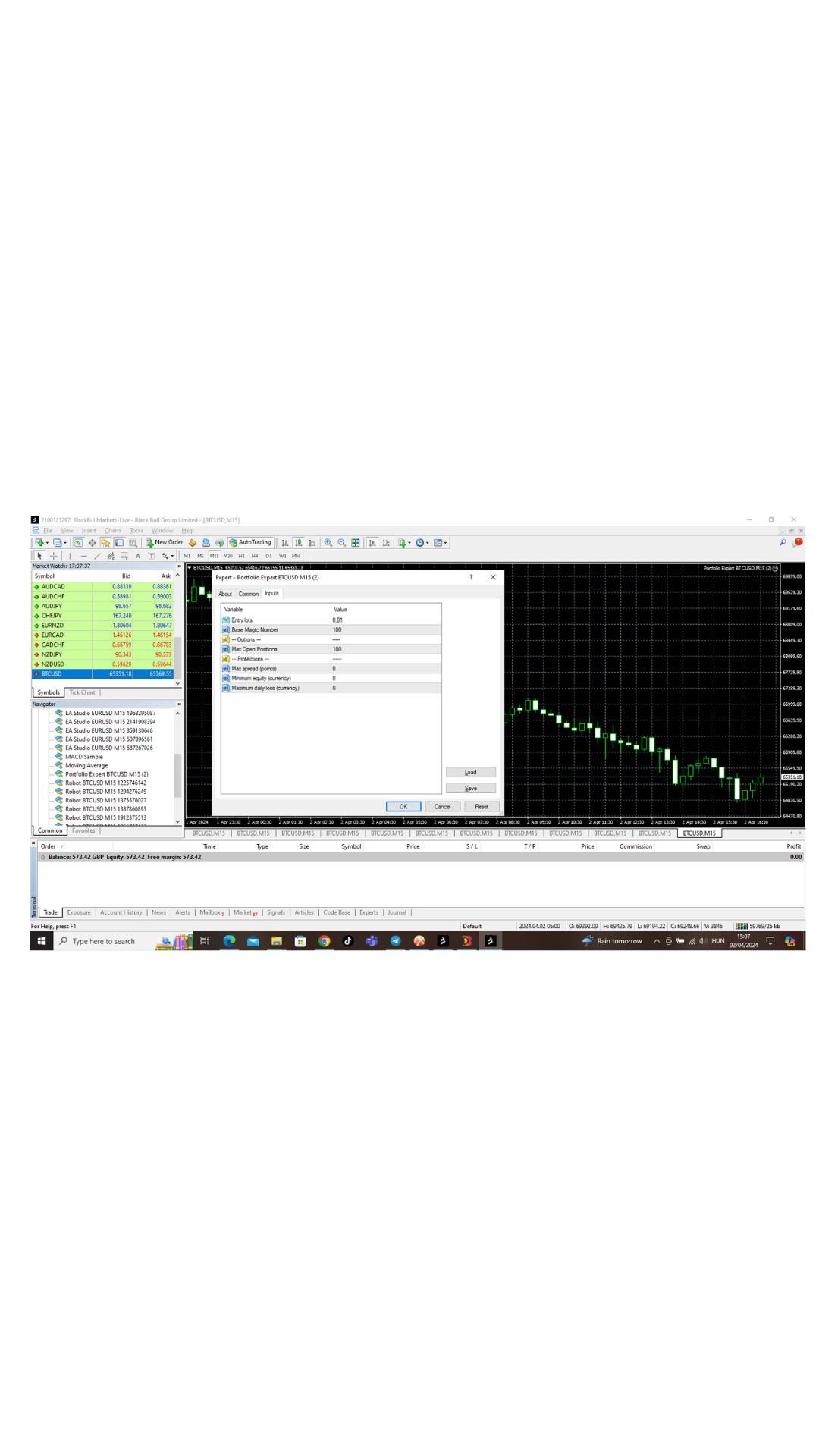
I have followed the instruction through the videos and I have already the forex robot from Top 10 Forex EAs – and those working nicely – without issue.
Please see attached doc for printscreen.
 April 2, 2024 at 5:16 pm #246042Keymaster
I see romolusne, from the screenshot that you provided, I can see that the settings are fine.
So, in this case, I would suggest to try and install the robots again on the charts, I mean the ones that disappeared from the charts and see if that works!
If it still does not work, let me know!
Kind Regards,
NikosApril 2, 2024 at 5:23 pm #246047MemberThank you Nikos,
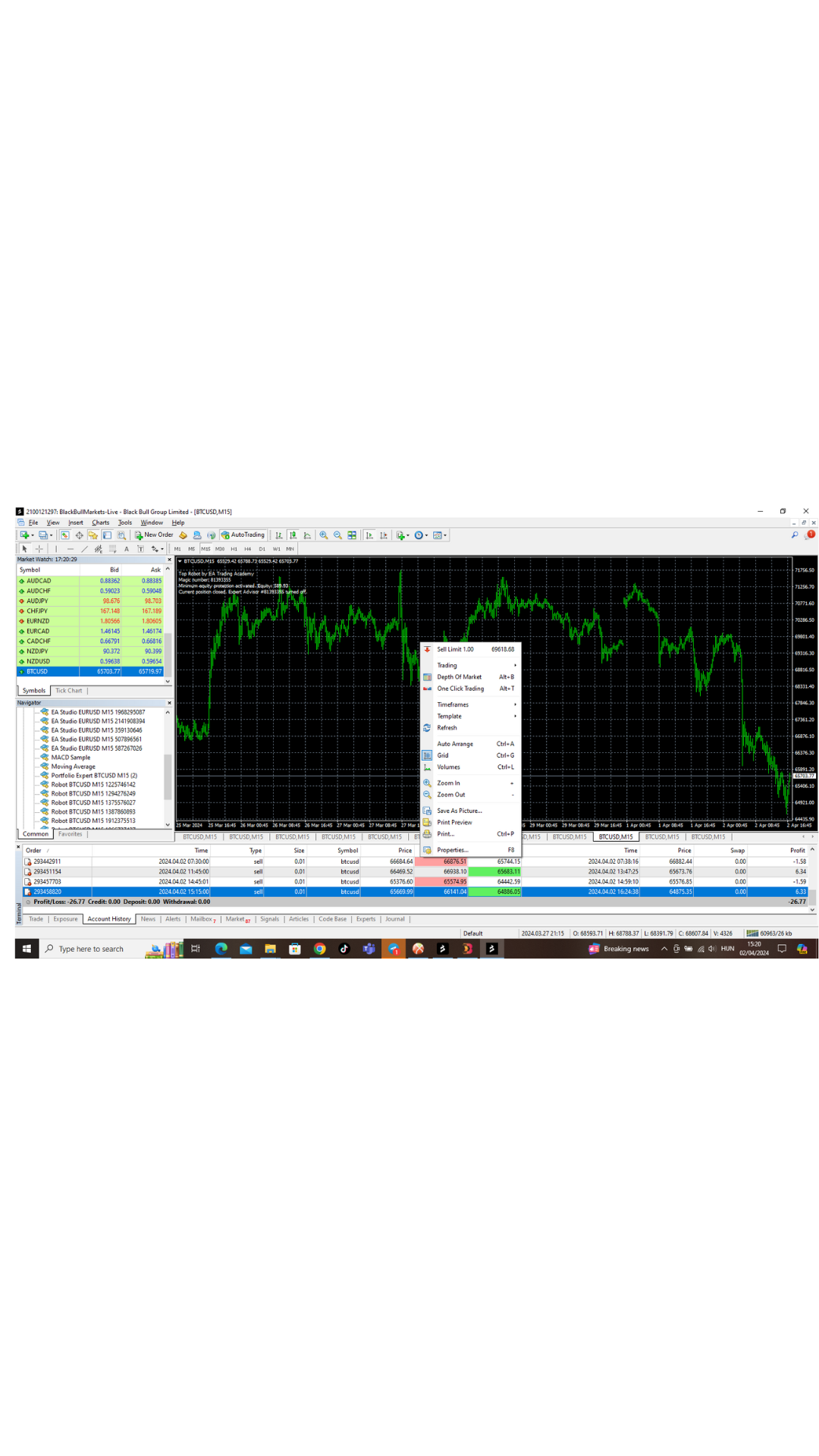
I have tried to install them already 2 times – on the pictures left top corner it says advisor has been turned off – and when I try to go into the “property” setting there is no expert adviser button -.-‘
 April 2, 2024 at 5:24 pm #246050Member
 April 2, 2024 at 5:36 pm #246056Keymaster
Alright, I see what is wrong.
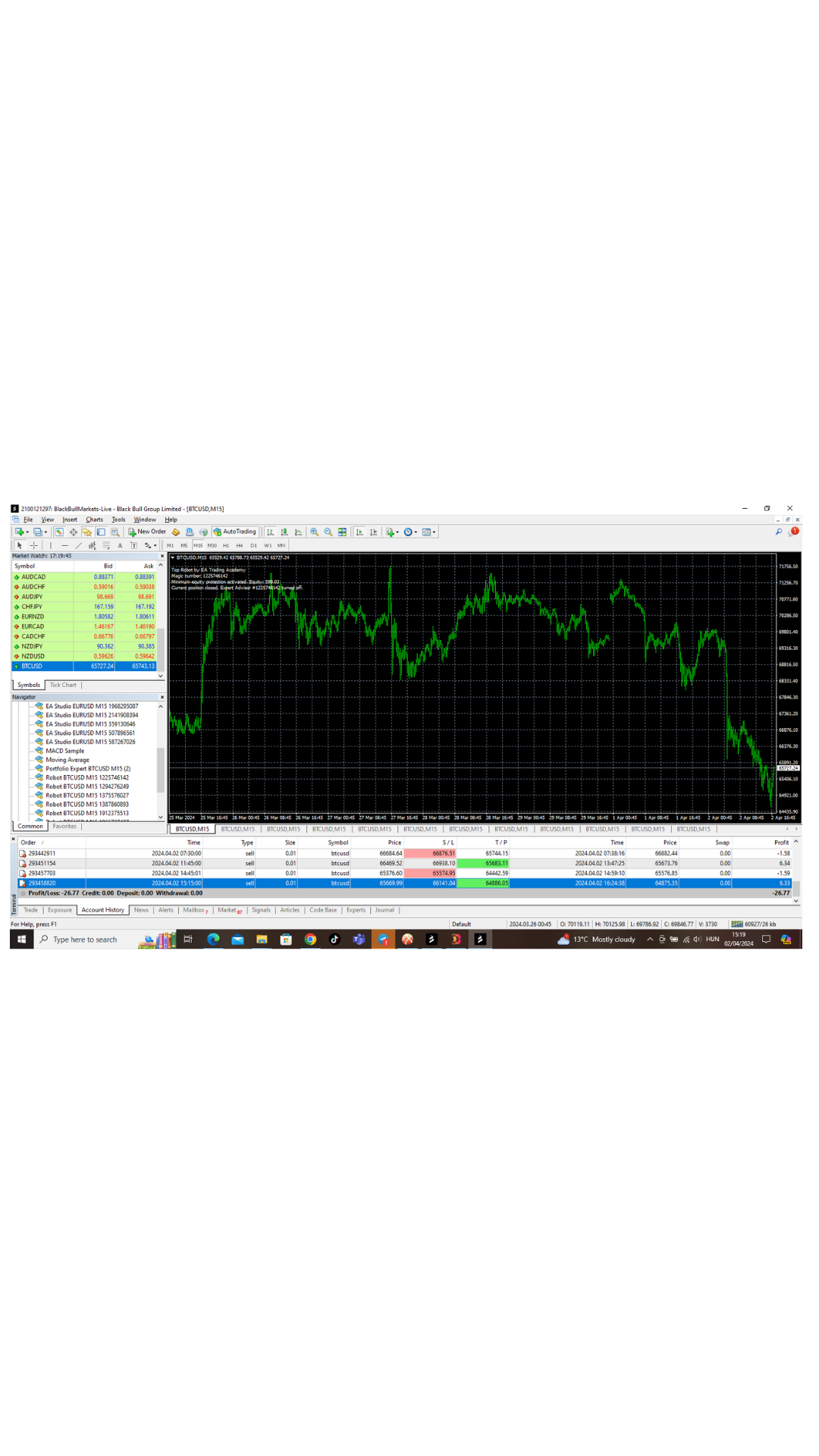
So, it seems that the minimum equity has been activated. In this case, you need to decrease the equity in order for the the robot to work.
Just try to decrease the equity settings and see if that works. You will need to drag the robot to the chart again!
Thank you!
Kind Regards,
NikosApril 2, 2024 at 5:40 pm #246057MemberThank you, but I do not know how to do that 😀 sorry I am new for this.
April 2, 2024 at 5:52 pm #246061KeymasterNo worries,
Check the screenshot below:
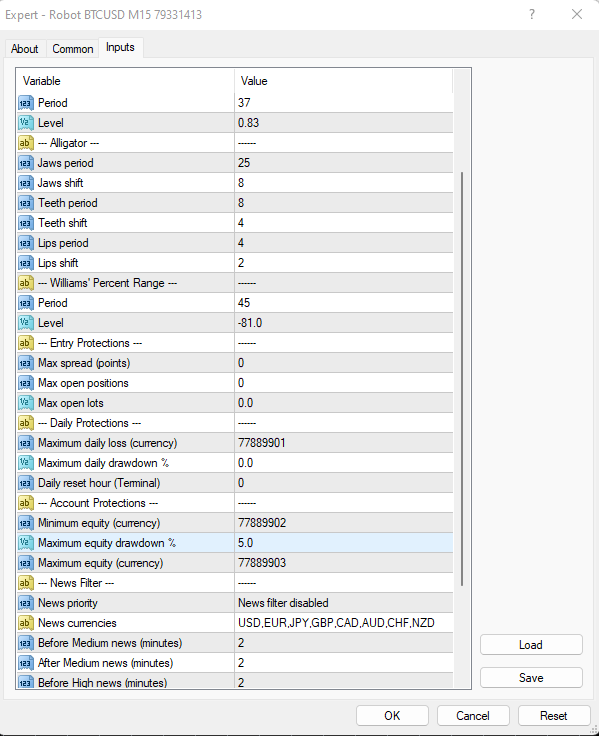
Where you see the equity settings, you can just set it in any percentage you would like to risk. Keep in mind that equity means that the open position when for example it 5% loss, it will stop trading to protect the account from getting blown.
Hope this helps!
Let me know if you need more assistance!
Kind Regards,
NikosApril 2, 2024 at 6:01 pm #246063MemberThank you Nikos,
that number was 0.0 actually, I made it to 1.0 – but it still says turned off because of equity…shall I raise the number higher?
April 2, 2024 at 6:07 pm #246065KeymasterTry to raise it and also try to change the numbers that you see in the minimum and maximum equity!
Let me know if you have any more questions!
Kind Regards,
Nikos -
AuthorPosts
- You must be logged in to reply to this topic.