
Community Forums › Forums › 21 Day Program › 21 Day Program: General questions
Tagged: 21 day program, 21-Day Ultra Algo Trading Program, a, data source, leverage, posiciones, travel
- This topic is empty.
-
AuthorPosts
-
Alan Northam
ParticipantHi Fabian,
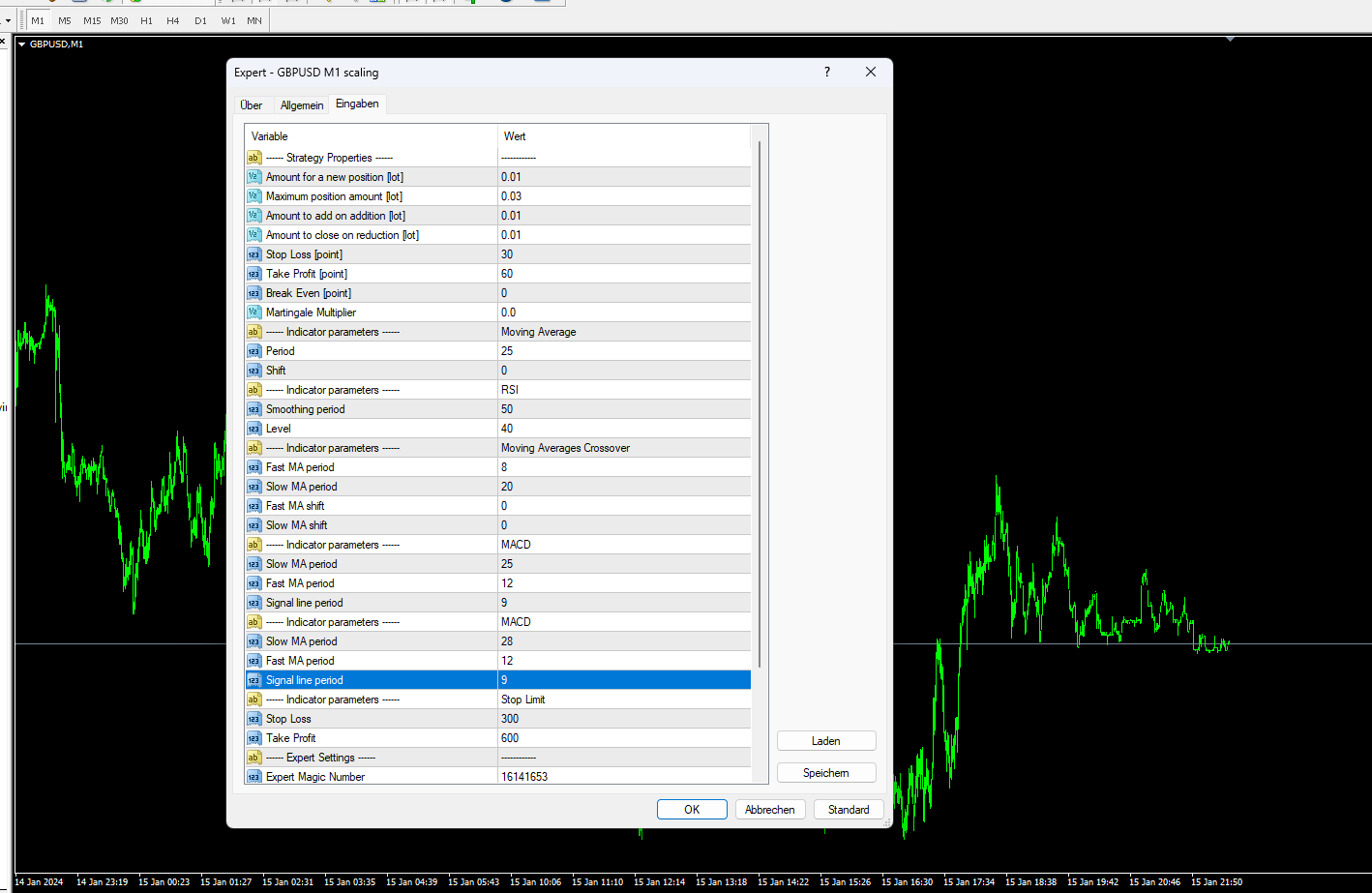
Oh OK, that is plenty of historical data. All I had to go on was the historical data you showed on your first chart. Why do you not have the robot installed on the chart? Can you install the robot and then do a screenshot of its properties?
I may be away from the computer for the rest of the day. I will get back to you asap!
Alan,
Bkennedy74
Participantend
Fabian Kaeser
ParticipantYes thats why I dont understand why the EA is not working. These are the Settings Petko recomend.
 Participant
Hi Fabian,
Indicators do not show up with MT4 only on MT5.
Alan,
ParticipantMorning Alan what do you mean?
ParticipantI guess I don’t understand what your problem is. How do you know the smoothing is not working?
Boyan Todorov
MemberHello, I downloaded the 5 EAs from the first course and as I tried to copy them into the data folder I found out, that I have only MQL5 folder but not the MQL4 one. I am pretty sure I downloaded the setup file for mt4. What might be the reason, any ideas? Thanks!
ParticipantHi Boyan,
If you need MT4 folder and only MT5 folder is available for download then this becomes a support issue. Please contact [email protected] .
Alan,
MemberHi Alan,
sorry if my post was misleading. I don’t have an issue with downloading the EAs from the first course, I could donload all of them for both MT4 and MT5. Here is what I have problem with. I got a VPS from NYCServers. It had MT5 preinstalled. I went to the website of Meta Trader and downloaded the setup file foe MT4 for Windows from there, then I installed it. On the Desktop of the VPS I have two icons now- Meta Trader 5 and Meta Trader. I thought the second one was MT4. I tried to run the EAs following the steps in the first video concerning EAs of the first course of the 21 day program. There it says to open the data folder and to copy the EAs in th MQL4->Advisers folder. The issue ist, that I find only MQL5 folder there. I also asked the support of the VPS provider about this. They wanted to know specific brokers, that I will be using and told me that for each and every broker and each and every account I need a seperate MT4 installation, is that correct? I thought MT4 is a common platform which I install only once and then I just connect multiple acconts/brokerks to it. Now I am pretty confused. Can you help me out please?
Boyan
ParticipantHi Boyan,
Each account must have a separate MT4 or MT5 and they need to stay open for the EAs to work. It appears the setup file you copied from the Meta Trader website is also MT5. I think it best to go to your brokers website and download MT4 or MT5 from there.
Does this answer your questions, if not please let me know?
Alan,
MemberI see, thanks a lot. Can you tell me what Petko is using in this video https://www.youtube.com/watch?v=WSq6TCzaXo0&t=3s ? I assume it is a demo account of MT4 but I cannot recognize a spesific broker. Is there a basic version of mt4 with a default demo account where I can run the EAs?
Thanks!
Boyan
ParticipantHi Boyan,
Petko is using a demo account from dukascopy.com. During the process of opening a demo account you will be given the opportunity to download MT4 or MT5.
https://www.dukascopy.com/swiss/english/forex/demo-fx-account/?headerBar=main-slider
Alan,
MemberThanks a lot. I will check it. How can you tell this, where do you see it? Also when I double click on the EA like in the video it cannot be opened, because I don’t have the Meta Editor. Is this something, which I have to install seperately? Thank you.
Boyan
Nake Devins
ParticipantHi I just noticed that there is two different EA’s. Do I attach both to the same chart? So for example there is the originals and then there’s the scaling do I attach both of those to each chart? Thanks
ParticipantHi Nake,
Each EA must have it own chart.
Alan,
-
AuthorPosts