
Community Forums › Forums › 21 Day Program › 21 Day Program: General questions
Tagged: 21 day program, 21-Day Ultra Algo Trading Program, a, data source, leverage, posiciones, travel
- This topic has 169 replies, 52 voices, and was last updated 10 months, 2 weeks ago by
Stoyan Stoyanov.
-
AuthorPosts
-
December 20, 2023 at 1:43 pm #221702
RONEN FROHLICH
ParticipantI have the link but I can´t find V5.1 robots.
December 21, 2023 at 11:09 am #221851ParticipantI have installed the robots as explained in the lesones and I got the smile in all the five charts
but the robots dont work
what can I doJanuary 1, 2024 at 8:59 pm #223946Greg Greg
ParticipantHi,
Please add content to the missing file on lesson 29 – https://platform.algotradingspace.com/courses/algorithmic-trading/professional-trading-strategies/lessons/29-different-robots/
Provided link don’t have any files – ttps://1drv.ms/f/s!ArAxmkRnZC1_kPVFTZ2au6rejxs_qw?e=DqMCQG
Best,
Greg
January 2, 2024 at 3:22 am #223983Alan Northam
ParticipantJanuary 9, 2024 at 9:26 am #225758Melvin05
ParticipantHi there, I cant seem to get the free 30EAs on the last month best robots + 30 every month. How do I go about it? I click the link but it keeps failing to load.
January 9, 2024 at 11:41 am #225786ParticipantHi can i ask,
which pairs are the most suitable to trade with EAs? Im not sure if it is covered in the course, but I am wondering which are the most favourable pairs to trade. For eg, the instructure mentioned USDCAD is not too favourable since it is dependent on oil. Are there pairs to avoid and pairs to favour slightly more? If so is it possible to provide a list of pairs i can explore in the EA studio? I am currently exploring EURUSD, GBPUSD, EURGBP because of the equal exposure mentioned in the course
January 9, 2024 at 1:51 pm #225812ParticipantJanuary 9, 2024 at 2:17 pm #225819ParticipantHi Melvin,
What I do is put all the EAs in a demo account for one to two weeks. I then pick the best one to trade. Then I repeat this process every week to two.
Alan,
January 15, 2024 at 12:22 pm #226968Fabian Kaeser
ParticipantHello everyone
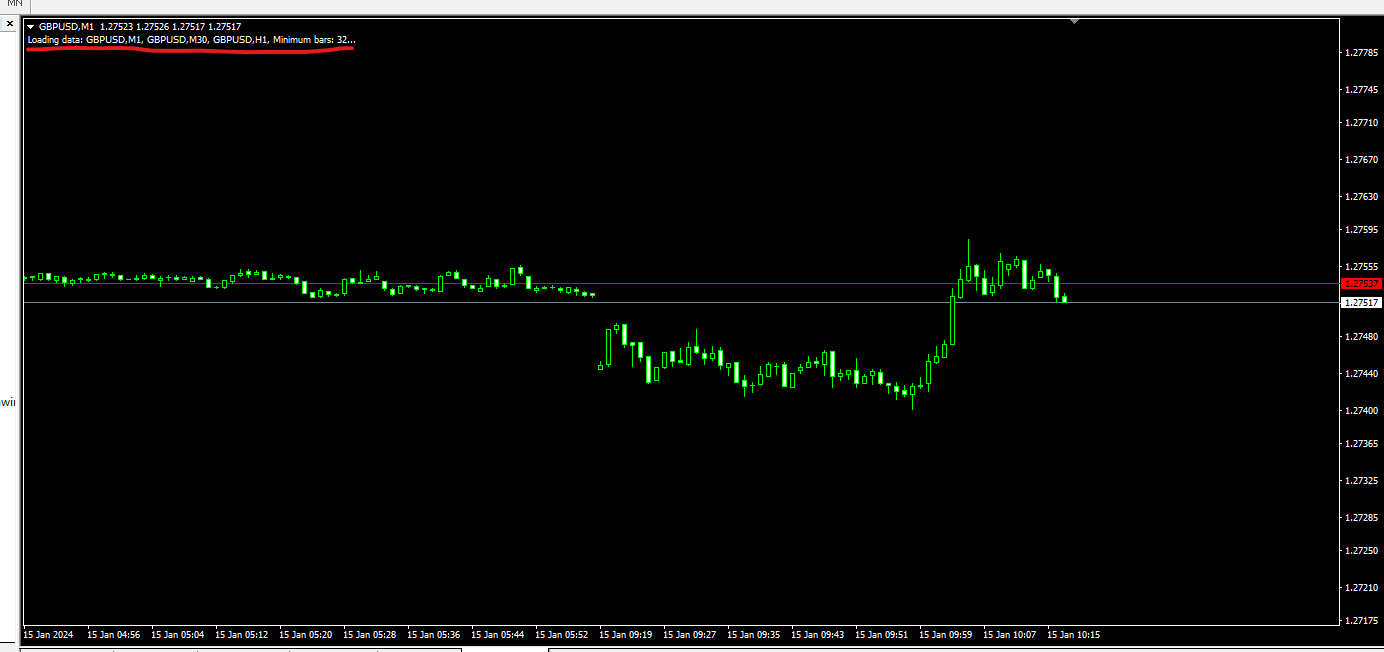
I am currently testing the 5 robots from the 21-day program. All of them are working great and making profits. I only have a problem with the GBP/USD. The bot is not running. The chart shows that it has too little hystorical data. However, I have downloaded and imported data in M1, M30 and H1, so there should be more than enough. Can anyone help me?
 January 15, 2024 at 1:49 pm #226983Participant
Hi Fabian,
The first thing to do is to go to Tools>options>Charts. Then go down to Max bars in history and enter 9’s all the way across the white space. Do the same for Max bars in chart. Click OK.
Now go to the chart and select the time frame. On the tool bar unselect “Scroll the chart to the end on tick incoming” and unselect “Shift end of the chart from right boarder” buttons.
Now in the tool bar press the Zoom Out button until chart zooms out as far a possible.
Now hold down the HOME key. Chart should scroll across the window. Hold down until chart stops scrolling. This will maximize the historical data. Click END key to return to end of chart. Do this for each time frame.
Also, when installing the robot first make sure you have the Auto Trading button on the tool bar selected.
Now see if the robot will start working.
Alan,
January 15, 2024 at 3:23 pm #226999ParticipantHey Alan
Thanks for this detailed answer. I did exactly what you described. At the first point the 9’s are not saved for me. The standard numbers are always coming back. The problem only occurs when I set the smoothing period of the RSI to 50.
January 15, 2024 at 3:36 pm #227004ParticipantHi Fabian,
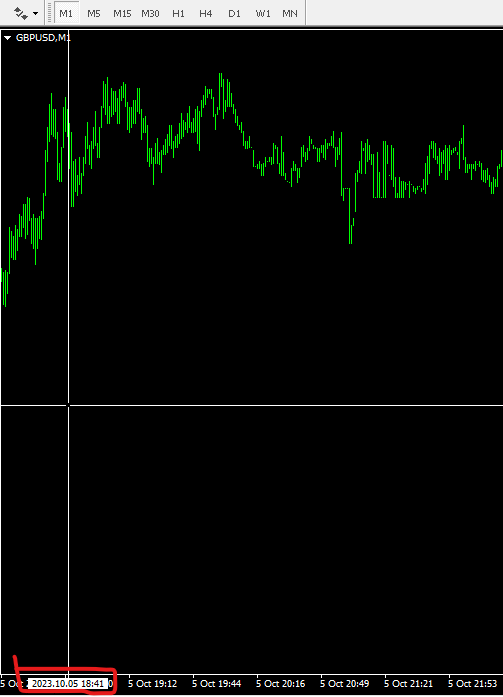
After you do the 9’s and then go back to the chart and then come back to the 9’s, the 9’s should change to 2147483647. Are you getting this or a much smaller number? If a much smaller number then your broker is limiting the historical data. For example with the FTMO server the data for M1 goes back to September 2023. I would contact your broker to see if they can increase the historical data. If your broker cannot give you more historical data I would consider finding a different broker.
With the historical data I see available on the chart you do not have enough historical data for a smoothing of 50 periods.
Alan,
January 15, 2024 at 5:23 pm #227026ParticipantThanks I have this number 2147483647 after I have entered the 9`s. Nevertheless the 50 smoothing period does not work.
January 15, 2024 at 6:30 pm #227041ParticipantHi Fabian,
The 50 smoothing period will not work because you do not have enough historical data.
Since you have 2147483647 you should have historical data back to Nov 1,2023 but when I see your screenshot it shows your historical data doesn’t even go back more than 1 day. I would contact your broker and find out why you cannot get more historical data.
Alan,
January 15, 2024 at 7:25 pm #227050ParticipantLook Alan I have GBP/USD M1 Datas till 5. Oktober 2023
-
AuthorPosts
- You must be logged in to reply to this topic.