
Community Forums › Forums › 21 Day Program › 21 Day Program: General questions
Tagged: 21 day program, 21-Day Ultra Algo Trading Program, a, data source, leverage, posiciones, travel
- This topic has 169 replies, 52 voices, and was last updated 10 months, 2 weeks ago by
Stoyan Stoyanov.
-
AuthorPosts
-
October 25, 2023 at 7:14 pm #207089
Michael Holt
Participant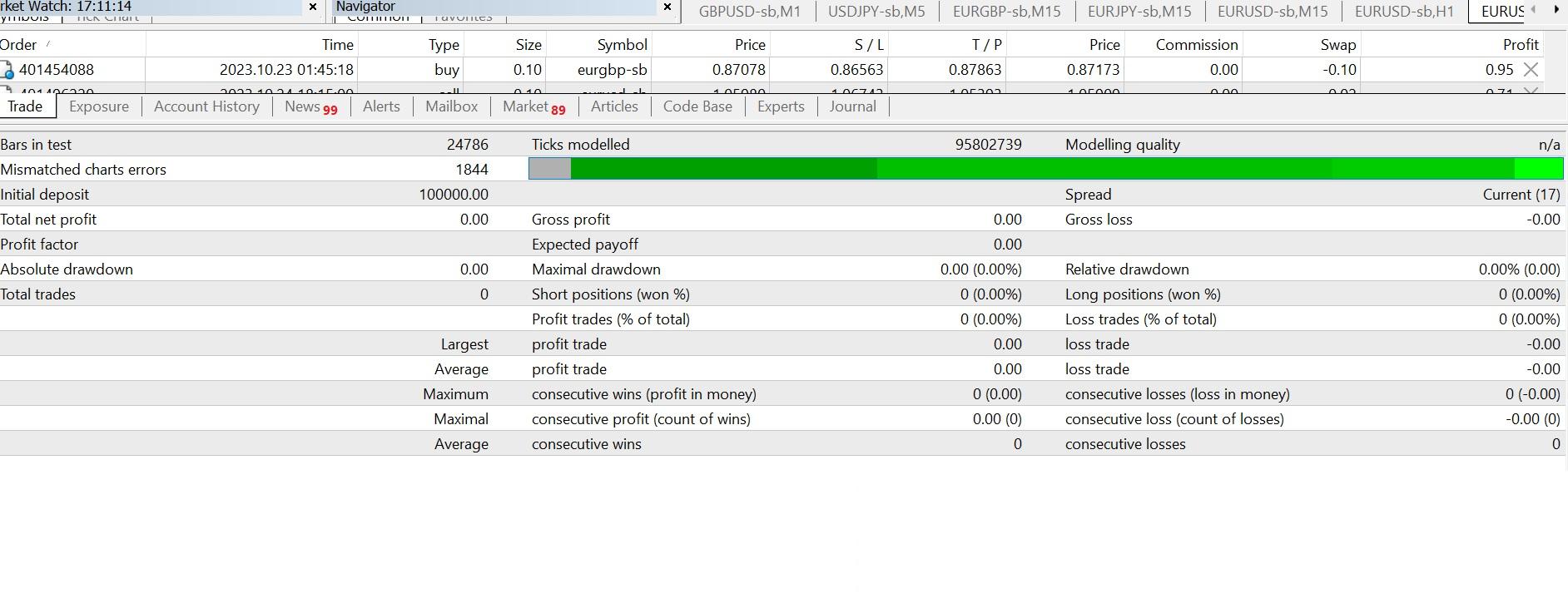 October 25, 2023 at 7:15 pm #207090Participant
 October 25, 2023 at 7:22 pm #207094Participant
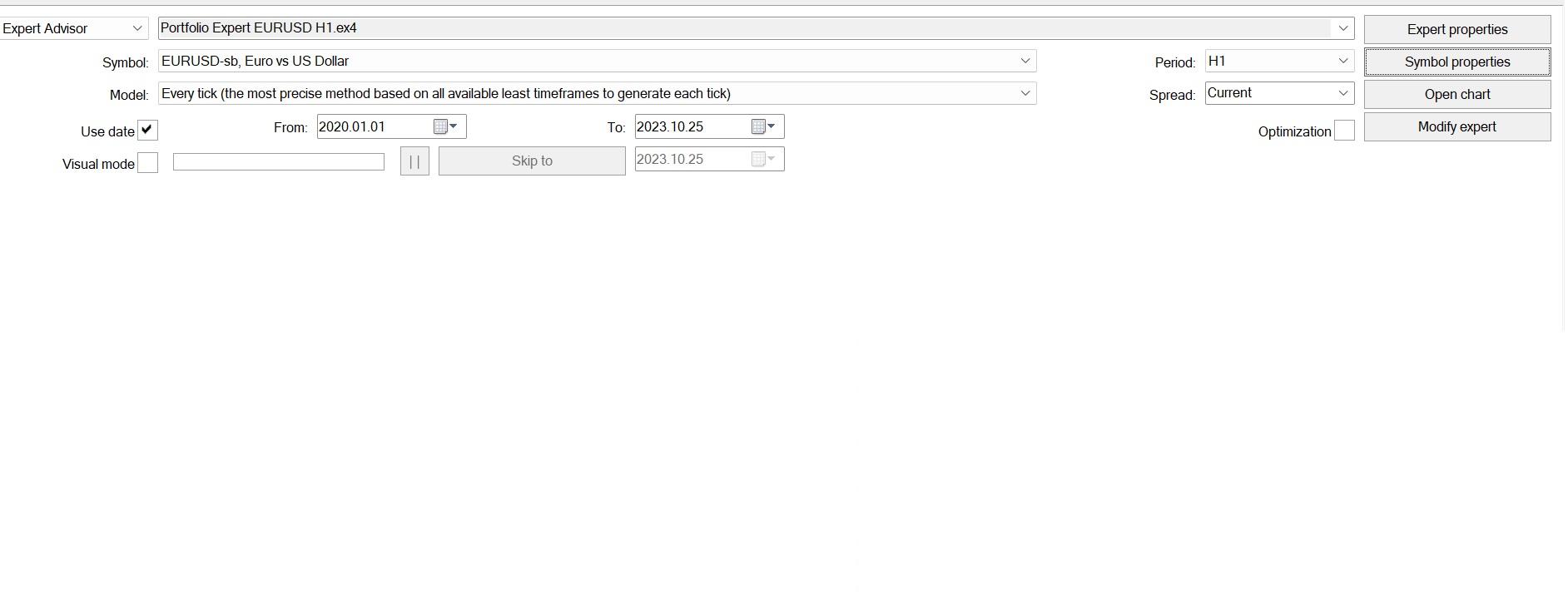
I’ve changed the date range, and left on default.
I’ve pressed Home button on the chart to load up all the previous data.
The same thing happens on all the portfolios from the course used. (eur/usd, gbp/usd, eur/gbp)
October 25, 2023 at 7:28 pm #207099Alan Northam
ParticipantIt is also possible for the two demo account to take different number of trades.
October 30, 2023 at 2:05 pm #208386Bkennedy74
ParticipantI have just started this course, but came across the same issue with the bots that I purchased for gold and BTC>
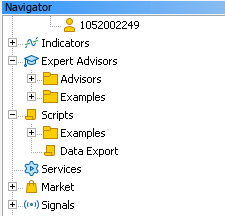
The information given to execute for MT5 is that you download, open the data folder, copy the bots into the folder, then you close MT5 and reopen it and they will compile. This is not true. I had to manually compile them before they showed up in the EA’s tree o the left in the navigator.
Secondly, in this course Petko says the same thing about downloading hte script. The script is downloaded and copied into the folder per the direction, but closing and opening MT5 does not compile the script. I hit compile on the downloaded script, it also compiled but it is still not available.
If you are making us pay fo
 r courses and or bots, the information needs to be accurate and updated.
 October 30, 2023 at 2:14 pm #208436Participant
When I exit MT5 and relaunch it, MT5 does compile the EA. If MT5 is not doing this for you then I would suspect your copy of MT5 is corrupt. I would recommend to completely delete MT5 and install a new copy of MT5 downloaded from your broker, and try again.
Hope you get it working correctly!
Alan,
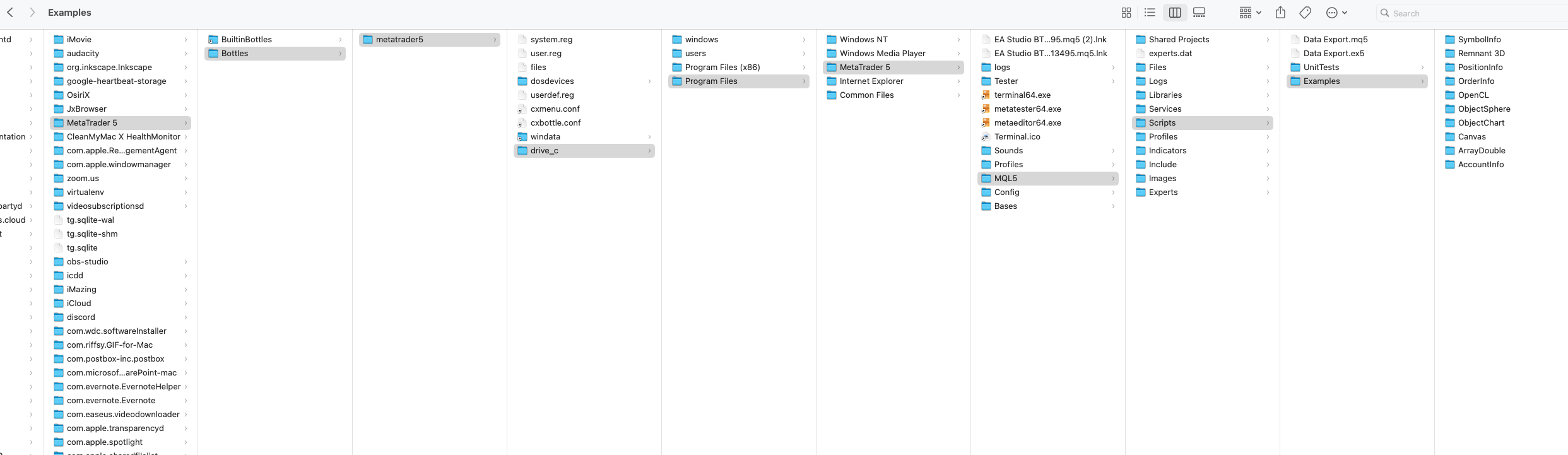
October 30, 2023 at 10:57 pm #208540Participantno unfortunately. I redownloaded but not the data window has the same look as a pc, and i am on a mac. As you can see in the screenshot the file is downloaded into the correct folder, but it does not appear in the navigator.
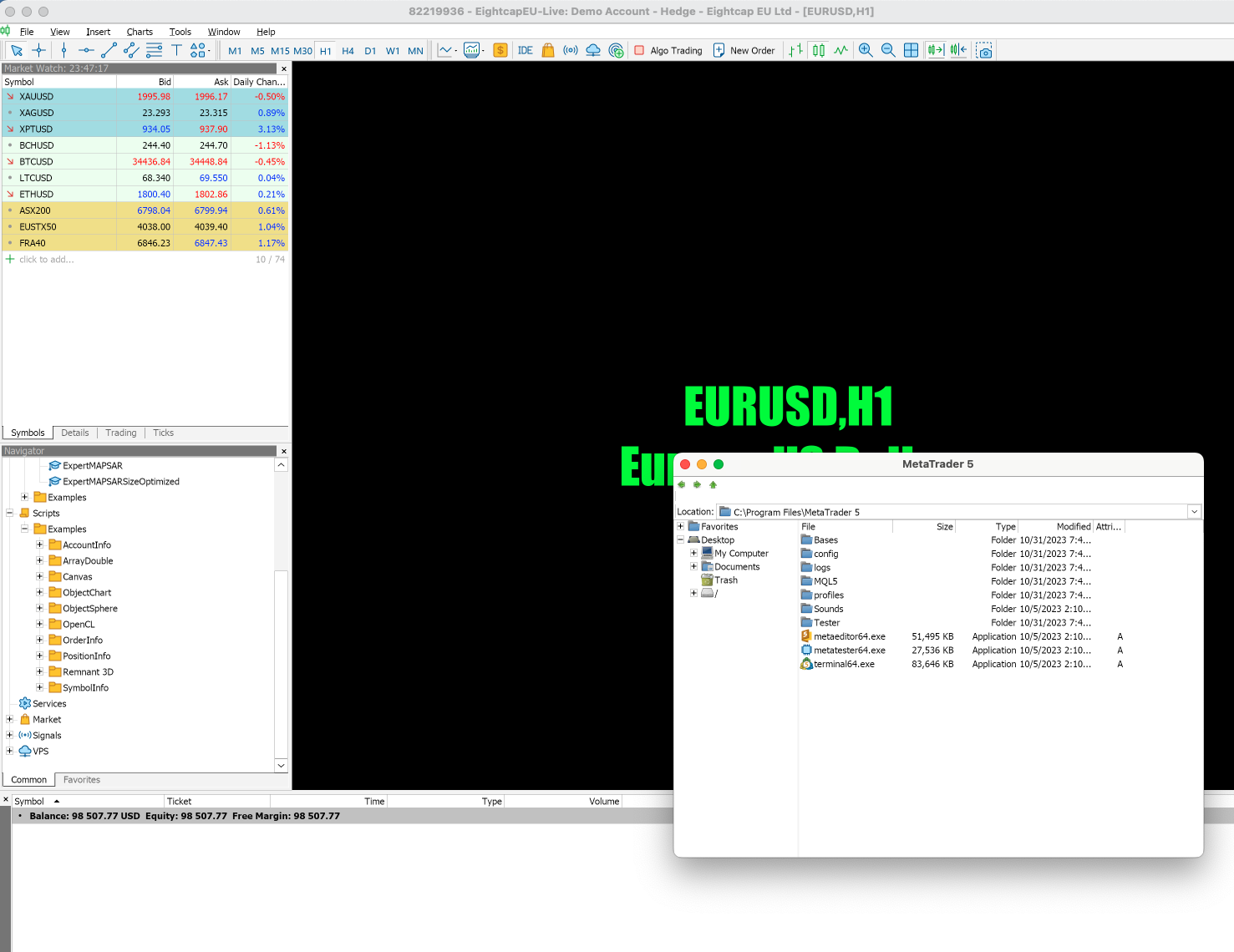 October 31, 2023 at 1:09 am #208560Participant
OK, now I am starting to understand why you are having problems. MT4/MT5 were coded to work with windows. I am not a MAC user but I understand that programs like “Wine” to allow windows to run on a MAC does not work well with MetaTrader with some features not working.
I also understand that using “Parallels Desktop” which allows windows to run on a MAC does allow MetaTrader to work properly but I don’t have any confirmation that it really does. You would just have to try it.
I also know there is a version of MT5 for Mac which can be downloaded from:
https://www.metatrader5.com/en/terminal/help/start_advanced/install_mac
This is probably your best option.
Let me know what you decide to do and what works.
Alan,
October 31, 2023 at 1:23 am #2085640xBitpool
ParticipantI also have a Mac, but I decided to go for a VPS instead. Native windows and 24/7 availability. Maybe that’s another good option to consider
October 31, 2023 at 1:42 am #208567ParticipantAllan, none of those answers address the issue. There is a native mac application, which I am using and stated above. I am not and will not be using parrallels to run windows and then run MT5 when there is a software available.
There is another issue at play here, I have been trading with MT5 on my mac for over a year now without using these things that the EA’s are talking about. I am just getting into those, but there should be absolutely no difference with the way that the platform runs the software, and by opening up the data folder and pasting in those files, they should compile. However they don’t. I have found the work around for the ea’s, but for the data extraction there is nothing yet. The file does compile, at least it says it does, but nothing shows up to drag onto the asset to get data
OxBitpool, how would a VPS affect this?
October 31, 2023 at 10:46 am #208643ParticipantSorry to hear that none of the solutions mentioned above will not work for you. You can, however, just continue using your MAC with MT5 as it will work with some features having issues.
Another solution would be to purchase a windows computer. I have several computers running. I use one for general computer work. I use one for running demo trading EA’s. I use two computers for generating EA’s. I run 10 ExpressGenerators everyday on each computer. So this might be a solution for you. Use your MAC for general computer work and use a windows machine for trading.
Using a VPS is another solution as OxBitpool suggested. However, you need to make sure you use a VPS that uses windows. This way MetaTrader will work correctly. Another good reason to use VPS is in case you have a power outage or your internet service is interrupted your trading accounts will still be working normally. I use two VPS’s for all my live accounts for this reason.
It’s also a good idea to have a backup machine so if one machine fails you can always get to your VPS live accounts.
Alan,
November 7, 2023 at 1:13 am #210363Tze Ming Ng
ParticipantHi, I am a newbie and enjoying the course!
I do have a question. I created 10 x H1 EAs each for EURUSD, GBPUSD and EURGBP on EA Studio and placed them on a demo account running on a VPS. They are all running with smiley faces for more than a day now but there are no executed trades at all. I checked them using MetaEditor and there doesn’t seem to be any errors.
What could be the problem here? Any advice is appreciated. Thanks!
November 7, 2023 at 2:31 am #210373ParticipantGive them more time. It could take a couple of days before you might see your first trades.
Alan,
November 7, 2023 at 5:49 pm #210524Daniele Scorziello
ParticipantHi, I get an error trying to post questions here when uploading screenshots. this is a test to see if I can load a question without a screen shot.
November 7, 2023 at 6:46 pm #210522ParticipantHi, I have been trying to generate strategies with no success. below are my parameters please advise.
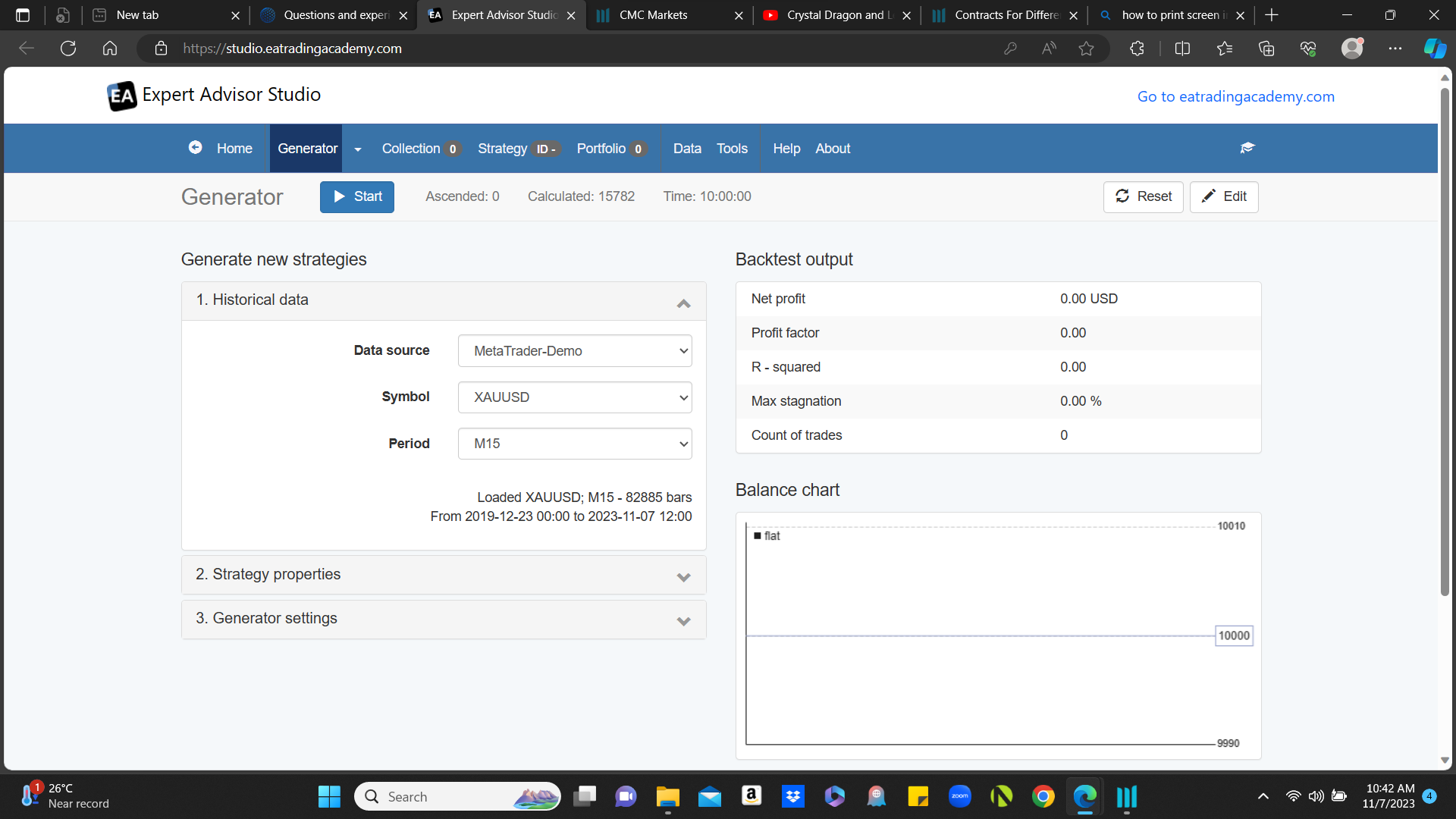
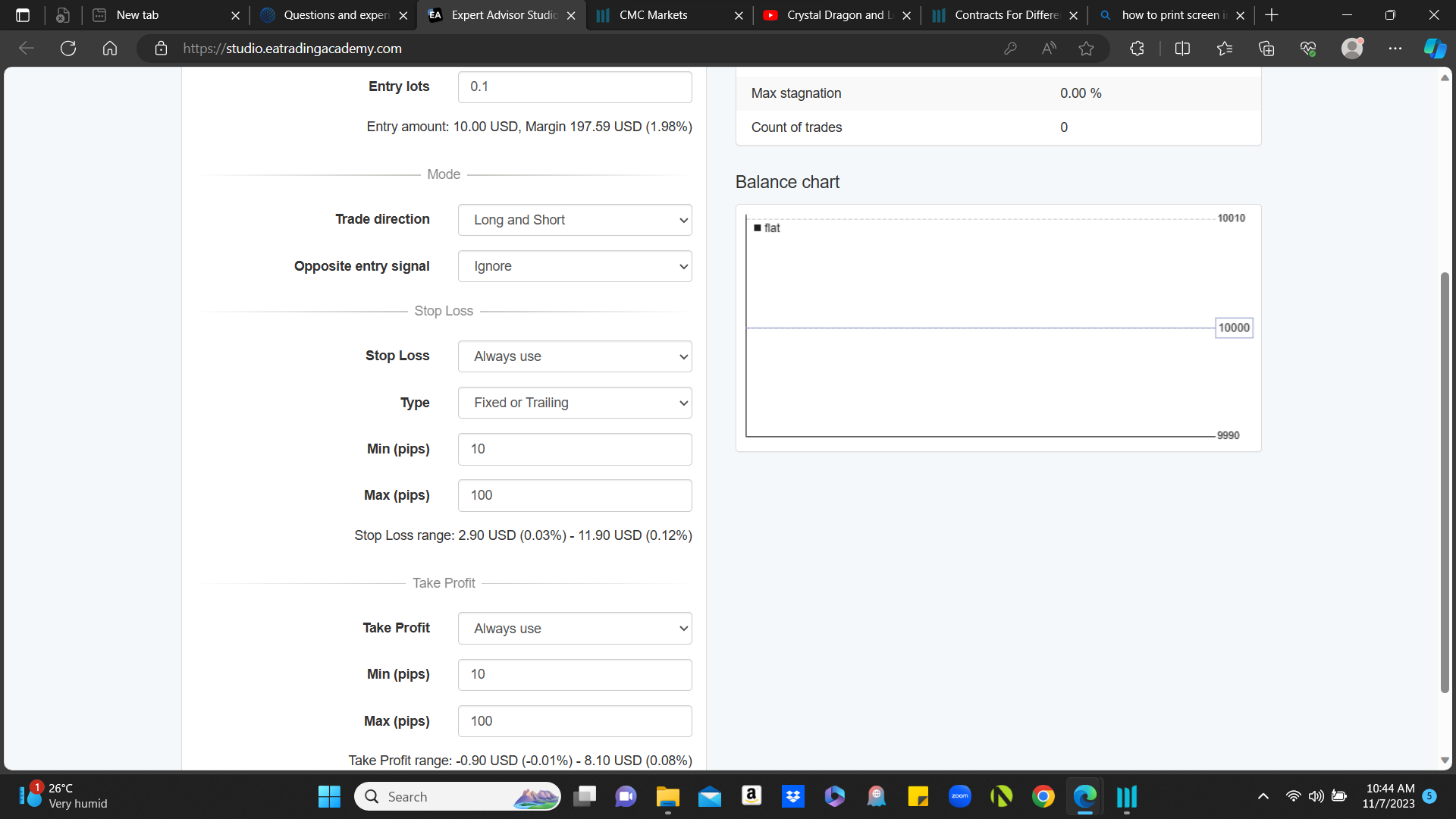
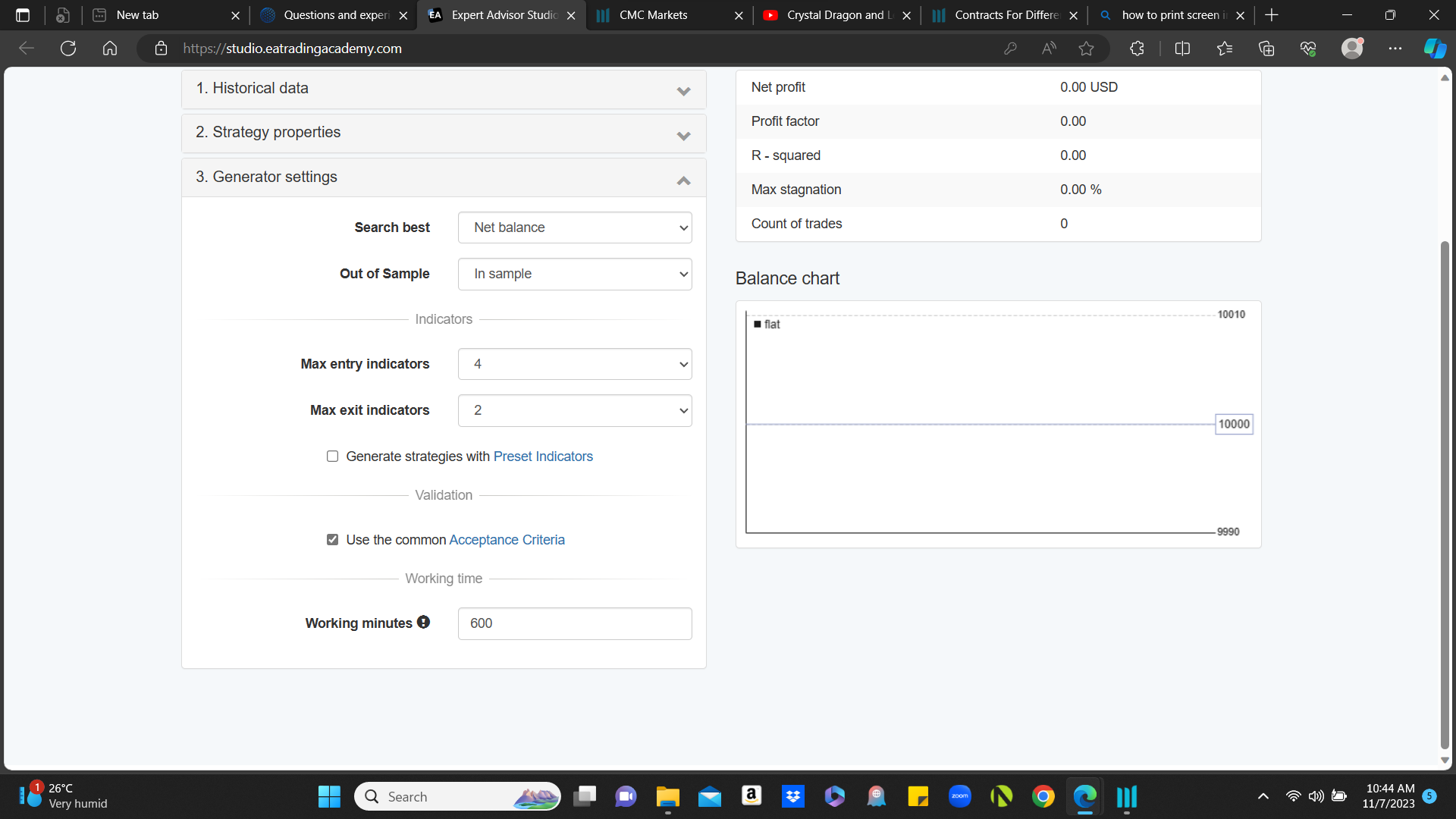
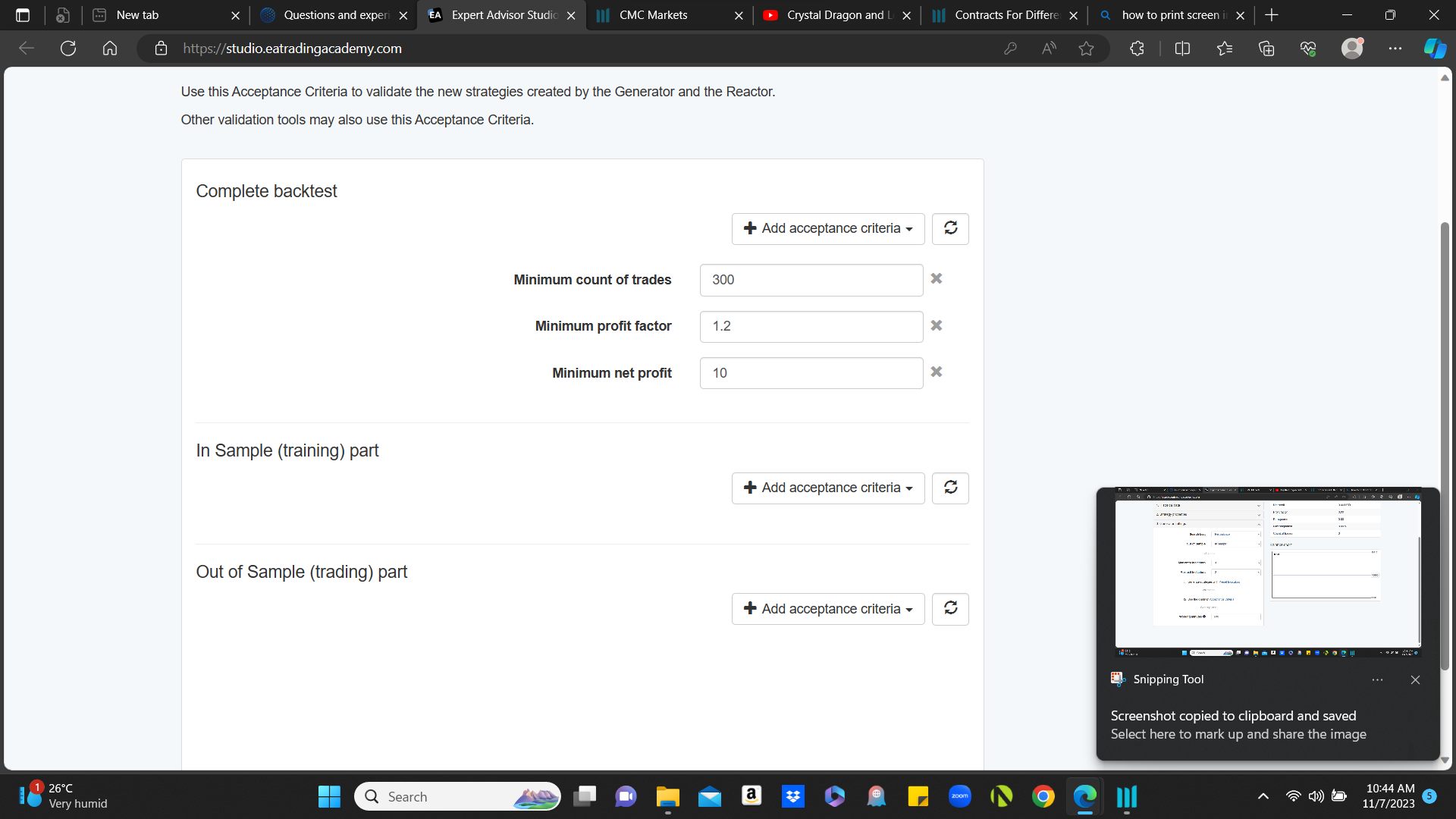
Thank you
-
AuthorPosts
- You must be logged in to reply to this topic.